
Choosing the right paper weight is the key to clear prints, smooth writing, and trouble-free printer operation. The choice between 70 GSM and 80 GSM bond paper often comes down to balancing cost with performance. While 70 GSM paper is lighter and highly economical for high-volume, single-sided printing, 80 GSM paper offers a thicker, more opaque sheet that handles double-sided printing and wetter inks without bleeding. Selecting the right option, such as a reliable pack of deli bondpaper, depends on your specific printing equipment, writing tools, and budget.
What Does GSM Actually Mean for Bond Paper?
GSM stands for “Grams per Square Meter.” It is a standard metric unit used globally to measure the area density of paper. If you were to cut a sheet of paper to exactly one meter by one meter, its weight in grams would equal its GSM rating. In the context of bond paper—the standard uncoated paper used for photocopying, typing, and office tasks—GSM serves as a reliable proxy for thickness, stiffness, and opacity.
However, a higher GSM does not automatically mean superior quality for every single scenario. A higher rating simply means more raw wood pulp is used per square meter, which increases production costs and yields a stiffer, more substantial sheet. For everyday office work and school requirements, understanding this baseline helps you avoid overpaying for heavy sheets when lighter, more flexible options would serve you just as well.
Products mentioned in this guide
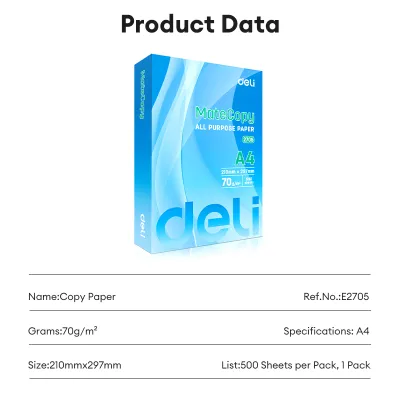
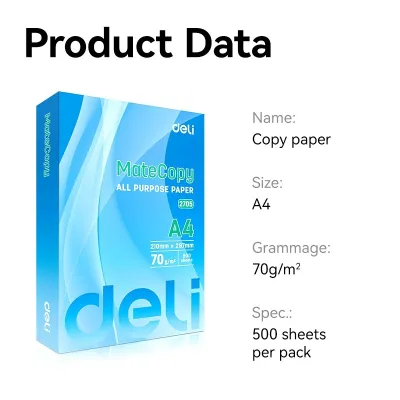
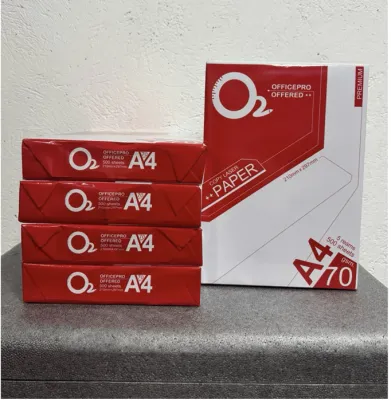
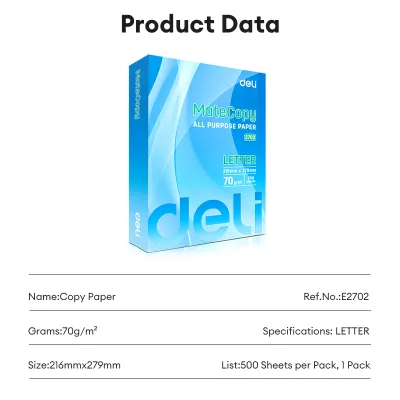
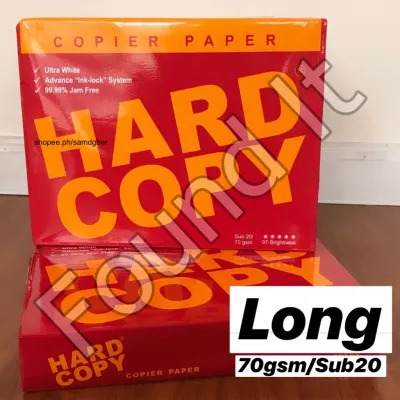
Prices are valid at publication and may change. Please refer to the product page for the latest price.
70 GSM vs. 80 GSM: Real-World Differences in Printing and Writing
When comparing these two common weights, the differences show up in how the paper handles ink, how it feels in your hand, and how it behaves inside your printer.

Opacity and show-through are the most noticeable differences. Because 80 GSM paper is denser, it has higher opacity, meaning light and ink do not pass through it as easily. If you print on both sides of the sheet (duplex printing), 80 GSM keeps the text on the back from ghosting or showing through to the front. On 70 GSM paper, double-sided prints often suffer from noticeable show-through, making the document difficult to read.
Stiffness and tactile feel also set them apart. An 80 GSM sheet feels more substantial, crisp, and professional, which leaves a better impression during client meetings or interviews. In contrast, 70 GSM paper is noticeably thinner and more flexible. While it lacks a premium feel, its lighter weight makes it highly flexible and easy to fold.
Printer compatibility is another factor. Most modern office copiers handle both weights easily, but older or heavily used home printers can occasionally struggle. Extremely light paper can sometimes slip or crumple in worn feed rollers, while heavier paper requires a feed mechanism capable of pulling stiffer sheets through tight internal curves without slipping.
| Dimension / Feature | 70 GSM Bond Paper | 80 GSM Bond Paper |
|---|---|---|
| Thickness & Feel | Thin, lightweight, highly flexible | Substantial, moderately stiff, premium feel |
| Opacity (Show-through) | Moderate; prone to ghosting with double-sided prints | High; minimal show-through for double-sided use |
| Ink Compatibility | Best for dry toners, pencils, and ballpoint pens | Handles gel pens, highlighters, and moderate inkjet ink |
| Best Use Cases | High-volume copying, single-sided drafts, student notes | Formal letters, contracts, double-sided reports, resumes |
| Relative Cost | Highly economical; lower cost per ream | Slightly higher cost; investment for professional output |
When 70 GSM Is the Smart Choice for Daily Tasks
For high-volume, everyday tasks, 70 GSM paper is often the most practical and cost-effective choice. In environments like school classrooms, university review centers, and high-volume office departments, printing costs can accumulate rapidly. Opting for 70 GSM paper significantly lowers your cost per ream, stretching your budget further without sacrificing readability.
This weight is ideal for single-sided drafts, temporary handouts, student worksheets, and internal office memos. Since these documents are typically read once and rarely archived, the premium feel of heavier paper is unnecessary. Additionally, 70 GSM is highly suitable for standard laser printers that use dry toner, as the toner sits on top of the paper fibers rather than soaking into them, eliminating the risk of bleed-through.
Another practical benefit of 70 GSM paper is its physical weight. A ream of 70 GSM paper is noticeably lighter than its 80 GSM counterpart. For students carrying modules in their backpacks or office workers transporting boxes of documents, this weight difference makes a real impact on daily comfort.
When to Upgrade to 80 GSM for Professional Results
There are many scenarios where upgrading to 80 GSM paper is well worth the slight increase in price. If you are preparing client-facing documents, formal contracts, resumes, or official business proposals, presentation matters. The extra stiffness and premium texture of 80 GSM paper immediately signal attention to detail and professional standards.
Furthermore, 80 GSM paper is the superior choice when using liquid-based writing or printing mediums. Inkjet printers, gel pens, fountain pens, and highlighters saturate paper fibers with moisture. On thin 70 GSM paper, this moisture can cause “cockling”—the unsightly warping or wrinkling of the paper as it dries—along with severe ink feathering. The higher density of 80 GSM paper absorbs liquid inks more evenly, keeping the sheet flat and your text sharp.
Durability is another key advantage of the heavier weight. Documents that will be handled frequently, filed away for long-term archiving, or placed in binders are prone to tearing at the punch holes or edges. The added fiber strength of 80 GSM paper ensures your important records remain intact through years of handling.
How to Inspect and Buy Deli Bond Paper and Other Brands
When shopping for paper, physical inspection and compatibility checks are essential to ensure you get the best performance. Standard brands like Deli bond paper offer various weights and sizes, making them a reliable benchmark for office and school supplies.
First, verify the exact dimensions of the paper. In local offices and schools, standard sizes include A4 (210mm x 297mm), Letter or “Short” (8.5 inches x 11 inches), and Folio or “Long” (8.5 inches x 13 inches). Ensure the size you select matches your printer’s tray settings and your filing folders, as mismatched dimensions lead to frequent paper jams and misaligned prints.
Second, pay close attention to the packaging. In tropical climates with high humidity, paper easily absorbs moisture from the air, which causes the sheets to sag, curl, and jam inside hot printer fusers. Look for brands like Deli bond paper that package their reams in moisture-resistant, PE-coated wrappers. Keep the ream sealed until you are ready to load the paper into your printer.
Finally, inspect the cut edges of the paper ream. High-quality paper brands use precision cutting blades that leave clean edges with minimal paper dust. Excessive paper dust can transfer to your printer’s pickup rollers over time, causing them to slip and misfeed. Because exact smoothness and bleed resistance depend on the unique combination of your specific ink and paper, always perform a quick trial write with your favorite pen on a single sheet to verify its drying speed and bleed resistance before committing to a bulk purchase.
Frequently Asked Questions (FAQ)
Can I use 80 GSM paper in a standard home inkjet or laser printer?
Yes, almost all modern home and office printers are designed to handle 80 GSM paper as their standard operating weight. However, if you plan to use much heavier specialty papers or cardstock, always check your printer manual’s specifications to verify the maximum supported media weight and avoid damaging the feed rollers.
Why does my bond paper keep jamming or curling in the printer?
Curling and jamming are rarely caused by the GSM weight itself; instead, they are usually the result of humidity absorption. In tropical climates, paper fibers expand when they absorb moisture from the air, causing sheets to warp and stick together. To prevent this, store your paper flat in its original moisture-resistant wrapper, keep it in a dry area, and fan the edges of the paper stack to separate the sheets before loading them into your printer tray.
Community discussion
Share your experience or ask a question. Comments are reviewed before publication.