
Selecting the right paper weight for your band paper a4 size depends entirely on how you plan to use it. For everyday high-volume printing, school worksheets, and quick office drafts, 70 GSM paper offers the most practical and budget-friendly solution. If your work involves double-sided printing, formal business letters, or documents that will be handled frequently, upgrading to 80 GSM is highly recommended to prevent ink show-through. For specialized tasks like certificates, presentation covers, or heavy crafting, premium weights of 100 GSM and above provide the necessary stiffness and professional finish.
In the Philippines, where high humidity can affect how paper behaves in printers, choosing the correct weight is also a matter of hardware efficiency. Lighter sheets can sometimes absorb moisture more quickly, leading to curls or misfeeds in standard office machines. Understanding how different weights perform under daily conditions will help you make an informed purchase without overspending on unnecessary specifications.
Understanding Paper Weight: What GSM Actually Means
When browsing the stationery aisle or scrolling through an online marketplace, you will see the term GSM printed prominently on almost every ream of paper. GSM stands for Grams per Square Meter. This metric does not measure the thickness of a single sheet directly; rather, it measures the density and weight of the paper. Specifically, it tells you how much a single sheet of paper measuring exactly one square meter would weigh in grams.
Products mentioned in this guide
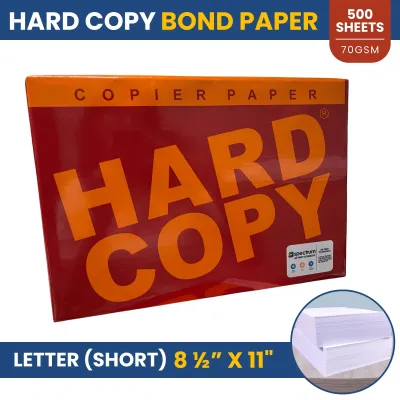
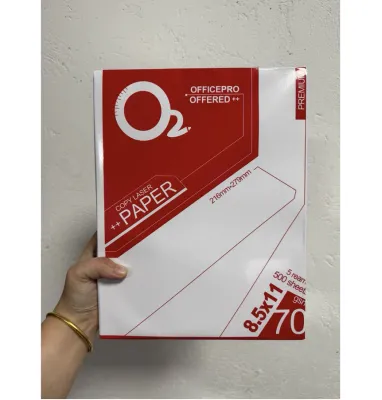
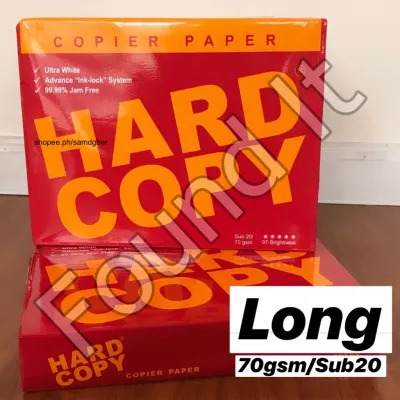
Prices are valid at publication and may change. Please refer to the product page for the latest price.
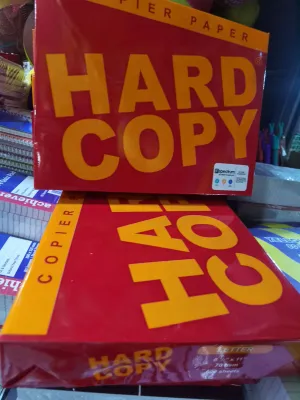
To verify the GSM rating of your band paper a4 size, look at the front label of the packaging. Manufacturers typically print this number next to the sheet count and dimensions. You will commonly see labels like “70 gsm” or “80 gsm” clearly displayed.
While a higher GSM generally indicates a thicker, more opaque sheet, the actual physical feel and stiffness can vary slightly between brands. This variation occurs because different manufacturers use distinct wood pulp blends, chemical binders, and pressing techniques. Consequently, one brand’s 70 GSM paper might feel slightly stiffer or smoother than another brand’s equivalent weight, making it helpful to understand these subtle differences when selecting your supplies.
70 GSM vs. 80 GSM: Choosing the Right Standard Weight
The choice between 70 GSM and 80 GSM represents the most common decision point for students, teachers, and office workers alike. Both weights are widely available, but they serve distinct purposes depending on your daily output requirements.

70 GSM paper is highly suited for high-volume, single-sided printing. It is highly cost-efficient, making it a common choice for printing school modules, draft reports, and temporary office documents. Because it is lighter, a ream of 70 GSM paper is easier to transport in bulk. However, because the paper is thinner, ink from gel pens, highlighters, or inkjet printers will easily show through to the other side, making it less suitable for double-sided tasks.
80 GSM paper, on the other hand, is highly suited for professional correspondence and double-sided printing. The extra density provides a noticeable barrier that reduces ink ghosting, allowing you to print on both sides of the sheet clearly. It also feels more substantial in the hand, which is ideal for resumes, official contracts, and final project submissions.
When balancing your budget in ₱, consider the volume of your printing. If you are printing hundreds of pages of reading materials that will only be read once, sticking to 70 GSM will save you a significant amount of money over time. Reserve the slightly more expensive 80 GSM paper for documents that require a professional presentation or need to withstand frequent handling.
When to Upgrade to Heavier Paper (100 GSM and Above)
While 70 GSM and 80 GSM handle the vast majority of daily tasks, certain projects demand the structural integrity of heavier paper. Weights ranging from 100 GSM to 120 GSM and beyond are classified as premium or heavyweight bond paper.
You should consider upgrading to these heavier weights for items like certificates of appreciation, formal invitations, corporate presentation covers, or detailed school portfolios. The added thickness prevents the paper from creasing easily and gives the final product an elegant, high-end feel that commands attention.
However, before purchasing a large quantity of heavyweight paper, you must verify your printer’s compatibility. Standard home inkjet and laser printers are designed with specific mechanical limits. Feeding paper that exceeds these limits can cause the internal rollers to slip, leading to frequent paper jams or even permanent hardware damage.
Heavier paper is inherently less flexible than standard office paper. It does not bend easily around the tight rollers found in compact home printers or high-speed office copiers. Always consult your printer’s user manual to check the maximum supported paper weight before attempting to run thick sheets through the automatic document feeder.
A Quick Checklist for Buying A4 Size Bond Paper
To ensure you get the right paper for your needs without wasting money, keep this practical checklist in mind before making your purchase:
First, match your primary task to the correct GSM range. Use 70 GSM for temporary drafts and single-sided school modules, 80 GSM for double-sided reports and official letters, and 100 GSM or higher for certificates and covers.
Second, verify the packaging details carefully. Ensure the label explicitly states “A4” (210mm x 297mm) and clearly displays the GSM rating, as generic or unbranded stock may not meet standard weight specifications.
Third, if you are trying a new brand or experimenting with a heavier paper weight for the first time, consider buying a smaller trial pack instead of a full box. This allows you to test how the paper handles your specific pens, markers, or printer rollers before committing to a larger investment.
Frequently Asked Questions (FAQ)
Does higher GSM paper prevent ink from bleeding through?
While heavier paper like 80 GSM or 100 GSM generally offers better resistance to ink show-through than 70 GSM paper, weight alone does not guarantee zero bleed-through. The surface sizing—a chemical coating applied during manufacturing to control ink absorption—plays a critical role in how the paper reacts to wet ink. If you use wet writing instruments like fountain pens, heavy gel pens, or permanent markers, the ink may still feather or bleed if the paper fibers are highly absorbent. For critical writing projects, it is always advisable to test your preferred pens on a single sheet before writing on the final document.
Can I use heavier paper in any standard home printer?
Not all standard home printers can reliably feed heavyweight paper. Most basic home models are optimized for standard weights between 70 GSM and 90 GSM. Attempting to feed thicker paper can strain the paper feed mechanism, resulting in misfeeds or roller wear. If your printer features a manual feed slot or a straight-through paper path, use it for heavier sheets, as this minimizes the bending required to pass the paper through the printing mechanism. Always check your printer’s official specifications to confirm its maximum paper weight capacity before printing.
Community discussion
Share your experience or ask a question. Comments are reviewed before publication.