
The right GSM (grams per square meter) for your A4 bond paper depends on your specific printing task: 70 GSM is suitable for high-volume, single-sided drafts; 80 GSM serves as the standard for double-sided office documents; and 100 GSM or higher is recommended for professional presentations and graphic-heavy prints. Choosing the correct weight ensures smooth printer feeding, prevents ink bleed-through, and delivers the appropriate tactile feel for your documents.
Understanding GSM and How It Affects Print Quality
GSM stands for “grams per square meter,” which measures the density and thickness of the paper. This rating dictates the physical heft and stiffness of each sheet in your A4 ream.
Lower GSM papers are thinner and lighter. Because they have less density, they carry a higher risk of show-through, where text or images printed on one side are visible on the reverse.
Products mentioned in this guide
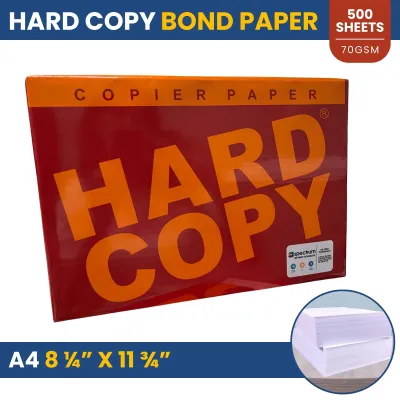
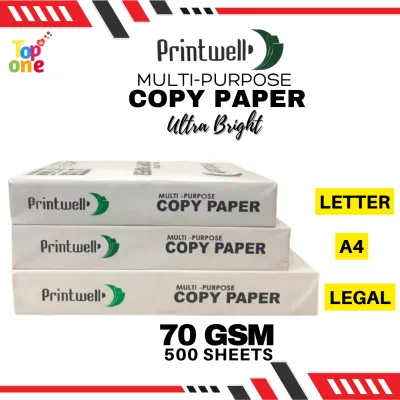
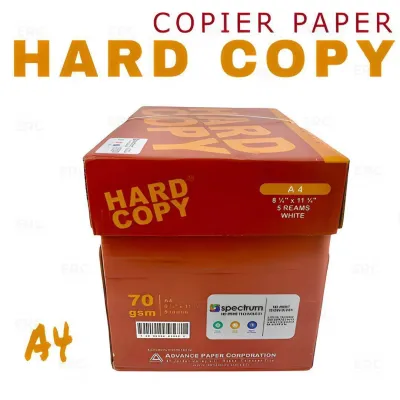
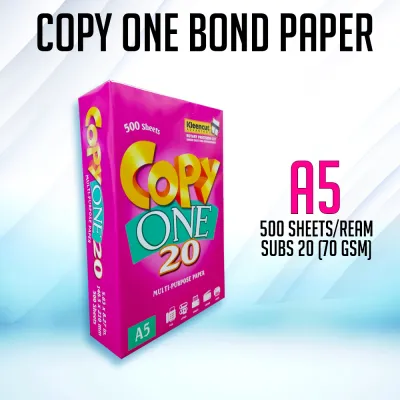
Prices are valid at publication and may change. Please refer to the product page for the latest price.
Higher GSM papers offer greater stiffness and opacity, making them feel more substantial. However, their thickness means they may require specific printer settings to navigate the internal paper path without bending or jamming.
In the stationery market, “bond paper” refers to a durable, wood-free paper type designed for writing and printing. The GSM rating determines its specific physical characteristics and suitability for different machines.
Matching GSM to Your Specific Printing Needs
Selecting the right paper weight involves balancing cost efficiency, print volume, and the required professional quality of your final document. A4 bond paper is widely available in three primary GSM categories, each tailored to distinct tasks.

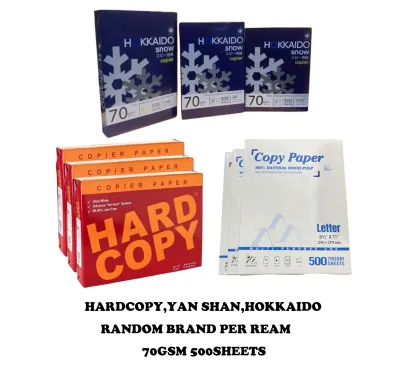
70 GSM: Everyday Drafts and High-Volume Copying
This lightweight paper is highly cost-effective for high-volume, everyday tasks. It is ideal for internal memos, rough drafts, and single-sided text documents where a premium feel is not required.
Because the paper is thin, there is a noticeable risk of ink bleed-through and show-through. It is generally unsuitable for double-sided printing or documents with heavy ink coverage, such as charts and images.
However, 70 GSM paper is well-suited for high-speed, high-volume office copiers. Many of these machines are specifically calibrated to feed lighter media quickly without causing frequent paper jams.
80 GSM: Standard Office Use and Double-Sided Printing
This weight is the standard choice for general office and academic needs. It is highly recommended for everyday reports, double-sided documents, and standard external correspondence.
With significantly better opacity than 70 GSM, this paper reduces distracting show-through on the reverse side. This makes your double-sided prints much easier to read.
Additionally, 80 GSM paper offers a practical balance of stiffness. It feeds reliably through most standard consumer and office inkjet and laser printers without curling under normal operating conditions.
100+ GSM: Professional Presentations and Premium Documents
For high-impact documents, heavier paper is necessary. This premium range is recommended for client proposals, certificates, resumes, and documents featuring heavy graphics or full-color printing.
The heavier weight provides a premium tactile feel and excellent opacity. It prevents show-through even when printing double-sided color designs or high-density charts.
Before loading this paper, you must verify your printer’s maximum supported paper weight. Using paper that exceeds your machine’s limits can cause severe feed jams or fuser damage.
Printer Compatibility and Paper Handling Checks
Before purchasing a full ream of specialty paper, consult your printer’s user manual or specification sheet. This document outlines the supported minimum and maximum GSM range for each input tray.
When using heavier sheets, adjust your printer’s software settings before sending the print job. Selecting modes like “Heavy Paper,” “Cardstock,” or “Thick” instructs the printer to slow down the feed speed and adjust the fuser temperature to ensure the toner or ink bonds correctly.
It is always wise to test a small batch of 5 to 10 sheets before committing to a large print run. This trial allows you to check for curling, jamming, or ink smudging under your local printing conditions.
Buying A4 Bond Paper by the Ream: What to Verify
When shopping at an office supply store or online marketplace, verify the exact GSM, paper size (A4), and sheet count clearly printed on the packaging. A standard 1 ream bundle typically contains 500 sheets.
Check the brightness rating on the label if you require high contrast. Higher brightness levels make text appear sharper and colors more vibrant, which is crucial for professional reports.
In tropical climates where humidity is high, inspect the ream wrapper for any signs of moisture damage or tearing. Exposure to ambient humidity can cause the paper edges to curl, leading to printer jams regardless of the paper’s GSM rating. Keep unused paper sealed in its original wrapper until you are ready to load it.
Frequently Asked Questions (FAQ)
Can I use 70 GSM paper for double-sided printing?
While physically possible, printing on both sides of 70 GSM paper often results in noticeable show-through. This makes the text on the reverse side difficult to read and looks unprofessional. For clean, double-sided documents, it is best to use 80 GSM or higher.
Does a higher GSM always mean better print quality?
A higher GSM improves the feel and opacity of the paper, but it does not automatically guarantee better print quality. Sharpness and color vibrancy also depend on the paper’s brightness, surface finish, and your printer’s resolution. Furthermore, using paper that is too heavy for your printer’s specifications can cause mechanical jams and poor ink bonding.

Community discussion
Share your experience or ask a question. Comments are reviewed before publication.