
An adding machine with printer remains an indispensable tool for financial professionals, retailers, and small business owners in the Philippines who require an immediate, unalterable physical audit trail. Unlike standard desktop calculators that only display figures on a screen, these specialized devices print every step of a calculation onto a paper tape, allowing for rapid verification and error-checking. Choosing the right device depends on balancing print technology, speed, and portability against your specific daily workflow.
To find the ideal adding machine for your workspace, consider this conditional decision framework:
- Choose a high-speed thermal model if you process hundreds of calculations daily, require quiet operation, and want to eliminate the ongoing maintenance and cost of ink ribbons.
- Choose a standard ink-ribbon model if you require permanent, fade-resistant physical records for long-term accounting, auditing, or tax compliance.
- Choose a compact, dual-power (AC/battery) model if you need portability for warehouse inventory checks, field audits, or operations in areas with unstable power supplies.
There is no single best adding machine for every user. The optimal choice depends entirely on whether your workflow prioritizes print permanence, calculation speed, or physical portability. By evaluating these core factors, you can select a reliable tool that streamlines your bookkeeping and minimizes data-entry errors.
Products mentioned in this guide
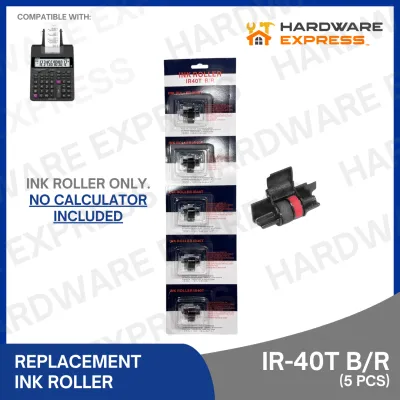
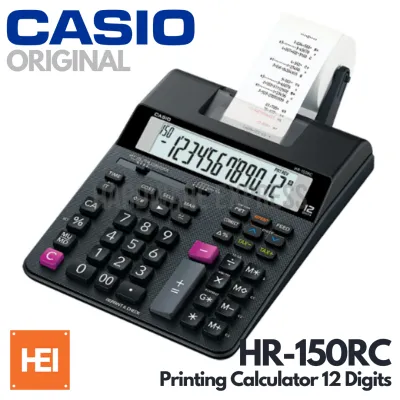
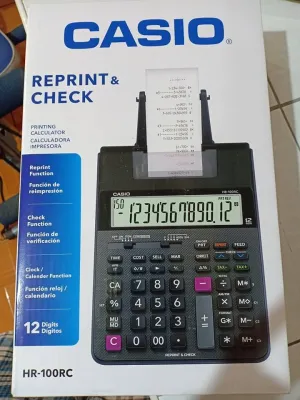
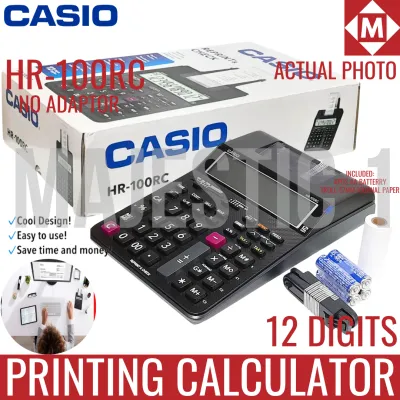
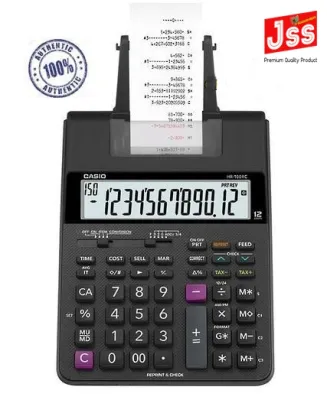
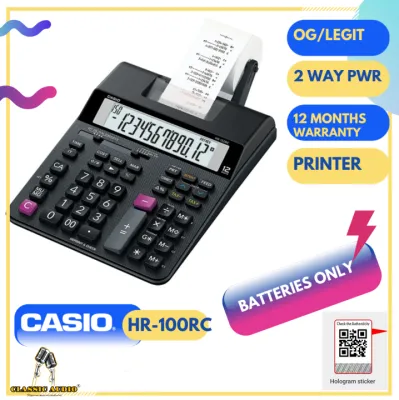
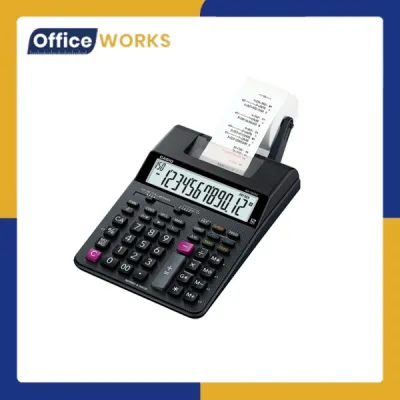
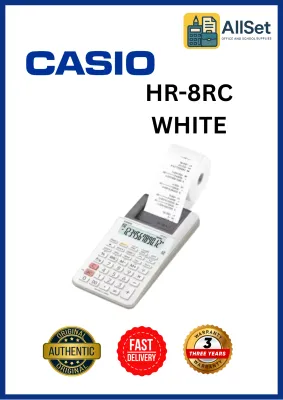
Prices are valid at publication and may change. Please refer to the product page for the latest price.
Key Features to Compare: Print Tech, Speed, and Paper Compatibility
When comparing different adding machines, understanding the underlying hardware specifications is crucial for selecting a model that fits your operational pace. The core technologies governing these machines dictate not only their daily performance but also their long-term maintenance requirements.
Print Technology (Thermal vs. Ink Ribbon)
The choice between thermal and ink-ribbon printing is the most significant decision you will make. Thermal printing utilizes heat-sensitive paper to generate text and numbers. Because it has fewer moving parts, thermal printing is exceptionally fast and virtually silent. It also eliminates the need to purchase or replace ink cartridges. However, thermal paper is highly sensitive to heat, direct sunlight, and friction. In the tropical climate of the Philippines, where ambient humidity and temperatures are often high, thermal printouts can fade or darken over time if stored in non-air-conditioned spaces.
Conversely, ink-ribbon printing uses a mechanical print head to physically stamp ink onto standard bond paper. This process is louder and slower than thermal printing, and it requires you to periodically replace the ink ribbons. However, the resulting printout is highly durable, fade-resistant, and audit-friendly, making it the preferred choice for long-term archiving, corporate bookkeeping, and Bureau of Internal Revenue (BIR) compliance.
Print Speed (Lines Per Second)
Print speed is measured in Lines Per Second (LPS). This metric indicates how quickly the physical paper tape advances as you enter calculations. For standard office use or light retail tasks, a speed of 2.0 to 3.0 LPS is perfectly adequate. However, in high-volume accounting departments or busy retail environments, a slow printer can become a bottleneck. High-performance models offer speeds of 4.0 to 4.8 LPS, ensuring the printer keeps pace with rapid, touch-type data entry without lagging or pausing.
Paper Roll Compatibility
Most adding machines use standard paper roll widths of either 58mm or 70mm. While these widths are widely available, you must also check the maximum outer roll diameter supported by the machine’s paper holder arm. Some compact models only accommodate smaller, low-capacity rolls, which require frequent changes during long calculation sessions. Larger desktop units feature robust, external metal or plastic arms that support heavy-duty, high-capacity rolls. When purchasing paper, performing a quick test for paper smoothness and ensuring a clean cut along the machine’s tear bar will prevent paper jams and mechanical strain.
Power Options
Professional-grade adding machines typically rely on AC power to operate their mechanical printers efficiently. However, if your work requires mobility or if you operate in an area prone to localized power fluctuations, a dual-power model is highly beneficial. These units can run on standard AC power or switch to battery power (typically AA or AAA batteries). Additionally, many AC-only models feature a small internal backup battery (such as a coin cell) designed solely to retain your calculation memory and tax rate settings during brief power outages or when the unit is unplugged.
Key Layout and Display Capacity
For touch-typists, the physical layout and tactile feedback of the keyboard are paramount. High-quality adding machines feature weighted, contoured keys with a clear mechanical click, reducing double-press errors. Color-coded keys—typically green or blue for addition and red for subtraction—help you navigate the keyboard quickly. Display capacity is another critical factor; while a 10-digit display is sufficient for basic retail tasks, a 12-digit or 14-digit display is recommended for corporate accounting to handle large figures in Philippine Pesos without resorting to scientific notation.
Comparing Leading Brands: Casio, Canon, Sharp, and Citizen
The market for adding machines with printers in the Philippines is led by several established brands, each offering distinct advantages in terms of build philosophy, feature sets, and local availability.

Casio
Casio is widely recognized for its durable construction and highly intuitive keyboard layouts. Their heavy-duty printing calculators are engineered for professional touch-typists, featuring optimal key spacing and robust mechanical switches that withstand millions of keystrokes. Casio models are highly favored in local corporate offices and retail settings because their consumables—such as standard dual-color (red and black) ink ribbons and 58mm paper rolls—are exceptionally easy to source from local office supply stores and online marketplaces. Their designs often emphasize clear, high-contrast displays that reduce eye strain during long working hours.
Canon
Canon focuses heavily on high-speed printing mechanisms and robust internal components. Many of their professional models are tailored specifically for heavy accounting and bookkeeping environments, offering print speeds that rank among the fastest in the industry. Canon adding machines frequently incorporate advanced, dedicated keys for complex business calculations, such as cost-sell-margin and automatic tax calculations. Additionally, Canon often incorporates eco-conscious manufacturing practices, utilizing recycled materials for some of their calculator housings without compromising structural durability.
Sharp
Sharp has a long-standing reputation for producing reliable, heavy-duty office equipment. Their adding machines are characterized by classic, stable designs with weighted bases that prevent the unit from sliding across a desk during rapid data entry. Sharp models are particularly appreciated for their unique keyboard ergonomics, which many traditional bookkeepers prefer. They offer highly legible, bright displays and robust paper holder mechanisms that can handle large-diameter paper rolls, making them dependable workhorses for intense tax preparation seasons.
Citizen
Citizen offers excellent value by focusing on compact designs, straightforward functionality, and highly competitive pricing. Their adding machines are ideal for small-to-medium enterprises (SMEs), home offices, and retail counters where desk space is limited. While they may lack some of the premium, high-speed features of top-tier corporate models, Citizen machines deliver reliable, consistent printing and essential mathematical functions. They serve as cost-effective entry points for businesses that require physical printouts but do not run high-volume calculations all day.
Before finalizing a purchase, it is highly recommended to verify the current model availability, specific feature inclusions, and local warranty terms with authorized distributors in the Philippines. This ensures you receive a genuine product backed by local customer support.
Reliability and Value: Consumables, Build Quality, and Local Support
Evaluating the true value of an adding machine with a printer requires looking beyond the initial purchase price. The total cost of ownership is heavily influenced by ongoing operational costs, mechanical durability, and the availability of local technical support.
Consumable Availability and Cost
Over the lifespan of an adding machine, you will continuously purchase paper rolls and ink ribbons. Before choosing a model, verify that its specific consumables are widely available in local stationery stores or reputable online marketplaces. Standardizing your office on machines that use common 58mm bond paper rolls and universal twin-spool ink ribbons can significantly reduce procurement hassle and bulk purchasing costs. Using non-standard or poorly manufactured paper rolls can produce excessive paper dust, which can accumulate inside the printer mechanism and lead to premature mechanical failure.
Build Quality and Key Lifespan
Because adding machines are subjected to rapid, repetitive keystrokes, physical build quality is a major reliability factor. Look for models featuring heavy-duty plastic casings, reinforced metal paper holder arms, and weighted bases. Anti-slip rubber feet are essential for keeping the machine firmly in place on smooth wooden or glass desks. High-quality manufacturers often specify the durability rating of their keyboards; choosing a machine built for heavy daily use ensures that the internal key contacts will not degrade or register double-entries over years of service.
Warranty and Local Support
Purchasing your office equipment from authorized local distributors in the Philippines is vital for securing a valid manufacturer’s warranty. Should your machine require calibration, a replacement print head, or mechanical repairs, authorized service centers can source genuine parts quickly. Parallel imports or unauthorized online purchases may save money upfront, but they often lack local warranty coverage, leaving you without support if the printer mechanism fails during a critical business period.
Specialized Keys and Memory
Modern adding machines incorporate specialized keys designed to streamline specific business workflows and reduce manual entry errors. These features add substantial long-term value:
- Tax Keys (TAX+ / TAX-): These allow you to store a local tax rate, such as the standard 12% Value Added Tax (VAT) in the Philippines, and apply or deduct it from a subtotal with a single keystroke.
- Business Keys (Cost, Sell, Margin): These enable you to enter any two variables of a transaction to automatically calculate the third, making profit margin analysis instantaneous.
- Grand Total (GT) and Independent Memory: These functions allow you to run multiple separate calculations and aggregate their results without manual transcription, keeping your workflow clean and organized.
Actionable Selection Guide by Professional Role
To help you make a final decision, match your specific professional requirements to the corresponding adding machine specifications outlined below.
For Accountants and Bookkeepers
Your primary requirement is permanent, audit-ready record keeping and high-speed data entry.
- Recommended Technology: Ink-ribbon printing with dual-color (black and red) output to clearly distinguish positive figures from negative adjustments or credits.
- Key Specifications: 12-digit or 14-digit display, a print speed of 4.0+ LPS, dedicated tax and cost-sell-margin keys, and a heavy-duty, weighted desktop chassis.
- Verification: Ensure the model features decimal selectors (such as F, 6, 4, 3, 2, 0, A) and rounding switches to handle complex financial reporting standards.
For Retail and Point-of-Sale
Your primary requirement is speed, quiet operation, and a compact footprint on a busy counter.
- Recommended Technology: Thermal printing to ensure rapid receipt generation and quiet transaction processing that does not disrupt customer interactions.
- Key Specifications: High LPS rating, an easy-to-read backlit display, a compact body design, and a rapid paper-loading mechanism (such as "drop-in" paper loading) to minimize customer wait times.
- Verification: Check that the machine has non-slip rubber feet to keep it secure on slick retail countertops.
For Mobile Inventory and Small Business
Your primary requirement is portability, versatility, and ease of use across different locations.
- Recommended Technology: Dual-power (AC/battery) capability with a lightweight, compact frame.
- Key Specifications: 10-digit or 12-digit display, standard 58mm paper compatibility, and a built-in or easily detachable paper roll holder that will not bend or break during transport.
- Verification: Confirm that the unit can run reliably on standard batteries during field inventory checks or power outages, and verify the physical dimensions to ensure it fits easily into a standard briefcase or utility bag.
Final Purchase Checklist
Before completing your purchase from any local office supply store or online marketplace, always run through these final verification steps. First, confirm that the AC adapter is fully compatible with the standard 220V power outlets used in the Philippines. Second, check the seller’s specific return and replacement policy regarding defective print heads or display screens. Finally, perform a quick trial run when you receive the machine: test the smoothness of the paper feed, check for any ink smudging on ribbon-based models, and verify that the keys provide the firm, responsive tactile feedback necessary for your daily typing speed.
Frequently Asked Questions (FAQ)
Do I need a thermal or ink ribbon adding machine?
If you require permanent, fade-resistant records for long-term auditing, tax filing, or archival purposes, you should choose an ink-ribbon adding machine. The physical ink stamped onto standard bond paper remains legible for years. If your priority is high speed, near-silent operation, and eliminating the ongoing maintenance and cost of ink ribbons, a thermal adding machine is the better choice, though the thermal paper printouts can fade over time when exposed to heat and light.
What paper roll size do most adding machines use?
Most standard adding machines use paper rolls with a width of either 58mm or 70mm, with 58mm being the most common standard in the Philippines. However, you must always consult your specific machine’s manual to verify the correct width. Additionally, pay close attention to the maximum outer roll diameter supported by the machine’s paper holder to ensure the roll fits properly in the compartment or on the mounting arm.
Can I use an adding machine without plugging it in?
Only dual-power adding machines equipped with a dedicated battery compartment can be used without being plugged into an AC outlet. While these battery-operated models are highly portable, keep in mind that operating the mechanical printing engine consumes significant battery power. For heavy, continuous printing tasks, it is always recommended to use the AC power adapter, reserving battery power for mobile inventory checks or temporary use during power outages.
Community discussion
Share your experience or ask a question. Comments are reviewed before publication.