
In the fast-paced environment of Philippine small businesses, from busy wholesale stalls in Divisoria to boutique cafes in Makati, managing daily cash flow requires absolute accuracy. While modern spreadsheet software and digital point-of-sale systems are common, a reliable adding machine with tape remains an indispensable tool for daily bookkeeping. This physical device provides an immediate, unalterable record of transactions, bridging the gap between manual cash handling and digital records. For local entrepreneurs, choosing the right printing calculator is not just about performing basic arithmetic; it is about establishing a reliable audit trail that survives power outages, system crashes, and the humid tropical climate of the Philippines.
Why Small Businesses Need a Dedicated Adding Machine with Tape
A physical paper trail, often called an audit tape, is the primary reason professional bookkeepers prefer printing calculators over standard desktop models or computer spreadsheets. When reconciling daily sales, a bookkeeper can physically tick off each printed line item against receipts, invoices, or cash register slips. This manual verification process drastically reduces transposition errors, such as typing ₱1,590 instead of ₱1,950. If an error occurs midway through a long sequence of calculations, the printed tape allows you to locate the exact step where the mistake happened, saving you from having to re-enter the entire sequence.
Dedicated accounting keypads, or ten-key layouts, are specifically engineered for high-speed, blind operation. Unlike flat smartphone screens or standard computer keyboards with varying key travel, adding machines feature deep, sculpted keys with robust tactile feedback. Professional bookkeepers rely heavily on muscle memory, keeping their eyes on the physical receipts while their fingers navigate the keypad. This physical separation of data entry and visual verification increases processing speed and reduces cognitive fatigue during long working hours.
Products mentioned in this guide
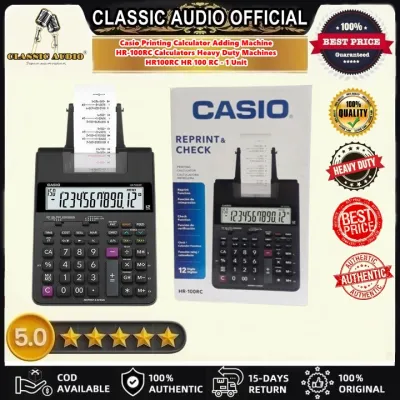
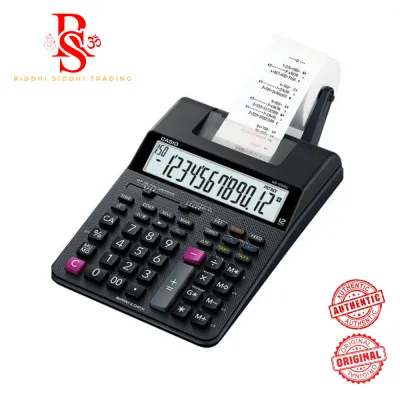
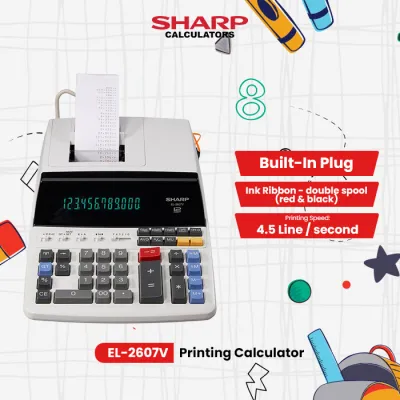
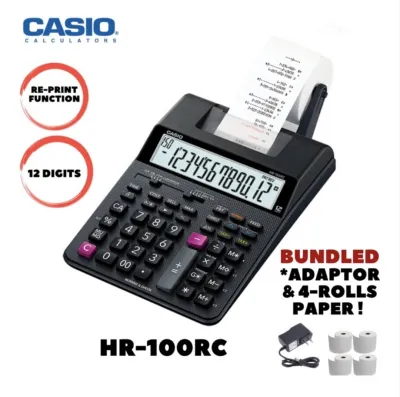
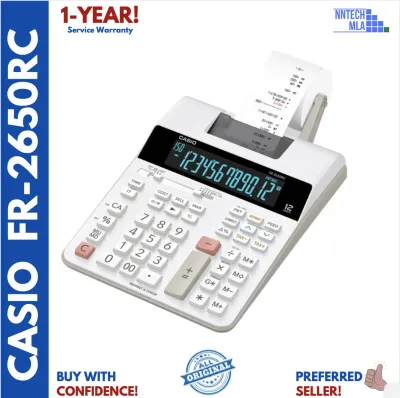
Prices are valid at publication and may change. Please refer to the product page for the latest price.
For micro, small, and medium enterprises (MSMEs) in the Philippines, daily operations often involve high volumes of physical cash and manual invoices. During peak business hours or seasonal power fluctuations common in provincial areas, a dedicated printing calculator with a battery backup or a stable AC connection ensures that financial tracking never grinds to a halt. It also serves as a transparent tool during tax preparation, allowing business owners to present neat, physical computations to local accountants or tax auditors without needing to boot up a computer or log into a software subscription.
Key Features to Evaluate When Choosing an Adding Machine with Tape
Print Mechanism and Ink Systems
The choice between ink roller systems and thermal printing dictates your ongoing maintenance costs and the archival quality of your records. Ink rollers use standard bond paper and a small, replaceable ink cartridge, often featuring a two-color ribbon (black and red). This system is highly valued for long-term tax records because the printed ink on bond paper does not fade over time. Conversely, thermal printing uses heat-sensitive paper and requires no ink cartridges. While thermal printers are quieter and faster, thermal prints are highly sensitive to heat and humidity. In the tropical climate of the Philippines, thermal receipts stored in warm drawers can turn completely black or fade to blank within a few months, making ink-based systems far superior for archival purposes.

Key Layout and Ergonomics
Look for a layout that prioritizes speed and comfort. The placement of the double-zero (00) key is critical for rapidly entering Philippine Peso amounts. Dedicated tax keys (Tax+ and Tax-) simplify the calculation of the 12% Value-Added Tax (VAT) standard in local transactions. A grand total (GT) key and an independent memory register allow you to run sub-totals for individual customers while keeping a running tally of the day’s total sales. High-quality machines feature double-injection molded keys, ensuring the numbers do not wear off after millions of keystrokes.
Display and Visibility
High-contrast displays are essential for reducing eye strain during long hours of bookkeeping. Look for angled liquid crystal displays (LCD) or vacuum fluorescent displays (VFD). VFD screens emit their own green or blue light, making them exceptionally easy to read in dimly lit back offices or under harsh fluorescent shop lights. The display should show at least 12 digits to comfortably accommodate large financial figures, including millions of pesos and decimal centavos.
Calculation Speed and Memory
Printing speed is measured in lines per second (LPS). Entry-level models print at around 1.5 to 2.0 LPS, which is sufficient for light daily use. Heavy-duty models can exceed 4.0 LPS, keeping pace with the fastest ten-key operators. Ensure the machine has a multi-register memory system to handle complex equations, cost-sell-margin calculations, and item counting, which tracks the number of items processed in a single batch.
Power Options
Power stability is a critical factor for Philippine businesses. A dual-power setup—combining an AC adapter for daily desk use with a battery backup option—is highly recommended. This prevents the machine from shutting down mid-calculation during sudden voltage drops, saving you from having to re-enter long columns of figures.
Recommended Adding Machine Profiles for Different Accounting Needs
To make an informed purchase, match your business’s daily transaction volume and workspace limits to one of three distinct machine profiles.
Compact Profile for Light Daily Reconciliations
This profile is designed for freelancers, home-based online sellers, small sari-sari stores, and independent service providers who require basic printing capabilities without taking up valuable desk space.
- Display Capacity: 10 to 12 digits.
- Print Mechanism: Basic single-color ink roller (usually black) or a compact thermal print head.
- Paper Compatibility: Standard narrow paper rolls, typically 57mm or 58mm in width.
- Best Use Case: Ideal for end-of-day cash register balancing, calculating simple daily totals, and verifying small batches of receipts. Their portable footprint means they can be easily stored in a drawer when not in use. While they lack the blazing speed of heavy-duty units, they offer a low-cost entry point into physical bookkeeping.
Standard Profile for Regular Invoicing and Payroll
This profile suits growing small-to-medium enterprises (SMEs), local retail shops, and family-owned distribution businesses that handle daily invoicing and weekly payroll.
- Display Capacity: 12 to 14 digits to accommodate larger financial transactions.
- Print Mechanism: Two-color ink roller system that prints positive numbers in black and negative numbers, credits, or corrections in bright red. This visual distinction is crucial for spotting errors at a glance.
- Paper Compatibility: Wider paper rolls, usually 69mm or 70mm, which provide ample margin space for handwritten notes or reference codes next to the printed numbers.
- Best Use Case: Excellent for processing weekly payroll, calculating monthly VAT obligations, and reconciling supplier invoices. They feature dedicated keys for cost-sell-margin calculations, allowing business owners to quickly determine markups and profitability.
Heavy-Duty Profile for High-Volume Ledger Entries
This profile is engineered for dedicated accounting offices, busy wholesale warehouses, and high-volume retail environments where the machine is in near-constant use.
- Display Capacity: 14+ digit display capacity coupled with a robust, heavy-duty mechanical keyboard designed to withstand continuous, rapid input.
- Print Speed: Speeds exceeding 4.0 lines per second, ensuring the printer never lags behind the user's keystrokes.
- Paper Compatibility: Large-diameter paper rolls (typically 70mm width) to minimize the downtime required for roll changes.
- Best Use Case: Designed for full-time bookkeepers who spend hours entering thousands of line items. They include advanced functions like dual independent memories, item counters, grand total accumulators, and customizable decimal selectors. The heavy-duty print head is built for millions of lines of print, offering maximum durability.
Comparing Tape Types and Printer Mechanisms
Understanding the differences between paper types and ink mechanisms is essential for managing your ongoing operating costs and ensuring the longevity of your financial records.
Standard Bond Paper vs. Thermal Paper
Standard bond paper is the gold standard for archival bookkeeping. When paired with high-quality ink rollers, bond paper prints remain legible for years, satisfying the long-term record-keeping requirements of local tax authorities. You can easily write on bond paper with standard ballpoint pens or pencils. To check drying speed and bleed resistance, run a test print of a long sequence of numbers on your chosen bond paper; high-quality paper should absorb the ink instantly without bleeding through the back or smudging when touched.
Thermal paper, while offering silent and fast printing, is highly vulnerable to environmental factors. The high humidity and ambient temperatures in the Philippines accelerate the degradation of thermal prints. If you must use a thermal adding machine, store the printed tapes in a cool, dry, dark place, away from plastic sleeves which can contain chemicals that erase thermal ink.
Ink Roller Replacement
Ink rollers are consumable parts that gradually dry out. When the print changes from sharp black or red to a faint grey or pink, it is time to replace the roller. Attempting to re-ink a dry roller with standard stamp pad ink is not recommended, as this can clog the delicate print wheels and permanently damage the gear mechanism. Always purchase compatible replacement rollers (such as the widely used IR-40T or CP-13 standards) specified by your machine’s manufacturer. In humid tropical regions, store spare ink rollers in their sealed foil packaging until the exact moment of installation to prevent premature drying or moisture absorption.
Paper Roll Dimensions
Before purchasing paper rolls, verify the exact width and maximum outer roll diameter supported by your machine. Using a roll that is too wide will cause it to bind in the paper holder, leading to frequent carriage jams and misaligned prints. Conversely, using a narrow roll in a wide carriage can cause the paper to slip sideways, resulting in crooked printing and ink smudging on the internal platen.
Where to Source Reliable Units in the Philippines
Sourcing your office equipment from reputable channels ensures you receive genuine products, valid warranties, and access to compatible consumables.
Authorized Office Supply Chains
For guaranteed authenticity and local warranty support, purchasing from established physical office supply chains (such as National Book Store, Office Warehouse, or major department store business sections) is highly recommended. These retailers provide official receipts, which are necessary for claiming business expenses, and offer straightforward return policies if the unit exhibits any manufacturing defects.
Official Brand Storefronts on E-commerce Platforms
If sourcing online, prioritize official brand stores on major e-commerce platforms. Look for official mall badges to ensure you are buying genuine products rather than cheap counterfeits. When browsing these listings, verify that the seller includes a local warranty card in the package. Check verified customer reviews specifically for mentions of shipping safety—adding machines contain delicate glass displays and mechanical printers that require robust protective wrapping to survive local courier transit.
Red Flags to Avoid
Be highly suspicious of listings offering heavy-duty adding machines at fraction-of-the-market prices. These are often counterfeit units with low-quality plastic gears that strip under rapid typing, or older, refurbished models sold as new. Another major red flag is a seller who cannot provide or recommend compatible replacement ink rollers or specific paper sizes for the model they are selling. If consumables are unavailable, your adding machine will become useless as soon as the initial ink roller runs dry.
Frequently Asked Questions (FAQ)
How do I clear a paper jam in an adding machine without breaking the tape?
First, turn off the power switch and unplug the device from the electrical outlet to prevent accidental printing or gear movement. Locate the paper feed arm and gently lift it to release tension on the roll. Use the manual paper feed wheel or the physical feed key (if the machine can be turned on briefly) to guide the paper forward. Never pull the paper backward through the printer mechanism, as this can bend the delicate metal teeth of the print wheel or misalign the paper feed rollers. Avoid using sharp objects like scissors, tweezers, or paperclips to dig out stuck pieces, as these can easily scratch the print head or puncture the rubber platen. Once the jam is cleared, cut the torn end of the paper cleanly at a 90-degree angle before rethreading.
Why is my adding machine printing faint or incomplete numbers?
Faint printing is most commonly caused by a depleted or dry ink roller. If you are using an ink-roller model, verify how long the current roller has been in use; typical lifespans range from several months to a year depending on volume. Ensure the ink roller is snapped firmly into its plastic housing; a loose roller will not make proper contact with the print wheels. If you are using a thermal printer, faint print indicates either a dirty thermal print head or that the paper has been loaded backward. Thermal paper only has the heat-sensitive coating on one side; if loaded upside down, the machine will print blank or extremely faint lines. Clean a thermal print head gently using a cotton swab moistened with 90% isopropyl alcohol, ensuring the machine is completely dry before turning it back on.
Can I use standard calculator paper in a heavy-duty adding machine?
You must match the paper roll width to the specific carriage dimensions of your heavy-duty machine. Most heavy-duty models require standard 70mm (or 69mm) wide bond paper rolls. While you might physically fit a narrower 57mm roll onto the external wire paper holder, doing so is highly discouraged. The narrow paper will slide laterally across the wide print platen during high-speed typing. This misalignment causes numbers to print off the edge of the paper, leads to frequent paper jams, and allows the ink roller to strike the bare rubber platen directly. Over time, ink buildup on the platen will transfer to the back of your paper rolls, causing messy smudges and eventually degrading the feeding mechanism.
Community discussion
Share your experience or ask a question. Comments are reviewed before publication.