
Finding the right file organizer for a small home desk depends on balancing your daily document volume with your available physical workspace. In compact home offices—often carved out of bedrooms or living room corners—every square centimeter of desk space is premium real estate. For low-volume active files, a desktop sorter offers immediate access; for medium loads, a vertical rack maximizes height; and for high-volume storage, an under-desk drawer unit keeps the desktop completely clear.
Selecting the wrong storage format can quickly lead to a cluttered, unergonomic workspace that hinders your productivity. By analyzing your physical desk dimensions, understanding your document usage patterns, and accounting for local environmental factors like tropical humidity, you can choose a filing system that keeps your essential papers organized, accessible, and well-protected.
Assessing Your Desk Footprint and Document Volume
Before purchasing any file organizer, you must measure your physical workspace to understand its true limits. Use a tape measure to determine the exact width and depth of your usable desk surface. Remember to subtract the space already occupied by permanent fixtures, such as your monitor stand, desk lamp, laptop dock, and power strips. Crucially, leave a clear zone of at least 40 to 50 centimeters in front of your chair to allow comfortable clearance for your keyboard, mouse, and wrist rests.
Products mentioned in this guide
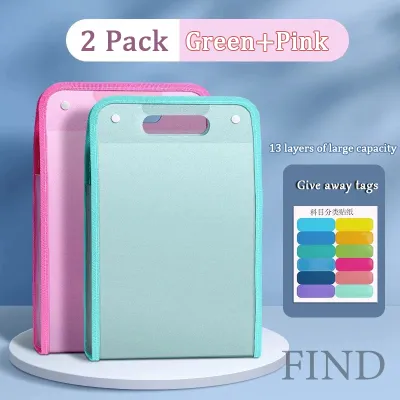
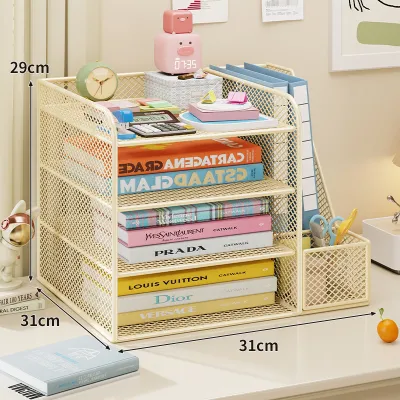
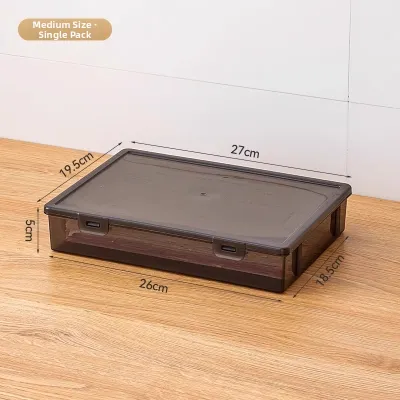
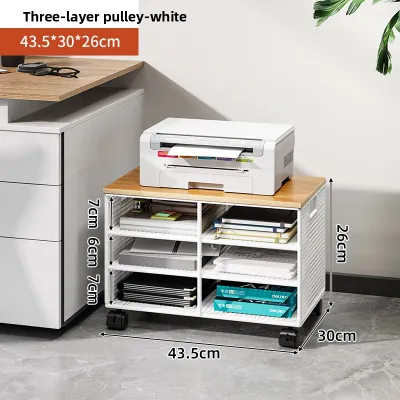
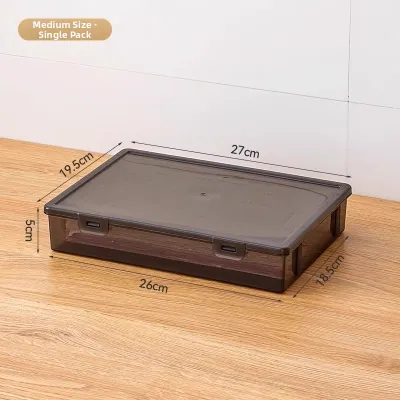
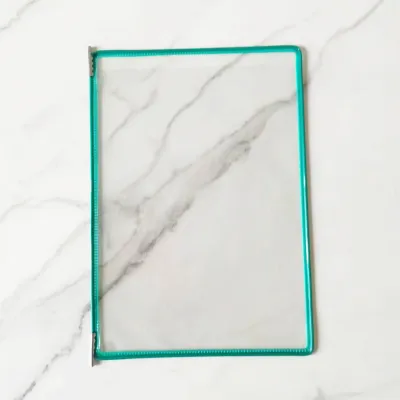
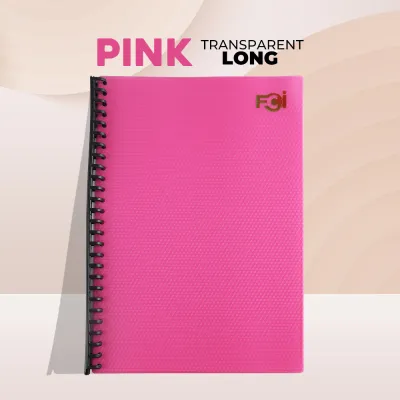

Prices are valid at publication and may change. Please refer to the product page for the latest price.
Next, look upward and downward to evaluate your vertical and lower clearance. Vertical clearance is often ignored but highly restrictive; measure the distance between your desk surface and any overhead bookshelves, wall-mounted cabinets, or low-hanging monitor arms. Similarly, inspect the space beneath your desk. Check the distance from the floor to the underside of the desk frame, and note the position of any crossbars or cable management trays that might block your knees or storage units.
With your physical dimensions mapped, implement a simple three-tier document triage system to categorize your paperwork:
- Active/Daily Use: Documents you touch multiple times a day, such as current project briefs, immediate bills, or active scratchpads.
- Weekly Reference: Files you consult occasionally, like monthly statements, reference manuals, or ongoing project folders.
- Long-Term Archive: Tax documents, birth certificates, property titles, and past records that must be kept secure but rarely accessed.
Your ideal file organizer sits at the intersection of your physical footprint and your document triage needs. If your desk is tiny but your active files are few, a small desktop tray works. If you have a mountain of reference folders but zero desk space, you must look below the desk. Matching the physical capacity of the organizer to the actual volume of your active documents prevents you from buying bulky units that crowd your workspace.
Desktop Sorters: Ideal for Active, Low-Volume Papers
Desktop sorters are traditional, flat-lying or slightly raised organizers designed to sit directly on your primary work surface. They typically feature horizontal tiered trays, letter trays, or shallow, angled document slots. These units are designed to keep your most critical papers flat, organized, and immediately visible at arm’s reach.

The primary advantage of a desktop sorter is instant accessibility and high visibility. You do not have to open drawers or flip through hanging folders to find what you need; your current tasks are laid out right in front of you. However, this convenience comes with a significant trade-off: they consume valuable horizontal desk space. A standard letter tray can easily claim a footprint of 25 by 32 centimeters, which represents a massive portion of a compact 80-centimeter-wide home desk.
Because of this footprint, desktop sorters are highly recommended for users with low document volumes who primarily handle loose sheets, incoming mail, or a handful of active project folders. If your daily workflow is mostly digital and you only print or receive a few physical papers a week, a compact horizontal tray keeps those items from scattering across your workspace. For pricing context, basic plastic trays are highly budget-friendly, starting under ₱300, while sturdier metal mesh units generally range from ₱500 to ₱1,200.
When shopping for a desktop sorter, prioritize units with adjustable or collapsible tiered trays. These designs allow you to customize the height between shelves or remove tiers entirely, minimizing the visual and physical footprint when your workload is light. Always verify the overall depth of the tray; it should not extend forward so much that it forces your keyboard to the very edge of the desk, which can cause severe wrist strain over long working hours.
Vertical Racks: Maximizing Height for Medium Loads
Vertical racks and standing sorters—such as upright letter sorters, wire step organizers, and standing magazine files—are designed to flip your document storage on its side. Instead of stacking papers flat, these organizers hold folders, notebooks, and envelopes upright, utilizing vertical air space to keep the horizontal footprint on your desk remarkably small.
This vertical orientation is the ideal solution for medium document volumes. It is perfect for organizing multiple active project folders, spiral notebooks, thin binders, and catalogs. Because files stand side-by-side, you can pull out a single folder or notebook instantly without disturbing the rest of the stack, eliminating the frustrating “shuffling” required by horizontal trays. Mid-range metal wire or plastic vertical files typically cost between ₱400 and ₱900, making them an affordable way to scale your storage upward.
However, vertical racks introduce unique spatial constraints. Since files stand upright, you must ensure that overhead shelves, wall cabinets, or low-mounted monitor arms do not block your access. A standard A4 folder or Manila document pocket stands about 30 to 32 centimeters tall when placed vertically; you will need at least 35 to 40 centimeters of clear vertical space above the rack to comfortably slide folders in and out from the top.
Safety and stability are also critical when using vertical organizers. Tall, narrow vertical racks have a high center of gravity, making them prone to tipping over if they are unevenly loaded. Heavy, thick binders or stuffed notebooks should never be placed in lightweight plastic or thin wire vertical racks. To prevent accidents, look for racks with a wide, weighted base or non-slip rubber feet, and ensure the construction material—such as heavy-duty steel mesh or solid wood—can support the weight of your materials without warping.
Under-Desk Drawer Units: Clearing the Surface for High Volume
When your document volume is high but your desk surface is extremely limited, the best strategy is to move your storage off the desktop entirely. Under-desk solutions include rolling drawer cabinets (mobile pedestals), clamp-on under-desk drawers, and hanging file rails designed to slide underneath the desktop.
The primary benefit of an under-desk unit is that it has a zero-desktop footprint. By utilizing the empty space beneath your work surface, you can keep your entire desktop completely clear for your computer, keyboard, mouse, and writing space. This setup is highly beneficial for small home offices where visual clutter can feel overwhelming and distracting. Sturdy steel rolling pedestals or wooden three-drawer cabinets generally range from ₱1,800 to over ₱4,500, representing a larger investment that provides substantial storage capacity.
Under-desk drawers are the ideal home for heavy binders, large archives, tax folders, and high-volume reference materials that you need close at hand but do not need to grab multiple times an hour. Many of these units feature built-in hanging file frames designed specifically for legal- or letter-size hanging folders, allowing you to organize hundreds of documents systematically. In the Philippines, ensuring the drawers can accommodate both A4 and long bond paper (8.5 x 13 inches) is essential, as both standards are widely used.
Before purchasing an under-desk unit, precise measurements are absolutely mandatory. First, measure the distance from the floor to the underside of your desk frame to determine the maximum allowable height of a rolling cabinet. Second, measure the width between your desk legs to ensure the cabinet will actually fit underneath. Finally, sit in your office chair and measure your thigh clearance; you must ensure the drawer unit does not restrict your leg movement, prevent you from pulling your chair close to the desk, or force you into an awkward, unergonomic seating posture.
Common Sizing and Placement Mistakes on Small Desks
Setting up a compact home office requires careful planning, and a single miscalculation can render your workspace uncomfortable or unusable. The first common mistake is ignoring desk depth. Many home workers buy a deep horizontal desktop sorter without realizing it will push their keyboard and mouse too close to the edge of the desk. This layout deprives your forearms of support, leading to shoulder fatigue and wrist strain over time.
Another frequent error is overlooking the unique physical profiles of desk edges. Many clamp-on under-desk drawers and hanging organizers require a flat, square desk edge to mount securely. If your desk has a rounded or beveled edge, a thick metal support frame running directly underneath the perimeter, or built-in cable trays, standard clamps may fail to grip, rendering the organizer unusable or unstable.
Overloading open organizers is a third mistake that compromises both organization and safety. Stuffing vertical racks or tiered desktop trays beyond their structural limits causes papers to spill, folders to bend, and lightweight organizers to warp or tip over. If you find yourself squeezing papers into an already packed desktop sorter, it is a clear sign that you need to purge old files or transition to an under-desk storage unit.
Finally, home offices in humid climates like the Philippines face unique environmental challenges. Using fully open, uncovered wire or plastic organizers on your desktop exposes your papers to high humidity. Over time, moisture in the air causes unprotected paper to curl, warp, stick together, and even develop mold or mildew. For home offices without continuous air conditioning, relying solely on open organizers can ruin important documents.
Frequently Asked Questions (FAQ)
How do I protect my documents from humidity in a small home office?
High humidity, especially during the rainy season, can cause paper fibers to swell, leading to warping, ink bleeding, and mold growth. To protect your records, transition your long-term and weekly reference documents into enclosed storage solutions, such as plastic file boxes with airtight lids, closed drawer units, or cabinets. Avoid leaving loose papers in open vertical racks for extended periods. Additionally, place silica gel desiccant packs inside your closed file drawers to absorb trapped moisture, and try to keep your workspace well-ventilated or run a dehumidifier when humidity levels spike.
Can I combine different types of file organizers on a very small desk?
Yes, combining different organizer types is an exceptionally effective way to maximize a tight workspace. A highly functional hybrid setup involves placing a small, single-tier horizontal tray on your desk for immediate daily mail and active sheets, a slim vertical rack tucked into a corner for your active weekly project folders, and a rolling drawer unit beneath the desk for heavy archives and office supplies. The key to making this hybrid system work is strictly adhering to your document triage system; never let inactive archives drift upward onto your desktop, and never let daily active papers pile up in your under-desk drawers.
Community discussion
Share your experience or ask a question. Comments are reviewed before publication.