
Keeping documents organized, clean, and easily accessible is a constant challenge for students, educators, legal professionals, and administrative staff in the Philippines. Whether you are managing corporate contracts, lesson plans, or student records, finding the right filing system is crucial. In the local market, the clearbook long size remains a staple tool for presentation and archival storage. Choosing the ideal clearbook involves understanding the unique dimensions of local paper standards, evaluating material durability under tropical conditions, and matching the folder’s design to your daily workflow.
Decoding Long Size Dimensions to Ensure Paper Compatibility
In the Philippine market, paper sizing can be surprisingly confusing for those unfamiliar with regional standards. The term “long size” refers to a specific paper format measuring exactly 8.5 inches by 13 inches (215.9 mm x 330.2 mm). This is often internationally referred to as Folio or F4 size. It is critical to distinguish this from US Legal size, which measures 8.5 inches by 14 inches. If you mistakenly purchase a clearbook designed for US Legal paper, your 13-inch long documents will fit, but you will have an inch of empty plastic at the top. Conversely, attempting to slide a 14-inch legal document into a standard long-size clearbook will cause the paper to protrude, exposing it to dust, moisture, and physical damage.
Comparing long size to other common formats like A4 (8.27 x 11.69 inches) and Short or Letter size (8.5 x 11 inches) highlights why a dedicated folder is necessary. While you can technically place short or A4 papers inside a long clearbook, they will shift and slide, creating an untidy presentation.
Products mentioned in this guide
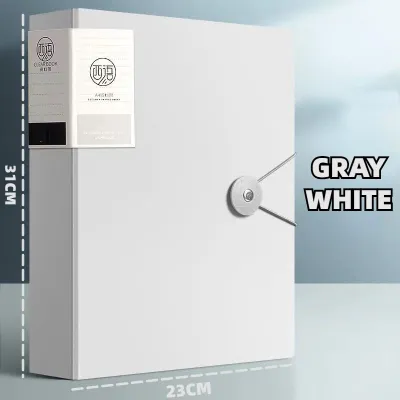
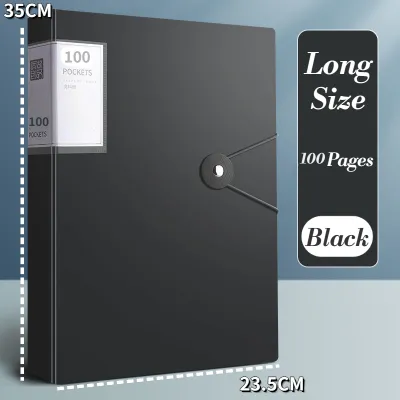
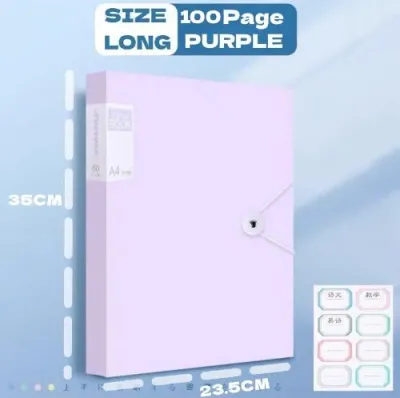
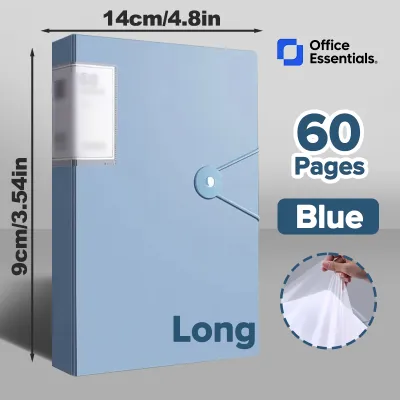
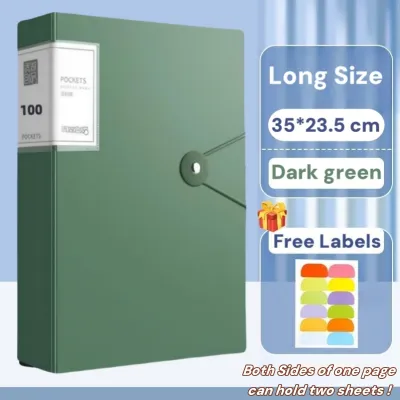
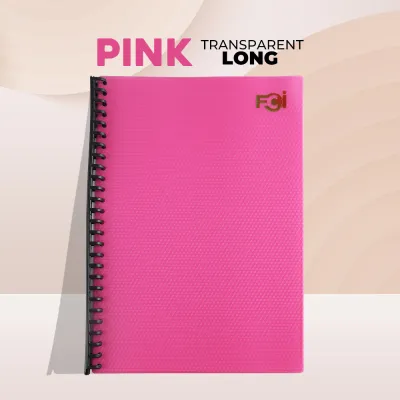
Prices are valid at publication and may change. Please refer to the product page for the latest price.
When shopping for a clearbook, you must look closely at the difference between the outer cover dimensions and the inner sleeve dimensions. Manufacturers often list the outer dimensions of the plastic cover, which might be around 9.5 x 13.5 inches to provide a protective border. However, the crucial measurement is the usable space of the inner pocket. The pocket must have an opening width of at least 8.6 inches and an internal height of at least 13.1 inches. This slight clearance ensures that you can slide standard long bond paper in and out without bending the corners or tearing the delicate plastic seams.
Key Features to Evaluate When Comparing Clearbooks
Selecting the right clearbook requires looking beyond the cover color. To find a folder that will withstand daily wear and tear, you must evaluate several structural and material specifications.

Pocket and Sleeve Count Clearbooks typically come in standardized capacities, such as 20, 40, 60, or 100 pockets. When deciding on capacity, consider both your immediate needs and the weight of the paper you intend to store. Standard copy paper in the Philippines is usually 70gsm (grams per square meter) or 80gsm. A 20-pocket clearbook holding double-sided sheets will house 40 pages, which is lightweight and highly portable. However, if you are archiving a year’s worth of financial reports or student portfolios, a 100-pocket folder is more appropriate. Keep in mind that as pocket count increases, the stress on the spine and binding also intensifies.
Material Quality and Finish The vast majority of modern clearbooks are made from polypropylene (PP). Polypropylene is preferred over polyvinyl chloride (PVC) because it is acid-free and archival-safe. Over time, PVC can release plasticizers that react with printer toner and ink, causing the text to lift off the paper and stick to the plastic sleeve. When evaluating PP, check the cover thickness. A thicker cover (such as 0.5mm to 1.0mm) provides rigid support, preventing the clearbook from bending when stored upright on a shelf.
The finish of the inner sleeves is another vital consideration. High-gloss sleeves offer maximum clarity, making photos and colorful graphics pop, but they reflect overhead fluorescent lights, causing glare that can strain your eyes during long reading sessions. Embossed or matte-finish sleeves feature a subtle texture that diffuses light, eliminating glare. This textured surface also prevents sheets from sticking together, making page-turning much smoother.
Closure Mechanisms How your clearbook closes dictates where and how you can use it. Open-top designs are standard and offer the fastest access, but they provide no protection if the folder is dropped or carried in a bag. Elastic band closures—usually consisting of one or two durable elastic straps anchored to the back cover—keep the folder securely shut during transit. Snap button closures offer a clean, professional look but can be difficult to close if the clearbook is overfilled. For maximum security, zippered clearbooks feature a zipper track running along three sides, completely sealing the contents from dust, dirt, and tropical humidity.
Spine and Binding Design The spine is the backbone of your clearbook. In budget models, the inner sleeves are directly welded to a flexible spine. While lightweight, these models often resist lying flat when open, forcing you to hold the pages down with your hands. Premium clearbooks utilize a rigid, reinforced spine with a lay-flat binding design. Some even feature refillable mechanisms, such as multi-ring binders, allowing you to add, remove, or rearrange sleeves as your organizational needs evolve.
Matching Clearbook Styles to Your Daily Workflow
No single clearbook design fits every scenario. To get the most value out of your purchase, match the structural style of the folder to your specific daily tasks and environment.
High-Capacity Binders for Heavy Office Archiving
For corporate offices, legal firms, and academic departments, document retention is a long-term commitment. High-capacity clearbooks with 60 to 100+ pockets are the standard choice for these environments. These folders require a rigid, heavy-duty polypropylene cover to support the substantial weight of hundreds of pages of long bond paper.
When selecting a high-capacity binder, prioritize models with reinforced, wide spines. A wide spine ensures that when the pockets are fully loaded, the clearbook maintains a neat, box-like shape on your shelf rather than bulging into an awkward wedge. Look for lay-flat binding systems; when reviewing thick archives or presenting multi-page reports to clients, the folder must remain open on a desk without requiring constant physical pressure.
Furthermore, closely inspect the welding quality along the inner spine. The points where the plastic sleeves meet the binder are highly susceptible to tearing under the downward pull of heavy paper. Look for reinforced weld lines or double-stitched fabric borders along the spine to ensure the sleeves do not detach over years of reference.
Zippered and Secured Folders for Commuters and Students
Students, field researchers, sales representatives, and commuters in the Philippines face unique challenges. Transporting documents through crowded public transit, walking under the intense tropical sun, or navigating sudden afternoon downpours during the monsoon season requires a highly protective filing solution.
For these dynamic lifestyles, zippered clearbooks are highly recommended. A full-zipper closure acts as a barrier against dust, sudden splashes of water, and high humidity, ensuring your certificates, artworks, or project drafts remain pristine. If a zippered model is too bulky, look for folders with heavy-duty snap buttons or thick elastic bands that wrap around the corners.
The outer material should be a water-resistant, thick polypropylene cover that can be easily wiped dry. Look for lightweight, flexible covers that bend slightly to fit into a packed backpack or tote bag without cracking. Some transit-friendly models also feature integrated slide-out handles, allowing you to carry the clearbook like a slim briefcase when moving between classrooms or meeting rooms.
Open-Top Designs for Quick Desk Reference
If your clearbook rarely leaves your desk or a climate-controlled office, an open-top, minimalist design is often the most efficient choice. These models are built for speed and frequent, repetitive access.
Open-top clearbooks feature flexible, lightweight covers and smooth-turning sleeves that allow you to flip through pages with minimal effort. They are ideal for holding daily reference materials, such as price lists, standard operating procedures, restaurant menus, or active project checklists.
Many open-top models feature a transparent front cover pocket, allowing you to insert a custom cover page. This makes visual identification instantaneous, helping you grab the correct file from a desk organizer without needing to read spine labels. However, keep in mind that open-top designs offer minimal protection against airborne dust and are prone to spilling their contents if held upside down or packed into a bag.
A Smart Shopping Checklist for Online Marketplace Purchases
Shopping for stationery on Philippine e-commerce platforms offers unparalleled convenience and a vast selection, but it also requires a discerning eye to avoid low-quality products. Use this checklist to ensure your online purchase meets your expectations.
Reading Product Descriptions Do not rely solely on product titles, which are often stuffed with keywords to attract search traffic. Scroll down to the detailed specifications. Look for exact measurements of both the outer cover and the inner sleeves. Confirm that the seller explicitly lists the item as “long size” or “F4/Folio” and verify the pocket count. If the material thickness (in microns or millimeters) is listed, use that to gauge the rigidity of the cover.
Analyzing User Reviews Customer reviews are a goldmine of real-world performance data. Filter the reviews to look for uploaded photos and videos from local buyers. Pay close attention to recurring complaints. Look for mentions of sleeves that are too narrow to fit standard long bond paper, zippers that split or get stuck, or plastic seams that tear upon first use. If multiple reviews mention that the clearbook arrived warped or bent due to poor packaging, consider looking for a different seller.
Verifying Seller Credibility Purchase from established sellers, official brand stores, or shops with high positive ratings (ideally 4.8 stars or above). Look for platform-verified badges that indicate authorized distributorship. Check the seller’s response rate and read their return policy. A credible seller will offer hassle-free returns or refunds if the clearbook arrives damaged, bent, or with missing sleeves.
Price and Value Assessment Clearbook prices in the Philippines span a wide range depending on capacity, materials, and brand reputation:
- Budget Options (₱50 to ₱150): Typically feature flexible, thin PP covers and 20 to 40 thin, high-gloss sleeves. Ideal for light student use or short-term projects.
- Mid-Range Options (₱150 to ₱350): Offer sturdier covers, larger capacities (up to 60 pockets), non-glare textured sleeves, and secure closures like elastic bands. Excellent for daily office use.
- Premium/Specialty Options (₱350 to ₱700+): Include heavy-duty zippered binders, archival-grade acid-free materials, 100+ pockets, and refillable multi-ring systems. These are investments designed for critical document preservation and professional presentations.
Calculate the cost per pocket (total price divided by the number of sleeves) to determine if a multi-pack or higher-capacity model offers better long-term value than buying multiple small folders.
Best Practices for Organizing and Maintaining Your Files
To maximize the lifespan of your long size clearbook and keep your documents in pristine condition, implement a structured organization and maintenance routine.
Indexing and Labeling A clearbook is only useful if you can find what you need quickly. Most mid-range and premium clearbooks feature a clear plastic spine pocket. Slide a printed or handwritten index card into this pocket to clearly label the folder’s contents (such as “Tax Filings 2026” or “Lesson Plans – Grade 10”). Inside the folder, use small, color-coded sticky index tabs on the edges of the plastic sleeves to divide different sections. This allows you to jump directly to a specific document without flipping through every page.
Preventing Overstuffing While it is tempting to squeeze multiple sheets of paper into a single sleeve to save space, this is the leading cause of clearbook damage. Forcing more than two sheets of standard 80gsm paper into a single pocket stretches the polypropylene. Over time, this tension will split the welded side seams, rendering the pocket useless. If you have thick multi-page documents, allocate a dedicated sleeve for every one or two pages, or transition to a high-capacity binder.
Cleaning and Storage Polypropylene is highly durable, but it requires proper care to prevent degradation. To clean the outer cover and inner sleeves, wipe them gently with a dry or slightly damp microfiber cloth. Avoid using harsh chemical solvents, alcohol-based cleaners, or abrasive pads, which can scratch the plastic or make it cloudy.
Storage environment is critical in the Philippines’ tropical climate. Store your clearbooks vertically on a sturdy shelf away from direct sunlight. Prolonged exposure to ultraviolet (UV) rays degrades polypropylene, causing it to yellow, warp, and become brittle. Additionally, ensure your storage area is well-ventilated. High humidity combined with stagnant air can trap moisture inside the plastic sleeves, leading to mold growth on your paper documents or causing the pages to stick stubbornly to the plastic.
Frequently Asked Questions (FAQ)
Can I fit standard A4 documents inside a long size clearbook?
Yes, standard A4 documents (8.27 x 11.69 inches) will physically fit inside a long size clearbook (8.5 x 13 inches) without any folding, as A4 is both narrower and shorter than the long format. However, because the long sleeve is significantly taller, A4 sheets will leave a noticeable gap of about 1.3 inches at the top or bottom. This extra space can cause the papers to slide, shift, or sag inside the pocket when the clearbook is held upright. To prevent this shifting and maintain a neat presentation, you can insert a colored cardstock backing board (cut to long size) into the sleeve first, then secure the A4 document to the backing board using a small piece of double-sided tape or photo corners.
How do I prevent plastic sleeves from sticking to freshly printed ink?
Freshly printed documents, particularly those from inkjet printers or heavy-toner laser copiers, are highly prone to sticking to plastic sleeves due to wet ink or plasticizer migration. To prevent this, always allow your printed documents to dry completely in a well-ventilated area for at least several minutes—or up to an hour for heavy color graphics—before filing them. Additionally, choose clearbooks featuring inner sleeves with a textured, matte, or embossed finish rather than a smooth, high-gloss surface. The micro-textures on embossed sleeves reduce the direct contact surface area between the plastic and the paper, significantly minimizing the risk of ink transfer, smudging, and sticking.
Community discussion
Share your experience or ask a question. Comments are reviewed before publication.