
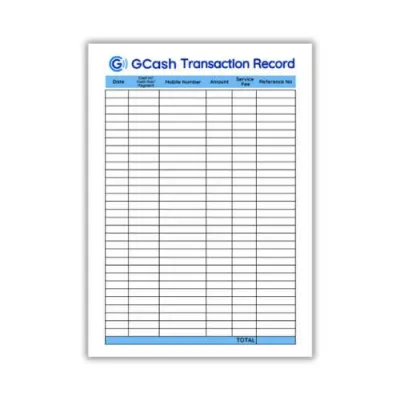
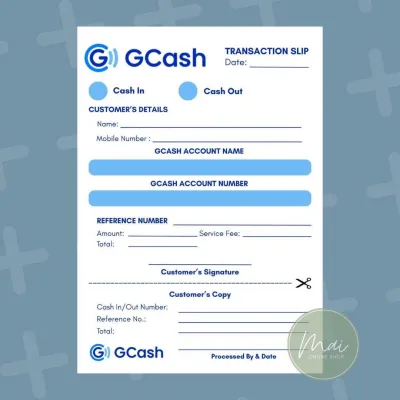
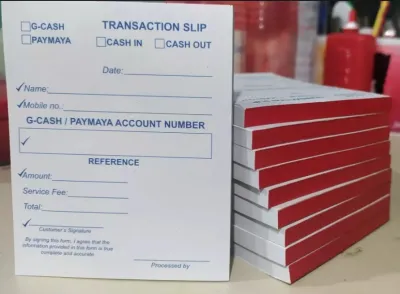
Managing digital transactions requires a reliable tracking system to ensure every peso is accounted for, especially when handling frequent cash-ins, cash-outs, bank transfers, and bill payments. For users in the Philippines, maintaining a physical gcash monitoring sheet in a dedicated notebook serves as an indispensable backup. It provides a tangible, permanent record that helps reconcile balances, track transaction fees, and preserve crucial reference numbers that might otherwise be lost if a mobile device malfunctions or an app history becomes temporarily inaccessible.
To build an effective tracking system, the best notebook formats are grid (graph) notebooks and multi-column columnar books. A grid notebook offers the ultimate structural flexibility, allowing you to customize column widths to fit long 13-digit reference numbers and detailed notes. Alternatively, a columnar book provides pre-ruled vertical lines that eliminate setup time, making it ideal for straightforward, traditional bookkeeping. Choosing between these formats depends on whether you prioritize layout customization or immediate, out-of-the-box usability.
Key Features to Look for in a GCash Tracking Notebook
Selecting the right physical notebook requires looking beyond cover designs. Because a transaction ledger is subjected to daily handling, writing, and frequent page-turning, its structural specifications directly impact how easy and comfortable it is to maintain over several months.
Products mentioned in this guide
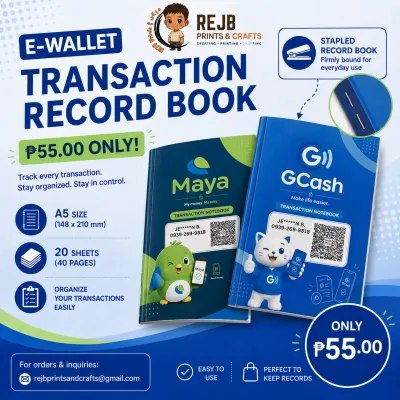
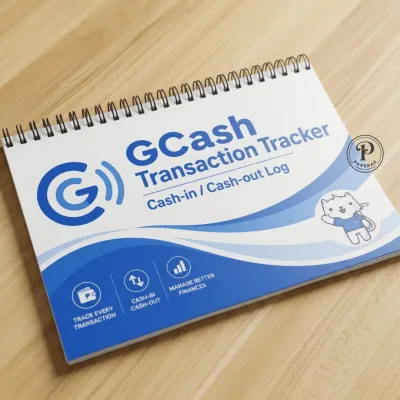
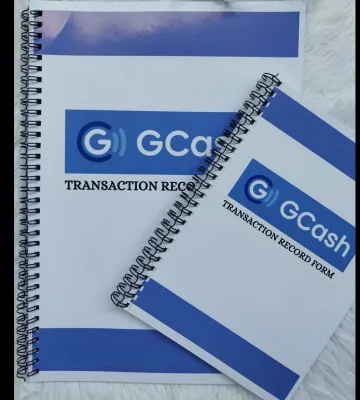
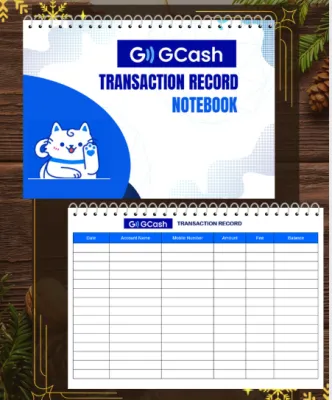
Prices are valid at publication and may change. Please refer to the product page for the latest price.
Paper Quality and Weight
Paper weight is measured in grams per square meter (GSM). For a digital wallet ledger, look for paper that is at least 80 GSM, though 100 GSM to 120 GSM is highly recommended. In the tropical, high-humidity climate of the Philippines, paper naturally absorbs ambient moisture from the air. This moisture absorption softens the paper fibers, making them more receptive to ink spread, which causes feathering (where ink bleeds outward in tiny branch-like patterns) and ghosting (where writing is visible on the reverse side of the page).
Using a higher GSM paper ensures that gel pens, fine-liners, and highlighting markers do not bleed through to the next page. This allows you to use both sides of every sheet, maximizing your notebook’s lifespan. To verify paper compatibility with your favorite pen, always perform a quick swatch test on the very last page of the notebook. Write a few numbers, draw a solid line, and wait sixty seconds to observe the drying speed, line crispness, and whether any ink shadows show through on the reverse side.
Binding Type
How a notebook is bound determines how flat it will lie on your desk. For a transaction sheet that spans multiple horizontal columns, a lay-flat binding is essential. Thread-sewn (or case-bound) notebooks are designed to open completely flat without requiring you to forcefully hold the pages down. This allows you to write smoothly across the center gutter, which is particularly useful if you want to extend your tracking columns across a two-page spread.
Spiral or double-O wire binding is another excellent option. Spiral notebooks can be folded back a full 360 degrees, which saves valuable counter space if you run a small home business, a sari-sari store, or work at a compact desk. However, the metal or plastic coils can sometimes get in the way of your hand when writing near the margins. If you choose a spiral notebook, ensure the coil diameter is large enough to allow smooth page-turning but small enough to avoid obstructing your wrist.
Page Size and Orientation
Page size dictates how much data you can fit on a single line without cramping your handwriting. Standard B5 (176mm x 250mm) and A4 (210mm x 297mm) sizes are the most practical choices for a detailed transaction sheet.
- A4 Size: This larger format provides the widest horizontal space. It is ideal if you want to track multiple data points on a single row, such as dates, long reference numbers, service fees, client names, and running balances. It is best suited for stationary desk use.
- B5 Size: A slightly more compact option that is highly popular in school and office supply stores across the Philippines. B5 notebooks offer a comfortable middle ground, providing ample space for up to seven or eight columns while remaining portable enough to slip into a bag for on-the-go transactions.
- Landscape Orientation: If you find portrait pages too narrow, you can simply rotate any blank grid or dotted notebook 90 degrees to write in landscape format. This immediately gives you a wider horizontal canvas, allowing you to create spacious columns that prevent visual clutter.
Recommended Notebook Formats for GCash Monitoring
Different notebook layouts cater to different tracking preferences. Understanding how each page format behaves will help you select the one that aligns with how much time you want to spend setting up your ledger.

Grid and Graph Notebooks
Grid notebooks, typically featuring 5mm square patterns, are highly favored by those who want complete control over their ledger’s design. The continuous grid pattern acts as a built-in ruler, allowing you to draw perfectly straight vertical and horizontal lines without constantly measuring margins.
- Customizable Column Widths: You can allocate a precise number of grid squares to each column based on the data type. For example, you can allocate three squares for the date, eight squares for the 13-digit reference number, and four squares for the amount.
- Perfect Number Alignment: The vertical grid lines help you align digits and decimal points straight down each column. This mathematical alignment makes it much easier to add up columns of figures manually at the end of the day or week.
- Visual Noise: The main drawback of a grid notebook is that the printed grid lines can sometimes feel visually busy. To mitigate this, look for notebooks printed with light gray or pale blue grid lines rather than harsh black ink, as softer lines make your handwriting stand out more clearly.
Columnar and Ledger Account Books
Columnar books are traditional bookkeeping tools designed specifically for financial records. They come pre-printed with vertical lines that divide the page into columns (typically ranging from 2 to 8 columns), alongside horizontal lines for daily entries.
- Ready-to-Use Structure: Because the vertical columns are already printed, you do not need to spend time drawing lines with a ruler. You can simply write your headers at the top of each column and start logging transactions immediately.
- Professional Ledger Feel: These books are built for accounting, often featuring high-quality ledger paper that resists ink bleeding and provides a highly structured, formal record of your cash flow.
- Fixed Column Widths: The primary limitation is rigidity. Standard columnar books are designed for traditional currency figures, meaning the columns are often uniform in width. Squeezing a long, 13-digit digital wallet reference number or a detailed transaction note into a narrow pre-printed column can be challenging and may require you to write very small or split the data across two lines.
Dotted and Bullet Journal Notebooks
Dotted journals feature a grid of faint dots, usually spaced 5mm apart, instead of solid lines. This format has gained massive popularity as a middle ground between blank pages and structured grids.
- Subtle Alignment Guides: The dots provide just enough guidance to help you draw straight lines and keep your handwriting level, but they virtually disappear in the background once the page is filled with writing. This gives your transaction sheet a clean, professional aesthetic.
- Design Flexibility: Like grid notebooks, dotted pages allow you to define your own column widths and change the layout from page to page if you decide to track new metrics, such as separate columns for cash-in service fees or promotional cashbacks.
- Setup Time: Because there are no solid lines, you must manually connect the dots with a pen and ruler to create your table borders. If you process dozens of transactions daily and need to create new sheets frequently, this initial setup time can become tedious.
Pre-Printed Spreadsheet and Bookkeeping Notebooks
These specialized logbooks are designed specifically for small business transactions or personal budgeting. They feature pre-printed tables with standard headers like date, description, income, expense, and balance.
- Zero Setup Effort: You do not need to draw lines or write out basic column headers. You can open the book to a fresh page and immediately begin recording your transactions, making it the fastest option to implement.
- Standardized Routine: The pre-defined structure encourages a consistent logging habit, as there are clear boxes waiting to be filled for every single transaction.
- Inflexible Layouts: These notebooks are rarely customized for digital wallets. They may lack a dedicated, wide column for digital reference numbers or separate columns to distinguish between transaction fees and actual transfer amounts. If you need to record specific metadata unique to digital wallets, you will have to repurpose existing columns or squeeze notes into margins.
Comparing Notebook Layouts for Digital Wallet Tracking
To help you decide which layout fits your workflow, the table below evaluates the four primary notebook formats across key usability dimensions.
| Notebook Format | Customization Level | Setup Time Required | Visual Clutter | Best Suited For |
|---|---|---|---|---|
| Grid / Graph | High | Medium | Medium to High | Users who want custom column widths and precise vertical alignment for numbers. |
| Columnar / Ledger | Low | None | Low | Traditionalists who want ready-made vertical columns and zero setup time. |
| Dotted / Bullet Journal | High | High | Low | Aesthetic-focused users who want clean-looking pages with subtle alignment guides. |
| Pre-Printed Spreadsheet | Very Low | None | Low | Users who prefer a rigid, standardized format and want to start logging instantly. |
If your primary goal is speed and you do not mind working within fixed column boundaries, a pre-printed columnar book or spreadsheet notebook is your best option. However, if you want a clean, tailored layout that perfectly accommodates the unique data points of digital transactions—such as long reference codes and specific service fee percentages—investing a few minutes to draw a custom layout in a high-quality grid or dotted notebook will yield a much more functional tracking tool over the long run.
How to Structure Your GCash Transaction Columns
Once you have selected your notebook, the next step is structuring your columns to capture all essential transaction data. A well-organized layout ensures that you can reconcile your physical ledger with your digital app balance in seconds.
Essential Columns
To create a comprehensive tracking sheet, draw a table with the following seven columns across your page:
- Date & Time: Record the exact date and time the transaction was completed. This is crucial because digital wallet transaction histories are organized chronologically, and matching timestamps makes reconciliation much faster.
- Reference Number: Dedicate a wide column specifically for the 13-digit transaction reference number generated by the app. This number is your official receipt. If a transfer fails, a bill payment is delayed, or you need to file a dispute with customer support, this reference number is the primary piece of evidence required to resolve the issue.
- Transaction Type: Use this column to categorize the action. Common categories include Cash-In (loading money into your wallet), Cash-Out (withdrawing cash via an partner outlet), Send Money (Express Send or Bank Transfer), Pay Bills, or GSave deposits.
- Amount In (₱): Record any funds entering your account. Keep this column clean by writing only the principal amount received.
- Amount Out (₱): Record any funds leaving your account, such as payments or transfers.
- Fees / Charge (₱): Always separate transaction fees (such as the ₱15 bank transfer fee or cash-out service charges) from the principal transaction amount. Mixing fees into the main amount column makes it difficult to audit how much you are spending on service charges over time.
- Running Balance (₱): Calculate and write down your new account balance after every single transaction. This is the most effective way to catch unauthorized deductions, system glitches, or errors in your manual calculations.
Layout and Maintenance Tips
To keep your ledger highly readable and protected from daily wear, implement these practical formatting strategies:
- Color-Coding: Use two distinct pen colors to make your ledger easily scannable at a glance. For example, write all Amount In entries in green ink and all Amount Out and Fee entries in standard black or blue ink. Avoid red ink for daily entries if you plan to use it later for highlighting errors or balancing discrepancies during monthly audits.
- Left-to-Right Logical Flow: Place the most frequently referenced columns—such as the Date, Transaction Type, and Reference Number—on the left side of the page. Place the financial calculation columns (Amount In, Amount Out, Fees, and Running Balance) on the right side. This aligns with standard reading patterns and keeps your mathematical calculations clustered together.
- Protecting Your Ledger: Since this notebook holds important financial records, protect it from the elements. In humid or rainy conditions, paper can warp and ink can run if it comes into contact with moisture. Keep your notebook in a water-resistant plastic sleeve or choose a notebook with a durable synthetic or hardbound cover. Always close the notebook when not in use to prevent dust and humidity from degrading the paper and ink.
Frequently Asked Questions (FAQ)
Is an A4 or B5 notebook better for a GCash monitoring sheet?
An A4 notebook is generally better if you run a small business, process multiple transactions daily, or want to fit all seven essential columns—including the 13-digit reference number and detailed notes—onto a single horizontal line without crowding your writing.
However, if you only track personal expenses and value portability, a B5 notebook is a highly practical choice. While B5 offers slightly less horizontal space, it fits easily into standard bags and retail counters, providing a comfortable writing area that is perfectly adequate for basic digital wallet logging.
What pen type works best with grid notebooks to avoid smudging?
To maintain a clean, smudge-free ledger, use quick-drying gel pens with a fine tip (such as 0.5mm or 0.7mm) or high-quality fine-liner ballpoint pens. Pigment-based or archive-quality inks are ideal because they dry almost instantly upon contact with paper, preventing smudges when you slide a ruler across the page to draw column lines.
Avoid using heavy liquid ink fountain pens or cheap, slow-drying gel pens, as these are highly prone to feathering on standard notebook paper and can easily smudge if your hand brushes across the page while writing wide rows. Always perform a quick swatch test on an inconspicuous page corner to verify how fast your chosen pen dries on your notebook’s specific paper.
Community discussion
Share your experience or ask a question. Comments are reviewed before publication.