
Personalizing your laptop with stickers is a great way to showcase your personality, interests, and creative style. However, the tropical climate in the Philippines presents unique challenges for standard stationery. High relative humidity, ambient heat from both the environment and the device itself, and daily handling can quickly turn low-quality decals into peeling, faded eyesores.
When searching for the perfect sticker for laptop waterproof needs, it is vital to look beyond generic marketing buzzwords. A sticker that survives a quick splash might not survive the constant friction of being slid into a laptop sleeve or the sweat from your palms. Understanding the science behind sticker materials, adhesives, and protective coatings is the key to choosing decals that will look pristine for years.
This comprehensive guide will help you navigate the various materials available, understand how to verify product quality on local e-commerce platforms, and apply or remove your stickers safely without risking damage to your expensive hardware.
Products mentioned in this guide
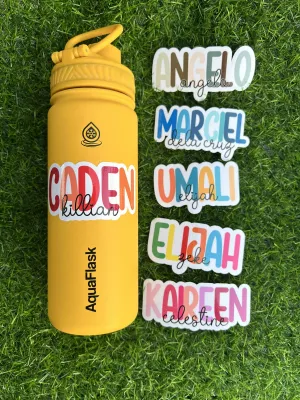
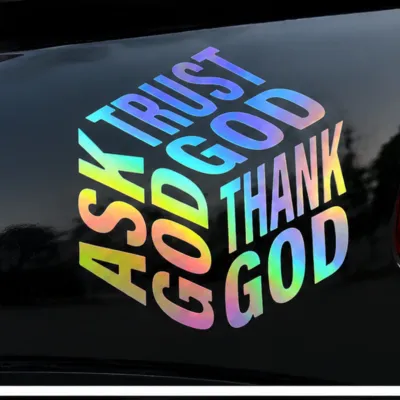
Prices are valid at publication and may change. Please refer to the product page for the latest price.
What Makes a Laptop Sticker Truly Waterproof?
To choose a sticker that lasts, you must first understand the fundamental difference between water-resistant and truly waterproof products. Many budget-friendly options sold online are marketed as waterproof but are actually made of standard paper with a thin, glossy plastic topcoat. While these might resist a light sprinkle, water eventually seeps through the exposed paper edges. Once moisture penetrates the paper fibers, the sticker swells, the adhesive dissolves, and the printed design begins to bleed and peel away.
True waterproof stickers are constructed entirely from synthetic, non-porous polymers. Because these materials contain no wood or cotton fibers, they cannot absorb moisture. Even if submerged in water, the structural integrity of the sticker remains completely unchanged. This synthetic base is paired with specialized acrylic adhesives that do not break down in the presence of water, ensuring a long-lasting bond even in humid tropical conditions.
Beyond the base material, the printing technology and protective layers play an equally important role in durability. Standard inkjet printers use dye-based inks, which are highly water-soluble and fade rapidly under UV light. Professional-grade waterproof stickers utilize pigment-based or UV-cured inks. These inks contain solid color particles that resist water and sun damage. Additionally, a clear protective laminate film is applied over the print, shielding the ink from physical scratches, skin oils, and the warmth radiating from your laptop’s internal components.
It is also important to maintain a clear distinction regarding safety: a waterproof sticker protects itself from liquid damage, but it does not make your laptop water-resistant. While a spilled beverage won’t ruin a high-quality vinyl decal on your laptop lid, the liquid can still easily seep into the keyboard, ports, and cooling vents. Decorating your device is purely aesthetic and does not offer any physical waterproofing for the internal electronics.
Recommended Waterproof Sticker Materials for Laptops
When browsing local online marketplaces, the sheer volume of sticker designs can be overwhelming. To ensure you are buying a product that will endure daily wear, focus your search on the specific materials and manufacturing methods used. Selecting the correct material type guarantees that your stickers will remain vibrant and firmly attached.

Premium Vinyl and PVC Stickers
Polyvinyl chloride (PVC) and premium vinyl are the gold standards for laptop customization. These materials are highly flexible, allowing them to conform smoothly to the subtle curves of modern laptop lids, such as those on anodized aluminum or matte plastic chassis. They are also highly resistant to environmental moisture, oils, and mild cleaning agents.
Within the vinyl category, manufacturers generally use either calendered or cast vinyl. Calendered vinyl is thicker and slightly stiffer, created by pressing a heated plastic paste through heavy rollers. While durable, calendered vinyl has a physical memory and may shrink slightly over time when exposed to the continuous heat generated by a laptop’s processor, occasionally leaving a tiny ring of sticky residue around the edges. Cast vinyl, on the other hand, is premium-grade. It is manufactured by pouring a liquid mixture onto a casting sheet, resulting in an incredibly thin, stable film that will not shrink or warp, even under constant thermal exposure.
Adhesive Longevity and Residue
- Bond Strength: High-quality vinyl stickers utilize pressure-sensitive acrylic adhesives that form a strong, semi-permanent bond over 24 to 48 hours.
- Thermal Resistance: These adhesives are designed to withstand temperatures up to 80°C, meaning they will not slip or slide when your laptop runs demanding tasks.
- Removal Trade-off: While these adhesives are incredibly secure, leaving them on a warm laptop lid for several years can cause the bond to harden. When you eventually peel the sticker off, it may leave behind a stubborn, tacky residue that requires careful cleaning to remove safely.
Laminated and Holographic Stickers
For the ultimate level of protection, look for stickers that feature an additional laminate layer. Lamination involves sealing the printed vinyl beneath a thin, clear protective film. This film acts as a physical barrier against the friction of your hands, the inside of your laptop sleeve, and accidental scratches from keys or pens in your bag.
Laminates are typically available in matte, glossy, or satin finishes. A matte laminate provides a sophisticated, non-glare surface that resists fingerprints and smudges, matching well with professional or minimalist setups. A glossy laminate enhances color contrast and saturation, making bold, artistic designs pop. Regardless of the finish, the laminate ensures that water spots do not dry directly on the printed ink, preventing unsightly staining and maintaining the sticker’s original appearance.
Holographic Vinyl Characteristics
- Visual Appeal: Holographic stickers utilize a specialized vinyl base that incorporates a metallic, light-refracting layer. This layer splits light into a rainbow spectrum, creating a dynamic shifting effect as you tilt your laptop.
- Waterproof Integrity: Because the holographic effect is embedded within the synthetic vinyl itself, these stickers offer the exact same waterproof and tear-resistant properties as standard white or clear vinyl.
- Lamination Necessity: Always verify that holographic stickers are laminated. Unlaminated holographic prints are highly susceptible to micro-scratches, which can dull the rainbow effect over time.
Die-Cut vs. Kiss-Cut Formats
Stickers are generally sold in two distinct physical formats: die-cut and kiss-cut. Understanding the difference between these formats will help you plan your laptop layout and choose the easiest option for your specific design goals.
Die-cut stickers are cut through both the vinyl sticker layer and the backing paper to the exact shape of the design. This results in a standalone sticker that looks exactly like the final product before application. Die-cuts are highly recommended for single, large, or prominent decals that you want to place in a specific spot on your laptop lid. Because they are individual pieces, you can easily position them on the surface to visualize the final look before peeling off the backing.
Kiss-cut stickers are cut only through the top vinyl layer, leaving the backing paper completely intact. These are typically sold as sheets containing multiple smaller designs. Kiss-cut sheets are highly advantageous if you plan to create a complex sticker collage on your laptop. You can keep all the stickers on the sheet, cut the sheet into smaller sections to arrange them on your laptop lid, and plan the layout before peeling and sticking each piece. They also tend to be easier to peel because the backing paper extends beyond the cut edge of the sticker.
How to Find a High-Quality Sticker for Laptop Waterproof Needs Online
Navigating local e-commerce platforms in the Philippines requires a discerning eye. Because physical inspection is not possible before purchase, you must rely on technical specifications, precise search terms, and user feedback to avoid low-quality paper imitations.
When searching online, avoid using broad, generic terms like “laptop stickers” or “cute decals,” as these often return thousands of cheap, non-waterproof paper listings. Instead, use highly specific search terms to filter the results. Excellent search queries include:
- waterproof vinyl sticker laptop
- PVC laptop decal laminated
- die-cut vinyl sticker pack waterproof
- holographic laminated sticker sheet
Once you find a design you like, carefully examine the product description. A reputable seller will explicitly state the materials used. Look for terms like “100% vinyl,” “PVC material,” “pigment ink,” or “laminated finish.” If the description uses vague phrases like “water-resistant photo paper,” “glossy paper,” or “high-quality print” without specifying a synthetic base, it is highly likely a paper-based sticker that will degrade quickly under humid conditions.
Analyzing User Reviews and Photos
- Check Uploaded Photos: Scroll down to the review section and look at photos uploaded by previous buyers. Pay close attention to the edges of the stickers. If you see white paper fibers showing at the cut lines, the sticker is paper-based.
- Look for Wear and Tear: Search for reviews written after several weeks or months of use. If reviewers report that the colors are fading, the edges are curling, or the sticker is tearing, avoid the product.
- Verify Material Rigidity: True vinyl or PVC stickers are highly elastic and extremely difficult to tear by hand. If a reviewer shows a torn sticker, it is made of paper.
Be realistic about pricing. Genuine vinyl stickers with protective lamination require more expensive raw materials and specialized printing equipment. If you see a pack of 50 stickers priced at an incredibly low range, such as ₱15 to ₱30, they are almost certainly printed on cheap paper. For high-quality, durable vinyl stickers, expect to pay a realistic price. A single, premium die-cut vinyl sticker typically ranges from ₱30 to ₱100, while a sheet of laminated kiss-cut stickers may cost between ₱80 and ₱200 depending on the design complexity and size.
Safe Application and Removal Guide for Laptop Surfaces
To ensure your waterproof stickers adhere perfectly and can be removed in the future without damaging your expensive device, you must follow a careful, systematic process. Improper application can lead to unsightly air bubbles, while careless removal can scratch your laptop’s chassis or strip away its premium finishes.
Step-by-Step Application Process
Before applying any sticker, you must prepare the surface. Dust, oils from your skin, and microscopic dirt particles will prevent the adhesive from forming a strong bond, leading to premature peeling at the edges.
- Clean the Surface: Dampen a clean microfiber cloth with 70% isopropyl alcohol and gently wipe the laptop lid to remove all grease, fingerprints, and dust. Avoid using household glass cleaners, dish soaps, or multi-surface sprays, as these often leave a thin chemical residue that prevents proper adhesive bonding.
- Dry Completely: Allow the alcohol to evaporate completely. Any moisture trapped beneath the sticker can weaken the adhesive and cause bubbling.
- Position and Align: Before peeling off the backing, place the sticker on the laptop lid to find the perfect position. You can use a small piece of painter's tape to hold one edge in place as a hinge.
- Apply Smoothly: Peel a small portion of the backing paper from one edge. Press the exposed adhesive onto the surface, then slowly peel away the remaining backing while smoothing the sticker down. Use a plastic card (like a membership card wrapped in a soft cloth) to push air bubbles outward from the center to the edges. Avoid stretching the vinyl, as it will eventually shrink back and peel at the edges.
Step-by-Step Removal Process
If you want to update your laptop’s look or prepare it for resale, you must remove the stickers carefully to avoid scratching the chassis or leaving stubborn residue.
- Apply Gentle Heat: Use a hairdryer on a low, warm setting. Hold it approximately 15 to 20 centimeters away from the sticker and wave it gently over the area for 10 to 15 seconds. The warmth will soften the acrylic adhesive, making the vinyl pliable and much easier to peel.
- Peel Slowly: Start at one corner and slowly peel the sticker back at a 180-degree angle (flat against itself) rather than pulling straight up. This minimizes the stress on the laptop's surface and reduces the amount of adhesive residue left behind.
- Clean Remaining Residue: If any sticky residue remains, do not scrape it with sharp metal tools like knives, scissors, or coins, which can permanently scratch anodized aluminum or gouge plastic. Instead, apply a small amount of isopropyl alcohol to a microfiber cloth and gently rub the residue in a circular motion until it lifts.
Safety Boundaries and Verification Checks
- Check Manufacturer Guides: Always consult your laptop manufacturer's official care and cleaning instructions before applying adhesives or chemical solvents. Some premium laptops feature specialized coatings (such as rubberized textures or soft-touch plastics) that can react negatively to adhesives or alcohol.
- Perform a Spot Test: Before applying a sticker to a prominent area, or before using any cleaning solvent to remove residue, perform a spot test on an inconspicuous area of your laptop (such as the bottom of the chassis near the rubber feet). Apply a tiny drop of alcohol or a small piece of adhesive tape, wait a few minutes, and verify that it does not discolor, soften, or strip the finish. If you notice any damage, stop immediately.
Frequently Asked Questions (FAQ)
Will waterproof stickers damage my laptop's warranty or ventilation?
Applying stickers to the solid, external parts of your laptop lid or palm rest generally does not void the manufacturer’s warranty. However, you must strictly avoid covering any ventilation grilles, cooling vents, ports, screw holes, hinges, or camera lenses. Blocking these areas can restrict airflow, causing the laptop to overheat and experience thermal throttling or permanent hardware damage, which will not be covered under warranty. Additionally, physical damage caused to the chassis during a rough or improper sticker removal process is typically excluded from warranty coverage.
How do I clean a laptop with waterproof stickers without ruining them?
To clean a laptop decorated with waterproof stickers, use a soft microfiber cloth slightly dampened with water and a tiny drop of mild, diluted dish soap if necessary. Gently wipe the stickered surface to remove dust and smudges. Never spray liquid cleaners directly onto the laptop, as liquid can easily seep into the keyboard or internal components. Avoid using abrasive scrubbing pads, steel wool, or harsh chemical solvents like acetone or nail polish remover, as these will instantly dissolve the protective laminate layer and ruin the printed design of your stickers.
Community discussion
Share your experience or ask a question. Comments are reviewed before publication.