
A 4-column columnar pad is a versatile tool for manual record-keeping, budgeting, and inventory tracking. Choosing the right pad requires balancing paper weight, column width, and page count to ensure your records remain legible and organized. In the humid tropical climate of the Philippines, paper can absorb moisture from the air, making it more prone to ink feathering and bleed-through. Selecting the correct specifications prevents ink from ruining subsequent pages and ensures you do not waste valuable writing space on columns that are too narrow or too wide for your handwriting.
Understanding Paper Weight and Thickness for Your Ink
Paper weight is typically measured in grams per square meter (GSM). For manual bookkeeping and logging, the thickness of the paper directly influences how well it handles different writing instruments. Standard office paper often ranges from 50 GSM to 70 GSM, which is lightweight and suitable for basic pencil or ballpoint pen entries. However, if you prefer using gel pens, rollerballs, or fountain pens, lightweight paper will likely suffer from bleed-through, where ink seeps to the back of the sheet, or feathering, where the ink spreads sideways along the paper fibers.
To ensure your records remain clean on both sides of the page, look for columnar pads with a paper weight of 80 GSM or higher. Heavier paper offers greater opacity, meaning you can write on both sides without the text from the previous page showing through. When shopping on local ecommerce platforms or in office supply stores, check the product packaging or online specifications for explicit mentions of bleed-resistant paper or high-density sheets.
Products mentioned in this guide
![Columnar Pad 2 Columns Columnar Pad 3 Columns Columnar Pad 4 Columns Columnar Pad 5 Columns Columnar Pad 6 Columns Analysis Pad Accounting Pad [Future Industries]](https://img.lazcdn.com/g/p/5d85c7dfa0614e29c1efee88be97e921.jpg_400x400q80.jpg_.webp)
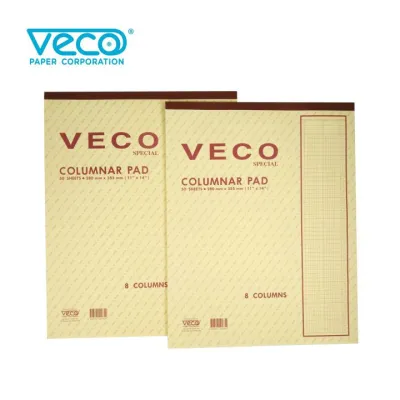
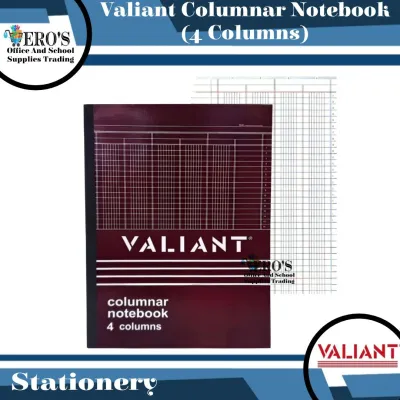
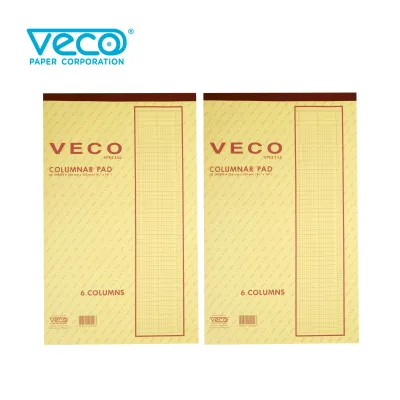
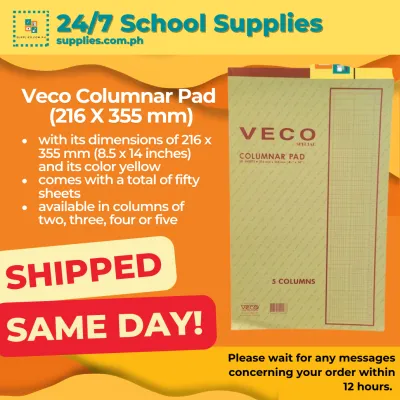
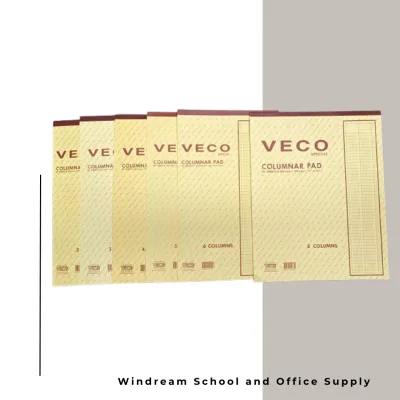
Prices are valid at publication and may change. Please refer to the product page for the latest price.
Since paper performance depends heavily on the specific ink formula and humidity levels, it is wise to perform a simple ink test before committing to a large ledger. When you receive a new pad, turn to the very last page and write a few sample lines using your regular pens. Observe how long the ink takes to dry and check the reverse side of the sheet for any signs of ghosting or bleeding. This quick trial ensures your daily entries will remain crisp and legible over years of storage.
Choosing the Right Column Width for Your Data
The layout of a 4-column pad is designed to organize data into distinct vertical sections, but the actual width of these columns can vary significantly between brands. A standard 4-column layout typically features one wide column on the left for descriptions, dates, or item names, followed by four numerical columns of equal width. These numerical columns are suitable for recording monetary values, quantities, or reference codes.

Before purchasing, consider the size of your handwriting and the type of data you plan to enter. If you need to write large figures or use custom rubber stamps for date and status marking, measure the width of your stamps or write down a typical entry on a scrap piece of paper. Compare these measurements with the column dimensions listed by the manufacturer. If the columns are too narrow, you may find yourself squeezing numbers together, which increases the risk of transcription errors during calculations.
Another critical factor is whether the columns are pre-labeled or left blank. Some columnar pads come with pre-printed headings for specific accounting tasks, such as “Date,” “Description,” “Debits,” and “Credits.” While convenient for standard bookkeeping, these pre-labeled sheets offer less flexibility if you intend to use the pad for inventory logging, project milestone tracking, or personal savings goals. Opting for blank column headers allows you to customize each section to match your exact workflow.
Selecting Page Count and Binding Based on Usage
The physical format of your columnar pad determines how comfortable it is to use on a daily basis and how easily it can be archived. Columnar pads generally come in page counts ranging from 40 sheets to 100 sheets or more. A higher page count provides a longer-lasting record book, but it also increases the overall thickness and weight of the pad. If you frequently travel between different job sites or offices, a slimmer 40-sheet pad is much easier to slip into a bag without adding unnecessary bulk.
The binding style of the pad affects both its durability and how flat it lies on your desk. Glued-top pads allow you to tear sheets off easily, making them highly practical for temporary calculations or sheets that need to be scanned and filed individually. However, if you need to keep your records intact as a permanent ledger, a stitched or spiral-bound notebook is a more secure choice. Spiral bindings allow the pad to fold back on itself, saving valuable desk space in compact work areas, while stitched bindings offer a classic, durable book format that resists wear over time.
For pads where pages need to be removed occasionally, look for micro-perforated edges. Micro-perforations are tiny, closely spaced cuts along the binding edge that allow you to tear out a page cleanly with minimal effort. Without these perforations, tearing a page from a glued or spiral pad often results in jagged, messy edges that can easily rip into your written data or weaken the binding of the remaining pages.
Quick Checklist for Matching Specs to Your Tasks
To simplify your decision, you can match your primary recording tasks to specific paper and layout configurations. For basic personal budgeting or tracking household expenses, a standard 70 GSM pad with blank column headers and a glued top is often sufficient and highly economical. This setup allows you to tear off monthly budgets and file them in a binder or clip them to a clipboard.
For professional inventory logging or business petty cash tracking, a more robust configuration is recommended. Look for an 80 GSM or 100 GSM spiral-bound pad with micro-perforated pages. The heavier paper prevents ink from bleeding when using quick-drying gel pens, while the spiral binding ensures the pad lies completely flat on a busy counter or desk.
Finally, always verify the overall physical dimensions of the pad before finalizing your purchase. Columnar pads are commonly available in standard sizes such as A4, Letter, or legal dimensions. Ensure the size you choose fits comfortably on your desk, aligns with your existing filing folders, and matches the storage drawers or shelves where you plan to archive your completed ledgers.
Frequently Asked Questions (FAQ)
Can I use a 4-column pad for double-entry bookkeeping?
Yes, a 4-column columnar pad is highly suitable for basic double-entry bookkeeping. In a typical setup, the wide left-hand column is used for the transaction date and description, while the four numerical columns are designated for debits, credits, and their respective running balances. This layout provides a clear, chronological view of financial transactions for small businesses or personal accounts. However, if your business requires tracking multiple departments, tax categories, or diverse currencies, you may need to transition to a pad with 6, 8, or 12 columns to accommodate the additional data fields.
How do I prevent the paper from tearing when removing a page?
To prevent accidental tears, always check if your columnar pad features micro-perforations along the top or side binding. Before attempting to tear the sheet, fold the page completely backward along the perforation line and crease it firmly with your fingernail or a ruler. This weakens the paper fibers precisely along the intended line. Once creased, hold the remaining pages down flat against your desk with one hand, and pull the sheet gently but firmly downward and outward from the opposite corner to achieve a clean, professional edge.
Community discussion
Share your experience or ask a question. Comments are reviewed before publication.