
Choosing between the Canon F-789SGA Version 2 and a CASIO scientific calculator often comes down to your specific academic environment, exam regulations, and personal workflow preferences. While CASIO models are frequently treated as the default standard in many engineering, science, and mathematics curricula, the Canon F-789SGA Version 2 offers a highly competitive alternative with a robust feature set that appeals to students and professionals alike. Before making a final purchase, your very first step must always be to verify your school’s syllabus or your target examination board’s list of approved devices.
In the Philippines, academic institutions and professional regulatory bodies maintain strict guidelines regarding which calculator models are permitted in examination rooms. A calculator that is packed with advanced features is of no use if it is confiscated at the door of a major exam. Therefore, while both brands provide excellent tools for complex calculations, your decision should align first with institutional compliance and second with your comfort during high-pressure testing scenarios.
Core Specifications to Compare Before Buying
When comparing the Canon F-789SGA Version 2 against various CASIO models, you must look closely at the technical specifications printed on the product packaging or detailed in the official user manuals. The total number of built-in functions is a primary point of comparison. You will want to verify whether the calculator supports specific mathematical operations required for your coursework, such as matrix calculations, vector analysis, complex numbers, and advanced statistics.
Products mentioned in this guide
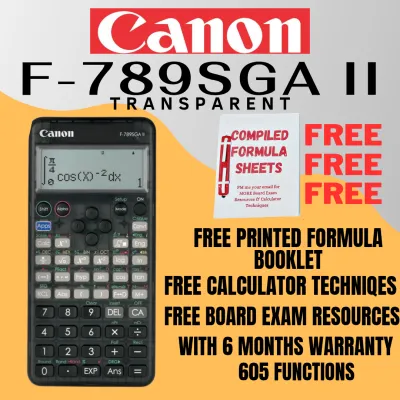
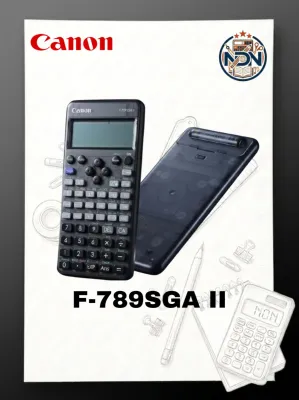
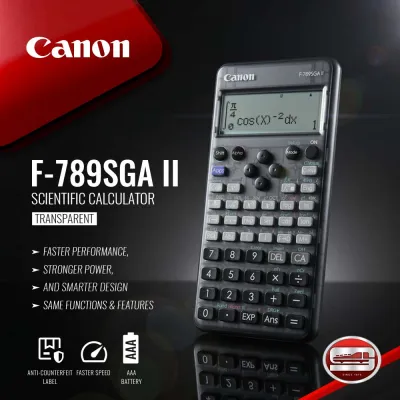
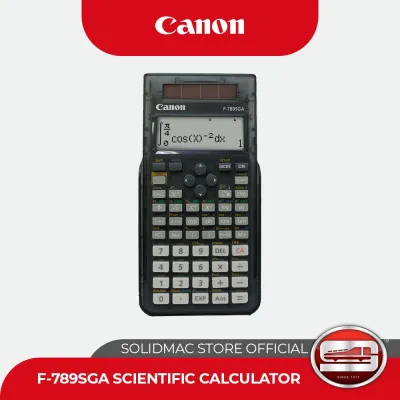
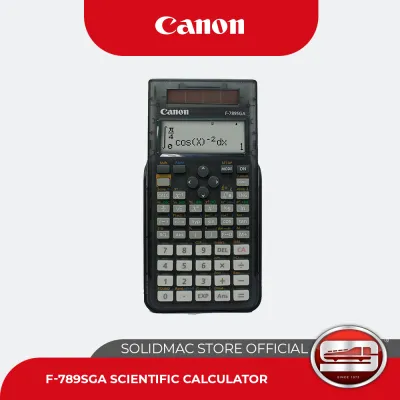
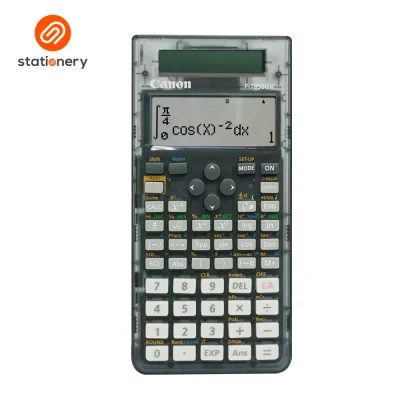
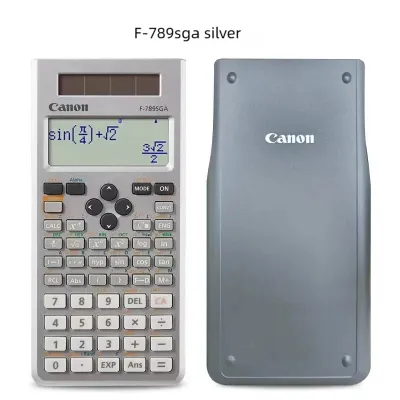
Prices are valid at publication and may change. Please refer to the product page for the latest price.
Key Technical Specifications
- Function Count and Advanced Math Capabilities: Check the packaging for the exact number of functions. Advanced scientific calculators typically offer several hundred functions, but the presence of specific modes is what truly matters for your classes. For instance, if you are studying calculus, verify that the device can perform numerical integration and differentiation. For linear algebra, check the maximum matrix dimensions the calculator can handle, as some models support up to 4×4 matrices while others are limited to 3×3.
- Memory and Variable Storage: Another critical specification is the number of independent memory variables available. During multi-step physics or engineering problems, you often need to store intermediate values to avoid rounding errors. Check the product manual to see how many variables (such as letters A through F, M, X, and Y) the calculator can store simultaneously. Some advanced models also feature formula memory or custom templates, which can save valuable time during repetitive calculations.
- Input and Display Logic: The way mathematical expressions are entered and displayed on the screen significantly impacts your learning curve. Look for terms like "Natural Textbook Display" or "Natural Display" on the packaging. This technology ensures that fractions, exponents, square roots, and calculus symbols are rendered on the screen exactly as they appear in your textbooks. Standard algebraic logic, which displays equations in a single linear string of characters, is still available on some entry-level models but can be more difficult to read during complex multi-parenthetical operations.
Display, Keypad, and Power: What to Verify
Beyond the internal software capabilities, the physical design of your scientific calculator determines how comfortable you will be using it for hours on end. In tropical climates like the Philippines, where high humidity can affect electronic components and physical materials over time, evaluating the build quality is essential.

Physical Usability and Build Quality
- Screen Resolution and Contrast: Inspect the screen resolution before buying. High-resolution dot-matrix displays offer much clearer text and smoother representations of mathematical symbols than older, low-resolution segmented displays. A clear display reduces eye strain during late-night study sessions. If possible, test the device in person to see if the screen contrast is adjustable, which helps maintain visibility under different lighting conditions, from bright classrooms to dimly lit study areas.
- Keypad Layout and Tactile Feedback: The tactile feel of the keys is a highly subjective but crucial factor. You want keys that offer positive tactile feedback—a distinct, springy click that confirms a number has been registered without requiring excessive force. Examine the layout of the secondary functions, which are accessed by pressing a shift or second key. Some users find the color-coded labeling on Canon calculators more intuitive, while others prefer the traditional layout of CASIO. Ensure that frequently used keys, such as the fraction button, trigonometric functions, and the equals key, are positioned comfortably for your hand size.
- Power Source and Battery Maintenance: Check the manufacturer's label on the back of the calculator or the packaging to confirm the power configuration. Many modern scientific calculators utilize a dual-power system, combining a solar panel with a backup button cell battery. This setup is highly reliable, as the solar panel powers the device under normal classroom lighting, preserving the battery for low-light situations. Always review the manufacturer's guidelines regarding battery replacement. In humid environments, it is wise to check the battery compartment periodically for any signs of corrosion, especially if the calculator has been stored unused during school breaks.
Decision Framework: When to Choose Canon or CASIO
To make an informed decision, you should weigh your personal academic path against the specific strengths of each brand. There is no single calculator that is perfect for every student, but applying a structured framework can help you identify the best fit for your situation.
Choosing Your Ideal Calculator
- When to Choose the Canon F-789SGA Version 2: Consider the Canon F-789SGA Version 2 if your school or exam board explicitly permits its use and you prefer its physical design. This model is highly regarded for its clean aesthetic, often featuring a sleek casing and a layout that some students find less cluttered than competing models. If you are looking for a high function count, robust matrix capabilities, and reliable dual-power performance at a competitive price point that fits your academic budget, the Canon is an exceptional contender. It is particularly well-suited for students who want a durable, feature-rich calculator that stands out from the standard classroom crowd.
- When to Choose a CASIO Scientific Calculator: Opt for a CASIO scientific calculator if your instructors or peers primarily use this brand. Classroom synchronization is a powerful advantage; when a professor explains how to perform a specific statistical regression or matrix operation, they will almost certainly demonstrate it using a CASIO interface. If you want to follow along without having to translate the steps to a different key layout, sticking with the classroom standard is highly practical. Additionally, if your major requires highly specific proprietary features or software ecosystems that are unique to CASIO's latest series, choosing their model ensures complete compatibility with your curriculum.
- The Ultimate Verification Step: Before spending your money, you must perform a final compliance check. If you are preparing for national professional licensure exams in engineering, architecture, accountancy, or other specialized fields, the regulatory commission in charge of these exams publishes an official list of allowed calculator models. These lists are updated periodically to prevent academic dishonesty and ensure a level playing field. Never assume a calculator is allowed just because it is labeled "scientific." Visit the official website of the relevant regulatory commission to verify that your chosen model—whether the Canon F-789SGA Version 2 or a specific CASIO model—is explicitly listed as approved.
Frequently Asked Questions (FAQ)
Is the Canon F-789SGA Version 2 allowed in national board exams?
Whether the Canon F-789SGA Version 2 is permitted in national board exams depends entirely on the current guidelines issued by the professional regulatory commission overseeing your specific field. These commissions maintain strict, frequently updated lists of allowed calculator models to ensure exam security. Before purchasing any calculator for a licensure exam, you must consult the latest official advisory on their website. Do not rely on older forum posts or general retail descriptions, as permitted models can change from year to year.
Do I need a graphing calculator instead of a scientific one?
For most high school and undergraduate college courses, a high-end scientific calculator like the Canon F-789SGA Version 2 or a standard CASIO scientific model is more than sufficient. Graphing calculators offer advanced visual plotting, programmable functions, and larger screens, but they are also significantly more expensive and are widely banned in standard mathematics and chemistry exams due to their storage capabilities. Always review your course syllabus or ask your professor directly to determine if graphing capabilities are required, or if a scientific calculator is the mandatory standard for your assessments.
Community discussion
Share your experience or ask a question. Comments are reviewed before publication.