
Selecting the right scientific calculator is one of the most critical decisions for STEM students and engineering professionals. The choice often comes down to two prominent models: the long-established CASIO fx-991ES Plus and the Canon F789SGA. While both devices are designed to handle complex mathematical computations, they differ in user interface, institutional acceptance, and long-term reliability.
For most users, the CASIO fx-991ES Plus remains the industry standard due to its near-universal acceptance in academic institutions and professional licensing examinations. The Canon F789SGA, on the other hand, serves as a robust alternative that offers competitive features, often at a highly appealing price point. Understanding how these differences align with your specific coursework or professional path is key to making a smart investment.
Before making a final purchase, you must verify the specific calculator guidelines issued by your school, university department, or professional regulatory board. A calculator is only useful if you are legally permitted to bring it into your exam room.
Products mentioned in this guide
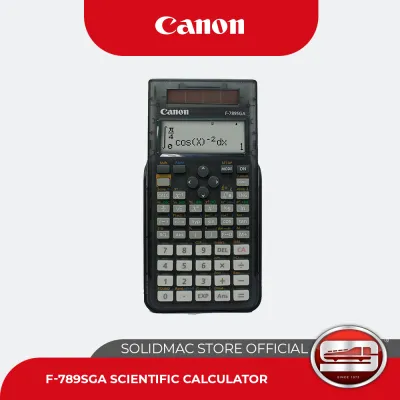
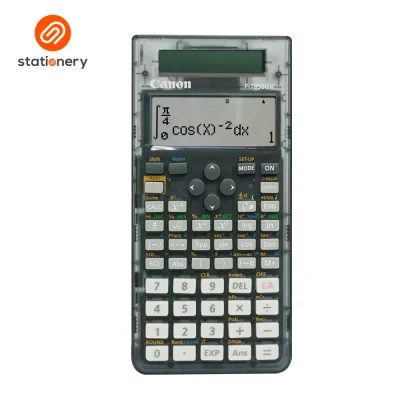
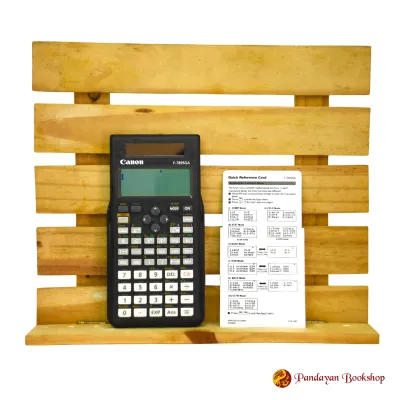
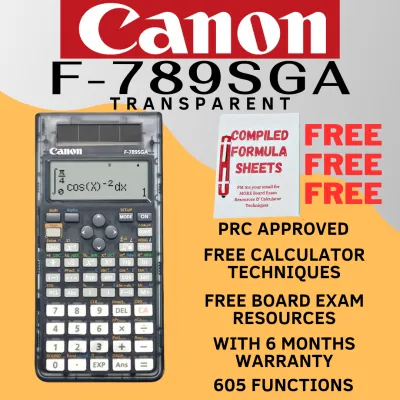
Prices are valid at publication and may change. Please refer to the product page for the latest price.
Quick Answer: Which Calculator Should You Choose?
The CASIO fx-991ES Plus is the globally recognized benchmark for secondary and tertiary STEM education. It is widely adopted by instructors, meaning textbook examples and classroom tutorials are frequently tailored directly to its key layout. It is also a staple on official whitelists for major professional licensure exams, making it the safest choice for students planning to pursue careers in engineering, architecture, or accounting.
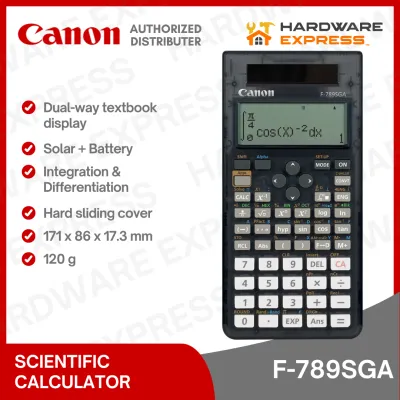
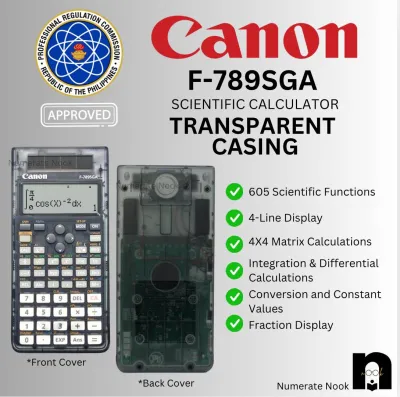
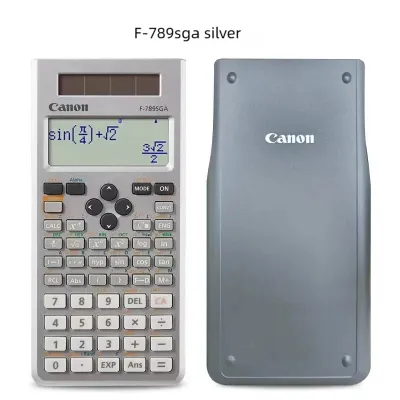
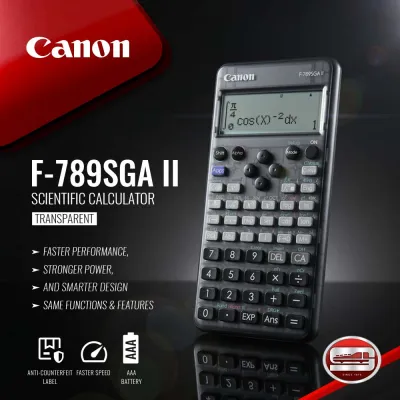
The Canon F789SGA is an advanced scientific calculator that appeals to users seeking a budget-friendly alternative without sacrificing computational power. It offers a comprehensive suite of mathematical functions and a clean design. However, because it is less common in some academic circles, it may occasionally require closer inspection by exam proctors.
If your priority is guaranteed exam compliance, a highly familiar user interface, and abundant online tutorial support, choose the CASIO fx-991ES Plus. If you are operating under strict budget limits, have verified that your institution explicitly permits the model, and prefer Canon’s specific physical design, the Canon F789SGA is a highly capable alternative.
Side-by-Side Specification Checklist
When comparing scientific calculators, looking at a direct specification list helps clarify what each hardware platform offers. Because manufacturers periodically update internal chipsets and regional packaging, some specifications can vary by production batch.

The table below outlines the core features of the CASIO fx-991ES Plus alongside the verification steps you should take when evaluating the Canon F789SGA in a retail store or online catalog.
| Feature | CASIO fx-991ES Plus | Canon F789SGA | How to Verify |
|---|---|---|---|
| Display Technology | Natural V.P.A.M. (Textbook Style) | High-contrast LCD | Check packaging for "Natural Display" or "Textbook Input" labels. |
| Total Functions | 417 built-in functions | Advanced multi-function set | Check the front cover or product manual for the exact function count. |
| Power Source | Dual Power (Solar + LR44 Battery) | Solar and/or Battery | Inspect the upper face for a physical solar panel strip. |
| Memory Registers | 9 variable memories | Multi-variable storage | Review the quick-start guide for variable assignment steps. |
| Physical Protection | Hard slide-on cover | Protective casing | Examine the product photos or physical box for the cover type. |
| Equation Solver | Numerical quadratic, cubic, simultaneous | Numerical solver modes | Look for the "EQN" or "SOLVE" label printed above the keys. |
| Matrix/Vector | Up to 3×3 matrix calculations | Multi-dimensional array support | Verify maximum matrix dimensions in the technical specifications. |
Rather than relying solely on the total number of functions advertised on the box—which is often a inflated marketing metric—focus on whether the device supports the specific mathematical operations required by your syllabus.
Display Technology and User Interface
The way a calculator renders mathematical expressions on screen directly affects your speed and accuracy during timed tests. Older calculators utilized simple segment displays that forced users to write fractions and exponents on a single line using brackets, which frequently led to syntax errors.
The CASIO fx-991ES Plus utilizes Natural V.P.A.M. (Visually Perfect Algebraic Method) technology. This system displays fractions, square roots, integrals, and exponents exactly as they appear in standard academic textbooks. If you write a complex fraction with a nested square root, the screen scales the characters dynamically, allowing you to spot input errors before pressing the execution key.
For the Canon F789SGA, you should check the product packaging to confirm it offers a comparable dot-matrix natural display. A true textbook display is essential for modern mathematics curricula, as it reduces the cognitive load of translating formulas into linear text strings.
Beyond screen layout, the physical interface and key feel play a major role in daily usability. The CASIO model features plastic keys with distinct tactile feedback, a layout that has remained largely unchanged for years, and a clear color-coded system for secondary functions accessed via the Shift and Alpha keys.
The Canon F789SGA features its own key layout, which may require a brief adjustment period if you are transitioning from a different brand. When evaluating the physical interface, consider how the keys respond to rapid inputs, especially in high-humidity environments where cheaper plastics can sometimes feel sticky or fail to register light keypresses.
Core Mathematical Functions and Problem Solving
Both the CASIO fx-991ES Plus and the Canon F789SGA are classified as advanced, non-programmable scientific calculators. They are engineered to handle high-level mathematics without crossing into the graphing or programmable territory that is widely banned in exam halls.
Trigonometry, logarithms, base-n calculations, and basic statistical distributions are standard on both devices. They also feature numerical integration and differentiation capabilities, which are invaluable for checking calculus homework. It is important to note that neither calculator supports symbolic computer algebra systems (CAS); they solve calculus problems numerically, providing a decimal approximation rather than an algebraic formula.
When it comes to matrix and vector calculations, the CASIO fx-991ES Plus handles up to 3×3 matrices, which covers standard high school and introductory college algebra. If your coursework involves larger systems of equations, you must check the Canon F789SGA packaging or manual to verify its maximum matrix dimensions, as some advanced models support 4×4 matrices.
The “SOLVE” function is another critical tool, allowing you to input an equation with an unknown variable and let the calculator find the root using numerical algorithms. The speed and reliability of this solver depend on the internal processor. While both brands solve basic equations quickly, the menu navigation required to input variables can differ, so practicing with the specific interface is essential.
Build Quality, Power Source, and Durability
A scientific calculator is a long-term investment that should ideally last throughout your high school and college years. This longevity depends heavily on physical build quality and the power delivery system.
The CASIO fx-991ES Plus features a reliable dual-power system. It draws power from a built-in solar panel under adequate lighting conditions and seamlessly switches to a backup LR44 button cell battery when light levels drop. This dual-power configuration ensures the calculator will not suddenly shut down in the middle of a crucial exam.
When considering the Canon F789SGA, you should verify whether the model uses a similar dual-power system or relies solely on an internal battery. Calculators that rely entirely on batteries require more frequent maintenance and carry the risk of unexpected power failure during study sessions.
Physical protection is another key factor. Both models typically come with a hard, slide-on plastic cover that protects the screen and keys from being crushed or scratched inside a crowded backpack. In tropical climates characterized by high humidity, a snug-fitting cover also helps protect the internal circuitry from dust and ambient moisture.
If you eventually need to replace the backup battery, always refer to the manufacturer’s care instructions. Using the wrong battery type or forcing the battery compartment open can damage the internal contacts, void the warranty, and potentially cause battery leakage that ruins the calculator’s mainboard.
Exam Compliance and Board Exam Restrictions
Before spending money on any calculator, you must confirm that the device is legally permitted in your target testing environments. Exam boards enforce strict rules to prevent academic dishonesty, often banning any device that can store text, display graphs, or connect to external networks.
In the Philippines, the Professional Regulation Commission (PRC) maintains a strict whitelist of approved calculator models for professional licensure exams, including those for civil engineering, mechanical engineering, electrical engineering, and certified public accountants. The CASIO fx-991ES Plus has historically been a widely accepted model on these whitelists, though you must always check the most recent annual PRC resolutions, as rules can change.
Because the Canon F789SGA is less common than its CASIO counterpart, it may face closer scrutiny from exam proctors who are less familiar with its model number. Even if a calculator technically meets all non-programmable requirements, a proctor who cannot easily verify the model on their approved list may confiscate it before the exam begins.
To mitigate this risk, download and print the official “Calculator Policy” PDF from your university or professional regulatory board. Keeping the original product packaging, which clearly states that the device is non-programmable and non-graphing, can also serve as helpful proof during pre-exam inspections.
Pricing, Authenticity, and Where to Buy
While exact prices fluctuate depending on retail promotions and regional supply chains, scientific calculators generally fall into clear price bands. The CASIO fx-991ES Plus typically commands a premium price point due to its dominant market share and high demand among students. The Canon F789SGA is often positioned as a more budget-friendly option, offering comparable features at a lower tier.
Because of CASIO’s popularity, the market is flooded with counterfeit models. These fake calculators often look identical to the genuine product at a glance, but they suffer from severe performance issues, including incorrect calculation logic, poor screen contrast, rapid battery drain, and cheap plastic keys that stick or fail.
To protect yourself from counterfeits, use this verification checklist when purchasing a calculator:
- Holographic Sticker: Genuine CASIO calculators feature a high-quality holographic security sticker on the box that shifts colors when tilted.
- Self-Test Mode: On genuine models, pressing the Shift, 7, and On keys simultaneously initiates a diagnostic self-test that displays the screen pixels and firmware version.
- QR Code Verification: Many modern calculators include a QR code on the packaging or screen that links directly to the manufacturer's official verification portal.
- Key Print Quality: Inspect the printing on the keys; counterfeits often have slightly misaligned text, blurry fonts, or cheap paint that easily scrapes off.
Always purchase your calculator from authorized stationery retailers, official brand stores on reputable ecommerce platforms, or established university bookstores. Avoid buying from unverified third-party sellers offering unusually low prices, as these are almost always counterfeit products.
Final Decision Framework
To help you make your final choice, use this structured decision matrix to align your academic or professional requirements with the right device.
Choose the CASIO fx-991ES Plus if:
- You want guaranteed, hassle-free acceptance in professional board exams, such as those administered by the PRC.
- You prefer using the industry-standard interface that your teachers, classmates, and online tutorials use for step-by-step demonstrations.
- You require the peace of mind offered by a proven dual-power (solar and battery) system during long, high-stakes exams.
Choose the Canon F789SGA if:
- Your school or exam board has explicitly approved this specific model for your coursework.
- You are working within a tighter budget and want to maximize functional value per peso.
- You prefer Canon's specific design aesthetic, key travel, or physical layout over the traditional CASIO design.
Verify first if:
- You are preparing for a highly regulated national licensure exam, in which case you must cross-reference the exact model number against the current year's official examiner whitelist before buying.
If possible, visit a physical stationery store to test the tactile feel of the keys and view the screen contrast under store lighting. The physical comfort of typing on a calculator is highly subjective, and finding a layout that feels natural to your hands can make a noticeable difference during long study sessions.
Frequently Asked Questions (FAQ)
Is the Canon F789SGA allowed in Philippine professional board exams?
The Professional Regulation Commission (PRC) maintains a strict, regularly updated list of allowed calculators for board exams. While standard, non-programmable scientific calculators are generally permitted, the CASIO fx-991ES Plus is widely recognized by proctors. The Canon F789SGA may be permitted depending on the specific exam board, but because it is less common, you must check the latest official PRC guidelines and be prepared for manual inspection at the testing center.
Can either of these calculators solve algebraic equations with variables?
Both calculators can perform numerical equation solving, allowing you to find the numerical roots of quadratic, cubic, or simultaneous linear equations. However, neither model features a Computer Algebra System (CAS). This means they cannot perform symbolic algebra, such as simplifying an algebraic expression like (x+y)^2 into x^2+2xy+y^2. They only output specific numerical answers, which is why they are widely allowed in exams where symbolic calculators are banned.
How do I spot a fake CASIO fx-991ES Plus when buying online?
To spot a counterfeit CASIO calculator online, avoid listings with unusually low prices from unverified third-party sellers. Once the product arrives, check for the official holographic authenticity sticker on the packaging. You can also run the built-in diagnostic test by pressing the Shift, 7, and On keys simultaneously; fake models typically cannot replicate this diagnostic screen or will display incorrect firmware information. Additionally, check the solar panel by covering it with your hand in a dimly lit room to see if the screen contrast fades, which indicates a fake solar panel.
Community discussion
Share your experience or ask a question. Comments are reviewed before publication.