
Choosing between the Casio AX-120ST and other Casio desktop calculators depends on your specific daily volume of data entry, desk space constraints, and whether your workflow requires specialized tax or financial keys. The Casio AX-120ST serves as a highly versatile baseline for standard office tasks, but alternative models might suit you better if you need a smaller footprint or heavy-duty key durability. In busy office environments across the Philippines, where professionals handle high-volume transactions, selecting the right desktop calculator is essential for maintaining accuracy and speed. A physical calculator remains an indispensable tool on the desk, offering a tactile, immediate way to verify invoices, calculate local taxes, and audit financial statements without switching computer windows.
To make an informed decision, it is helpful to understand how different models compare in physical design, key layout, and functional capabilities. By evaluating your daily operational needs against the specific features of the Casio AX-120ST and its stablemates, you can select a tool that enhances your productivity and fits seamlessly into your workspace.
Baseline Profile: What to Expect from the Casio AX-120ST
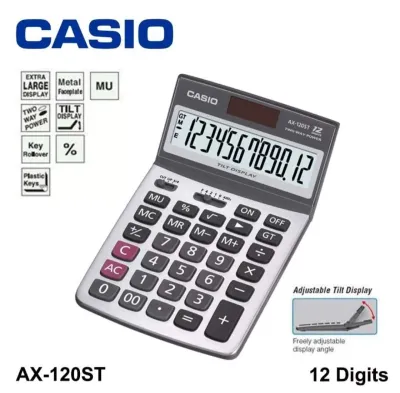
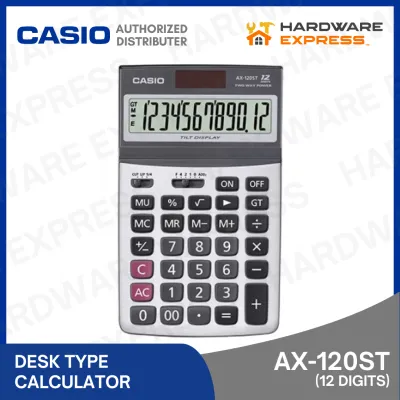
The Casio AX-120ST is designed as a standard desktop calculator, offering a balanced set of features that cater to general office administration and bookkeeping. It features a 12-digit display capacity, which is highly practical for corporate accounting and financial reporting where calculations frequently run into millions or billions of pesos (₱). This capacity ensures that large figures can be displayed fully without resorting to scientific notation, reducing the risk of transcription errors during data entry.
Products mentioned in this guide
![[COD]CASlO AX120ST TILT DISPLAY DESKTOP CALCULATOR 12 DIGITS](https://img.lazcdn.com/g/p/906b0aae09c23b0ab567c292ef2aaa55.png_400x400q80.png_.webp)
Prices are valid at publication and may change. Please refer to the product page for the latest price.
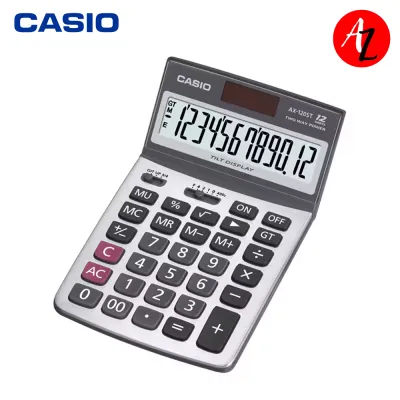
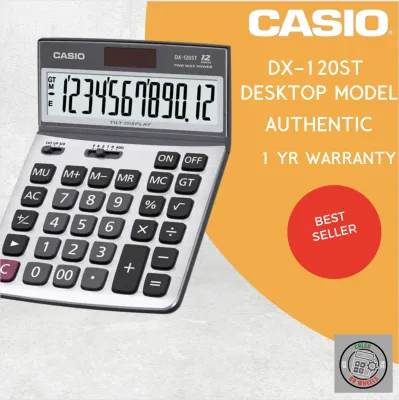
One of the defining physical characteristics of this model is its adjustable tilt display. The screen can be physically angled upward or downward, allowing you to position it to minimize glare from overhead fluorescent office lighting or bright natural light coming through windows. This adjustability is particularly beneficial for maintaining readability throughout the day, helping to reduce eye strain during extended sessions of document verification.
The key layout of the AX-120ST follows a traditional desktop configuration, separating the primary numeric pad from the basic arithmetic operators and memory keys. The keys are spaced to accommodate standard typing rhythms, with a prominent plus key and easily accessible clear keys. This familiar layout allows users to transition from other standard office calculators with minimal adjustment time, maintaining typing speed and accuracy from the first use.
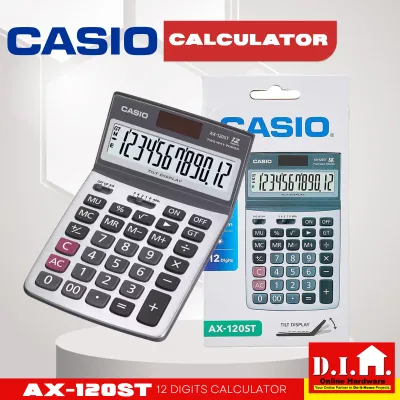
Power reliability is managed through a dual-power configuration, which combines solar panels with a backup battery. This system ensures that the calculator remains fully operational even in dimly lit corners of an office or during sudden shifts in ambient lighting. To verify this capability before purchasing, you can check the product packaging for the dual-power indicator, which typically features both a solar cell icon and a battery symbol, confirming that the unit does not rely solely on ambient light.
Core Dimensions for Comparing Casio Desktop Calculators
When comparing the Casio AX-120ST with other models in the Casio lineup, several physical and functional dimensions should guide your evaluation. Display readability is the first major consideration. Beyond the 12-digit capacity, you should assess the contrast and size of the liquid crystal display (LCD) digits. Some compact Casio models feature fixed, flat screens that require you to lean forward to read them, while larger heavy-duty models may offer extra-large digits or high-contrast screens that remain legible from a distance.

Keypad ergonomics play a critical role in typing comfort and accuracy. Key pitch—the distance from the center of one key to the center of the next—determines how easily your fingers can navigate the keypad without accidental double-presses. The AX-120ST offers a standard desktop key pitch, but heavy-duty Casio models often feature larger keys with deeper travel, providing a more pronounced tactile response. In humid tropical climates, the material of the keys and the internal dome switches can affect the typing experience; high-quality plastic keys with clear, molded markings tend to resist wear and stickiness better over years of continuous use.
The presence of specialized keys is another key differentiator. For financial and accounting workflows, dedicated keys such as double-zero (00), backspace, and tax calculation keys (TAX+ and TAX-) are essential for rapid data entry. While the AX-120ST includes these standard office keys, more basic models might omit the tax keys or the double-zero key, requiring more keystrokes for simple currency inputs. Conversely, specialized financial models may include dedicated keys for cost, sell, and margin calculations.
Finally, consider the physical footprint and portability of the calculator. A larger desktop model provides excellent stability on your desk, supported by non-slip rubber feet that keep the unit in place during rapid typing. However, if your work requires you to move between different workstations, branches, or home office setups, a smaller, lightweight model with a compact footprint might be more practical. Balancing the need for a stable, spacious keypad against the convenience of portability is a key step in finding the right match.
Matching Calculator Features to Your Daily Workflow
To select the right Casio calculator, you must align its specific features with the demands of your daily tasks. For high-volume data entry, such as encoding daily sales receipts or auditing extensive inventory lists, key durability and ergonomics are paramount. In these scenarios, look for models that feature key rollover capabilities, which allow the calculator to register the next keypress even before you have fully released the previous one. This feature, combined with a generous key pitch, supports rapid, uninterrupted touch-typing.
If you work in a space-constrained environment, such as a busy retail counter, a shared cubicle, or a compact home office desk, the physical footprint of the calculator becomes a deciding factor. The Casio AX-120ST occupies a moderate amount of desk space, but if your desk is already crowded with documents, computer keyboards, and stationery, a compact desktop model might be more appropriate. These smaller alternatives maintain a 12-digit display but reduce the overall casing size and key spacing, allowing them to fit easily into tight spaces or desk drawers.
For professionals focused on financial and tax tasks, specialized calculation functions can save significant time. If your daily routine involves calculating value-added tax (VAT), applying discounts, or determining profit margins, having dedicated tax and markup (MU) keys is highly advantageous. The AX-120ST provides these functions, allowing you to program a local tax rate and apply it with a single keystroke. If your work involves more complex financial modeling, such as amortization schedules or interest calculations, you may need to look beyond standard desktop models to Casio’s specialized financial calculators.
Environmental factors also influence how a calculator performs over time. In regions with high relative humidity, dust and moisture can gradually find their way under the keys, potentially affecting the responsiveness of the contacts. Choosing a model with a sealed keyboard design or durable plastic keys that are easy to wipe clean can help maintain consistent performance. Ensuring the calculator has sturdy rubber feet on the base will also prevent it from sliding on smooth wooden or glass desks during fast-paced calculations.
Pre-Purchase Verification Checklist
Before finalizing your purchase of a Casio desktop calculator, running through a quick verification checklist can help ensure the model you receive matches your expectations. First, confirm the exact model suffix on the product packaging or online listing. Suffixes like “ST” or “W” often denote specific design variations, color schemes, or regional feature sets, so verifying the full model name ensures you get the exact layout and functions you require.
Second, measure your available desk space and compare it with the manufacturer’s stated dimensions for the calculator. It is easy to misjudge the size of a desktop calculator from online images alone; physically checking the footprint ensures the unit will sit comfortably alongside your computer keyboard and document holders without causing clutter.
Third, verify the power requirements and battery specifications. If you are choosing a dual-power model, confirm whether the backup battery is pre-installed or if you need to purchase a specific battery type (such as a button cell) separately. Checking the product manual or packaging specifications will clarify the expected battery life and replacement process, ensuring your calculator remains powered and ready for use.
Final Decision Framework
To make your final choice, consider which of the following scenarios best describes your primary daily requirements:
- Choose the Casio AX-120ST if you need a versatile, standard desktop calculator with a 12-digit display, an adjustable tilt screen to combat office glare, and a familiar key layout that supports comfortable, everyday office calculations and basic tax programming.
- Choose a compact Casio alternative if your desk space is severely limited, or if you frequently need to carry your calculator in a bag between different workstations, retail counters, or home office setups.
- Choose a heavy-duty or specialized Casio model if your workflow involves continuous, high-volume data entry requiring enhanced key durability, key rollover features, or advanced financial calculations beyond standard tax and markup functions.
Frequently Asked Questions (FAQ)
How do I reset or program the tax rate on a Casio desktop calculator?
To program or reset the tax rate, you should always consult the specific user manual or quick reference guide included in your calculator’s packaging, as the exact key sequence can vary between models. Generally, the process involves pressing and holding the set or percentage key until the display flashes, entering your local tax rate (such as the standard VAT rate), and then pressing the tax set key again to store the value. Verifying this sequence on your specific model’s instruction sheet ensures the rate is programmed correctly for your daily calculations.
What is the practical difference between solar-only and dual-power Casio models?
The primary difference lies in operational reliability under varying lighting conditions. Dual-power Casio models combine a solar panel with a backup battery, ensuring the display remains bright and active even if your hand casts a shadow over the solar cell or if you are working in a dimly lit office corner. Solar-only models rely entirely on ambient light to function, which can lead to a fading display or accidental resets if the light source is blocked or insufficient. Checking the product specifications will help you confirm if a backup battery is included or required for your chosen model.
Community discussion
Share your experience or ask a question. Comments are reviewed before publication.