
Quick Answer: CASIO vs. Alternative Basic Calculators
When selecting a basic calculator for daily use, CASIO is widely recognized for its standardized durability, consistent key layouts, and highly reliable dual-power systems. Alternative brands, including established office names and budget-friendly imports, often compete by offering a lower upfront purchase price, unique aesthetic designs, or specialized ergonomic layouts.
The most suitable choice depends entirely on your specific daily calculation volume, budget constraints, and whether you prioritize long-term hardware reliability over low-cost short-term replacement. Rather than looking for a single universal winner, buyers should focus on matching the physical traits, key responsiveness, and display clarity of a device to their actual workspace requirements.
Core Comparison Dimensions for Everyday Use
Evaluating a basic calculator requires looking beyond the brand logo to inspect the physical and functional characteristics of the device. Because these tools are often used for hours at a time in retail, accounting, or school environments, minor differences in build and logic can significantly impact your daily productivity.
Products mentioned in this guide
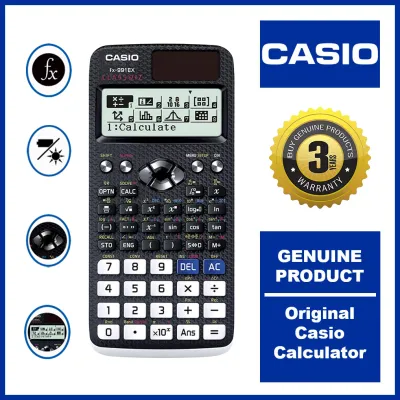
Prices are valid at publication and may change. Please refer to the product page for the latest price.

Build Quality and Keystroke Feel
A reliable desktop calculator must withstand constant daily typing and the occasional accidental desk drop. When comparing brands, inspect the sturdiness of the plastic casing and look for reinforced screen bezels that protect the liquid crystal display from pressure damage. High-quality models typically feature secure rubber feet on the base to prevent the unit from sliding across smooth wooden or glass desks during rapid data entry.
Key travel and tactile feedback are critical for maintaining speed and accuracy. Premium basic calculators utilize resilient rubber dome switches beneath the keys to provide a distinct, tactile click with every press, which helps prevent double-registered numbers or missed keystrokes. In the humid tropical climate of the Philippines, lower-quality rubber components can become sticky or unresponsive over time, making it essential to verify the springiness and material quality of the keys before purchasing.
Display Clarity and Calculation Logic
Readability prevents costly errors when transcribing figures from paper to screen. Look for models equipped with large, high-contrast LCD screens that remain legible under both bright fluorescent office lights and dim ambient warehouse lighting. Adjustable tilt displays or permanently angled screens help reduce glare and neck strain during prolonged sessions at a desk.
Beyond physical visibility, you must consider how the internal processor handles standard arithmetic. Most basic calculators offer a 10-digit or 12-digit capacity, which is generally sufficient for standard retail transactions and bookkeeping. However, different brands handle decimal rounding, constant calculations, and overflow errors in slightly different ways. Performing a quick test run in-store ensures the device processes consecutive operations exactly as your workflow demands.
Power Sources and Long-Term Value
Power reliability determines whether your calculator is ready to work when you are. Dual-power models, which combine a solar panel with a small backup battery, offer the most consistent performance because they seamlessly transition between light sources. Purely solar-powered models require a minimum level of ambient light to function, which can lead to fading displays or sudden power-offs in dimly lit offices.
While budget-friendly alternative brands often present a very low initial purchase price, they may require more frequent battery replacements or lack efficient auto-power-off features. Over several years, the cost of purchasing replacement batteries can easily surpass the initial savings of a cheaper model. Checking the battery compartment type—such as standard AAA batteries versus specialized button cells like the LR44—will help you estimate the long-term maintenance effort and cost.
CASIO vs. Other Brands: Feature and Use-Case Breakdown
To help you visualize how CASIO basic calculators compare to alternative options commonly found in local office supply stores and online marketplaces, the table below outlines key operational differences.
| Feature | CASIO Basic Calculators | Alternative Budget Brands | Specialized Ergonomic Brands |
|---|---|---|---|
| Key Layout & Markers | Standardized accounting layout with a raised tactile dot on the 5 key. | Variable layouts; keys may be smaller or closely spaced. | Oversized keys, high-contrast color coding, or angled keypads. |
| Power Reliability | Highly efficient dual-power systems with low-light solar transition. | Often battery-only or solar panels with limited low-light sensitivity. | Dual-power standard, often with larger solar cells. |
| Humid Climate Durability | Sealed key membranes designed to resist moisture and dust intrusion. | Exposed contact points that may corrode or stick in high humidity. | Variable; premium models offer sealed designs, budget models do not. |
| Local Support & Warranty | Established local service centers and clear manufacturer warranty terms. | Limited or no local warranty support; typically retail-return only. | Brand-dependent; check packaging for local distributor details. |
Button layout consistency is a major factor for touch-typists who rely on muscle memory to input numbers rapidly. CASIO basic calculators maintain a highly standardized key spacing and layout, featuring a prominent, easily accessible plus key and a raised tactile marker on the center “5” key. Budget alternatives sometimes alter the placement of the zero, double-zero, or decimal keys to save space, which can lead to frequent input errors until you adapt to the new configuration.
Furthermore, established brands offer the peace of mind that comes with local customer support and warranty coverage. If a premium calculator experiences a manufacturing defect, finding a local distributor or service center in major urban hubs is relatively straightforward. Conversely, generic imports purchased from online marketplaces rarely come with functional local warranties, meaning any hardware failure usually requires buying an entirely new device.
Decision Framework: Which Basic Calculator Should You Buy?
To make your final decision, match your daily operational environment and calculation habits to the strengths of each brand category:
- Choose a CASIO basic calculator if you require a highly durable, daily workhorse for heavy office, retail, or school use. The standardized key layout, reliable dual-power performance, and resistance to tropical humidity make it an excellent investment for users who cannot afford input delays or sudden hardware failures during busy work hours.
- Choose an alternative budget brand if you only need a secondary, light-duty calculator for occasional home use, such as tracking household utility bills or managing a small personal budget. If the device sits in a drawer most of the time, the long-term wear on the keys is minimal, making a low-cost alternative a highly practical and economical choice.
- Choose a specialized ergonomic brand if you or your staff require specific accessibility features, such as exceptionally large jumbo buttons, high-contrast color-coded function keys, or a highly pronounced screen tilt that reduces glare in fixed-lighting environments.
Before finalizing any purchase, always verify that the specific model supports the exact functional keys required for your daily tasks. For instance, if you run a local retail business or a sari-sari store, look for dedicated tax calculation keys (TAX+ and TAX-) to simplify local value-added tax calculations, or a gross margin (MU) key to quickly determine retail markups.
Frequently Asked Questions (FAQ)
How can I test a basic calculator's accuracy before buying?
You can easily verify a basic calculator’s internal logic and display quality in-store by performing a few simple arithmetic tests. Input a repeating decimal calculation, such as dividing 1 by 3 and then multiplying the result by 3; a reliable processor should correctly handle the rounding and display exactly 1 or 0.99999999 depending on its rounding settings. Additionally, press every key sequentially to ensure the characters register instantly on the screen without lagging, and inspect the LCD panel from multiple angles to confirm there are no dead pixels or faint, unreadable number segments.
Do solar-powered basic calculators work in low-light office environments?
Most modern basic calculators utilize a dual-power system, meaning they contain both a solar panel and a small backup battery. In well-lit rooms, the calculator runs primarily on solar energy, but it will seamlessly switch to the internal battery when you move into a dim corner or work under low-light conditions. However, if you purchase a model that relies solely on solar power without any internal battery backup, the screen may fade, display error messages, or shut off entirely if the ambient light drops below the minimum threshold required by the solar cell.
What is the standard lifespan of a basic calculator battery?
The lifespan of a basic calculator battery varies widely depending on how often you use the device, the size of the display screen, and whether the model features an automatic power-off function. In dual-power models used under normal office lighting, the internal battery can easily last for several years because the solar panel handles the bulk of the power load. To ensure safe operation and prevent battery leakage from damaging the internal circuitry, always consult the manufacturer’s instruction manual for the correct battery type, such as an LR44 button cell or a AAA alkaline battery, and follow the recommended replacement steps.
Community discussion
Share your experience or ask a question. Comments are reviewed before publication.