
Direct Answer: Choosing the Right CASIO Dual Display Calculator
Selecting the ideal dual display calculator for your academic journey in the Philippines depends heavily on your current year level, your specialized subject track, and the specific rules of your school or national examination boards. A dual display calculator is a vital tool that can either streamline your problem-solving or, if poorly chosen, complicate your exams due to compliance issues or missing features.
For junior high school students focusing on foundational algebra, basic trigonometry, and general science, a standard dual-line scientific calculator is typically the most practical choice. These models display the input formula on the top line and the numerical result on the bottom, offering a straightforward interface without unnecessary, complex functions that might clutter your workflow.
For senior high school students—particularly those in the Science, Technology, Engineering, and Mathematics (STEM) strand—and university students, an advanced Natural V.P.A.M. (Variable Power Algebraic Multi-line) model is highly recommended. These advanced calculators support complex numbers, matrices, vectors, calculus operations, and advanced statistical distributions, displaying mathematical expressions exactly as they appear in textbooks.
Products mentioned in this guide
![[COD] Dual Display Calculator With Money Detector 12 Digits Electronic Calculator Solar power](https://img.lazcdn.com/g/p/841d1da8cf50dedc0d7264e587929af8.jpg_400x400q80.jpg_.webp)


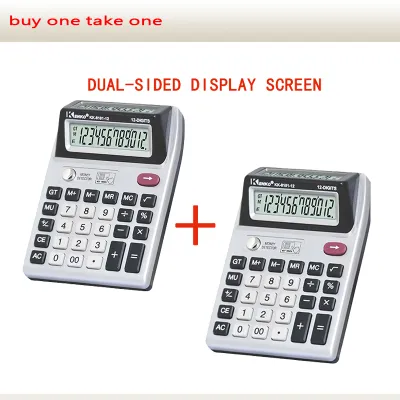

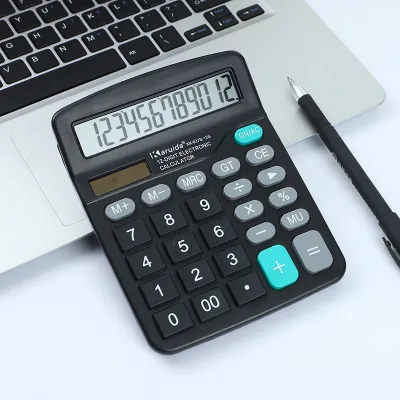
Prices are valid at publication and may change. Please refer to the product page for the latest price.
Before making any purchase, always verify the specific exam board regulations and syllabus requirements of your institution. Certain advanced models, despite their helpful features, may be restricted or outright banned in standardized national tests or university-level examinations to maintain academic integrity.
Understanding CASIO Dual Display and Natural V.P.A.M. Technology
When searching for a dual display calculator, it is essential to understand what this term means in the context of modern educational technology. Historically, basic calculators only showed a single line of numbers, forcing students to memorize or write down intermediate steps. Modern dual display models solve this by showing both the input expression and the final output simultaneously, but the technology behind these screens varies significantly.

Standard dual-line displays utilize a segmented liquid crystal display (LCD) on the top line to show text and basic algebraic characters, while the bottom line displays the numerical result in larger, traditional calculator digits. While highly functional for basic arithmetic and simple algebraic equations, these screens cannot display complex mathematical notation naturally. Fractions are often represented with a backward ‘L’ symbol, and exponents are shown with a caret, which can lead to input errors during long, multi-step calculations.
In contrast, CASIO’s Natural V.P.A.M. (Variable Power Algebraic Multi-line) technology, often marketed as Natural Textbook Display, uses a high-resolution dot-matrix screen. This allows the calculator to render fractions with horizontal fraction bars, square roots with proper radical signs, and integrals or summations with their correct mathematical symbols. Seeing the formula on the screen exactly as it is written in your textbook or on the whiteboard significantly reduces cognitive load and helps you quickly spot syntax errors before pressing the equals key.
Because the term “dual display” is sometimes used loosely in product listings on online marketplaces, buyers must carefully inspect the product specifications. A true Natural Textbook Display model will explicitly mention dot-matrix capabilities or Natural V.P.A.M. in its technical description, whereas a basic two-line model will refer to a standard dual-line or segmented display.
Key Dimensions for Comparing CASIO Scientific Models
To choose the right model, you must look beyond the screen type and evaluate several physical and functional dimensions that impact daily usability, especially under the demanding conditions of a typical school year.
Function Capacity and Menu Logic
The number of built-in functions can range from around 240 in entry-level models to over 500 in advanced scientific calculators. However, more functions do not always mean a better user experience. Entry-level models rely on secondary key functions (accessed via the SHIFT or ALPHA keys), which can make the keyboard feel crowded. Advanced models often feature icon-based menus and interactive spreadsheets, making it much easier to navigate through complex operations like matrix calculations, vector analysis, and probability distributions without memorizing obscure key combinations.
Power Source and Battery Life
Reliability is paramount during high-stakes examinations. Many CASIO models feature a dual-power system (solar-plus-battery), which utilizes solar panels to power the device under adequate lighting and seamlessly switches to an internal button battery (such as a CR2032 or LR44) in low-light environments. Single-battery models rely entirely on the internal cell. While single-battery models are often more affordable, dual-power models offer peace of mind, ensuring your calculator will not suddenly die in the middle of a major exam.
Build Quality and Key Durability
A student’s calculator must withstand daily transport in a crowded backpack, exposure to high humidity, and accidental drops on classroom floors. Look for models that feature a robust, slide-on hard protective cover to shield the screen and keys from scratches and pressure. The keys themselves should offer clear tactile feedback, ensuring that every press is registered. High-quality plastic keys with engraved or double-shot printed labels are highly preferable to soft rubber keys, which can wear down and lose their markings over time.
Matching Calculator Features to Your Academic Level
As you progress through your academic journey, your mathematical needs will naturally evolve. Purchasing a calculator that is too basic will leave you struggling in advanced classes, while buying an overly complex model too early can lead to unnecessary confusion and wasted money on features you may never use.
To make an informed decision, consider your current academic track and your long-term educational goals. The following sections outline the specific feature sets required for different stages of study, helping you match the calculator’s capabilities to your curriculum.
Junior High School and Basic Science
During junior high school, the curriculum focuses on building a strong foundation in algebra, geometry, basic trigonometry, and introductory science. At this stage, a standard dual-line scientific calculator is more than sufficient for daily coursework and exams.
Your primary focus should be on ease of use and straightforward menu navigation. Look for a model that handles basic fraction-to-decimal conversions, percentage calculations, trigonometric functions (sine, cosine, tangent), and simple statistical analysis (such as calculating the mean and standard deviation of a single dataset). A clear, two-line display allows you to verify your input formula while viewing the result, which is excellent for learning how algebraic order of operations works.
At this level, there is no need to invest in advanced models that support matrix calculations, vector analysis, or complex number operations. These features add unnecessary complexity to the user interface, making the calculator harder to navigate during timed quizzes. Keeping your tool simple allows you to focus on mastering the core mathematical concepts rather than troubleshooting your device.
Senior High School (STEM Strand) and Pre-Calculus
Entering the senior high school STEM strand introduces a significant jump in mathematical complexity. Students must tackle pre-calculus, basic calculus, general physics, and advanced chemistry, all of which require a more capable dual display calculator.
For this level, a Natural V.P.A.M. display becomes highly beneficial. Being able to input and view derivatives, integrals, and complex numbers exactly as they are written in your learning modules prevents common formatting errors. Your calculator should feature an equation solver (for quadratic, cubic, and simultaneous linear equations), base-n calculations (binary, octal, hexadecimal), and advanced statistical distributions (such as normal, binomial, and Poisson distributions).
Additionally, senior high school students must prepare for college entrance exams. Many local universities and colleges have strict rules regarding permitted calculators. Ensure the model you select is widely accepted for these standardized tests, balancing advanced functionality with compliance so you can use the same familiar tool for both your high school finals and your college admissions.
University Engineering, Mathematics, and Physics
Tertiary education in technical fields like engineering, mathematics, physics, and computer science demands the highest level of non-programmable scientific calculation power. University coursework involves multi-variable calculus, linear algebra, and extensive data analysis.
At this stage, your dual display calculator must support advanced matrix operations (up to 4×4 matrices), vector calculations, complex number arithmetic in both rectangular and polar forms, and spreadsheet-like data entry. A high-resolution dot-matrix screen is indispensable here, as it allows you to view multiple lines of a matrix or a complete statistical table simultaneously, reducing the need to constantly scroll back and forth.
However, university students must navigate a complex web of exam policies. Many engineering and science departments, as well as professional licensing bodies, strictly prohibit programmable calculators or those with graphing capabilities. Choosing an advanced, non-programmable scientific calculator with a high-resolution dual display ensures you have maximum computational power while remaining fully compliant with strict university exam guidelines.
Verifying Exam Compliance and Product Authenticity
In the Philippines, ensuring your calculator is both compliant with exam regulations and a genuine product is critical to your academic success. Using an unauthorized calculator can lead to immediate disqualification from major exams, while a counterfeit device can produce incorrect results or fail entirely when you need it most.
First, always cross-reference your calculator’s exact model number with the official guidelines provided by your school, university, or the Professional Regulation Commission (PRC) for board exams. The PRC regularly updates its list of allowed calculators for various professional licensure examinations (such as civil engineering, mechanical engineering, and certified public accountancy). Never rely on general product names; verify the precise alphanumeric model code printed on the calculator’s body and packaging.
Second, be highly vigilant against counterfeit calculators, which are prevalent on online marketplaces and unauthorized physical stalls. Genuine CASIO calculators feature distinct security markers, including high-quality holographic stickers on the packaging, unique serial numbers, and official warranty cards from authorized local distributors. When purchasing online, look for official flagship stores or highly rated, verified stationery retailers rather than unknown third-party sellers offering unusually low prices.
A price that seems too good to be true—such as a premium scientific model listed for a fraction of its standard retail price (often under ₱400)—is a strong indicator of a counterfeit unit. Counterfeit calculators often use inferior internal processors that can lead to rounding errors in complex calculations, slow processing speeds, and fragile battery connections that may fail during a critical exam. Investing in a genuine unit from an authorized seller ensures accuracy, durability, and peace of mind.
Frequently Asked Questions (FAQ)
Can I use a CASIO dual display calculator for board exams in the Philippines?
Yes, non-programmable scientific calculators are generally permitted in professional board exams conducted by the Professional Regulation Commission (PRC) in the Philippines, but strict model-specific restrictions apply. The rules vary significantly depending on the profession; for instance, the board of civil engineering has a highly specific list of allowed models, which is often different from the models permitted for accountancy or chemical engineering exams. Always consult the latest official PRC memorandum or advisory for your specific field of study before purchasing a calculator for board exam preparation, as using a banned model can result in the confiscation of your device at the testing center.
How do I reset my CASIO calculator to its default settings?
Resetting your CASIO calculator is a straightforward process that clears all stored variables, statistical data, and custom settings, returning the device to its factory default state. On most modern CASIO scientific calculators, you can initiate a reset by pressing the SHIFT key, followed by the 9 key (which typically has ‘CLR’ or ‘RESET’ printed above it in yellow). This will open a menu on the dual display asking if you want to clear the setup, memory, or initialize all settings; select the option for ‘All’ (usually by pressing the corresponding number key, such as 3), and then press the = key to confirm. Always remember to write down or back up any critical formulas or variables before performing this action, as a full reset permanently erases all user-stored data.
Community discussion
Share your experience or ask a question. Comments are reviewed before publication.