
Choosing the right scientific calculator is a critical decision for students and professionals facing rigorous mathematics and science coursework. The Casio fx-789SGA is a popular scientific calculator designed to handle everything from basic pre-algebra to advanced engineering calculations. To determine if this specific model meets your academic or professional requirements, you need to examine its interface, mathematical processing capabilities, power configuration, and compliance with local examination guidelines. By understanding how to decode its specifications, you can make an informed decision before purchasing your next study companion.
Understanding the Display and Interface Layout
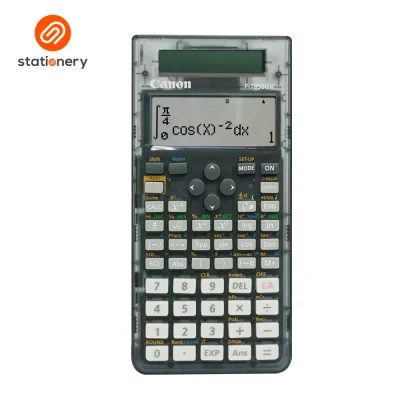
When evaluating the f-789sga calculator, the display is your primary point of interaction and deserves close inspection. You can verify the display technology—whether it uses a standard segment LCD or a high-resolution dot-matrix screen—by checking the product specifications on the official packaging. A dot-matrix display is highly beneficial because it allows for natural textbook formatting, meaning fractions, derivatives, and integrals appear exactly as they are written in your textbooks.
The layout of the keypad is another crucial factor for daily comfort and speed during timed exams. On this model, secondary operations are printed above the primary keys, usually color-coded to match the shift or alpha keys. Before purchasing, observe the spacing of the keys to ensure they accommodate your typing style without causing accidental double-presses.
Products mentioned in this guide
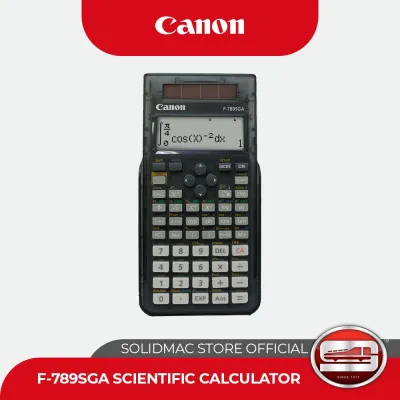
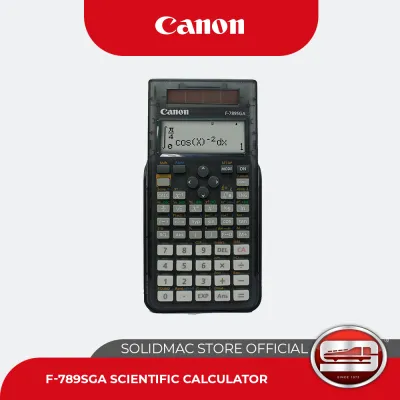


Prices are valid at publication and may change. Please refer to the product page for the latest price.
To confirm the exact capabilities of the device, look for the total number of built-in functions listed on the manufacturer’s official packaging. This number represents the sum of all mathematical, scientific, and statistical operations programmed into the unit. Checking this specification helps you compare the calculator’s processing depth against other models in the same category.
Evaluating Math and Statistical Capabilities
The core value of any scientific calculator lies in its mathematical versatility, which must align directly with your current and future syllabus. You should verify that the device supports essential angle unit modes, specifically degrees, radians, and gradians, which are fundamental for trigonometry and physics. These modes are typically toggled through a setup menu, and verifying how easily you can switch between them prevents costly errors during exams.

For students taking statistics or data analysis courses, the calculator’s statistical menu is a vital tool. You can check the device’s manual to confirm it supports single-variable statistics like standard deviation, as well as two-variable regression analysis. Having these functions built-in saves significant time compared to calculating statistical variances manually.
Advanced mathematics courses often require equation solving, matrix calculations, and vector operations. When examining the f-789sga calculator, look for dedicated modes that handle simultaneous linear equations or quadratic equations. Confirming these advanced features ensures the device remains useful as you transition from high school algebra to college-level calculus and engineering.
Assessing Power, Build, and Daily Usability
A reliable scientific calculator must withstand the rigors of daily transport and varying environmental conditions. In tropical climates like the Philippines, high humidity and heat can affect electronic components and battery life over time. You can identify the power configuration of this model—whether it relies solely on a primary battery, solar cells, or a dual-power system—by inspecting the physical casing and product labeling. A dual-power system is highly advantageous, as it uses solar energy in well-lit classrooms and switches to battery power in dimmer environments.
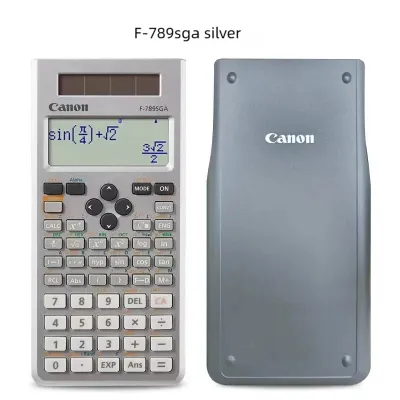
Physical protection is equally important when carrying your calculator in a crowded backpack or pencil case. This model typically comes with a hard, slide-on protective case that shields the screen and keys from impact and scratches. Inspecting the quality of this slide case and the tactile feedback of the keys will give you a good indication of the device’s long-term durability.
To conserve energy, modern scientific calculators feature an automatic power-off function that shuts down the device after a period of inactivity. You should also consult the user manual to understand how the device manages its independent memory. Knowing how to store values in variables and clear the memory quickly is essential for maintaining an organized workspace during complex multi-step calculations.
Checking Course and Exam Compatibility
Before finalizing your purchase at a local stationery store, you must ensure the calculator is permitted in your specific academic environment. Different schools, universities, and national testing boards maintain strict lists of approved calculator models. You should cross-reference the exact model number, fx-789SGA, with the official guidelines provided by your school or the relevant professional regulation commission.
It is also important to compare this scientific model against graphing or programmable calculators. While scientific calculators are widely accepted in most exams because they cannot store unauthorized text or display complex graphs, some advanced engineering courses might require a graphing model. Understanding this distinction prevents you from buying a device that lacks necessary features or, conversely, one that is banned from your exam room.
Once you purchase the calculator, perform a quick diagnostic check to ensure everything is functioning correctly. Test the responsiveness of every key, verify that the display contrast is sharp under different lighting conditions, and run a few basic calculations to confirm the system is operating normally. If you notice any faded segments on the screen or unresponsive buttons, return the unit to the retailer immediately for a replacement.
Frequently Asked Questions (FAQ)
Is the Casio fx-789SGA allowed in major board examinations?
To determine if this model is permitted for your specific board exams, you must consult the latest official guidelines published by your local examination board or professional regulatory body. Permitted calculator lists are updated periodically and vary significantly depending on the subject, institution, and country. Never assume a calculator is allowed solely based on its category; always verify the exact model name on the official registry before exam day.
How do I reset the calculator to its default settings?
Resetting your calculator is a useful troubleshooting step if you encounter unexpected calculation errors or want to clear all stored variables. To perform a full initialization, you should refer to the reset or initialization section of the official user manual. This process typically involves pressing a specific key sequence, such as the shift key followed by a specific number key, and then confirming the reset to restore the factory default settings.
Community discussion
Share your experience or ask a question. Comments are reviewed before publication.