
For students, educators, and professionals in the Philippines, a reliable scientific calculator is an indispensable tool that spans high school, university lectures, and rigorous professional licensure board exams. Among the vast array of options, Casio remains the dominant brand in classrooms and exam halls. However, navigating the differences between the highly popular fx-991, fx-570, and fx-115 series can be challenging, especially with multiple generations of each model circulating in the market.
Choosing the right model depends on your specific academic field, your budget, and the rules of your institution or testing board. The fx-991 is Casio’s flagship non-programmable scientific calculator, offering the most advanced mathematical functions, the fastest processing speeds, and a dual-power system. The fx-570 serves as an identical or highly similar mid-tier alternative that offers the same calculation capabilities but relies solely on battery power, making it slightly more affordable. The fx-115 is a reliable, budget-friendly option often encountered as an older-generation model that handles essential scientific calculations but lacks the modern interface and advanced modules of the flagship series.
Before purchasing, you must understand that Casio continuously updates these model lines across different generations, such as the older ES Plus, the high-resolution ClassWiz EX, and the latest CW series. The exact sub-model suffix (like “CW” or “ES Plus 2nd Edition”) dictates the screen resolution, processing speed, and menu layouts. Consequently, verifying the specific suffix available at your local retailer is crucial to ensuring you get the exact features and performance you expect for your studies.
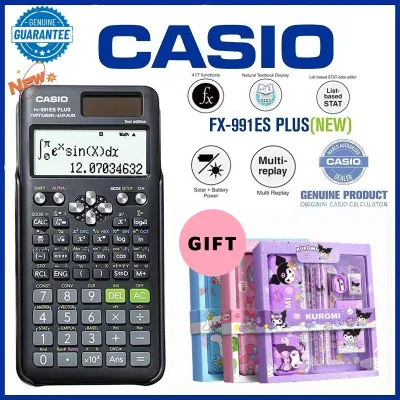
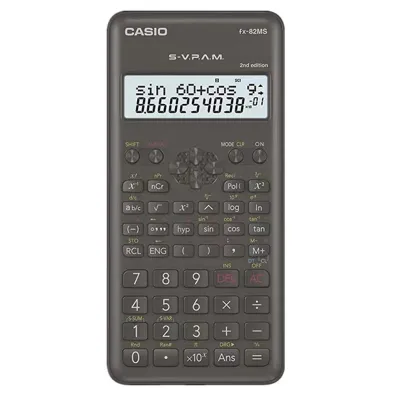
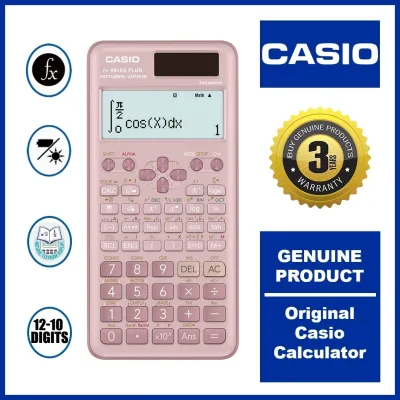
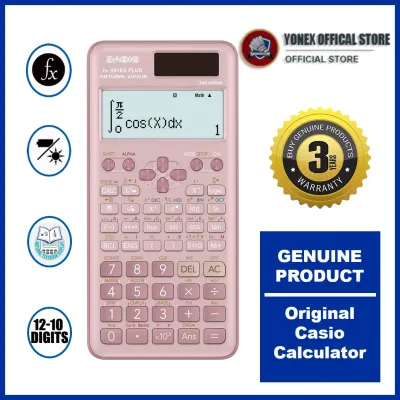
Products mentioned in this guide
Prices are valid at publication and may change. Please refer to the product page for the latest price.
Key Differences at a Glance
To help you quickly evaluate your options, the table below outlines the general differences between the primary model series. These comparisons reflect the typical specifications of the most recent generations available in the retail market.
| Model Series | Typical Suffixes | Power Source | Display Type | Target User Profile | Relative Price Tier |
|---|---|---|---|---|---|
| fx-991 | ES Plus, EX, CW | Dual (Solar + Battery) | High-Resolution LCD (EX/CW) | Engineering, Physics, & Advanced Math Students | Premium |
| fx-570 | ES Plus, EX, CW | Battery Only (AAA or Button) | High-Resolution LCD (EX/CW) | General Science & High School Students | Mid-Tier |
| fx-115 | ES Plus, ES Plus 2nd Ed | Dual (Solar + Battery) | Standard Dot-Matrix | Basic Science & Budget-Conscious Buyers | Budget-Friendly |
When shopping in physical bookstores or online marketplaces, always check the physical packaging for the exact suffix. A generic model number like “991” or “570” is not enough to determine the calculator’s capabilities. For example, a newer fx-991CW features a completely different processor, screen, and menu layout compared to an older fx-991ES Plus. Choosing a model with a newer suffix ensures you benefit from faster calculation speeds, higher screen contrast, and a more intuitive user interface during timed examinations.
Core Features: What Sets Each Model Apart
To make an informed decision, it is essential to look closely at how these calculators perform in daily academic use. The differences in display quality, mathematical depth, and hardware reliability directly impact your study efficiency and exam performance.

Display and User Interface
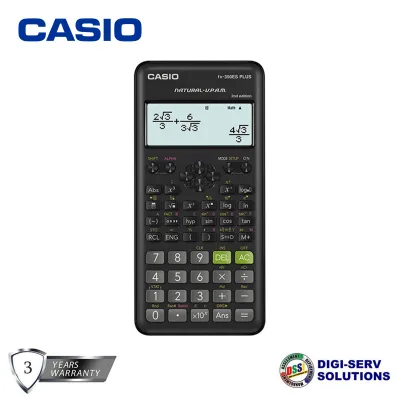
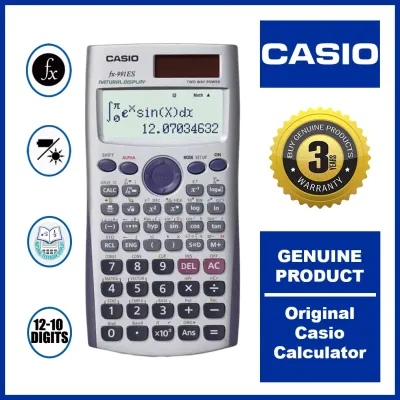
The visual layout of a calculator determines how quickly you can input equations and verify your answers under pressure. Older models, such as the fx-115 ES Plus or older versions of the fx-570, utilize standard dot-matrix displays. These screens display equations in a single or dual-line format where complex fractions, exponents, and integrals can look pixelated and cramped. This often requires you to scroll horizontally to read a complete expression, increasing the risk of input errors during a test.
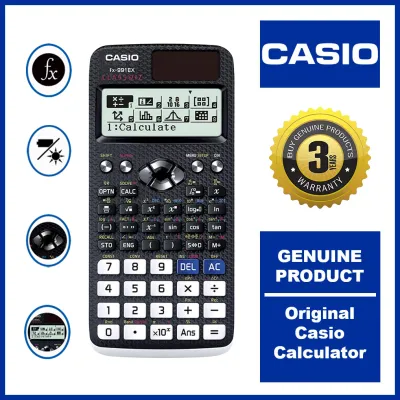
In contrast, modern iterations of the fx-991 and fx-570 (specifically the ClassWiz EX and the newer CW series) feature high-resolution liquid crystal displays. These screens support Casio’s “Natural Textbook Display” technology, which renders mathematical expressions exactly as they appear in standard textbooks. Fractions are stacked vertically, square roots stretch over their terms, and matrices are displayed in clear grids. This high-resolution layout minimizes confusion and allows you to spot calculation errors instantly.
Menu navigation has also undergone a major evolution. The ClassWiz EX generation uses a grid-based icon menu that requires you to scroll and select specific modes. The newest CW series simplifies this further by introducing a minimalist, icon-based home menu and dedicated navigation keys like “OK” and “Back.” This design reduces the reliance on complex “Shift” and “Alpha” key combinations for basic operations. If possible, test these interfaces in-store to determine whether you prefer the traditional list menus of the EX/ES generations or the streamlined, smartphone-like navigation of the CW series.
Advanced Math and Engineering Functions
The depth of calculation tools varies significantly across these three model lines. The fx-991 series represents the absolute pinnacle of Casio’s non-programmable capabilities. In its ClassWiz EX and CW versions, the fx-991 includes advanced modules such as spreadsheet calculations, matrix operations up to 4×4, vector calculations, inequality solvers, and numerical integration. It also features a web-based QR code generator that allows you to display graphs and charts of your data on a smartphone or tablet.
The fx-570 series matches the fx-991 almost feature-for-feature within the same generation. For example, the fx-570CW offers the same mathematical functions, matrix limits, and spreadsheet capabilities as the fx-991CW. The primary trade-off is the power source rather than the computing power.
The fx-115 series is generally more limited in its mathematical scope. While it handles standard calculus, complex numbers, and basic matrices, it typically lacks the advanced spreadsheet functions, larger matrix capacities, and QR code visualization tools found in the flagship models. If you are a STEM student, cross-referencing your course syllabus is highly recommended. If your curriculum only requires basic algebra, trigonometry, and single-variable statistics, paying extra for the advanced engineering and spreadsheet functions of a flagship fx-991 may be unnecessary.
Power Source and Build Quality
The physical design and power delivery of your calculator are critical for long-term reliability. The fx-991 and fx-115 models feature a dual-power system that combines an integrated solar panel with a backup button battery. This design ensures that the calculator remains fully operational even in dimly lit classrooms or during late-night study sessions. The solar panel handles the primary power load under adequate lighting, which drastically extends the lifespan of the internal backup battery and saves you money on replacements over your college years.
The fx-570 relies entirely on a single battery (typically a AAA battery or a button cell, depending on the generation). While this lowers the initial purchase price, it introduces the risk of the calculator dying unexpectedly during a critical exam. If you choose the fx-570, it is wise to carry a spare battery in your pencil case to avoid being left without a working device during a test.
Build quality is another vital consideration, especially in the humid, tropical climate of the Philippines. High humidity can cause internal contact corrosion in poorly sealed electronics. Genuine Casio calculators are built with high-grade plastics, responsive keys with wear-resistant printed labels, and a sturdy, slide-on hard cover that protects the screen and keyboard from pressure damage inside a packed school bag.
Because counterfeit calculators are highly prevalent on online marketplaces, you must exercise caution. Counterfeit models often suffer from mushy key responsiveness, display ghosting, inaccurate mathematical rounding, and rapid battery drain. To protect your investment, always purchase your calculator from authorized office supply stores or official brand flagships.
Exam Compliance and Academic Requirements
In the Philippines, exam compliance is often the single most critical factor when choosing a scientific calculator. The Professional Regulation Commission (PRC) strictly regulates the specific models allowed in various professional licensure examinations, such as those for Civil Engineering, Mechanical Engineering, Electrical Engineering, and Certified Public Accountants (CPA).
Standard non-programmable scientific calculators like the fx-991, fx-570, and fx-115 series are widely popular because they lack graphing capabilities and programmable memory, which are strictly prohibited in board exams. However, the PRC periodically updates its list of allowed calculators. In the past, certain high-end models or specific generations have been temporarily or permanently restricted due to concerns over advanced features like formula storage, matrix solvers, or text-saving capabilities.
Furthermore, individual universities, high schools, and specific professors often enforce their own classroom rules. Some introductory math courses or college entrance tests (such as the UPCAT, DLSUCET, USTET, or ACET) ban calculators entirely to test raw arithmetic skills. Other institutions may permit only basic scientific models, prohibiting advanced features like the spreadsheet or QR code generation found in the newest ClassWiz and CW models to prevent students from gaining an unfair advantage.
Before making your purchase, do not rely solely on general recommendations. Consult your school’s student handbook, review your course syllabus, or check the latest official advisory on the PRC website for your specific field of study. Ensuring your calculator is fully compliant with local regulations before you begin training with it will prevent the stress of having your device confiscated on exam day.
How to Choose the Right Casio Scientific Calculator
To select the ideal model for your academic journey, consider your current field of study, your long-term career goals, and your budget. This conditional framework can guide your final decision:
- Choose the fx-991 if: You are an engineering, physics, chemistry, or advanced mathematics student who needs the maximum number of built-in functions, a high-resolution screen for complex equations, and the absolute reliability of dual solar/battery power. This model is a premium investment designed to support you from your first year of college through your professional board exams.
- Choose the fx-570 if: You require the exact same advanced mathematical capabilities and high-resolution display as the fx-991 but want to optimize your upfront budget. This is an excellent choice if you do not mind relying solely on battery power and are diligent about carrying a spare battery in your pencil case.
- Choose the fx-115 if: You are a high school student, a liberal arts major, or a budget-conscious buyer who needs a straightforward, reliable calculator for standard algebra, trigonometry, and basic statistics. This model is ideal if you do not require advanced matrix solvers, spreadsheets, or modern high-resolution screens.
Regardless of which model series you choose, always verify the exact model suffix (such as CW vs. ES Plus) against the approved list of your school or the PRC before checking out. Taking the time to match your calculator’s specifications to your academic requirements ensures you have a compliant, reliable tool that will support your academic success for years to come.
Frequently Asked Questions (FAQ)
Is the Casio fx-991 allowed in PRC board exams in the Philippines?
Standard non-programmable scientific calculators like the fx-991 series are generally permitted for most PRC engineering and science licensure exams because they lack graphing and programming capabilities. However, because the PRC periodically updates its list of approved calculators, you must always check the latest official PRC resolution for your specific board exam before your test date, as proctors have the final authority at the testing center.
What is the difference between the EX, CW, and ES Plus versions?
These suffixes represent different technological generations of Casio calculators. The ES Plus series is an older, reliable generation featuring a standard dot-matrix display and traditional button layout. The EX (ClassWiz) series introduced high-resolution LCD screens, faster processors, and spreadsheet functions. The CW series is the newest generation, featuring a completely redesigned, minimalist key layout, an intuitive icon-based menu, and simplified navigation designed to make complex calculations more accessible.
Community discussion
Share your experience or ask a question. Comments are reviewed before publication.