
Selecting the ideal scientific calculator is one of the most critical decisions you will make for your academic or professional journey. The right model can streamline complex calculations during timed exams, while the wrong one might leave you without essential functions or, worse, get confiscated at the exam room door. Because mathematical requirements change dramatically as you progress through different educational levels, matching your calculator to your specific coursework is essential.
To help you make an immediate and informed decision, you can use this condition-based framework to identify the right model from CASIO’s popular lineup:
- Choose the CASIO fx-991 series if you are in the STEM strand in senior high school, or if you are pursuing college degrees in engineering, physics, chemistry, or advanced mathematics. This series is the ultimate non-programmable powerhouse, offering complex number calculations, matrix and vector operations, and advanced equation solving.
- Choose the CASIO fx-570 series if you are in senior high school or early college and need standard scientific, statistical, and basic calculus functions, but prefer a battery-only power source or want to balance advanced features with a slightly different budget point.
- Choose the CASIO fx-350 series if you are in junior high school or enrolled in non-STEM college majors (such as the humanities, social sciences, or general business). This model provides all the essential trigonometric, logarithmic, and basic statistical functions without overwhelming you with complex menus you will never use.
While these three series represent distinct tiers of mathematical capability, you must also pay attention to the model suffixes, such as ES PLUS, EX, or CW. These suffixes indicate the specific generation, display technology, and user interface of the calculator. Verifying these suffixes against your course syllabus or exam board guidelines ensures you get the exact features and menu layout required for your classes.
Products mentioned in this guide

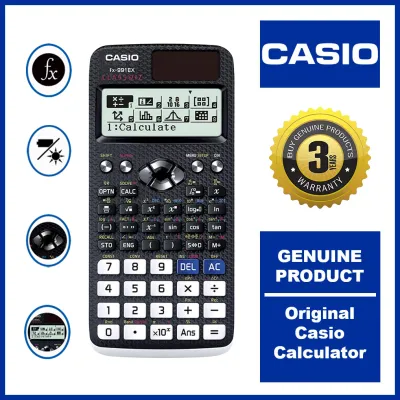
Prices are valid at publication and may change. Please refer to the product page for the latest price.
Core Function and Feature Differences
Understanding the mathematical limits of each calculator series prevents you from buying an underpowered device or overpaying for features that will remain unused. While all three models handle basic arithmetic, fractions, and percentages, they diverge significantly when tackling higher-level mathematics. Let us examine what you gain or lose as you move between these three tiers.
CASIO fx-991 Series: Advanced and Engineering Functions
The CASIO fx-991 series represents the absolute peak of non-programmable scientific calculators, boasting over 500 functions in its modern iterations. This model is specifically engineered to handle the rigorous demands of advanced mathematics, physics, and engineering coursework.
One of the most powerful features of the fx-991 series is its ability to perform complex number calculations. You can easily input, manipulate, and solve equations involving real and imaginary parts, switch between rectangular and polar coordinates, and calculate angle phases. This makes the fx-991 indispensable for electrical engineering students analyzing alternating current (AC) circuits.
In addition to complex numbers, the fx-991 handles matrix calculations up to 4×4 dimensions and vector calculations up to three dimensions. These tools allow you to solve systems of linear equations, find determinants, calculate cross products, and perform dot products directly on the device. For college students taking linear algebra or physics, these built-in functions save valuable time and eliminate tedious manual arithmetic.
Furthermore, the fx-991 features advanced equation solvers, including simultaneous linear equations, polynomial equations up to the fourth degree, inequalities, and ratio solvers. It also performs numerical integration, numerical differentiation, summation, and product calculations. Depending on the exact generation, such as the ClassWiz EX or the newer ClassWiz CW, you may also have access to a basic spreadsheet tool and a QR code generator that allows you to display graphs on a smartphone or tablet.
CASIO fx-570 Series: Standard High School and College Math
The CASIO fx-570 series is positioned as a highly capable mid-tier option designed to handle standard high school and college STEM coursework. It provides a balanced set of mathematical tools that cover the vast majority of general science and mathematics requirements.
With this series, you can perform standard scientific calculations, trigonometric functions, logarithms, and exponential operations. It also includes robust statistical tools, allowing you to calculate standard deviation, variance, and perform linear or logarithmic regression analysis. For students taking introductory statistics or college algebra, these functions are more than sufficient.
Additionally, the fx-570 series supports base-n calculations, which are essential for computer science and information technology students working with binary, octal, decimal, and hexadecimal systems. It also includes basic calculus functions, such as numerical integration and numerical differentiation, helping you verify your manual calculus steps during homework or exams.
Depending on the specific generation and sub-model you select, the fx-570 may omit some of the highly specialized tools found in the fx-991, such as extensive matrix dimensions, complex number calculations, or advanced vector operations. While some regional versions of the fx-570 share similar computing engines with the fx-991, others are scaled down to focus on standard high school and college math. It serves as a balanced, cost-effective choice for general science majors, business students, or high schoolers who want a capable calculator without paying the premium for engineering-specific features.
CASIO fx-350 Series: Essential Scientific Calculations
The CASIO fx-350 series is the entry-level option in this comparison, focusing strictly on core scientific capabilities. It typically offers around 250 to 290 functions, making it highly accessible and straightforward to operate.
This model is designed to handle the fundamental mathematics taught in junior high school and introductory high school courses. It includes essential trigonometric functions (sine, cosine, tangent, and their inverses), logarithmic calculations, exponential functions, coordinate conversions, and basic fraction calculations. It also features a basic statistics mode that allows you to calculate mean, standard deviation, and perform simple regression analysis.
However, the fx-350 series completely lacks the advanced capabilities of its higher-tier siblings. You will not find matrix or vector calculations, complex number modes, numerical integration or differentiation, or equation solvers on this device. Trying to use an fx-350 in an engineering or advanced calculus class will leave you unable to complete many exam questions.
Despite these limitations, the simplicity of the fx-350 is its greatest strength. Without the complex menus and sub-modes of the advanced models, it is incredibly easy to navigate. This makes it the perfect, non-intimidating choice for junior high school students, humanities majors, or anyone who simply needs a reliable tool for everyday scientific calculations and general education math courses.
Exam Board and Coursework Compatibility
Before purchasing any calculator, you must verify that it is permitted in your specific exams and classrooms. Having the most advanced calculator is useless if a proctor confiscates it at the door. Understanding exam compliance rules is the best way to protect your academic performance and avoid unnecessary stress.

In the Philippines, the primary requirement for standardized tests and professional board exams—such as those administered by the Professional Regulation Commission (PRC) for engineering, architecture, and accountancy—is that the calculator must be strictly “non-programmable.” Programmable calculators are banned because they contain internal memory that allows users to store text, formulas, or custom programs, which compromises the integrity of the exam. Because the fx-991, fx-570, and fx-350 series cannot store or execute custom user-written code, they are classified as non-programmable and are generally permitted.
However, you must always check your specific university syllabus, professor guidelines, or professional board exam rules before your exam date. Some strict academic institutions or specific professional boards restrict calculators that feature equation solvers, matrix functions, or even natural textbook displays. For instance, certain chemistry or physics departments may require a basic scientific calculator like the fx-350 to ensure students perform calculations manually, while engineering departments will actively encourage or require the advanced features of the fx-991.
It is also important to understand how exact model generations, such as the ClassWiz CW versus the older EX or ES PLUS, can affect exam day. The newer ClassWiz CW generation features a completely redesigned menu structure that relies on a smartphone-like interface. Because some strict exam proctors may be unfamiliar with this newer design, they might scrutinize it more closely or mistake it for a programmable calculator.
To prevent any misunderstandings on exam day, a smart practice is to print out the official manufacturer specification sheet or bring the calculator’s physical manual in your bag. This document provides clear, official proof of the model’s non-programmable status and technical specifications, allowing you to present it to proctors if any questions arise.
Hardware, Display, and Power Considerations
While mathematical functions are critical, the physical usability, screen readability, and power sources of your calculator will directly impact your daily study sessions and exam performance. A calculator that is difficult to read or runs out of power during a test can severely hinder your progress.
Display Technologies and Readability
The display quality determines how quickly and accurately you can read complex formulas and input data. CASIO calculators utilize different display technologies across their generations:
- Natural V.P.A.M. (Visually Perfect Algebraic Method): Found in the ES PLUS series, this technology displays fractions, square roots, exponents, and other mathematical symbols exactly as they appear in standard textbooks. This matches your natural reading habits and drastically reduces input errors.
- High-Resolution LCD Displays: Found in the newer ClassWiz (EX and CW) models, these screens offer significantly higher pixel density. This allows the calculator to display sharper text, detailed mathematical symbols, and even intuitive icon-based menus instead of cryptic text abbreviations.
Power Sources and Reliability
Power reliability is a major differentiator between these model series, and it plays a practical role during long, high-stakes exams:
- Dual Power (Solar + Battery): The fx-991 series features a dual power system. It utilizes a solar panel as its primary power source under sufficient lighting conditions and automatically switches to a backup button cell battery (such as an LR44) when the room is dimly lit. This dual system ensures that your calculator will never suddenly die in the middle of an exam.
- Single Battery Power: The fx-570 and fx-350 series typically rely on a single battery source, often a single AAA battery or a button cell. While AAA batteries are inexpensive and incredibly easy to find and replace, they do not have the backup security of a solar panel.
In the hot and highly humid tropical climate of the Philippines, electronic devices are susceptible to battery leakage and internal contact corrosion over time. If you choose a battery-only model like the fx-570 or fx-350, it is crucial to use high-quality, leak-proof alkaline batteries and replace them periodically. Leaving a cheap battery inside a calculator for years can lead to leakage that ruins the internal circuitry.
Build Quality and Ergonomics
All three series are built with a durable plastic body and come with a protective, slide-on hard case. This hard cover is essential for shielding the screen and keys from being crushed, scratched, or accidentally turned on inside a crowded backpack. The keys are made of high-quality plastic with clear, wear-resistant labels, offering tactile feedback that helps you feel when a key has been successfully pressed.
Buying Guide: What to Check Before Purchasing
Because CASIO scientific calculators are incredibly popular, the local market has unfortunately been flooded with counterfeit devices. These fake calculators often feature cheap internal components, have inaccurate calculation algorithms, suffer from sticky keys, or fail completely during critical exams. To ensure you purchase an authentic, reliable model, follow these essential buying steps:
- Buy Only from Authorized Retailers: Always purchase your calculator from reputable physical bookstores, authorized office supply stores, or official flagship brand stores on major e-commerce platforms. Avoid purchasing from unrecognized third-party online sellers offering prices that seem too good to be true.
- Verify the Packaging and Security Features: Authentic CASIO calculators are sold in high-quality packaging that includes a holographic security sticker on the box. Tilting this sticker under light will reveal shifting colors and patterns. Many modern models also feature an authenticity verification QR code on the packaging. Scanning this QR code with your smartphone will connect you directly to the official CASIO verification portal, confirming the unique serial number of your device.
- Check the Price Baseline in PHP: Establishing a baseline of current retail prices in Philippine Pesos (PHP) is an excellent way to spot counterfeits. While prices can fluctuate slightly depending on the retailer and current promotions, you can generally expect the following price bands:
* CASIO fx-350 series: Typically ranges from ₱600 to ₱900.
* CASIO fx-570 series: Typically ranges from ₱1,000 to ₱1,400.
* CASIO fx-991 series: Typically ranges from ₱1,300 to ₱1,900.
If you encounter an online listing offering a "brand new" fx-991EX or fx-991CW for ₱300, it is almost certainly a counterfeit model that should be avoided. - Verify the Exact Suffix: Double-check the exact suffix of the model before checking out (e.g., fx-991ES PLUS vs. fx-991CW). The older generations use a traditional key layout, while the newest ClassWiz CW generation uses a modern, menu-driven interface. Buying the correct generation ensures your calculator matches the demonstrations given by your teacher or professor in class.
Frequently Asked Questions (FAQ)
Is the CASIO fx-991 considered a programmable calculator?
No, the CASIO fx-991 series is officially classified as a non-programmable scientific calculator. Although it features advanced mathematical tools, matrix operations, and equation solvers, it lacks the internal memory and programming interface required to store, write, or execute custom user-defined code or programs.
Can I use the fx-570 or fx-991 for board exams in the Philippines?
Generally, yes, because both are non-programmable models. However, because the Professional Regulation Commission (PRC) and individual university departments regularly update their lists of allowed calculators, you must always cross-reference your specific model suffix with the latest official guidelines before your exam date.
What is the difference between the EX and CW generations?
The EX generation represents the previous ClassWiz lineup, featuring a high-resolution screen and a traditional key-based menu layout. The CW generation is the newest ClassWiz lineup, featuring a completely redesigned, smartphone-like menu interface, simplified navigation keys, rounded buttons, and a faster processor.
Community discussion
Share your experience or ask a question. Comments are reviewed before publication.