
When choosing between the Casio fx-991 and the Casio fx-570, your decision rests on two primary factors: how you power your device and whether you require advanced data-manipulation tools like built-in spreadsheets. Both models serve as premier, non-programmable scientific calculators, but they target slightly different academic requirements and budget realities.
At its core, the Casio fx-991 series represents the flagship, dual-powered option featuring a built-in solar panel alongside a backup battery. This configuration ensures the calculator remains operational under almost any lighting condition. Conversely, the Casio fx-570 series is a streamlined, battery-only alternative that offers nearly identical computational engines at a more accessible price point.
To make the right choice, you must look closely at the specific generation suffix of the model you are buying, such as the classic ES PLUS, the high-resolution EX (ClassWiz), or the redesigned CW (ClassWiz) series. These suffixes dictate the user interface, menu navigation, and the exact list of available mathematical functions. Selecting the correct model ensures you have the computational power required for your classes without violating strict exam guidelines.
Products mentioned in this guide
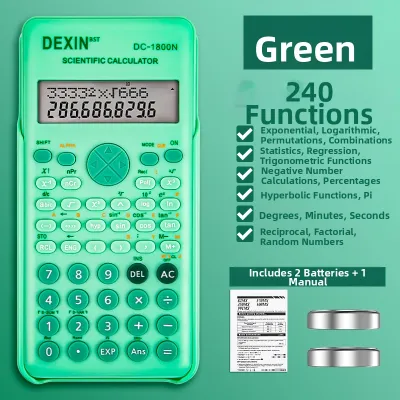
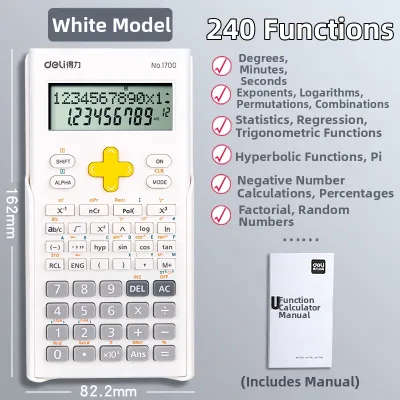
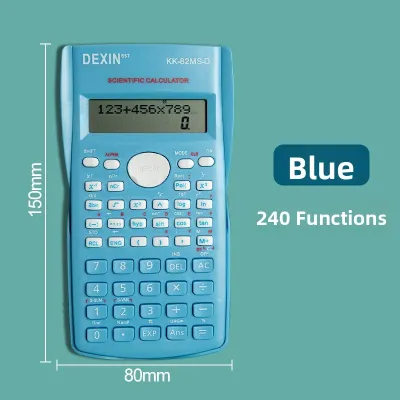

Prices are valid at publication and may change. Please refer to the product page for the latest price.
Core Differences: Casio fx-991 vs fx-570 at a Glance
While both calculators are built on similar physical platforms, their internal power management and functional limits differ. The “991” designation historically represents Casio’s top-tier non-programmable model for any given generation, whereas the “570” serves as the mid-tier counterpart. They share identical dimensions, casing materials, and key layouts within the same generation, meaning an fx-991CW feels exactly like an fx-570CW in your hand.
The primary hardware divergence is the power source. The fx-991 features “Two-Way Power,” which combines a solar cell with a button battery. The fx-570 relies solely on a single battery—either a AAA battery or a button cell, depending on the specific sub-version. This difference in power delivery accounts for the slight weight variation between the two models, with the solar-equipped fx-991 being marginally heavier.
To help you visualize how these two model families compare across their most common configurations, review the technical specifications below:
| Feature | Casio fx-991 Series (e.g., EX / CW) | Casio fx-570 Series (e.g., EX / CW) |
|---|---|---|
| Power Source | Two-Way Power (Solar Cell + LR44 Battery) | Single Battery (AAA or LR44 depending on model) |
| Typical Function Count | Up to 552 functions | Up to 417 to 552 functions (generation dependent) |
| Spreadsheet Application | Yes (available in EX and CW versions) | No (typically omitted or highly restricted) |
| Display Technology | High-resolution LCD (Natural Textbook Display) | High-resolution LCD (Natural Textbook Display) |
| Equation Solver | Advanced numerical & simultaneous solvers | Advanced numerical & simultaneous solvers |
| Memory Registers | 9 variable memories | 9 variable memories |
| Chassis & Keypad | Plastic keys with metallic accents | Plastic keys with standard matte finish |
It is vital to verify the exact generation of the calculator you are purchasing. For example, older ES PLUS models feature a lower-resolution segment display and fewer functions overall. The newer ClassWiz CW series features a redesigned circular key layout, simplified menu structures, and an updated mathematical engine that changes how you input formulas.
Feature Breakdown: What Can Each Calculator Actually Do?
Understanding the practical computing limits of each model helps you determine if the more expensive fx-991 is necessary for your coursework or professional tasks.

Advanced Solvers and Equation Modes
Both the fx-991 and fx-570 series excel at solving complex algebraic equations, but their capacity depends heavily on the product generation. In the modern ClassWiz (EX and CW) iterations, both models can solve simultaneous linear equations with up to four variables and polynomial equations up to the fourth degree. Older versions, such as the ES PLUS, limit you to three variables and third-degree polynomials.
For calculus and physics applications, both models feature numerical integration using the Gauss-Kronrod method, alongside numerical derivative calculations. They also include a formula solver based on Newton’s method. This solver allows you to input an equation with multiple variables, isolate a single unknown, and compute its value. The processing speed for these iterative calculations is virtually identical between the 991 and 570 within the same generation, as they share the same internal processor.
Matrix, Vector, and Complex Number Operations
If you are studying linear algebra or electrical engineering, matrix and vector operations are essential. Modern iterations of both the fx-991 and fx-570 support matrices up to a 4×4 dimension and can store up to four distinct matrices in their temporary memory. They easily handle matrix multiplication, determinants, transpositions, and identity matrices.
Vector calculations support up to three dimensions, allowing you to compute dot products, cross products, and find the angle between two vectors. Complex number calculations are equally robust on both devices. You can perform addition, subtraction, multiplication, and division in both rectangular (a+bi) and polar (rθ) coordinates, which is a major time-saver when analyzing alternating current (AC) circuits.
Spreadsheet and Advanced Statistics (fx-991 Exclusive)
The most significant functional divergence in newer generations is the spreadsheet application, which is exclusive to the fx-991 series. This built-in tool allows you to create basic spreadsheets with up to 5 columns and 45 rows. You can input constant values, write basic formulas, compute sums, find averages, and perform recursive calculations directly on your calculator.
While both models offer advanced statistical modes—including single-variable statistics, linear regression, quadratic regression, and logarithmic regression—the fx-991 provides superior visualization and data capacity. It also includes advanced probability distribution calculations, such as Normal, Binomial, and Poisson distributions, which are highly beneficial for advanced college statistics and quality control engineering courses.
Exam Compliance and Academic Requirements
Before purchasing any calculator, you must confirm that it is permitted in your specific testing environment. Because both the fx-991 and fx-570 are non-programmable and lack graphing capabilities, they are widely accepted in high schools and universities worldwide. However, local regulations can vary significantly.
In the Philippines, the Professional Regulation Commission (PRC) enforces strict guidelines regarding the specific calculator models allowed during licensure examinations, such as those for Civil, Electrical, Mechanical, and Chemical Engineering. The PRC regularly updates its list of approved calculators to maintain exam integrity. Historically, certain advanced models have faced temporary bans or restrictions due to their extensive feature sets.
Some highly restrictive academic departments or testing boards ban calculators that feature advanced numerical solvers or spreadsheet capabilities. In these rare scenarios, the fx-991 might be restricted, while a more basic scientific calculator is required. Conversely, in exams where both models are permitted, the fx-991 is often favored by examinees due to its solar power reliability.
To ensure your calculator is compliant, use this verification checklist before your exam:
- Consult the Official Syllabus: Review the examinee handbook or the official website of your licensing board for the most recent list of allowed calculators.
- Check with Your Instructor: Ask your university professors if they have department-specific restrictions on calculators with solver or matrix modes.
- Verify the Model Suffix: Ensure the exact model suffix (e.g., "CW" or "ES PLUS") matches the approved list, as some boards approve specific older versions while banning newer ones.
- Inspect the Back Panel: Ensure the compliance labels and model numbers on the back of your calculator are clear and legible for exam proctors to inspect.
Power, Build, and Daily Usability
The physical design of your calculator impacts how comfortable and reliable it is during long study sessions and high-stakes exams.
Power Source: Solar vs. Battery
The Two-Way Power system of the fx-991 offers a distinct advantage in terms of reliability. The solar panel on the front face powers the device under normal room lighting, while the internal button cell battery takes over only when light levels drop. This system significantly extends the life of the internal battery, often allowing it to last for several years without replacement.
In tropical environments like the Philippines, where classroom lighting can vary and power outages occasionally occur, having a solar-powered calculator provides peace of mind. During a grueling four-hour board exam, knowing your calculator is highly unlikely to run out of power removes a common source of test anxiety. The fx-570, relying solely on its internal battery, requires you to monitor battery health more closely and carry spares to avoid unexpected shutdowns.
Screen Readability and Keypad Layout
Both models feature Casio’s Natural Textbook Display technology, which renders fractions, exponents, square roots, and integrals exactly as they appear in standard textbooks. This layout reduces input errors because you do not have to translate complex formulas into a single line of text.
Under bright fluorescent classroom lights, the high-contrast LCD screens on both models remain highly readable. You can adjust the contrast in the system settings to suit your environment. The tactile response of the keys is identical between the two models of the same generation. They feature durable plastic keycaps with clear, wear-resistant printing. Each calculator comes with a rugged, slide-on hard cover that protects the screen and keyboard from scratches and impacts when stored in a crowded backpack.
How to Verify Pricing and Authenticity
Because of its solar power assembly and expanded software features, the fx-991 commands a price premium over the fx-570. When shopping, you will find that the price difference is generally modest, making the fx-991 a highly popular investment for long-term academic use.
Due to their popularity, counterfeit scientific calculators are common on the market. These low-quality knockoffs often feature mushy keys, poor screen contrast, incorrect mathematical formulas, and unreliable battery life. To ensure you receive a genuine product, purchase your calculator from official brand stores on major online marketplaces, authorized national distributors, or established physical stationery and bookstore chains.
Use these actionable tips to verify the authenticity of your Casio calculator:
- Check the Holographic Security Sticker: Genuine Casio packaging features a highly detailed holographic sticker that shifts colors and patterns when tilted under light.
- Utilize the QR Code Verification System: On modern ClassWiz models, you can generate a QR code on the calculator screen by accessing the settings menu. Scanning this QR code with a smartphone redirects you to the official Casio verification portal, which confirms if your specific unit is authentic.
- Test Key Tactility and Alignment: Inspect the physical build quality. Genuine units have perfectly aligned keys with crisp, tactile feedback. Counterfeits often have misaligned labels, uneven gaps between keys, and a hollow, lightweight feel.
- Verify the Self-Test Mode: You can access the internal diagnostic menu on genuine Casio calculators by pressing specific key combinations (typically Shift + 7 + On simultaneously). This test checks the LCD segments and internal ROM integrity.
Final Decision Framework: Choose fx-991 or fx-570?
To make your final decision, consider how your academic goals and budget align with the unique advantages of each model.
Choose the Casio fx-991 if:
- You are studying engineering, physics, chemistry, or advanced mathematics where you will frequently use matrix math, complex numbers, and numerical solvers.
- You want the reliability of dual solar-battery power to ensure your calculator never dies during a critical exam.
- You plan to use the built-in spreadsheet application for data tracking, statistical analysis, or iterative calculations.
Choose the Casio fx-570 if:
- You are looking for a highly capable scientific calculator for high school or general college courses and want to keep your costs down.
- You do not mind carrying a spare battery and do not require a solar-powered device.
- Your specific academic program or exam board restricts calculators with solar panels or spreadsheet capabilities.
Before finalizing your purchase, always check with your university department or licensing board to ensure your chosen model and its specific suffix are fully approved for your exams.
Frequently Asked Questions (FAQ)
Can I update my Casio fx-570 firmware to unlock fx-991 features?
No, you cannot update or modify the firmware of a Casio fx-570 to unlock fx-991 features. The differences between these two models are hardwired into the calculator’s read-only memory (ROM) and physical mainboard during manufacturing. Furthermore, the fx-570 lacks the internal physical circuitry and contacts required to connect and operate the solar panel assembly found on the fx-991. There are no button combinations, software hacks, or firmware updates that can bridge the functional gap between these two hardware platforms.
Community discussion
Share your experience or ask a question. Comments are reviewed before publication.