
Quick Answer: Which ClassWiz Calculator Fits Your Needs?
Choosing between the Casio fx-991CW and its predecessor, the fx-991EX, comes down to a choice between modern, menu-driven navigation and classic, direct-key efficiency. The fx-991CW is the official successor to the legendary fx-991EX. It introduces a redesigned physical layout, a simplified menu structure that resembles a smartphone interface, and enhanced online integration via QR codes. Conversely, the discontinued fx-991EX remains highly sought after for its traditional grid-based layout and rapid, muscle-memory-friendly key shortcuts.
To determine which model suits your academic journey, consider your learning style, budget, and specific exam constraints:
- Choose the fx-991CW if: You prefer intuitive, scrollable menus over complex key combinations, appreciate a dedicated variable management screen, want to easily visualize graphs on your phone via QR codes, and want a currently supported model with a full warranty.
- Choose the fx-991EX if: You are accustomed to traditional scientific calculators, prefer dedicated physical keys for common functions, find a reliable unit at a reasonable price, or are following older step-by-step tutorials that use the EX interface.
- Verify first if: Your university, college department, or professional board has updated its list of approved calculators. While both models are non-programmable, local regulations can change between academic terms.
Design, Display, and Navigation Differences
The physical design of a scientific calculator directly affects your typing speed and comfort during long study sessions. The fx-991EX features flat, rectangular keys packed closely together, with secondary functions printed directly on the faceplate in gold and red. This classic layout maximizes the number of functions you can trigger with a single or double keystroke. However, the dense text can feel overwhelming to students who are new to advanced scientific calculators.
Products mentioned in this guide
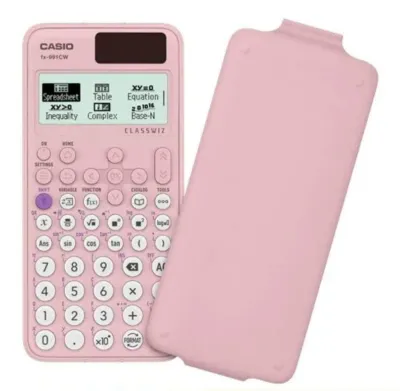
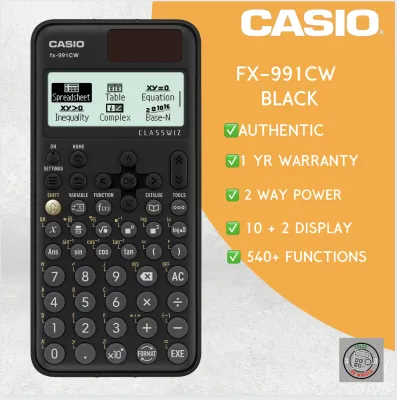
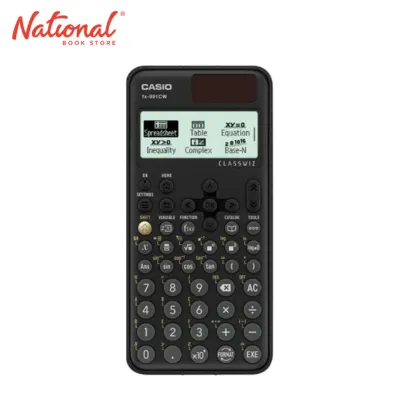
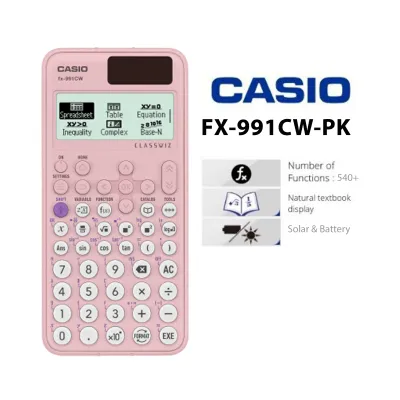
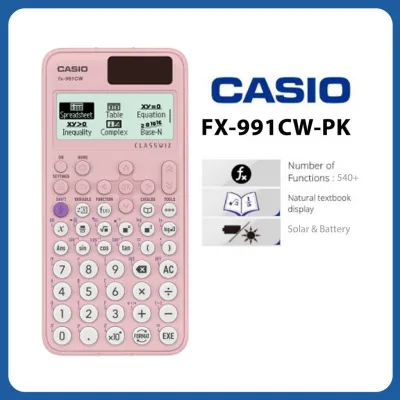
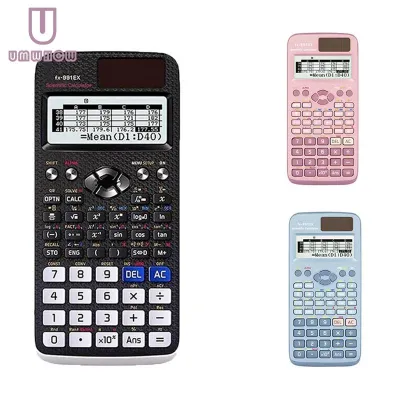
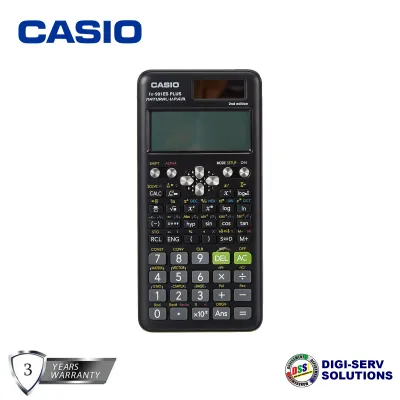
Prices are valid at publication and may change. Please refer to the product page for the latest price.

In contrast, the fx-991CW adopts a minimalist aesthetic with circular, slightly domed keys. These keys are spaced further apart, which helps prevent accidental double-presses, especially when working in warm, humid classrooms where fingers can easily slip. The CW faceplate is significantly cleaner because Casio moved many secondary operations into on-screen menus. While this reduces visual clutter, it means some functions that required a simple keystroke on the EX now require navigating a menu on the CW.
Screen readability is another area of contrast. Both models feature high-resolution LCD screens, but the fx-991CW utilizes a newer display engine with improved contrast and a modern, easy-to-read font. The CW display also supports four levels of grayscale, which makes mathematical expressions, fractions, and matrices look much clearer. This subtle grading helps you distinguish between different parts of a complex equation without straining your eyes under dim study lamps.
Perhaps the most significant change is the navigation philosophy. The fx-991EX relies on an icon-based grid menu accessed by pressing the MENU key, where you type a specific number or letter to jump directly to a mode (such as 1 for Calculate or I for Matrix). The fx-991CW replaces this with a smartphone-like home screen. You press the HOME key and scroll through a vertical list of applications. This makes finding functions much more intuitive for beginners, though experienced users of the EX may miss the speed of the old direct-key shortcuts.
Performance, Speed, and New Features
When tackling complex calculations like numerical integration, matrix operations, or solving high-degree polynomials, processing speed is vital. While Casio upgraded the internal processor architecture for the CW series, basic arithmetic remains instantaneous on both models. To observe a difference in calculation speeds, you can run a benchmark task such as a complex definite integral. If you test both units side-by-side, you will notice the fx-991CW often resolves heavy numerical integrations and regressions slightly faster than the fx-991EX, saving valuable seconds during timed exams.
One of the standout features of the ClassWiz series is QR code generation, which has been significantly refined in the fx-991CW. By pressing the dedicated QR key on the CW, the calculator displays a high-density QR code on its screen. Scanning this code with a smartphone or tablet connects you to the Casio ClassWiz Web Service. This online platform instantly visualizes your data, allowing you to view interactive graphs, plot statistical scatter diagrams, and analyze tables. This is an exceptional tool for verifying hand-drawn graphs in algebra and calculus classes, especially since graphing calculators are banned in most local exams.
Variable management has also received a massive upgrade in the newer model. On the fx-991EX, storing and recalling variables (A through F, M, X, and Y) requires using the STO and RCL keys, and you cannot see all stored values at once without recalling them individually. The fx-991CW introduces a dedicated VARIABLE key. Pressing this button opens a live on-screen menu displaying all nine variables and their currently stored values simultaneously. This feature is incredibly useful for physics and chemistry labs, where you must track multiple intermediate constants without losing your place.
Additionally, the spreadsheet mode has been streamlined. Both calculators support spreadsheets up to 5 columns and 45 rows, but the CW makes entering formulas and navigating cells more straightforward due to its dedicated TOOLS menu. The CW also introduces a simplified “Math Box” application, which features probability simulations like coin tosses and dice rolls, making it a more versatile companion for introductory statistics courses.
Exam Compliance and Academic Acceptance
Before investing in any scientific calculator, you must ensure it is permitted in your target examinations. Both the fx-991CW and the fx-991EX are classified as non-programmable, non-graphing scientific calculators. They do not possess wireless connectivity, external storage slots, or Computer Algebra Systems (CAS). Consequently, they generally align with the baseline requirements for standard high school and college STEM coursework globally.
For local examinations in the Philippines, the rules are highly specific and strictly monitored. The Professional Regulation Commission (PRC) regulates which calculator models are allowed for engineering, architecture, and other professional board exams. Historically, the fx-991EX was a standard choice, but because it has been phased out globally, rules are adapting. You must explicitly check the latest official resolutions published on the PRC website before your exam date, as the list of allowed models is subject to change. Similarly, for university admission tests like the UPCAT or college departmental exams, always consult the latest examinee guide or your course syllabus.
For international exams, such as the SAT, ACT, AP exams, Cambridge A-Levels, and the International Baccalaureate (IB), both models are widely accepted. These boards maintain online lists of approved calculators, and standard non-programmable scientific calculators like the ClassWiz series are almost universally permitted.
Keep in mind that the final authority on calculator compliance is always the specific exam proctor or your institution’s department head. Never rely solely on retail packaging claims that say “Exam Approved.” Always verify the model number against the official, current-year guidelines of the testing body to avoid any issues on exam day.
Pricing, Availability, and Value Assessment
The pricing and availability of these two calculators in the Philippines have been heavily influenced by the discontinuation of the older model. The newer fx-991CW is the active production model and is widely available at major stationery chains, department stores, and campus bookstores. It typically retails between ₱1,400 and ₱1,800. Purchasing the CW ensures you receive a brand-new unit with a valid manufacturer warranty and genuine packaging.
Because the fx-991EX has been officially discontinued, finding an authentic unit in physical retail stores has become increasingly difficult. This scarcity has created a highly volatile online market. Some sellers offer remaining stock of the EX at clearance prices, while others inflate the price significantly, targeting students who specifically demand the older layout.
When shopping online, you must be extremely cautious of counterfeit calculators. Fake versions of both the fx-991EX and fx-991CW are common on online marketplaces, often priced suspiciously low (such as under ₱500). These counterfeit units suffer from several critical issues:
- Poor Build Quality: The solar panels are often fake or non-functional, meaning the unit relies solely on a cheap battery that drains quickly.
- Inaccurate Calculations: Counterfeit microchips can produce rounding errors or fail to compute complex calculus functions altogether.
- Unreliable Displays: The screen contrast is often poor, and the characters may fade or glitch under high temperatures or tropical humidity.
To verify if a Casio calculator is genuine, you can perform a quick diagnostic test by pressing SHIFT + 7 + ON simultaneously on the EX, or by checking the built-in authenticity QR code in the settings menu of the CW. Purchasing only from authorized dealers or official online brand stores is the safest way to ensure your device is genuine and reliable.
Final Verdict: Making Your Selection
Both the Casio fx-991CW and the fx-991EX are excellent scientific calculators that provide all the mathematical horsepower needed for rigorous STEM coursework and professional board exams. Neither model is a universal winner; instead, the best choice depends on your personal preferences and current market availability.
Before making your final purchase, use this quick checklist to guide your decision:
- Check the Approved List: Confirm whether the fx-991CW or fx-991EX is explicitly permitted for your specific board exams or university courses.
- Evaluate the Interface: Visit a physical stationery store to feel the buttons. Decide if you prefer the tactile, spaced-out circular keys of the CW or the traditional, fast-typing grid layout of the EX.
- Consider Your Budget: Compare the retail price of a genuine fx-991CW against any authentic, reasonably priced fx-991EX units you might find, keeping in mind the risks of buying discontinued models online.
Frequently Asked Questions (FAQ)
Can I use the fx-991CW or fx-991EX for the UPCAT and board exams?
Both models are non-programmable scientific calculators, which generally makes them eligible for most college entrance exams and professional board exams. However, because the Professional Regulation Commission (PRC) and individual universities update their list of allowed calculators periodically, you must check their latest official guidelines before your exam. Do not rely on historical lists, as rules can change annually.
Is it difficult to switch from the fx-991EX to the fx-991CW?
There is a noticeable learning curve when transitioning from the EX to the CW due to the fundamental shift in navigation. The CW moves many direct-key functions into categorized menus like CATALOG and TOOLS, which changes the muscle memory required for daily calculations. If you decide to upgrade to the CW, it is highly recommended to use it daily for at least two to three weeks before any major exam to ensure you can navigate the menus quickly under pressure.
Community discussion
Share your experience or ask a question. Comments are reviewed before publication.