
Quick Answer: Is the fx-991CW the Right Choice for You?
The Casio fx-991CW is highly suitable if you are pursuing advanced senior high school STEM tracks or college-level programs in engineering, mathematics, and the sciences. This model features a modernized, menu-driven interface that simplifies complex calculations, making it an excellent tool for subjects that require matrix algebra, numerical integration, and complex number calculations.
However, if your coursework is limited to general high school mathematics or basic business statistics, a simpler and more budget-friendly ClassW model, such as the fx-82CW or fx-350CW, will easily suffice. These entry-level models omit advanced solvers and matrix functions, which keeps their interfaces less cluttered for everyday arithmetic.
Before purchasing any calculator, your absolute first step must be checking your specific school syllabus or exam board regulations. Many academic institutions and national testing authorities maintain strict lists of permitted devices, and some advanced features on the fx-991CW might not be allowed in your specific exam room.
Products mentioned in this guide
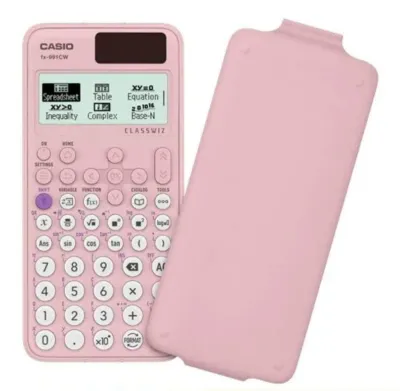
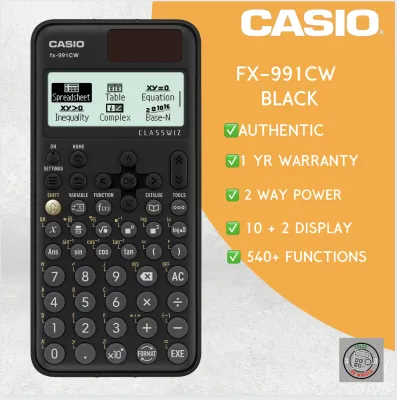
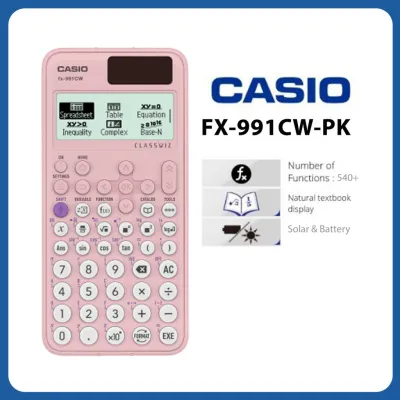
Prices are valid at publication and may change. Please refer to the product page for the latest price.
Key Differences Between the fx-991CW and Other ClassW Models
Menu Navigation and Interface Design
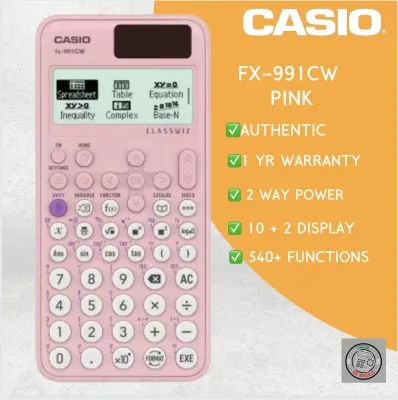
The most significant shift in the fx-991CW compared to older ClassWiz models is the transition to an app-like, icon-based menu system. Instead of memorizing complex key combinations or searching for functions printed in tiny font above the keys, you navigate using a centralized “Home” key. This design brings up an intuitive on-screen menu where you select your operating mode, such as Calculate, Statistics, Matrix, or Complex.

Legacy ClassW models rely heavily on the traditional “Shift” and “Alpha” keys to access secondary and tertiary functions. On the fx-991CW, many of these functions are consolidated into dedicated “Catalog” and “Tools” menus. While this change makes the calculator much easier for beginners to pick up and use without a manual, it does alter the workflow for users who are already accustomed to older Casio layouts.
Advanced Mathematical Capabilities
When comparing the fx-991CW to lower-tier models in the same family, the depth of advanced functions is a major differentiator. The fx-991CW supports matrix calculations up to 4×4, vector analysis, spreadsheet simulations, and equation solvers. It also includes a QR code generation feature that allows you to display graphs and statistical charts on an external device.
In contrast, basic models like the fx-82CW lack these advanced computational modes. They do not support matrix or vector operations, nor do they have the processing power required for complex numerical integration. If your studies involve solving systems of linear equations or working with probability distributions, the fx-991CW is the model designed to handle those specific tasks.
Physical Construction and Power Sources
The physical design of the fx-991CW features distinct, circular dome-like keys that offer a tactile click. This key shape is intended to reduce accidental double-presses, which can be a common issue with flat, rectangular keys. The high-resolution LCD screen provides clear contrast, making it easier to read multi-line expressions and fraction templates.
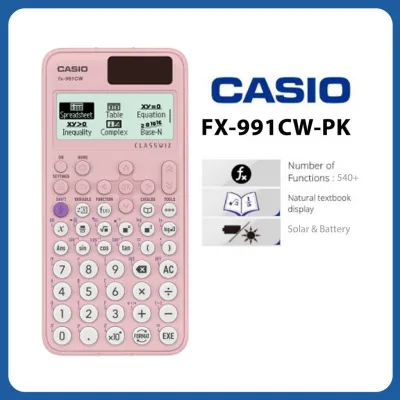
Power configuration is another critical point of comparison. The fx-991CW utilizes a dual-power system, combining a solar panel with a backup button battery to ensure continuous operation during long exams. Lower-tier models in the ClassW lineup often rely solely on a single AAA battery or a standard button cell, which lacks the redundancy of a solar-assisted power source.
Feature Comparison: Matching Calculator Specs to Your Subjects
Mapping Features to Academic Tracks
Selecting the right calculator requires matching its technical specifications to the demands of your specific curriculum. For junior high school students, basic scientific functions like trigonometry, logarithms, and simple statistical analysis are the primary requirements. A standard ClassW model handles these tasks perfectly without overwhelming the student with unused features.
As you transition to college-level engineering, physics, or advanced statistics, the mathematical requirements expand dramatically. You will need to perform numerical integration, find derivatives at specific points, and solve quadratic or cubic equations. The fx-991CW is specifically engineered to support these higher-level applications, saving you valuable time during timed assessments.
Verifying Functions on Product Packaging
When shopping at local stationery stores or browsing online marketplaces, you can verify a calculator’s capabilities by inspecting the retail packaging. Look for a clear list of supported modes, which are typically displayed as icons or bullet points on the back of the box. Key terms to look for include:
- Matrix: Indicates support for multi-dimensional array calculations.
- Vector: Confirms the ability to perform dot and cross products.
- Equation: Shows that the device can solve simultaneous and polynomial equations.
- Complex: Verifies support for calculations involving imaginary numbers.
Understanding Regional Model Variations
It is important to note that manufacturer model numbers can vary slightly by region, even within the ClassW product line. When reading specification sheets, pay close attention to the exact suffix of the model number. Some regional variants may have localized language settings or slightly modified feature sets to comply with local educational standards.
Always refer to the official manufacturer specification sheets online to confirm that the exact model suffix you are purchasing contains the specific functions you need. Do not assume that a model purchased from an overseas seller will have the exact same features or exam-approval status as the version officially distributed in your local market.
Usability and Learning Curve: What to Expect
Adapting to the New Interface
If you are upgrading from an older scientific calculator, such as the classic fx-991ES Plus, the learning curve for the fx-991CW can be noticeable. The muscle memory you developed for quick calculations will need to adapt to the new menu-driven system. Because many functions are now nested within the “Catalog” menu, you may find yourself pressing more keys initially to perform tasks that used to require a single shift-key combination.
However, once you become familiar with the menu hierarchy, the workflow becomes highly logical. The screen displays clear, natural textbook-style formatting for fractions, roots, and exponents, which helps reduce input errors. The learning curve is generally short, and most students adapt fully within a few days of regular classroom use.
Accessing Learning Resources
To ease the transition, you can take advantage of various official resources provided by the manufacturer. These include downloadable PDF quick-start guides, comprehensive user manuals, and online video tutorials that walk you through specific calculation procedures. Many educators also share step-by-step guides online, making it easy to find help for specific topics like statistical regression or matrix multiplication.
Hands-On Testing Before Buying
If possible, visit a physical office supply store to perform a hands-on test of the calculator before making your final decision. Pay close attention to the feel of the circular keys and ensure they respond well to your typing style.
Additionally, observe the screen readability under different lighting conditions. Classrooms can have bright fluorescent overhead lights that cause glare, so verifying that the LCD screen remains legible at various angles is an important step. In warm, humid tropical environments, a clear and high-contrast display is essential for comfortable, long-term use during study sessions.
How to Verify Compatibility and Exam Regulations
Checking National and Professional Exam Rules
In the Philippines, professional licensure examinations administered by the Professional Regulation Commission (PRC) have very strict guidelines regarding permitted calculator models. The list of allowed calculators is updated periodically to maintain exam integrity. If you are preparing for board exams in engineering, accountancy, or other technical fields, you must consult the latest official PRC resolutions directly.
Similarly, high school national assessments and international standardized tests (such as the SAT, ACT, or Advanced Placement exams) publish their own specific lists of approved devices. Never rely on general product descriptions or forum posts to confirm exam compliance; always verify the model number against the official, current list provided by the testing authority.
Identifying the Exact Model Suffix
When checking exam compliance lists, pay meticulous attention to the exact spelling of the model name. A single letter difference in the suffix can mean the difference between an approved calculator and one that is confiscated at the exam room door.
For example, older models like the “EX” series may have different approval statuses compared to the newer “CW” series. Ensure that the physical label on the back of your calculator matches the permitted model nomenclature exactly, including any regional identifiers.
Consulting Teachers and Syllabus Requirements
Before bringing your new calculator to class, consult your subject teachers or review your course syllabus. Some instructors prefer that students use simpler calculators to ensure they learn the underlying mathematical concepts manually before relying on automated solvers.
Furthermore, features like the spreadsheet function or the QR code generator on the fx-991CW can sometimes raise academic integrity concerns in strict classroom environments. Confirming with your teacher beforehand ensures you will not face any issues during quizzes or graded practical exams.
Final Decision Framework: Which ClassW Model Should You Buy?
To help you finalize your purchase, use the following condition-based guidelines to determine which calculator best fits your academic and practical needs.
Choose the fx-991CW if:
- You are enrolled in advanced STEM tracks, engineering, physics, or university-level statistics.
- You require advanced computational tools, including 4×4 matrix calculations, vector operations, and numerical integration.
- You prefer a modern, menu-driven user interface that operates similarly to smartphone applications.
- You want the security of a dual-power system (solar and battery) for high-stakes examinations.
Choose an alternative ClassW model (such as the fx-82CW or fx-350CW) if:
- Your coursework is focused on general high school mathematics, basic algebra, or non-technical subjects.
- You prefer a simpler, less cluttered interface without advanced solvers or matrix menus.
- Your school or exam board strictly prohibits calculators with integration, equation-solving, or spreadsheet capabilities.
- You are working within a tighter budget and do not require advanced engineering functions.
Verify first if:
- The exact model number and suffix are explicitly permitted by your school, university, or national exam board.
- The physical button feel and screen contrast are comfortable for your daily use during a hands-on trial.
- The seller on your chosen online marketplace or local stationery store provides an official warranty card to protect against manufacturing defects.
Frequently Asked Questions (FAQ)
Can I use the Casio fx-991CW for board exams in the Philippines?
Calculator regulations for professional licensure exams in the Philippines are determined solely by the Professional Regulation Commission (PRC) and are subject to change. You must check the most recent official advisory or memorandum published on the PRC website to confirm if the fx-991CW is currently on the list of allowed non-programmable calculators. Do not rely on retail descriptions, as minor variations in the model suffix can affect whether a device is permitted in the testing center.
What does the QR code function do on the fx-991CW?
The QR code function allows you to generate a unique code on the calculator’s LCD screen after performing statistical calculations or inputting equations. By scanning this code with a smartphone or tablet camera, you can view detailed graphs, charts, and geometric representations of your data on a web browser. Note that this feature requires a secondary device with internet access, which is typically prohibited during formal examinations and supervised tests.
Is the fx-991CW backward compatible with older ClassW key sequences?
No, the fx-991CW is not backward compatible with the key sequences of older ClassWiz or scientific calculator models. The physical button layout and menu structure have been completely redesigned to use a centralized menu system rather than direct shift-key shortcuts. If you are upgrading from an older model, you will need to spend some time practicing with the new interface to rebuild your calculation speed and adapt your muscle memory.
Community discussion
Share your experience or ask a question. Comments are reviewed before publication.