
Choosing the right scientific calculator is a critical decision for students and board exam reviewees in the Philippines. The choice between the classic Casio fx-991ES PLUS and the newer Casio fx-991EX ClassWider depends heavily on your specific academic track, budget, and the technical requirements of your courses.
For advanced STEM, engineering, and actuarial science students who require a high-resolution display, faster processing speeds, and advanced features like spreadsheet calculations, the fx-991EX ClassWider is generally the more suitable option.
Conversely, for high school students or those taking general education math courses, the fx-991ES PLUS offers a highly reliable, budget-friendly alternative that covers all standard scientific functions without unnecessary complexity.
Products mentioned in this guide
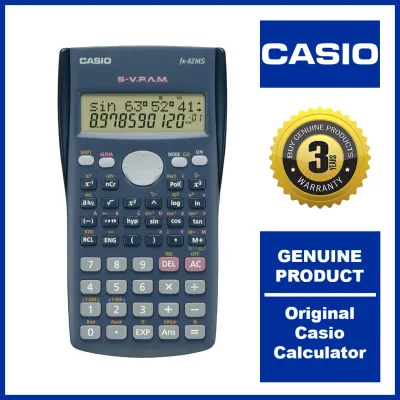
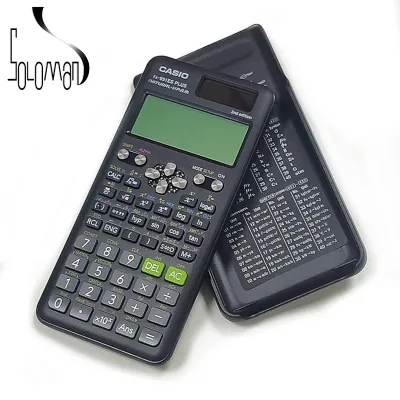
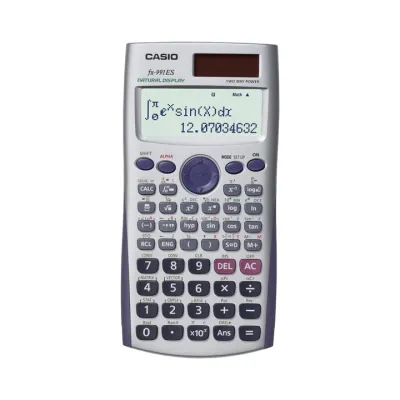
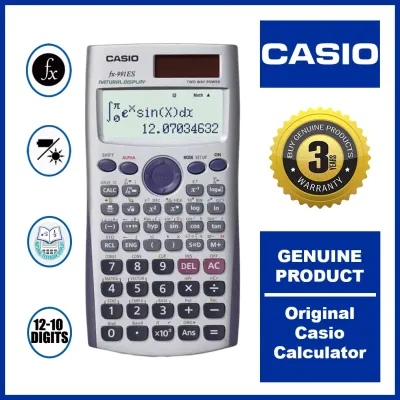
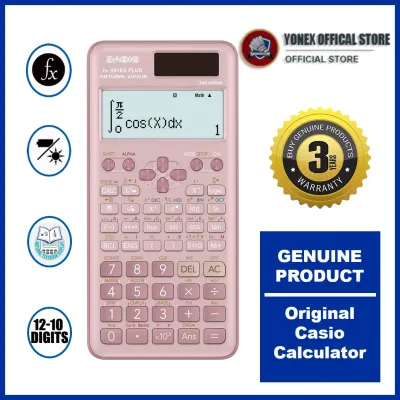
Prices are valid at publication and may change. Please refer to the product page for the latest price.
Before making a final purchase, it is essential to verify the specific calculator guidelines of your school, university department, or professional regulatory board, as some examinations strictly limit which models are permitted in the testing room.
Display and Interface: Natural Textbook vs High-Resolution LCD
The visual interface of a scientific calculator directly impacts how quickly you can input equations and interpret complex results during timed exams. The Casio fx-991ES PLUS utilizes a traditional dot-matrix display, which has been a reliable standard for years. This screen presents equations using Natural Display technology, allowing fractions, square roots, and exponents to appear exactly as they are written in textbooks. However, the resolution is relatively low, which can sometimes make dense subscripts or multi-layered fractions look slightly pixelated or cramped.
In contrast, the fx-991EX ClassWider features a high-resolution LCD screen that significantly increases the pixel density. This upgrade allows for much crisper text, smoother curves on mathematical symbols, and a more legible layout overall. The increased resolution also enables a modern, icon-based menu system. Instead of navigating through text-heavy menus and numbered lists as you do on the ES PLUS, the ClassWider allows you to select functions using intuitive visual icons, similar to a smartphone interface.
When comparing these displays, it is highly recommended to visit an authorized local stationery store to view both screens in person. Observe how a three-by-three matrix or a complex definite integral looks on each screen. Pay close attention to the contrast levels under typical classroom lighting conditions. Some students find that the high-resolution screen of the ClassWider reduces eye strain during long study sessions, while others remain perfectly comfortable with the familiar, high-contrast layout of the ES PLUS.
Processing Power and Advanced Mathematical Features
Under the hood, these two calculators differ substantially in their computational capabilities and processing speeds. The fx-991ES PLUS is equipped with a standard processor that handles algebraic equations, basic calculus, and statistical distributions reliably. However, when executing complex operations—such as calculating definite integrals with high precision or solving large systems of linear equations—you may experience a brief pause of a few seconds before the final answer appears on the screen.

The fx-991EX ClassWider is built with a faster processor and expanded memory capacity. This hardware upgrade allows it to perform complex calculations almost instantaneously. Additionally, the ClassWider introduces advanced mathematical features that are not available on the ES PLUS. For example, it includes a basic spreadsheet function, allowing you to input data rows, perform basic cell formulas, and analyze trends directly on your calculator. It also features a QR code generation tool, which lets you display a code on the screen that can be scanned with a smartphone to visualize graphs or access online manuals.
To determine which model fits your academic level, you should carefully cross-reference your course syllabus with the official specifications of each calculator. If your coursework involves heavy statistical analysis, matrix algebra up to four-by-four dimensions, or repetitive numerical iterations, the faster processing and expanded function set of the ClassWider can save valuable seconds during exams. If your syllabus is limited to algebra, trigonometry, and basic calculus, the standard functions of the ES PLUS will be more than sufficient.
Battery Life, Power Source, and Build Durability
Daily life in a tropical climate like the Philippines presents unique challenges for electronic school supplies. High humidity, sudden downpours, and the daily wear and tear of being jostled inside a crowded backpack require a durable build. Both the fx-991ES PLUS and the fx-991EX ClassWider feature a dual-power system, utilizing a solar panel alongside a primary button-cell battery. This setup ensures that the calculator remains operational even in dimly lit classrooms, drawing power from the battery when ambient light is insufficient.
The solar panels on both models are designed to extend the overall lifespan of the internal battery. Under typical classroom lighting, the solar cell handles most of the active processing load, meaning you rarely have to worry about the calculator dying in the middle of a semester. However, the exact battery replacement frequency can vary based on your daily usage patterns and how often you study in low-light environments. It is wise to inspect the battery compartment type on the product packaging; some models require a small screwdriver to open, which is a useful safety feature to prevent the battery from popping out if dropped.
In terms of physical protection, both calculators come with a slide-on hard plastic cover that shields the screen and keys from scratches and impacts. The button layouts are designed for tactile feedback, but the key feel differs slightly. The ES PLUS features plastic keys with a traditional springy response, while the ClassWider has textured keys designed to prevent finger slippage. Given the humid conditions in local classrooms, keys that resist moisture and oils from your hands are a practical advantage. Regularly wiping down your calculator and storing it in its hard case when not in use will help maintain its responsiveness over several academic years.
Price Comparison and Overall Value for Students
Budget is often the deciding factor for students and parents when purchasing school supplies. In the Philippines, the price difference between these two models is noticeable. The fx-991ES PLUS is positioned as a highly accessible, mid-range scientific calculator, making it an economical choice for families looking to minimize school expenses. The fx-991EX ClassWider commands a premium price due to its high-resolution screen, faster processor, and advanced software features.
To evaluate the overall value, you must weigh the initial cost against the expected lifespan and utility of the device. If you are an engineering or mathematics major who will use the calculator daily for four or five years, investing the extra ₱ in the ClassWider can be highly justified by the time saved during complex exams. However, if you only need a calculator to pass a couple of general education math requirements, the ES PLUS offers outstanding value, allowing you to allocate your budget to other essential textbooks and school supplies.
When shopping, it is critical to check current retail prices at authorized physical stationery stores or official online storefronts of recognized local distributors. Be extremely cautious of online marketplace listings offering these calculators at suspiciously low prices in ₱. The market is flooded with counterfeit units that look nearly identical to genuine Casio calculators but suffer from poor build quality, inaccurate calculation algorithms, and unreliable solar panels. Always verify that the seller is authorized, check for official warranty cards, and inspect the holographic security stickers on the packaging to ensure you are purchasing a genuine, reliable tool.
Final Verdict: How to Decide Based on Your Academic Requirements
Making your final decision comes down to matching the calculator’s capabilities with your specific academic path and institutional rules.
Choose the fx-991EX ClassWider if:
- You are enrolled in an advanced STEM, engineering, physics, or actuarial science program.
- You frequently work with large matrices, complex statistical data, or multi-step calculus problems where faster processing speed is highly beneficial.
- You prefer a modern, high-resolution screen with icon-based navigation that makes reading complex formulas easier.
- Your budget comfortably allows for a premium stationery purchase.
Choose the fx-991ES PLUS if:
- You are a high school student or a college student taking general education, business, or humanities courses.
- Your mathematical needs are focused on algebra, basic trigonometry, and standard calculus.
- You prefer a traditional, text-based menu system that you may already be familiar with from previous school years.
- You want a highly reliable, durable calculator while keeping your school supply expenses as low as possible.
Verify first if:
- Your university, department, or professional board exams (such as those administered by the Professional Regulation Commission) have specific restrictions. Some board exams strictly prohibit certain programmable or advanced models, or maintain an explicit list of allowed calculators. Always consult your course syllabus, department heads, or official exam guidelines before finalizing your purchase to ensure your chosen model is fully compliant.
Frequently Asked Questions (FAQ)
Is the Casio fx-991EX ClassWider allowed in board exams and university tests?
Exam compliance is highly localized and subject to frequent updates by individual educational institutions and professional regulatory bodies. While the ClassWider is widely accepted in many high schools and universities, certain professional board examinations in the Philippines maintain strict, specific lists of permitted calculator models. Before purchasing, you must check the latest official guidelines issued by your examining board or consult directly with your course instructors to confirm whether the fx-991EX is allowed in your specific testing hall.
Can I transfer data or settings from the fx-991ES PLUS to the fx-991EX ClassWider?
Direct data transfer or settings migration between the fx-991ES PLUS and the fx-991EX ClassWider is not supported. These two calculators run on entirely different operating systems and hardware architectures. If you have custom variables, specific formulas, or preferred setup configurations saved on your ES PLUS, you will need to manually input and configure them on the ClassWider by following the instructions in the new user manual.
How do I reset either calculator to its factory default settings?
To restore either calculator to its original factory default settings, you must perform a specific key sequence outlined in the user manual. For most standard Casio scientific calculators, this involves pressing the SHIFT key followed by the number 9 key (which has the CLR or Reset function printed above it). From there, follow the on-screen prompts to select the option to clear all memory and setup configurations, then press the equals key to confirm. Keep in mind that a factory reset will permanently erase all stored variables, statistical data, and custom settings.
Community discussion
Share your experience or ask a question. Comments are reviewed before publication.