
Choosing the right scientific calculator is a critical decision for college students in the Philippines, especially those in engineering, architecture, mathematics, or the sciences. The calculator you carry into lecture halls, laboratory sessions, and board exams is an essential extension of your problem-solving workflow. Among the most popular models in local universities are two reliable options from Casio: the classic fx-991ES Plus and the modern fx-991EX ClassWiz. Both devices are highly capable, but they cater to different academic needs, budgets, and technical requirements.
The choice between the Casio fx-991ES Plus and the fx-991EX ClassWiz depends on your specific major, budget, and university exam guidelines. The fx-991EX ClassWiz represents a significant technological step forward, offering a high-resolution display, faster processing speeds, and advanced features like spreadsheet integration and QR code generation. Conversely, the fx-991ES Plus remains a dependable, budget-friendly workhorse that has guided generations of students through college. It offers a traditional interface and is widely accepted under strict departmental and professional board exam regulations.
Understanding the differences between these two models will help you make an informed investment that lasts throughout your college journey. By comparing their displays, processing speeds, functional capabilities, physical durability, and overall value, you can select the calculator that aligns perfectly with your academic goals.
Products mentioned in this guide

Prices are valid at publication and may change. Please refer to the product page for the latest price.
Display and Interface: Natural Textbook vs. High-Resolution LCD
The visual interface of a scientific calculator directly impacts how quickly and accurately you can input complex equations and interpret results. The Casio fx-991EX ClassWiz features a high-resolution LCD screen displaying 192 x 63 pixels, which is approximately four times the resolution of previous models. This high-density dot-matrix display allows for crisper text, smoother curves, and highly legible mathematical symbols. When working with multi-layered fractions, matrices, or statistical tables, the increased clarity of the ClassWiz screen reduces eye strain and helps prevent input errors during high-pressure exams.
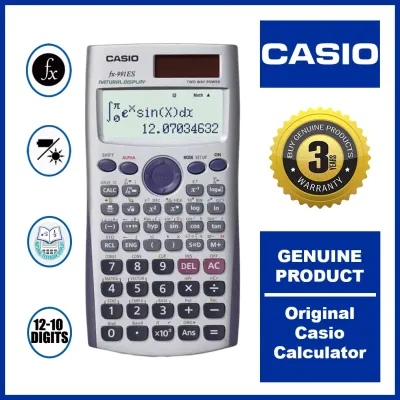
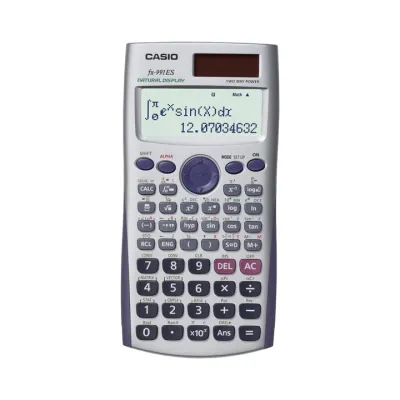
In contrast, the Casio fx-991ES Plus utilizes a standard, lower-resolution LCD screen. While highly functional, the characters and symbols appear more pixelated and blocky. The screen space is more constrained, meaning that complex formulas can look cramped, and subscripts or superscripts require closer inspection to read accurately. For basic algebra and standard calculus, this display is perfectly adequate, but it lacks the modern, polished feel of its high-resolution successor.
Menu navigation is another area where these two models diverge. The ClassWiz introduces an intuitive, icon-based menu system that resembles a smartphone interface. Instead of memorizing key combinations or navigating through text-heavy submenus, you can scroll through clear visual icons representing different modes, such as Matrix, Vector, Statistics, and Spreadsheet. This visual approach makes the calculator much easier to learn and use, especially for freshmen adjusting to the rapid pace of college-level mathematics.
The fx-991ES Plus relies on a traditional, text-based menu system. To access different modes, you press the Mode key and select from a numbered list of text options. While this system is familiar to anyone who has used older scientific calculators, it can feel clunky. Finding specific functions often requires memorizing multi-step key sequences, which can slow you down when trying to solve complex problems under a tight time limit.
Both calculators feature Casio’s Natural Textbook Display technology, which renders fractions, exponents, logarithms, derivatives, and integrals exactly as they appear in standard college textbooks. This feature is incredibly helpful for verifying that you have entered an equation correctly. However, the ClassWiz takes this further by offering superior graph visualization clarity. While neither calculator is a full graphing calculator, the ClassWiz can generate QR codes that allow you to visualize graphs and data tables on a smartphone or tablet, a feature entirely absent on the standard display of the ES Plus.
Processing Speed and Calculation Performance
In college exams, every second counts, and the speed at which your calculator processes complex numerical operations can impact your performance. Under the hood, the fx-991EX ClassWiz is equipped with a significantly faster processor than the fx-991ES Plus. This hardware upgrade is immediately noticeable when performing heavy computations, such as solving large systems of linear equations, calculating high-degree polynomial roots, or performing numerical integration over complex intervals.

To understand the practical difference, you can perform a simple verification test using a complex equation relevant to your coursework. For instance, if you input a 4×4 matrix calculation or a highly nested definite integral on both devices simultaneously, you will observe a distinct performance gap. The ClassWiz typically displays the final result almost instantaneously, whereas the ES Plus may show a processing indicator for several seconds while it computes the answer. This delay might seem minor in isolation, but when multiplied across dozens of problems in a mid-term or final exam, the cumulative time saved by a faster processor is substantial.
The processing lag on the ES Plus is particularly evident during iterative calculations and statistical analyses. When handling large datasets in statistics courses, the ES Plus can take noticeable time to compute standard deviations, regressions, and distributions. The ClassWiz, with its superior memory capacity and faster clock speed, handles these datasets effortlessly, allowing you to iterate through different scenarios and verify your homework assignments much more rapidly.
During timed college exams, the psychological impact of a fast calculator should not be underestimated. Waiting for a calculator to process an integration while the clock is ticking can induce anxiety, leading to rushed decisions and avoidable mistakes. The near-instantaneous feedback of the ClassWiz provides a sense of confidence and allows you to maintain a steady, focused momentum throughout your exam. For engineering students who regularly face complex, multi-step problems, the processing speed of the ClassWiz is a highly valuable asset.
Advanced Functions for College Math and Engineering
The academic demands of college-level mathematics and engineering courses require a robust set of built-in functions. The fx-991EX ClassWiz stands out by offering a suite of advanced functions that are not available on the fx-991ES Plus. One of the most notable additions is the basic spreadsheet function, which allows you to perform simple data entry, formula calculations, and recursive analysis directly on the calculator’s screen. This is incredibly useful for laboratory classes, physics experiments, and basic financial math where you need to track variables across multiple rows and columns.
Additionally, the ClassWiz features advanced probability distribution calculations, including binomial, normal, and Poisson distributions. For students taking advanced statistics or probability courses, having these distributions built directly into the calculator saves a massive amount of time compared to manually looking up values in physical statistical tables. The ClassWiz also includes a QR code generation feature. By pressing a specific key combination, the calculator displays a QR code on its high-resolution screen. Scanning this code with a smartphone or tablet opens a web page showing detailed graphs, charts, and interactive visualizations of your data, making it an excellent tool for collaborative study sessions.
Despite these advanced additions, both models share a powerful core set of features that form the foundation of college mathematics. Both the ClassWiz and the ES Plus are equipped with robust equation solvers, numerical calculus capabilities (including derivatives and definite integrals), matrix operations, vector calculations, and complex number modes. If your coursework primarily involves standard calculus, basic linear algebra, and general physics, the shared core features of both calculators will easily cover your daily academic needs.
Because curriculum requirements vary widely between universities and specific majors, it is highly recommended that you cross-check your course syllabus with the official function list of each calculator before making a purchase. An engineering student specializing in electrical or civil engineering may find the advanced matrix and vector capacities of the ClassWiz indispensable, while a general science or education major may find that the core features of the ES Plus are more than sufficient for their required math modules.
Battery Life, Build Quality, and Exam Compliance
When packing your backpack for a long day on campus, you need to know that your tools are durable enough to withstand daily wear and tear and that they won’t fail you in the middle of a lecture. The power source of your calculator is a critical factor in its long-term reliability. The fx-991EX ClassWiz features a dual-power system, utilizing solar panels to run the device under adequate lighting conditions, while relying on a backup button battery when light levels are low. This hybrid setup ensures that the calculator is always ready to perform, even in dimly lit classrooms or study halls.
In contrast, certain versions or regional variants of the fx-991ES Plus rely solely on battery power, while others also feature a dual-power configuration. If you are using a battery-only version of the ES Plus, you must be more mindful of battery life and consider keeping a spare battery in your bag, especially before major exam weeks. Regardless of the power configuration, both models are highly energy-efficient, and a single battery can easily last for several years of regular college use.
Build quality is another essential consideration for busy college students. Both calculators are constructed from durable plastic and come with protective slide-on hard covers that shield the screen and keys from scratches, spills, and impact while inside a crowded backpack. The ClassWiz features a modern, textured finish that provides a secure grip, while the ES Plus has a smoother, classic design. In the tropical, humid climate of the Philippines, keys can sometimes become sticky or unresponsive over time due to moisture and dust. Regularly wiping down your calculator and keeping it in its protective cover when not in use will help maintain its responsiveness and longevity.
Before purchasing any calculator, you must verify your specific university’s department policies and, more importantly, the guidelines of professional licensing boards. In the Philippines, the Professional Regulation Commission (PRC) maintains strict lists of allowed calculator models for various board exams, such as the Civil Engineering, Mechanical Engineering, and Electrical Engineering boards. Historically, the fx-991ES Plus has faced periods of restriction or specific scrutiny, while the ClassWiz has also seen varying levels of acceptance depending on the specific board and the year. Always consult the latest official PRC resolutions or your university department’s handbook to ensure the model you choose is fully compliant with your future exam requirements.
Price and Value: Weighing the Cost Difference
Budget is a major factor for most college students, and weighing the cost difference between these two models is essential to making a smart purchase. In the local market, the Casio fx-991ES Plus is typically positioned as the more affordable option, generally retailing between ₱1,000 and ₱1,300 at major stationery stores and authorized online marketplaces. This price point makes it highly accessible for students who need a reliable, high-performing scientific calculator without breaking the bank.
The Casio fx-991EX ClassWiz commands a premium, usually priced between ₱1,500 and ₱2,000. While this price difference is relatively modest in the grand scheme of a college education, it is a factor to consider if you are on a tight budget. The premium for the ClassWiz is easily justified if you are majoring in engineering, statistics, or advanced mathematics, where the faster processing speed, high-resolution display, and advanced spreadsheet and distribution functions will be used daily. The time saved and the reduced risk of input errors can provide a significant return on investment over four or five years of study.
For general science, nursing, business, or liberal arts students who only need to complete a few general education math or basic statistics courses, the extra features of the ClassWiz may go unused. In these scenarios, the fx-991ES Plus offers exceptional value. It provides all the necessary mathematical power for standard coursework at a lower price, allowing you to allocate your budget toward other essential college supplies, textbooks, or laboratory gear.
Decision Framework: Which Scientific Calculator Should You Buy?
To make your final decision as straightforward as possible, consider your academic major, your long-term career goals, and your budget constraints. If you are pursuing a degree in engineering, physics, mathematics, or advanced statistics, the Casio fx-991EX ClassWiz is the superior choice. Its high-resolution display makes complex formulas easier to read, its faster processor saves valuable time during exams, and its advanced functions—such as spreadsheets and probability distributions—are tailored specifically for advanced technical coursework.
If you are on a strict budget, or if your coursework is focused on general sciences, business, or humanities where advanced mathematical modeling is not required, the Casio fx-991ES Plus is an excellent and highly capable alternative. It delivers all the core calculus, algebra, and matrix functions you need to succeed in standard college math courses, wrapped in a familiar, durable, and cost-effective design that has been trusted by students for years.
Regardless of which model seems like the best fit, your very first step must be to verify the calculator guidelines of your specific college department and the professional licensing board for your field. If your university or the PRC restricts the use of one model but permits the other, that regulation must override all other considerations. By checking these rules first, you can ensure that your investment will support you all the way from your first day of freshman classes to your graduation and professional licensing exams.
Frequently Asked Questions (FAQ)
Can I use either calculator for board exams in the Philippines?
Board exam regulations in the Philippines are highly specific and vary depending on the profession and the governing board under the Professional Regulation Commission (PRC). For instance, the rules for engineering board exams are often different from those for accountancy or customs administration. Historically, the PRC has issued specific lists of allowed and prohibited calculator models to prevent cheating and ensure a level playing field. Before purchasing either the fx-991ES Plus or the fx-991EX ClassWiz, you must consult the latest official PRC resolutions and guidelines for your specific field, as these lists are updated periodically and can change before your exam date.
How do I transfer data between the ClassWiz and my smartphone?
The Casio fx-991EX ClassWiz features a built-in QR code function that allows you to transfer calculation results, statistical data, and mathematical formulas to a smartphone or tablet. By pressing the QR code key combination on the calculator, a unique QR code is generated and displayed on its high-resolution screen. Scanning this code with your mobile device’s camera or a dedicated QR code reader app redirects you to a compatible Casio visualization website. This web service converts your calculator’s data into interactive graphs, charts, and detailed tables, making it easy to visualize equations. The fx-991ES Plus lacks the high-resolution screen and hardware capabilities required to generate QR codes, meaning all data transfer from that model must be done manually.
Community discussion
Share your experience or ask a question. Comments are reviewed before publication.