
Quick Answer: Which Casio Calculator is Right for You?
When choosing between these two highly popular scientific calculators, your decision should depend on your academic track, your budget, and the specific rules of your upcoming exams. The Casio fx-991EX ClassWiz is the superior choice for engineering, advanced mathematics, and university-level science students. It features a high-resolution display, a significantly faster processor, and exclusive tools like spreadsheet calculations and QR code generation that simplify complex problem-solving.
Conversely, the Casio fx-991ES PLUS remains a highly capable, cost-effective option for high school students or those taking foundational college courses. It comfortably handles standard scientific calculations, basic statistics, and introductory calculus without the premium price tag. If you do not require advanced matrix operations or spreadsheet functions, this classic model provides exceptional reliability.
Before purchasing, students in the Philippines must consider the regulations of local testing bodies. The Professional Regulation Commission (PRC) maintains strict guidelines on which calculator models are permitted during board exams. While both models have historically seen varying levels of acceptance depending on the specific engineering or science board, verifying the current year’s advisory is an essential step before making your final selection.
Products mentioned in this guide
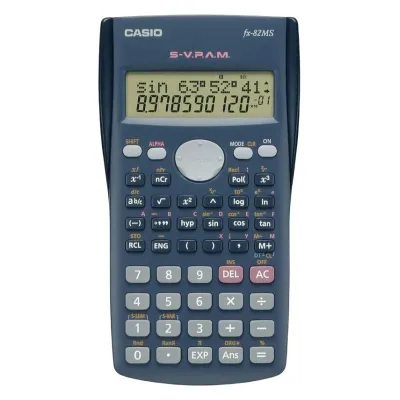
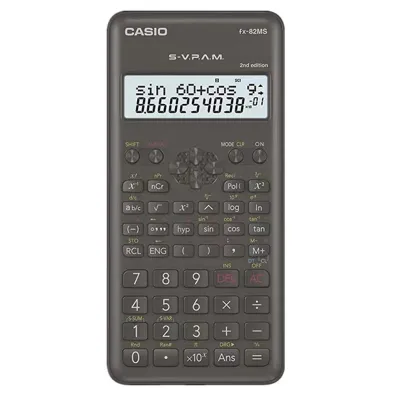
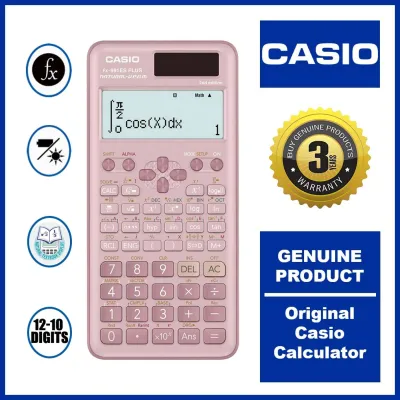
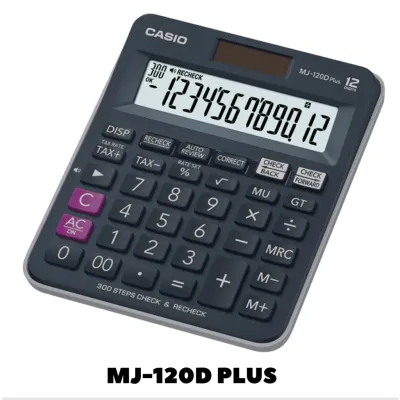
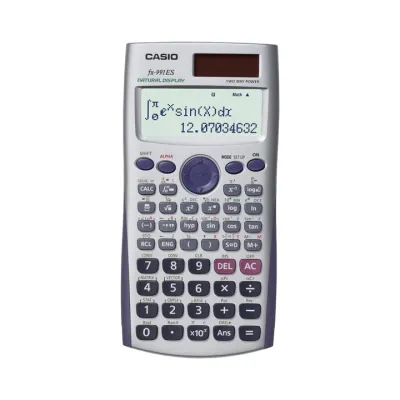
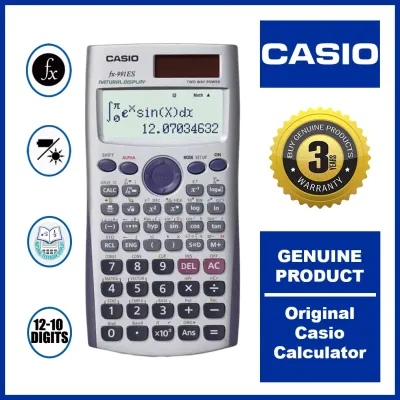
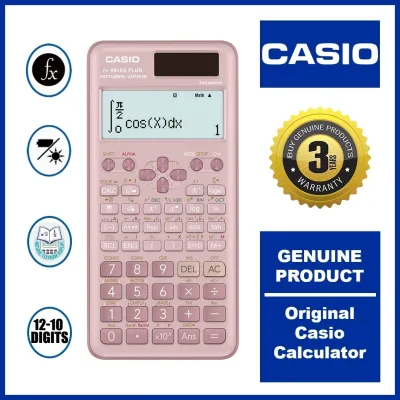
Prices are valid at publication and may change. Please refer to the product page for the latest price.
Side-by-Side Specification Comparison
To help you quickly evaluate the hardware and functional differences, the table below outlines the primary technical specifications of both models. A higher function count does not automatically make a calculator the better purchase if your syllabus does not require those advanced capabilities. Focus instead on how these specific features align with your daily coursework.

| Feature | Casio fx-991ES PLUS | Casio fx-991EX ClassWiz |
|---|---|---|
| Display Type | Standard Natural V.P.A.M. (31 x 96 dots) | High-Resolution LCD (63 x 192 dots) |
| Function Count | 417 functions | 552 functions |
| Power Source | Dual Power (Solar + Button Cell Battery) | Dual Power (Solar + LR44) / Verify regional AAA variants |
| Maximum Matrix Size | 3 x 3 | 4 x 4 |
| Spreadsheet Function | Not Available | Available (Up to 5 columns x 45 rows) |
| QR Code Integration | Not Available | Available (For online graphing and manuals) |
| Menu Interface | Traditional text-based lists | Modern icon-based grid |
When shopping in local stationery shops or online marketplaces, always verify the exact model numbers printed on the packaging. Counterfeiters often mimic the physical design of these calculators but omit the precise lettering, such as the “PLUS” designation on the ES series or the “ClassWiz” branding on the EX series. Ensuring you have the exact model guarantees you receive the correct processing speed and function set.
Display Quality and User Interface
The visual layout of a calculator directly impacts your study efficiency and helps prevent simple input errors during long exam sessions. The Casio fx-991EX ClassWiz features a high-resolution LCD that boasts four times the pixel density of its predecessor. This advanced screen allows mathematical formulas, fractions, integration symbols, and matrices to render exactly as they appear in standard textbooks, significantly reducing eye strain during late-night study sessions.
In contrast, the Casio fx-991ES PLUS utilizes a standard dot-matrix display. While it supports the Natural Textbook Display format, the lower resolution means that complex equations can appear slightly pixelated or cramped. When dealing with long algebraic expressions or multi-variable equations, you will find yourself scrolling horizontally more frequently on the ES PLUS to verify your inputs, which can slow down your workflow.
The user interface also represents a major generational shift between the two models. The ClassWiz introduces an intuitive, icon-based grid menu that allows you to navigate between modes—such as statistics, matrix calculations, and equation solving—using a directional pad, similar to a smartphone interface. The fx-991ES PLUS relies on a traditional text-based list menu, which requires you to press corresponding numerical keys to select modes, presenting a steeper learning curve for beginners.
If you are evaluating these calculators in a physical stationery store, take a moment to test the screen contrast and viewing angles. Turn on the device and navigate to the settings menu to adjust the contrast levels under the store’s overhead lighting. A genuine high-resolution screen will remain legible even when viewed from an angle, whereas low-quality screens or counterfeit units will wash out quickly or show distracting shadows behind the numbers.
Processing Speed and Advanced Math Features
While both calculators are designed to solve complex mathematical problems, the underlying hardware dictates how quickly and efficiently they arrive at those solutions. The processing speed of your calculator becomes a vital asset when you are working under the strict time constraints of a college exam or a professional board examination.
Exclusive ClassWiz Tools: Spreadsheets and QR Codes
The fx-991EX ClassWiz includes a built-in Spreadsheet function that allows you to perform basic data entry, summation, and formula tracking directly on the device. This tool is highly beneficial for statistics and laboratory courses where you need to organize small datasets without opening a laptop. It supports up to 5 columns and 45 rows, giving you a functional ledger right in your pocket.
Another unique addition is the QR Code generator. By pressing a specific key combination, the ClassWiz displays a QR code on its high-resolution screen; scanning this code with a smartphone redirects you to a web visualization tool. This service allows you to view detailed graphical representations of your equations, geometric shapes, and statistical charts on your phone’s browser. Note that because this feature requires an external smartphone, it is typically restricted or unusable during formal examinations.
Standard Calculus, Statistics, and Equation Solving
For core mathematical operations, both calculators are highly capable. They both support numerical integration, differentiation, matrix calculations, vector analysis, and complex number operations. However, the ClassWiz handles larger datasets, allowing you to compute matrices up to a 4×4 dimension, whereas the fx-991ES PLUS is strictly capped at a 3×3 limit.
The difference in processing speed is highly noticeable during iterative calculations, such as finding the roots of high-degree polynomial equations or computing definite integrals. The ClassWiz executes these heavy computations almost instantaneously, while the ES PLUS may pause for several seconds before displaying the final result. This speed advantage can save you precious minutes during timed exams.
Furthermore, the statistical distribution menu on the ClassWiz is designed with a more intuitive layout. It provides direct access to binomial, normal, and Poisson distributions with clear labels. The ES PLUS requires you to navigate through multiple sub-menus and memorize specific key sequences to access the same probability distributions, which increases the likelihood of input mistakes under pressure.
Power Source, Build, and Everyday Handling
Daily life in a tropical climate like the Philippines exposes school supplies to high humidity, heat, and the occasional accidental drop in a backpack. The physical build and power reliability of your calculator are just as important as its internal computing features.
The fx-991ES PLUS features a reliable dual-power system that utilizes a built-in solar panel alongside a small button cell battery. This setup ensures that as long as there is sufficient ambient light in your classroom or study area, the calculator will draw power from the solar panel, preserving the backup battery for years. The fx-991EX ClassWiz also employs a dual-power system, but because its high-resolution screen and faster processor demand more energy, it relies more heavily on its battery backup. Depending on your regional model, the ClassWiz may use a standard LR44 button cell or a single AAA battery; always check the battery compartment on your specific unit to confirm the replacement type.
The keys on the ClassWiz have a flatter, textured finish with high-contrast printing, designed to prevent your fingers from slipping during rapid data entry. The keys on the ES PLUS are slightly more raised and rounded, offering a classic tactile click that many students prefer for physical feedback. Both models come with a durable, slide-on hard cover that protects the screen and keyboard from scratches and heavy pressure when packed tightly inside a school bag.
To ensure your calculator does not fail during an important test, monitor the screen for battery replacement indicators, such as a dimming display when performing complex calculations or a slow startup sequence. When replacing the battery, follow the manufacturer’s instructions carefully, using a small precision screwdriver to open the rear compartment. Always perform this swap on a clean, dry surface to prevent dust or tropical humidity from settling onto the internal circuit board, and avoid touching the delicate internal components.
Pricing, Value, and Avoiding Counterfeits in the Philippines
In the Philippine market, scientific calculators represent a long-term academic investment. The fx-991EX ClassWiz generally commands a higher price band, typically ranging from ₱1,500 to ₱2,000, reflecting its advanced hardware and feature set. The fx-991ES PLUS is positioned as a more economical alternative, usually priced between ₱1,000 and ₱1,400, making it an attractive option for budget-conscious families.
Due to the immense popularity of these models, the local market contains numerous counterfeit units. These fake calculators are often sold at unusually low prices on unverified online marketplaces or by street vendors. Purchasing a counterfeit device carries high risks; these units frequently utilize sub-par processors that can produce incorrect calculation results, drop decimals, or suffer sudden power failures during critical exams.
To ensure you are purchasing a genuine Casio calculator, use this verification checklist:
- Purchase Location: Buy only from authorized office supply chains, major department stores, or official online brand flagships.
- Holographic Security Sticker: Genuine units shipped to the Philippines typically feature a distinct holographic sticker on the packaging that shifts color when tilted.
- Self-Test Diagnostic Mode: On a genuine calculator, pressing and holding the Shift, 7, and ON keys simultaneously will initiate a diagnostic screen test. Counterfeit units often fail to enter this mode or display distorted characters.
- Key Responsiveness and Print Quality: Inspect the lettering on the keys and casing; genuine models have crisp, perfectly aligned printing, and the keys press down smoothly without sticking.
Final Decision Framework: Choose Based on Your Coursework
To make your final decision as straightforward as possible, evaluate your current academic path and exam requirements against the strengths of each model.
Choose the Casio fx-991EX ClassWiz if:
- You are enrolled in engineering, architecture, physics, or advanced mathematics majors that require solving 4×4 matrices and 4-variable simultaneous equations.
- You want the fastest calculation speeds available to maximize your efficiency during timed exams.
- You benefit from visual learning and want to utilize the QR code feature to plot graphs on your smartphone.
- Your budget allows for a premium stationery purchase that will last throughout your entire college journey.
Choose the Casio fx-991ES PLUS if:
- You are a junior or senior high school student, or a college student taking general education math and science courses.
- You prefer a highly straightforward, traditional menu system without the distraction of advanced features like spreadsheets.
- You want a highly reliable, dual-powered device that offers excellent battery longevity under standard classroom lighting.
- You are working within a stricter budget and want the best possible functional value for your money.
Verify first if:
- Your university department, senior high school, or the PRC board exam governing your future profession has banned specific calculator models. Some proctors restrict calculators with advanced spreadsheet capabilities or high-resolution screens to prevent academic dishonesty. Always consult your course syllabus or the official PRC permitted calculator list before finalizing your purchase.
If possible, visit a physical store to handle both models. Testing the weight, button spacing, and screen readability in your own hands will help you determine which calculator feels most comfortable for your daily study sessions.
Frequently Asked Questions (FAQ)
Is the Casio fx-991EX ClassWiz allowed in professional board exams?
Calculator allowances are determined strictly by the Professional Regulation Commission (PRC) and are subject to change. Historically, the PRC has maintained a list of allowed scientific calculators for various engineering, teacher education, and forestry board exams. Some boards restrict models with advanced features like spreadsheets or high-resolution displays to maintain exam integrity. You must consult the most recent official PRC advisories or check with your review center instructors to confirm if the fx-991EX ClassWiz is currently permitted for your specific board exam.
Can I upgrade the firmware on the fx-991ES PLUS to get ClassWiz features?
No, it is not possible to upgrade the firmware of the Casio fx-991ES PLUS. These scientific calculators are built with read-only memory (ROM) that cannot be flashed, updated, or modified by the user. The advanced features of the ClassWiz, such as the spreadsheet function, high-resolution rendering, and QR code generation, are hardwired into its specific processor and high-density LCD screen. Be cautious of online tutorials or sellers claiming to offer software patches or modifications, as these are scams that can permanently damage your calculator.
Community discussion
Share your experience or ask a question. Comments are reviewed before publication.