
For students, educators, and engineering professionals in the Philippines, choosing the right scientific calculator is a critical academic milestone. The Casio fx-991ES Plus and the Casio fx-991EX ClassWiz are two of the most widely used models in high schools and universities nationwide. When deciding between them, the fx-991EX ClassWiz stands out as the superior choice for engineering, advanced mathematics, and statistics due to its high-resolution display, significantly faster processor, and expanded mathematical functionalities. On the other hand, the fx-991ES Plus remains a highly reliable, budget-friendly standard that easily covers the curriculum requirements of high school STEM students and general college science courses. While both models are broadly accepted, students must always verify the specific calculator guidelines of their respective schools, universities, or professional licensure boards before making a purchase.
Side-by-Side Comparison: fx-991ES Plus vs fx-991EX ClassWiz
To help visualize the differences between these two iconic calculators, the table below outlines their key hardware and functional specifications. This comparison highlights the generational leap from the older ES Plus platform to the modern ClassWiz architecture.
| Feature | Casio fx-991ES Plus (2nd Edition) | Casio fx-991EX ClassWiz |
|---|---|---|
| Display Type | Standard Dot-Matrix / Segment | High-Resolution LCD (192 x 63 pixels) |
| Number of Functions | 417 | 552 |
| Natural Textbook Display | Yes | Yes (Enhanced Resolution) |
| Spreadsheet Function | No | Yes (Up to 5 columns x 45 rows) |
| QR Code Function | No | Yes (For online visualization) |
| Menu Interface | Text-Based / Numbered | Icon-Based |
| Power Source | Dual (Solar + Battery) or Battery Only | Dual (Solar + LR44/Battery) |
| Matrix/Vector Calculations | Up to 3×3 Matrices | Up to 4×4 Matrices |
| Inequality/Ratio Solver | No | Yes |
This side-by-side breakdown illustrates that the fx-991EX ClassWiz is not merely a cosmetic upgrade. It represents a fundamental shift in processing power, display clarity, and software versatility, making it a highly capable tool for advanced academic and professional work.
Products mentioned in this guide
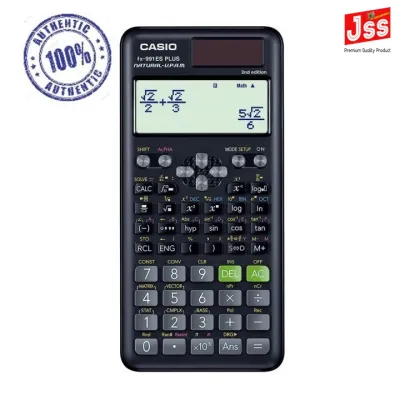
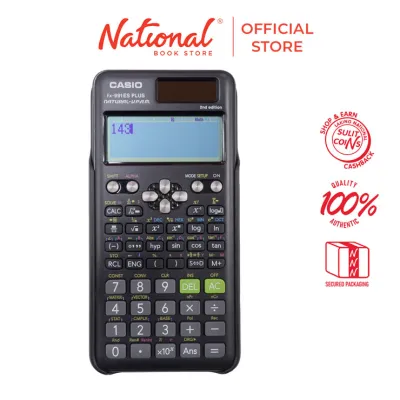
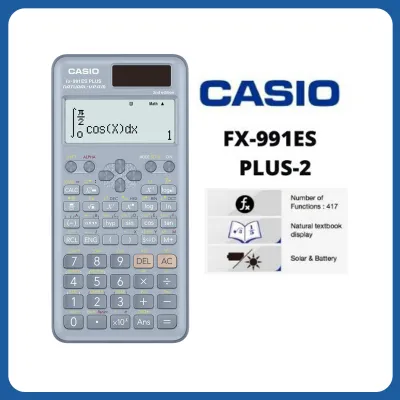
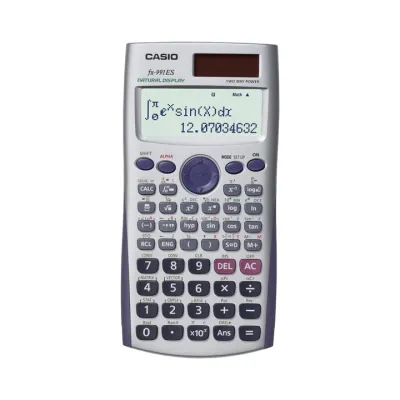
Prices are valid at publication and may change. Please refer to the product page for the latest price.
Screen and Navigation: Standard Display vs High-Resolution LCD
One of the most immediate differences you will notice when placing these two calculators side by side is the quality of their displays. The fx-991ES Plus utilizes a traditional liquid crystal display that features a standard dot-matrix section at the top and a segmented display at the bottom. While this screen was a massive improvement over older, single-line calculators, it has clear limitations. Mathematical expressions with multiple levels of fractions, complex exponents, or large matrices can appear cramped, blurry, and difficult to read. If you are working on a multi-step calculus problem, you may find yourself squinting or scrolling repeatedly to verify that you entered your variables correctly.

The fx-991EX ClassWiz, by contrast, features a high-resolution LCD screen boasting 192×63 pixels. This is approximately four times the resolution of the ES Plus. This dramatic increase in pixel density allows the ClassWiz to render highly detailed mathematical symbols, subscripts, and Greek letters with exceptional clarity. The “Natural Textbook Display” is fully realized here, meaning that fractions, square roots, integrals, and summations look exactly as they do in printed textbooks. This visual fidelity reduces cognitive fatigue during long study sessions and minimizes the risk of making simple transcription errors during exams.
Navigation is another area where the ClassWiz excels. The fx-991ES Plus relies on a traditional, text-based menu system where modes are selected by pressing corresponding numbers. Because of the limited screen space, menu options are often heavily abbreviated, requiring students to memorize what various short codes mean. The ClassWiz replaces this legacy system with an intuitive, icon-based menu. When you press the Menu key, you are greeted by a clear grid of icons representing different modes, such as Spreadsheet, Matrix, Vector, and Statistics. You can navigate this grid using the directional pad, making the calculator feel much more like a modern smart device rather than a legacy computing tool. This visual approach drastically shortens the learning curve, allowing students to switch between complex modes rapidly during high-pressure exams.
Processing Power and Exclusive ClassWiz Features
Processing Speed and Equation Solving
Under the hood, the fx-991EX ClassWiz is equipped with a high-performance processor that easily outpaces the older processing engine of the fx-991ES Plus. For basic arithmetic, simple algebraic expansions, or standard trigonometric functions, the difference in calculation speed is virtually imperceptible. However, when you begin tackling advanced engineering and scientific computations, the performance gap becomes highly apparent.
When solving a system of four simultaneous linear equations, finding the roots of cubic or quartic polynomials, or executing numerical integrations with high precision, the fx-991ES Plus can experience a visible lag. In some cases, the screen will display a flashing cursor or a “Processing” message for several seconds before outputting the result. In contrast, the ClassWiz handles these heavy computations almost instantaneously. This rapid processing speed is a massive advantage during timed exams, where every second saved on waiting for a calculation to finish can be redirected toward analyzing the next problem.
Furthermore, the ClassWiz expands the physical limits of mathematical operations. For instance, while the fx-991ES Plus is restricted to solving 3×3 matrices, the ClassWiz can handle up to 4×4 matrices. This capability is highly beneficial for college students taking courses in linear algebra, structural analysis, or electrical network theory, where 4×4 matrices are commonplace.
Spreadsheet and QR Code Capabilities
The fx-991EX ClassWiz introduces innovative software features that are entirely absent from the fx-991ES Plus, elevating it beyond a traditional scientific calculator. The most prominent of these is the built-in Spreadsheet function. This tool allows users to input data into a basic grid consisting of up to 5 columns and 45 rows. Within this spreadsheet, you can perform calculations using basic formulas, calculate sums, find means, and track statistical trends. While it does not replace desktop spreadsheet software, it provides an incredibly useful, portable platform for recording and analyzing data sets during laboratory experiments or field studies where laptops are impractical.
Another highly useful feature is the QR Code generator. By executing a simple key combination, the ClassWiz can convert its current data, formula, or matrix into a unique QR code displayed on its high-resolution screen. Students can scan this code using a smartphone or tablet camera to open a dedicated Casio web portal. This portal automatically visualizes the calculator’s data, rendering detailed graphs, charts, and tables. This capability is exceptionally helpful for visualizing complex functions, understanding statistical distributions, and verifying algebraic solutions.
It is important to note, however, that these advanced features are designed primarily as educational aids. In certain high-stakes examination settings, features like spreadsheets or QR code generation may be restricted. Proctors may require students to perform a full memory reset before entering the exam room to ensure that no unauthorized data is stored within the calculator’s memory.
Exam Rules and Academic Suitability in the Philippines
In the Philippines, the choice of a scientific calculator is heavily influenced by the strict regulations of academic institutions and professional regulatory bodies. For junior and senior high school students following the K-12 curriculum—particularly those enrolled in the Science, Technology, Engineering, and Mathematics (STEM) strand—the fx-991ES Plus is an outstanding and highly sufficient tool. It covers all necessary functions for pre-calculus, basic calculus, general physics, and chemistry without overwhelming the student with highly advanced features they may not yet require.
For college students pursuing degrees in engineering, architecture, mathematics, actuarial science, or computer science, the fx-991EX ClassWiz is highly recommended. Its ability to solve 4×4 matrices, handle complex vectors, and execute rapid numerical integrations is perfectly aligned with the rigorous demands of college-level STEM courses.
However, the most critical factor to consider is the calculator policy of the Professional Regulation Commission (PRC) for board examinations. The PRC maintains a strict list of allowed calculators for various licensure exams, including the Civil Engineering, Mechanical Engineering, Electrical Engineering, and Chemical Engineering boards. Historically, the PRC has updated its list of approved calculators to prevent the use of programmable models or those with features that could compromise exam integrity. While both the fx-991ES Plus and the fx-991EX ClassWiz are non-programmable, their acceptance can vary depending on the specific board and the year of the exam. Students must consult the latest official PRC resolutions and verify with their university department or review centers before committing to a specific model for their board exam preparation.
Pricing, Build Quality, and Long-Term Value
When evaluating these two calculators, pricing and long-term durability are key considerations for Filipino students and parents. The fx-991ES Plus is positioned as the more affordable, entry-level standard, typically retailing within a lower price bracket (often around ₱1,000 to ₱1,300). The fx-991EX ClassWiz commands a premium, usually priced higher (ranging from ₱1,500 to ₱2,000 or more) depending on the retailer and current market conditions.
In terms of physical build quality, both calculators are designed to withstand the daily wear and tear of being carried in a student’s backpack. They feature robust plastic bodies and come with protective, slide-on hard covers that shield the keys and screen from scratches and impacts. The ClassWiz, however, offers a more modern aesthetic with a textured, carbon-fiber-like finish on its casing and a metallic feel on some of its keys, giving it a slightly more premium and professional appearance.
Because of the immense popularity of these models in the Philippines, counterfeit units are highly prevalent in the market, especially on unverified online storefronts or informal retail stalls. These fake calculators often suffer from poor build quality, inaccurate calculations, dim screens, and premature battery failure. To ensure you are purchasing a genuine Casio product, always buy from authorized office supply stores, major department store stationery sections, or official brand flagship stores on reputable e-commerce platforms.
Final Buying Advice: How to Make Your Choice
To help you finalize your decision, consider the following clear guidelines based on your current academic path, budget, and specific requirements.
Choose the fx-991ES Plus if:
- You are on a strict budget and want a reliable, time-tested calculator that offers excellent value for money.
- You are a junior or senior high school student, or a college student in a non-engineering major, where standard scientific calculations are sufficient.
- Your school or specific exam board has explicitly banned the newer ClassWiz series but permits the classic ES Plus model.
Choose the fx-991EX ClassWiz if:
- You are enrolled in an engineering, statistics, actuarial science, or advanced mathematics program where fast processing and complex calculations are daily requirements.
- You frequently work with matrices larger than 3×3, complex vector equations, or require advanced inequality and ratio solvers.
- You want to take advantage of interactive learning tools, such as the spreadsheet function and smartphone-enabled QR code graphing.
Verify first if:
- You are preparing for a professional licensure exam administered by the PRC. Always cross-reference the latest official PRC guidelines to ensure your chosen model is fully compliant and permitted in the testing room.
Frequently Asked Questions (FAQ)
How can I verify if my Casio calculator is authentic?
To verify the authenticity of your Casio calculator, look for the official security hologram sticker on the packaging. Genuine units feature high-contrast screens, responsive keys with crisp printing, and flawless plastic molding. You can also perform a diagnostic self-test by pressing Shift + 7 + On simultaneously, which opens the system test menu where you can verify the ROM version and screen pixels. Additionally, scanning the QR code on the box or the calculator screen (for the ClassWiz) should direct you to the official Casio verification website.
What type of battery does each model use, and how long does it last?
The power configuration depends on the specific sub-version of the model. Generally, the fx-991ES Plus and the fx-991EX ClassWiz utilize a dual-power system combining a solar panel with a backup button cell battery (typically an LR44 or similar small alkaline battery). Some regional variations or alternative versions may rely solely on a single AAA (LR03) battery. Under normal academic usage, the solar panel handles the primary power load in well-lit classrooms, allowing the backup battery to last anywhere from two to three years before requiring replacement. Always check the back panel of your specific unit to confirm its exact battery requirements.
Community discussion
Share your experience or ask a question. Comments are reviewed before publication.