
Selecting the ideal calculator scientific companion is one of the most critical decisions for any student or professional pursuing STEM fields. In the matchup between the Casio fx-991EX ClassWiz and the Casio fx-570ES Plus, the right choice depends on your academic level, specific coursework, and budget. While both models are highly capable, they cater to distinct user needs. The fx-991EX ClassWiz offers a high-resolution display, faster processing, and advanced features like spreadsheets and QR code generation, making it a favorite for engineering and advanced science students. On the other hand, the fx-570ES Plus remains a reliable, budget-friendly classic for high school and general college math. Choosing between them requires balancing immediate academic requirements with long-term exam compliance and cost-effectiveness.
Quick Verdict: Which Casio Calculator Should You Choose?
To make an immediate decision, consider your current academic stage and where you plan to use the device.
Choose the fx-991EX ClassWiz if:
Products mentioned in this guide
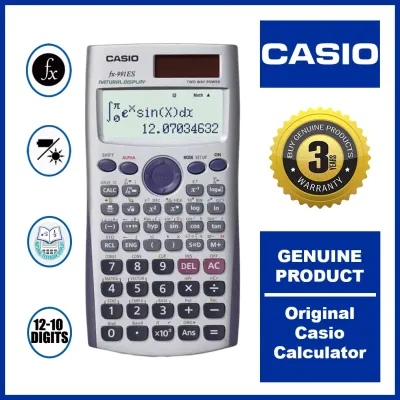
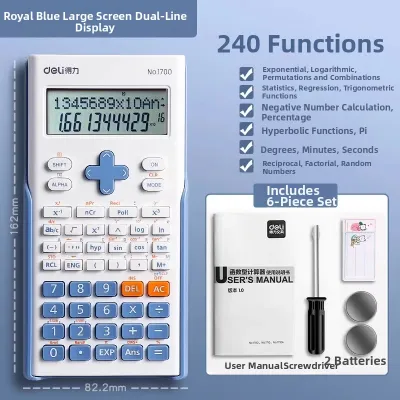
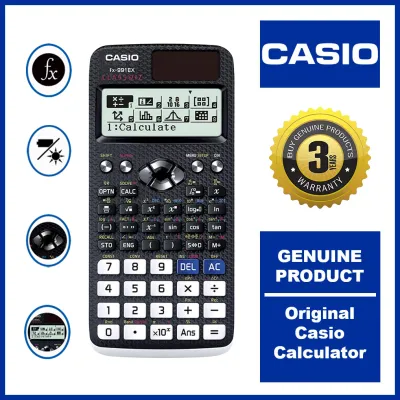
Prices are valid at publication and may change. Please refer to the product page for the latest price.
- You are enrolled in an engineering, advanced mathematics, or hard science program.
- You frequently work with large matrices (up to 4×4), complex vectors, and multi-variable equations.
- You prefer a modern, high-resolution screen that displays crisp mathematical symbols and an intuitive, icon-based user interface.
- You want advanced features like spreadsheet calculations and mobile-integrated graphing via QR codes.
Choose the fx-570ES Plus if:
- You are in junior or senior high school, or pursuing a non-engineering college track that only requires standard algebra, trigonometry, and basic statistics.
- You prefer a highly straightforward, traditional menu system without the learning curve of advanced apps.
- You are on a tighter budget and want a reliable, durable device that covers all foundational scientific functions.
Verify first if:
- Your specific university department, senior high school, or professional board exam restricts advanced features. For instance, in the Philippines, the Professional Regulation Commission (PRC) periodically updates its list of allowed calculators for board exams (such as civil, mechanical, or electrical engineering). Some proctors or boards restrict calculators with advanced spreadsheet functions or QR code capabilities. Always check your course syllabus and official exam guidelines before making a purchase.
Display and Interface: High-Resolution vs Standard Screen
The daily usability of a scientific calculator relies heavily on how clearly it displays complex formulas and how easily you can navigate its menus during timed exams.

The fx-991EX ClassWiz features a high-resolution Liquid Crystal Display (LCD) that represents a massive leap forward from older generations. With four times the resolution of the ES Plus series, the ClassWiz can display natural textbook formulas with incredible clarity. Fractions, square roots, and summation symbols look exactly as they do in your textbooks, with fine, sharp lines. This high resolution also allows the screen to display more information simultaneously. For example, when viewing a matrix or a statistical table, you can see multiple rows and columns at once without constant scrolling, which significantly reduces the risk of input errors during long calculations.
In contrast, the fx-570ES Plus utilizes a standard dot-matrix Natural Textbook Display. While it successfully displays formulas in a natural format (such as stacked fractions and proper exponents), the lower resolution makes the characters appear more pixelated. Long equations can look cramped, and subscripts or small superscripts may require closer inspection to read accurately.
The menu systems of these two models also reflect their generational difference. The fx-991EX ClassWiz introduces an intuitive, icon-based menu system. Instead of memorizing which number corresponds to which mode, you use a directional pad to navigate through clear visual icons (such as a spreadsheet grid, a matrix bracket, or a distribution curve). This modern interface feels familiar to anyone used to smartphones or computers.
The fx-570ES Plus, on the other hand, relies on a traditional, text-based numbered menu. To switch modes, you press the “Mode” key and select from a list of abbreviated options (like “COMP,” “STAT,” “EQN,” or “MATRIX”). While highly functional and muscle-memory friendly for seasoned users, it lacks the visual clarity of the ClassWiz and can be intimidating for students who are new to scientific calculators.
When reviewing calculation history, the ClassWiz’s superior screen allows you to view previous inputs and answers in a multi-line format that is easy to track. On the fx-570ES Plus, reviewing extensive histories involves scrolling through single lines of text, which can feel tedious during complex multi-step physics or chemistry problems.
Math and Science Capabilities: Choosing the Right Calculator Scientific Features
Both models handle the essential core of mathematical calculations with high precision. If you are calculating basic trigonometric values, logarithms, standard deviations, or simple fractions, both the fx-991EX ClassWiz and the fx-570ES Plus will deliver identical results. However, as you move into advanced STEM coursework, the functional gap between these two models becomes highly apparent.
The fx-991EX ClassWiz is designed to handle more complex mathematical structures. One of its standout upgrades is its matrix and vector calculation limits. The ClassWiz can compute up to 4×4 matrices, which is a common requirement in university-level linear algebra, structural engineering, and advanced physics. The fx-570ES Plus is limited to 3×3 matrices. While a 3×3 limit is sufficient for basic high school math, it forces engineering students to perform tedious manual calculations or multi-step workarounds when faced with larger systems of equations.
Furthermore, the ClassWiz introduces a built-in spreadsheet function. This allows you to perform basic spreadsheet operations—such as entering formulas, calculating sums, and tracking variables across rows and columns—directly on your calculator. This is incredibly useful for statistics, probability distributions, and iterative numerical methods.
Another innovative feature of the fx-991EX is its QR code generation. By pressing a specific key combination, the calculator generates a QR code on its high-resolution screen. When you scan this code with a smartphone or tablet, it directs you to a Casio visualization website where you can view interactive graphs of your equations, generate charts of your statistical data, or read detailed explanations of your calculations. This bridges the gap between a standard scientific calculator and a more expensive graphing calculator.
The fx-570ES Plus lacks these spreadsheet and QR code features entirely. It provides solid, reliable equation solvers and numerical integration/differentiation, but it operates at a slower processing speed. When solving complex equations or calculating definite integrals, the ClassWiz processes the results almost instantaneously due to its upgraded internal processor, whereas the fx-570ES Plus may display a processing lag of several seconds for highly complex computations.
To avoid overbuying, map these capabilities directly to your academic syllabus. If your curriculum is focused on general algebra, geometry, and basic calculus, the fx-570ES Plus is more than capable. However, if you are entering fields like civil, mechanical, chemical, or electrical engineering, the advanced matrix limits, faster processing, and statistical tools of the ClassWiz make it a highly practical investment that will save you valuable time during exams.
Build, Power, and Everyday Usability
A calculator is an everyday tool that must withstand being tossed into backpacks, spilled drinks, and hours of intense typing during late-night study sessions.
Both the fx-991EX ClassWiz and the fx-570ES Plus feature Casio’s classic plastic keys, which provide a tactile, responsive click. However, the physical layout and key texture differ. The ClassWiz features a textured, carbon-fiber-like pattern on its faceplate, which helps prevent fingerprint smudges and gives it a modern, premium feel. Its key labels are printed in high-contrast colors, making them easy to read under dim library lights. The directional pad is flat and integrated smoothly into the upper section of the faceplate.
The fx-570ES Plus has a smoother plastic finish with a slightly more raised directional pad. Some users find the raised pad on the ES Plus series easier to operate by feel, while others prefer the sleek, low-profile design of the ClassWiz. Both models include a durable, slide-on hard case that protects the screen and keys from scratches and impact damage when carried in a bag.
Power source configuration is another critical factor. Both models are typically designed with a dual-power system—utilizing a solar panel for daytime or well-lit classroom use, and a backup button cell battery for low-light conditions. However, you must verify the exact packaging and sub-model specifications when purchasing. Some regional variants of older ES Plus models, or specific sub-models, may rely solely on a single AAA or button battery without solar capabilities.
In a tropical, high-humidity environment like the Philippines, dual-power models offer excellent peace of mind. High humidity can sometimes accelerate battery degradation or cause minor contact issues over time. Having a solar panel ensures that your calculator remains functional even if the internal battery runs low during an important exam. To maintain your calculator’s longevity, avoid leaving it in direct sunlight inside a hot car, keep it away from damp environments, and periodically check the battery compartment for any signs of corrosion or leakage.
Price and Value: Is the Upgrade Worth It?
When evaluating the financial aspect, it is helpful to look at the “cost per year” over your academic journey rather than just the upfront retail price.
The fx-570ES Plus is positioned as a highly accessible, budget-friendly entry-point. It offers excellent value for money, providing all the essential scientific functions at a lower price point. If you only need a calculator for senior high school or general education college courses, the ES Plus is a highly cost-effective choice that will easily last for years without requiring an upgrade.
The fx-991EX ClassWiz sits at a higher, premium price tier. However, the price difference is easily justified if you are entering a five-year engineering or science program. When spread across several years of rigorous study, the slightly higher initial investment in the ClassWiz translates to mere pesos per month. In return, you get a significantly faster processor, a vastly superior screen, and advanced mathematical capabilities that can directly contribute to faster, more accurate calculations during high-stakes exams.
When shopping in the Philippines, you can find both models at authorized physical stationery stores, official brand shops, and reputable online marketplaces. Prices are typically displayed in Philippine Pesos (₱).
Due to the immense popularity of these two models, the market is unfortunately flooded with counterfeit calculators. Fake calculators often look nearly identical to genuine Casio models but suffer from poor build quality, inaccurate calculations, unresponsive keys, and high failure rates during exams. To protect your investment, use these quick verification checks:
- Purchase from Authorized Sellers: Only buy from official brand flagships, established department stores, or authorized stationery chains.
- Check the Packaging and Hologram: Genuine Casio calculators feature high-quality packaging with crisp printing, a distinct holographic security sticker, and clear warranty information.
- Run the Built-in Self-Test: You can perform a diagnostic check on both models. On most Casio scientific calculators, pressing Shift + 7 + On simultaneously enters the diagnostic mode. Follow the on-screen prompts to test the LCD segments and key responsiveness. If the calculator fails to enter this mode or displays irregular patterns, it is highly likely to be a counterfeit.
- Inspect the Build Quality: Genuine models have a solid weight, smooth key presses, and a perfectly aligned screen. Counterfeits often feel hollow, have loose or rattling keys, and may have uneven screen backlighting.
Frequently Asked Questions (FAQ)
Are both calculators allowed in university and board exams?
Yes, both models are widely accepted in standard high school and university classrooms across the Philippines. However, when it comes to professional board exams administered by the Professional Regulation Commission (PRC), the rules are much stricter. The PRC maintains a specific list of allowed non-programmable calculators for various engineering, architecture, and science board exams. Historically, models like the fx-570ES Plus have faced periods of restriction or specific scrutiny due to their features, while newer models or specific regional variants are carefully regulated. Because these regulations are updated periodically to prevent cheating and ensure a level playing field, you must always consult the latest official PRC guidelines or your university department’s academic integrity policy before purchasing a calculator specifically for a board exam.
Can I use the fx-570ES Plus for an engineering degree?
While you can technically use the fx-570ES Plus for the foundational math courses in an engineering degree, you will likely find it limiting as you progress into your major subjects. The 3×3 matrix limit, slower processing speed, and lack of advanced vector or spreadsheet options mean you will have to spend more time performing manual steps for complex engineering problems. The fx-991EX ClassWiz—or its newer equivalent models—is highly recommended for engineering students. Investing in the more advanced model early in your academic path ensures that you build strong muscle memory and familiarity with the tool you will rely on during your senior years and board exam preparation.
Community discussion
Share your experience or ask a question. Comments are reviewed before publication.