
Selecting a reliable scientific calculator is a critical decision for students, engineering majors, and professional licensure reviewees. In demanding academic environments, having the right calculating companion can make a significant difference in speed, accuracy, and overall performance during timed examinations. The choice between the CASIO fx-991EX ClassWiz and the CASIO fx-570ES PLUS often comes down to balancing advanced processing capabilities with practical, budget-friendly functionality.
For students pursuing advanced mathematics, engineering, physics, or college-level statistics, the CASIO fx-991EX is the superior choice. As part of CASIO’s ClassWiz series, it offers a high-resolution display, faster processing speeds, and a wide array of advanced functions, including spreadsheet capabilities and larger matrix dimensions. On the other hand, the CASIO fx-570ES PLUS is a highly capable, cost-effective workhorse perfectly suited for junior and senior high school students, basic algebra, general science, and standard statistical calculations.
The primary decision criteria when choosing between these two models include your current academic level, the specific requirements of your course syllabus, and your budget. Both models are classified as non-programmable scientific calculators, which makes them widely accepted in most standard high school and university examinations, as well as local professional board exams.
Products mentioned in this guide
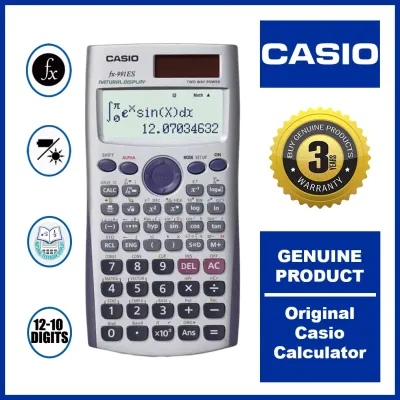
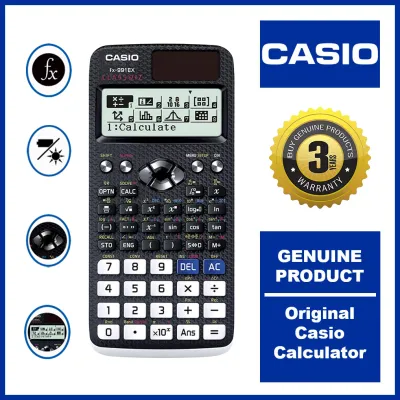
Prices are valid at publication and may change. Please refer to the product page for the latest price.
Core Differences: Display, Speed, and Interface
The operational differences between the CASIO fx-991EX and the fx-570ES PLUS are apparent from the moment you turn them on. The most significant hardware upgrade on the fx-991EX is its high-resolution Liquid Crystal Display (LCD). Boasting a resolution of 192 × 63 pixels, the ClassWiz screen is significantly sharper than the 96 × 31 pixels dot-matrix display found on the fx-570ES PLUS. This high-density screen allows the fx-991EX to utilize CASIO’s Natural Textbook Display format with exceptional clarity. Fractions, square roots, integrals, and matrices look exactly as they are printed in textbooks, reducing eye strain and preventing input errors during long study sessions under fluorescent classroom lights.
Conversely, the fx-570ES PLUS uses a traditional dot-matrix display. While it also supports Natural Textbook Display, the lower resolution means that complex mathematical expressions can appear pixelated or cramped. Characters are sometimes difficult to read when multiple nested fractions or exponents are entered, forcing users to scroll back and forth to verify inputs.
Processing speed is another crucial area where the fx-991EX excels. The ClassWiz series features a high-speed processor that calculates complex equations, numerical integration, and large data sets almost instantaneously. When solving cubic equations or computing definite integrals, the fx-570ES PLUS can experience a noticeable lag of several seconds. In high-pressure exam scenarios where every second counts, the instantaneous feedback of the fx-991EX provides a distinct advantage.
The user interface has also undergone a complete overhaul in the newer model. The fx-991EX introduces an intuitive, icon-based menu system. Instead of memorizing text-based codes or navigating deep nested menus, users can scroll through a grid of clear, easily identifiable icons representing different modes, such as Matrix, Vector, Statistics, and Spreadsheet. The fx-570ES PLUS relies on a traditional text menu where users must press corresponding numbers to navigate, which can feel outdated and requires a steeper learning curve for beginners.
To help visualize these core differences, the following table summarizes the key hardware and interface specifications of both models:
| Feature | CASIO fx-991EX (ClassWiz) | CASIO fx-570ES PLUS |
|---|---|---|
| Display Type | High-Resolution LCD (192 x 63 pixels) | Standard Dot-Matrix (96 x 31 pixels) |
| Menu Interface | Icon-Based Grid | Text-Based List |
| Processing Speed | High-Speed (Near-Instantaneous) | Standard (Slight Lag on Complex Math) |
| Primary Power | Dual Power (Solar & Battery) | Single AAA Battery (Varies by Batch) |
| Maximum Matrix Size | 4 x 4 | 3 x 3 |
| Spreadsheet Function | Yes (Up to 5 columns x 45 rows) | No |
| QR Code Generator | Yes | No |
| Total Functions | Approximately 552 | Approximately 417 |
Note: The total function count and exact power configurations can vary slightly depending on regional firmware updates and manufacturing batches. Always verify the specifications printed on the retail packaging before making a purchase.
Feature Breakdown: What Can Each Calculator Actually Do?
Mathematical and Statistical Capabilities
When comparing the actual mathematical utility of these two calculators, the fx-991EX offers several advanced features that are either limited or entirely missing on the fx-570ES PLUS. For students taking linear algebra or advanced engineering mathematics, matrix and vector calculations are daily requirements. The fx-570ES PLUS is limited to a maximum matrix dimension of 3×3. While this is sufficient for basic algebra, university-level coursework often requires solving 4×4 matrices. The fx-991EX fully supports 4×4 matrix and vector calculations, allowing students to solve complex systems of linear equations directly without tedious manual reduction steps.

In terms of calculus, both models can calculate definite integrals and derivatives. However, the superior processing power of the fx-991EX allows it to use more precise numerical algorithms, yielding faster and more accurate results for highly complex functions.
Statistical analysis is another area of divergence. The fx-991EX includes advanced probability distribution calculations, including Normal, Binomial, and Poisson distributions. These features are highly beneficial for college-level statistics, business mathematics, and quantitative research courses, as they eliminate the need to consult printed statistical tables. The fx-570ES PLUS lacks these built-in distribution functions, requiring students to manually input complex statistical formulas to achieve the same results.
Before purchasing, students should carefully cross-reference these capabilities with their specific course syllabus. If your curriculum does not cover advanced matrices, complex distributions, or numerical integration, the standard features of the fx-570ES PLUS will be more than adequate for your academic needs.
Spreadsheet, QR Code, and Extra Utilities
The CASIO fx-991EX includes exclusive utility features that are completely absent from the fx-570ES PLUS. Chief among these is the built-in spreadsheet function. This tool allows users to perform basic spreadsheet operations directly on the calculator, supporting up to 5 columns and 45 rows. Students can input data, apply basic formulas (such as sum, average, and standard deviation), and observe recursive calculations. This is particularly useful for chemistry and physics laboratory classes, where students need to quickly tabulate experimental data on the fly.
Another unique feature of the fx-991EX is its ability to generate QR codes. By pressing a specific key combination, the calculator displays a QR code on its high-resolution screen. When scanned with a smartphone or tablet, this code redirects to a CASIO web visualization service. This service can plot graphs, generate charts, and display geometric representations of the equations or statistical data entered into the calculator. It serves as an excellent visual learning aid during homework and self-study sessions.
It is important to note, however, that these advanced utility features come with a practical caveat. In almost all formal academic and professional examinations, the use of smartphones, tablets, or any internet-connected devices is strictly prohibited inside the testing hall. Consequently, while the QR code generator is a fantastic tool for homework, laboratory reports, and self-study, it cannot be utilized during timed examinations.
Usability and Build: Keypad, Power, and Daily Handling
The physical design and build quality of a scientific calculator directly impact its usability during long study sessions and high-pressure exams. The CASIO fx-991EX features a modern, textured casing with a carbon-fiber-like pattern on the back, providing a secure grip even in hot, humid classroom environments. The keypad layout is clean and spacious, featuring metallic-finish directional keys and plastic keys that offer a positive, tactile click when pressed. This crisp feedback helps students feel confident that every keystroke has been registered.
The fx-570ES PLUS features a more traditional design with a smooth, matte plastic finish. Its keys are slightly more dome-shaped and have a softer, deeper travel. While highly durable and reliable, the key response feels slightly less modern compared to the clicky feedback of the ClassWiz series.
Power management is a critical consideration for any student. The fx-991EX typically features dual-power capability, utilizing a built-in solar panel to run the device under ambient classroom lighting, with a backup button battery (such as an LR44) taking over in low-light conditions. This dual-power setup provides peace of mind, ensuring the calculator will not suddenly shut down during a crucial exam. The fx-570ES PLUS, depending on the specific model variation and market batch, often relies solely on a single AAA battery. Because power configurations can vary by production run, it is highly recommended to verify the exact power source printed on the retail box or on the face of the calculator before making a purchase.
Both calculators come equipped with a durable, slide-on hard protective cover. This cover protects the screen and keys from scratches, dust, and crushing forces when the calculator is tossed into a crowded backpack. This physical protection is especially valuable in tropical climates, where sudden downpours and high humidity can expose school supplies to harsh conditions.
In terms of portability, both models are lightweight and slim, fitting easily into standard pencil cases, desk organizers, or backpack pockets. The fx-991EX is slightly thinner and lighter than the fx-570ES PLUS, making it slightly more comfortable to hold for extended periods.
Academic Requirements: Matching the Calculator to Your Course
Choosing the right scientific calculator requires matching the device’s features with your educational stage and the regulations of your academic institution. For junior and senior high school students—especially those enrolled in general academic, humanities, or business tracks—the CASIO fx-570ES PLUS is an exceptional fit. It easily handles the requirements of general science, basic trigonometry, quadratic equations, and standard deviations without overwhelming the student with unnecessary, advanced menus.
For college and university students pursuing degrees in Civil, Mechanical, Electrical, Chemical, or Computer Engineering, as well as Physics, Chemistry, and Actuarial Science, the CASIO fx-991EX is highly recommended. The advanced calculus, 4×4 matrix capabilities, vector operations, and complex number calculations are essential tools for handling the rigorous demands of higher education engineering and science curricula.
Before purchasing any scientific calculator, it is vital to review the specific guidelines of your school department or national professional regulatory boards. In the Philippines, local professional licensure examination boards maintain strict, regularly updated lists of approved, non-programmable calculator models for board exams (such as those for engineering, accountancy, or architecture). While both the fx-991EX and the fx-570ES PLUS are non-programmable and generally permitted, local regulations can change. Always download the most recent list of approved calculators from your testing authority’s official portal to ensure compliance.
Additionally, students should avoid purchasing expensive graphing or programmable calculators unless they are explicitly required by their professors. These advanced models are almost universally banned in standard university midterms and national licensure exams to prevent academic dishonesty.
Value Assessment: Is the Upgrade Worth the Investment?
The CASIO fx-991EX sits in a higher price tier than the fx-570ES PLUS, reflecting its advanced hardware, higher-resolution display, and broader feature set. When deciding if the upgrade is worth the investment, you must weigh this cost difference against your actual academic needs. If your studies only require basic scientific functions, saving money with the fx-570ES PLUS is the practical choice. However, if you are entering an engineering or advanced science program, the time saved during exams due to the fx-991EX’s faster processor and advanced matrix capabilities easily justifies the price premium.
Buyers must also be highly cautious of counterfeit calculators. Due to the immense popularity of both the fx-991EX and fx-570ES PLUS among students and board exam reviewees, counterfeit models are highly prevalent on unauthorized online marketplaces, informal street stalls, and non-reputable retail shops. These fake calculators often look identical to authentic models but feature sluggish processors, inaccurate calculation algorithms, poor battery life, and fragile build quality that can fail at critical moments.
To guarantee authenticity, always purchase your calculator from authorized physical stationery retailers, official brand flagship stores on established e-commerce platforms, or reputable school suppliers. This ensures that you receive an authentic product with accurate firmware, high-quality internal circuitry, and a valid manufacturer warranty.
Final Decision Framework: Choose Based on Your Needs
To finalize your decision, consider this simple conditional framework based on your academic path and requirements:
- Choose CASIO fx-991EX if: You are an engineering, physics, or advanced mathematics student who requires high-speed processing, 4×4 matrix calculations, advanced probability distributions, spreadsheet functions, and a clear, high-resolution display for complex equations.
- Choose CASIO fx-570ES PLUS if: You are a high school student or taking general college courses where standard algebra, basic trigonometry, and general scientific functions are sufficient, and you prefer a reliable, more cost-effective option.
- Verify first if: Your specific university department, school testing office, or national professional exam board has an active, published list of approved calculator models, as local institutional rules always take precedence over general feature recommendations.
Frequently Asked Questions (FAQ)
How can I verify if my CASIO calculator is authentic?
You can easily verify the authenticity of your CASIO scientific calculator by performing a built-in diagnostic self-check. To access this mode, press the SHIFT, 7, and ON keys simultaneously. This will open a diagnostic screen that allows you to test the LCD pixels, verify the ROM version, and check the responsiveness of individual keys. Authentic CASIO calculators will pass all diagnostic phases smoothly. Additionally, genuine CASIO products feature a high-quality, reflective holographic security sticker on the retail packaging, and the text on the keys and casing is crisp, clear, and perfectly aligned. To avoid the risk of buying a counterfeit, always purchase from authorized physical stationery stores or official brand flagship stores on online marketplaces.
Are these calculators allowed in professional board exams?
Yes, both the CASIO fx-991EX and the CASIO fx-570ES PLUS are classified as non-programmable scientific calculators, which makes them generally acceptable for standard academic and professional board exams. However, because local professional regulatory boards and university testing offices frequently update their lists of permitted calculators to prevent academic dishonesty, you must verify your specific model against the official, current list provided by your testing authority before the exam date. Never assume a model is allowed based solely on its non-programmable status; always check the latest official guidelines.
Community discussion
Share your experience or ask a question. Comments are reviewed before publication.