
Quick Answer: The Display Verdict for Students
When searching for a big calculator with a highly readable display, students often compare the Casio fx-991EX and the Casio fx-570EX. The direct answer is that both models feature the exact same physical screen size and high-resolution LCD panel. Because they belong to the same ClassWiz product generation, any difference in your viewing experience comes down to how each model’s software organizes its menus and functions on the screen, rather than any physical hardware variation.
For students in the Philippines, where long study sessions in warm, brightly lit classrooms require a display that minimizes eye strain, both calculators offer excellent clarity. However, the better display experience is subjective and depends on how you interact with the interface. To make an informed decision, you must look at how menu complexity, navigation, and your specific academic requirements affect what actually appears on the screen. Always verify the exact screen dimensions and pixel resolution on the manufacturer’s official specification sheet before purchasing.
Comparing Physical Screen Specifications
To understand what makes a big calculator display effective, it is helpful to look at the underlying hardware technology. Older generations of scientific calculators relied on low-resolution, seven-segment liquid crystal displays. These older screens forced mathematical expressions into blocky, unnatural formats that were difficult to read quickly. The ClassWiz series, which includes both the fx-991EX and the fx-570EX, represents a major leap forward by introducing high-density dot-matrix screens.
Products mentioned in this guide
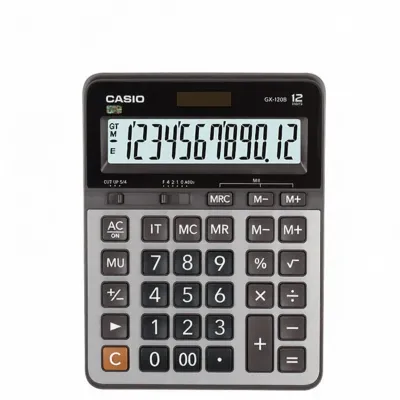
Prices are valid at publication and may change. Please refer to the product page for the latest price.

This high-resolution LCD technology enables what is known as the Natural Textbook Display format. With this feature, fractions are stacked vertically, square roots stretch over entire expressions, and integration symbols are rendered precisely as they appear in printed textbooks. This natural layout significantly reduces cognitive load, allowing you to focus on solving the problem rather than deciphering the screen.
Because both the fx-991EX and the fx-570EX share the same physical casing and display hardware, they offer identical baseline contrast, physical screen dimensions, and reflective properties. In tropical environments where high humidity and varying overhead lighting can affect screen readability, both models perform identically. To confirm these hardware specifications, you can check the official packaging or the manufacturer’s technical documentation.
Interface Navigation and On-Screen Clarity
While the physical screens are identical, the way you interact with them differs based on the internal software of each model. The fx-991EX is the flagship model of this series, packed with advanced features such as spreadsheet functions, matrix calculations, vector calculations, and even QR code generation for displaying graphs on a smartphone. To accommodate this vast array of features, the fx-991EX utilizes an icon-based menu system.
When you press the menu key on the fx-991EX, you are presented with a multi-row grid of icons. Navigating this grid requires using the directional pad to scroll horizontally and vertically to find the desired mode. Because there are so many options, the menu can feel dense, and finding a specific function might require multiple keystrokes and careful reading of the on-screen labels.
In contrast, the fx-570EX features a slightly different set of internal functions depending on the specific regional variant, but it generally offers a more streamlined menu experience. With fewer active modes to scroll through, the interface can feel less cluttered. If you prefer a clean, straightforward screen layout where you can access core mathematical functions with minimal scrolling, the simpler menu structure of the fx-570EX may provide a faster and more comfortable reading experience during timed examinations.
Matching the Interface to Your Academic Needs
Choosing the right calculator display experience requires matching the device’s interface to your specific course of study. For students pursuing advanced STEM, engineering, or statistical degrees in the Philippines, the extra features of the fx-991EX are highly beneficial. The ability to display complex matrices, vectors, and multi-column spreadsheets on a high-resolution screen easily outweighs the minor inconvenience of navigating deeper menus. In this context, the screen serves as a powerful window to advanced computational tools.
Conversely, for high school students or college students taking general education mathematics, basic sciences, or business courses, many of the advanced features of the fx-991EX may go unused. For these academic paths, the fx-570EX offers a highly efficient alternative. Its more straightforward menu system allows you to perform standard calculations quickly, without the risk of getting lost in complex sub-menus or dealing with an overly crowded screen layout.
Before making a final decision, it is crucial to check the approved calculator lists for your specific school, university, or national examination board. In the Philippines, professional licensing boards, such as the Professional Regulation Commission (PRC) for engineering and board exams, maintain strict guidelines on which calculator models are permitted. Some boards strictly prohibit calculators with specific advanced capabilities, making the simpler model the only legal and practical choice regardless of screen preference.
Evaluating Price and Authenticity
When shopping for a new scientific calculator, you will find both models available at various price points. You should check current retail prices in Philippine Pesos (‑₱) at authorized stationery stores, major department stores, or official online brand stores. You will typically find that the fx-991EX commands a higher price than the fx-570EX. It is important to understand that this price premium is entirely due to the advanced internal software and additional mathematical functions of the fx-991EX, not because it features a larger or higher-quality physical screen.
You must also exercise extreme caution when purchasing these calculators, especially on unauthorized online marketplaces or from street vendors. Counterfeit calculators are highly prevalent and often look nearly identical to genuine models on the outside. However, these fake devices almost always use cheap, low-resolution segmented displays instead of the genuine high-resolution dot-matrix screens.
These counterfeit screens are highly reflective, have poor contrast, and fail to render natural textbook math formats clearly. Using a counterfeit calculator not only leads to severe eye strain under classroom lights but also increases the risk of input errors and incorrect readings during critical exams. To protect your investment and your eyesight, always purchase from reputable, authorized dealers and verify the display quality before use.
Final Decision Framework
To help you make the right choice for your academic journey, consider the following decision rules based on your specific needs:
- Choose the Casio fx-991EX if:
- You are enrolled in advanced engineering, physics, or mathematics programs that require complex matrix, vector, or spreadsheet calculations.
- You need advanced features like QR code generation for visualizing data on external devices.
- You do not mind navigating deeper, multi-icon menus on the high-resolution screen to access these advanced tools.
- Choose the Casio fx-570EX if:
- Your coursework is focused on general mathematics, basic sciences, or standard statistics.
- You prefer a cleaner, more streamlined menu interface for faster on-screen reading and less scrolling.
- You want to avoid unnecessary menu complexity and potential distractions during high-pressure exams.
- Verify first:
- Check the approved calculator list for your specific school, university, or national examination board to ensure your chosen model is permitted.
- Confirm the exact screen resolution and model authenticity by checking the official manufacturer documentation and purchasing only from authorized retailers.
Frequently Asked Questions (FAQ)
Does the Casio fx-991EX have a physically larger screen than the fx-570EX?
No, both models share the exact same physical LCD panel and outer casing design. The screen dimensions and dot-matrix resolution are identical. Any perceived difference in display quality is due to how the internal software organizes menus and displays mathematical expressions, rather than any physical hardware variation. You can confirm these identical hardware specifications by reviewing the official manufacturer documentation.
How can I ensure I am getting a genuine Casio with a high-resolution display?
To ensure you are purchasing a genuine calculator with a high-resolution display, buy only from authorized stationery retailers, major department stores, or official online brand stores. Genuine models feature high-density dot-matrix screens that render smooth, natural textbook math formats. Counterfeit models often use low-resolution, blurry segmented screens that are highly reflective and difficult to read. Additionally, check the packaging for official security holograms and verify the build quality before purchasing.
Community discussion
Share your experience or ask a question. Comments are reviewed before publication.