
Finding the right scientific calculator is a critical milestone for any student or professional in the fields of science, technology, engineering, and mathematics (STEM). In the Philippines, Casio has long been the gold standard in classrooms and examination halls, with three models dominating the landscape: the classic fx-991MS, the textbook-style fx-991ES Plus, and the advanced fx-991EX ClassWiz.
While all three carry the “991” designation—indicating they are top-tier, non-programmable scientific calculators—they represent different generations of technology, processing speeds, and display capabilities. Choosing the wrong one can lead to unnecessary academic friction, slower calculation times during high-pressure exams, or even non-compliance with strict exam board rules. Understanding how these devices differ in real-world performance, usability, and functionality is key to making an investment that will last throughout your academic journey.
Quick Answer: Which Casio Calculator Should You Choose?
Selecting the right calculator depends on your current academic stage, your budget, and the specific rules of your school or licensing board.
Products mentioned in this guide

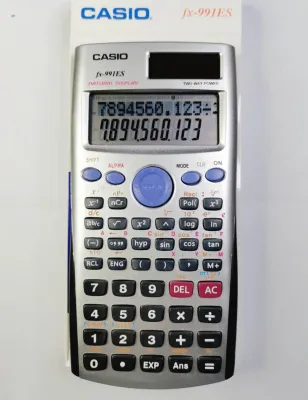
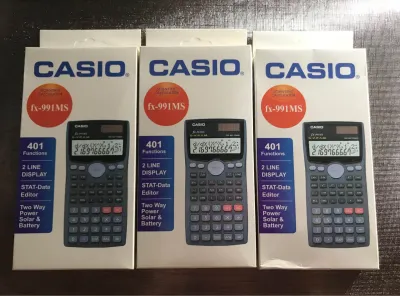
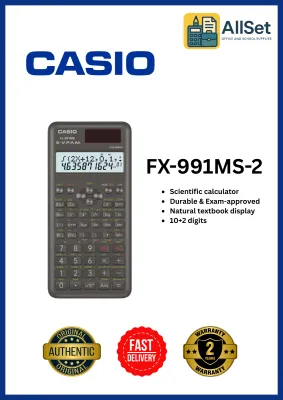
Prices are valid at publication and may change. Please refer to the product page for the latest price.
- The Casio fx-991EX ClassWiz is the undisputed champion for advanced STEM students, engineering majors, and statistics practitioners who require a high-resolution display, rapid processing speeds, and advanced features such as built-in spreadsheet applications and QR code generation.
- The Casio fx-991ES Plus serves as the ideal middle ground for general college mathematics and secondary education, providing a natural textbook display that renders formulas exactly as they appear in print, without the premium price tag of the EX model.
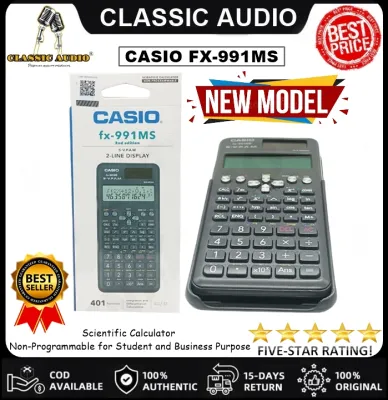
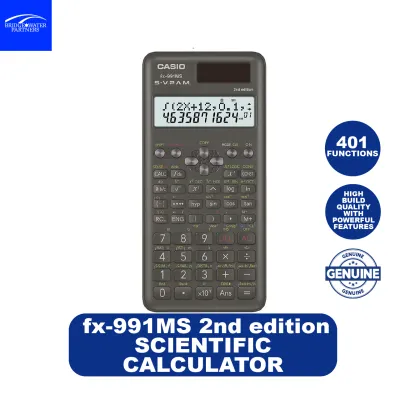
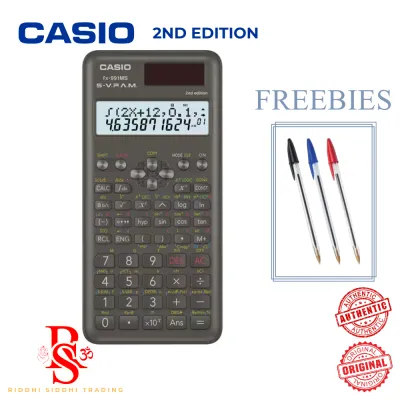
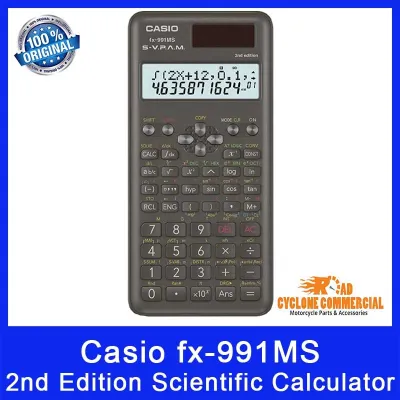
- The Casio fx-991MS remains a budget-friendly, highly durable classic that is perfectly suited for basic high school science, chemistry, and general education courses where advanced matrix operations or spreadsheet functions are unnecessary.
Before purchasing any of these models, it is absolutely critical to verify the specific exam board regulations, university syllabus requirements, or Professional Regulation Commission (PRC) guidelines applicable to your course. While all three are classified as non-programmable, certain institutions or local board exams enforce strict lists of approved calculator models, and some advanced features on the EX model may be restricted in specific testing environments.
Core Differences: Display, Interface, and Processing
The evolution of Casio’s scientific calculators is most visible in how they display mathematical expressions and process complex calculations. Over the decades, Casio has transitioned from rigid, text-based screens to highly detailed dot-matrix displays that mimic printed textbooks, accompanied by massive leaps in internal processing power. These physical and interface differences do not just affect how the calculator looks; they directly impact how quickly you can input data, how easily you can read results under dim classroom lighting, and how likely you are to make input errors during a timed exam.

Casio fx-991MS: The Classic Two-Line Workhorse
The fx-991MS represents the older, highly resilient generation of Casio calculators. It utilizes the Super Visually Perfect Algebraic Method (S-V.P.A.M.) display, which is a rigid, two-line screen. The top line displays the input formula using a traditional segmented character layout, while the bottom line displays the numerical result.
Because of this segmented display, entering complex fractions, integrals, or matrices requires a mastery of parentheses and specific syntax. For example, a complex fraction must be entered using the “a b/c” key or nested parentheses, which can easily lead to input errors during a timed exam. The physical buttons have a firm, tactile click, and the plastic casing is incredibly robust, making it a favorite for students who want a durable device that can survive being tossed into a packed backpack.
However, its reliance on text-based, non-fractional outputs means you will often have to manually convert decimal values to fractions or write down intermediate steps when dealing with long algebraic expressions. The physical design of the fx-991MS is highly traditional, featuring a hard slide-on cover that protects the keys and the screen from impact. The buttons are made of durable plastic with high-contrast printed labels that resist fading over years of heavy use. While the display lacks the modern aesthetic of its successors, it performs exceptionally well under direct sunlight or bright outdoor conditions, as the high-contrast monochrome screen does not suffer from the glare issues that can sometimes plague more advanced LCDs.
Casio fx-991ES Plus: The Natural Display Standard
The fx-991ES Plus introduced a massive leap forward with its Natural V.P.A.M. (Visually Perfect Algebraic Method) dot-matrix display. This technology allows the calculator to render mathematical expressions exactly as they are written in textbooks. Fractions look like actual fractions with a clear numerator and denominator, square roots stretch over the entire expression, and integration symbols display their upper and lower limits in their proper physical positions.
This visual clarity dramatically reduces input errors, as you can instantly verify if you entered a formula correctly. The menu navigation is also significantly improved over the MS generation; instead of cycling through cryptic text menus using the “Mode” key, the ES Plus displays a clean grid of options. The button layout is more intuitive, grouping algebraic functions logically to minimize the hand movement required during long calculation sessions.
The casing is slightly slimmer than the MS, and the screen is protected by a recessed design that helps prevent scratches from loose pens and rulers in your pencil case. In terms of physical feedback, the keys on the fx-991ES Plus are slightly softer than those on the MS, offering a quieter typing experience that is highly appreciated in quiet exam halls. The screen contrast is fully adjustable via the settings menu, allowing you to optimize legibility whether you are studying in a brightly lit library or a dimly lit classroom during a rainy afternoon.
Casio fx-991EX ClassWiz: The High-Resolution Powerhouse
The fx-991EX ClassWiz represents the pinnacle of Casio’s non-programmable scientific calculator lineup. It features a high-resolution LCD that boasts four times the pixels of the fx-991ES Plus. This high-density screen allows for a modern, icon-based menu system that makes finding functions incredibly intuitive, eliminating the need to memorize obscure key combinations or consult the manual constantly.
Under the hood, the EX model features a significantly faster processor. When calculating complex operations like solving a system of four simultaneous equations, performing matrix arithmetic, or running statistical distributions, the EX delivers results almost instantaneously, whereas the older MS and ES Plus models may experience a noticeable lag of one or two seconds. This speed difference can be a decisive factor in competitive board exams where every second counts.
Furthermore, the EX model introduces exclusive features like a built-in basic spreadsheet application—allowing you to perform simple cell-based calculations on the go—and a QR code generation function. By pressing a key combination, the calculator displays a QR code on its high-resolution screen; scanning this with a smartphone opens a Casio web service that visualizes your data as graphs or charts, providing a powerful bridge between physical hardware and digital learning. The physical casing of the EX features a sleek, textured carbon-fiber pattern on the back and a metallic finish on the front, giving it a premium feel that matches its advanced capabilities.
Feature and Functionality Breakdown
When comparing these three models, the sheer volume of mathematical capabilities is a primary deciding factor. The mathematical tools at your disposal scale significantly as you move up the product ladder, which directly impacts your efficiency in solving complex academic problems.
The fx-991MS and fx-991ES Plus both offer a robust suite of approximately 400 to 417 built-in functions. These include standard trigonometric calculations, coordinate conversions, logarithmic functions, and basic matrix and vector calculations. However, they hit a hard limit when dealing with higher-order mathematics. For instance, both the MS and ES Plus are limited to solving systems of up to three linear equations, and their polynomial solvers can only handle quadratic and cubic equations (up to the 3rd degree). Additionally, matrix calculations on these older models are strictly capped at 3×3 dimensions, which can be a bottleneck for college-level linear algebra or structural engineering courses.
In contrast, the fx-991EX ClassWiz expands the toolkit to over 550 built-in functions. It breaks past the limitations of its predecessors by allowing you to solve systems of up to four linear equations and find roots for polynomials up to the 4th degree. Matrix calculations are expanded to support 4×4 dimensions, which is a massive advantage for advanced engineering and physics coursework. The EX also excels in statistical analysis, offering advanced probability distribution calculations—such as Normal, Binomial, and Poisson distributions—directly from the menu, without requiring you to manually input complex formulas or consult printed statistical tables.
| Feature / Specification | Casio fx-991MS | Casio fx-991ES Plus | Casio fx-991EX ClassWiz |
|---|---|---|---|
| Display Type | S-V.P.A.M. (Two-Line) | Natural V.P.A.M. (Dot-Matrix) | High-Resolution LCD (Icon Menu) |
| Total Functions | ~401 | ~417 | ~552 |
| Matrix Limits | Up to 3×3 | Up to 3×3 | Up to 4×4 |
| Equation Solver | 2 or 3 unknowns; up to 3rd-degree polynomial | 2 or 3 unknowns; up to 3rd-degree polynomial | 2, 3, or 4 unknowns; up to 4th-degree polynomial |
| Spreadsheet Tool | No | No | Yes (Up to 5 columns x 45 rows) |
| QR Code Graphing | No | No | Yes |
| Processing Speed | Standard | Standard | High-Speed |
It is highly recommended to cross-reference this feature list with your specific course syllabus. If your curriculum only requires basic algebra, trigonometry, and single-variable statistics, the expanded capabilities of the EX ClassWiz might be overkill. However, if you are pursuing a degree in electrical engineering, civil engineering, data science, or advanced mathematics, the 4×4 matrix support and rapid equation-solving capabilities of the EX will save you valuable time during exams.
Furthermore, the EX’s spreadsheet function is a unique tool that allows students to learn basic data modeling without a computer. It supports up to 5 columns and 45 rows, allowing for basic formulas like SUM, MEAN, and standard deviation. The QR code function is equally powerful for visualizing algebraic functions; by generating a QR code of a table of values, you can instantly see the corresponding graph plotted on your smartphone screen, helping you develop a stronger intuitive grasp of mathematical concepts.
Usability, Power, and Exam Compliance
In a tropical and humid environment like the Philippines, physical durability and power management are vital considerations for stationery items. All three of these Casio models utilize a dual-power system, combining a solar panel with a backup button cell battery (typically a LR44 or G13 type battery). This dual-power configuration ensures that even in dimly lit classrooms or study halls, the calculator remains fully operational.
Under normal classroom lighting, the solar panel takes over the primary power load, preserving the internal battery. It is wise to periodically check your screen’s contrast; if the numbers appear faint when the solar panel is covered, it is a clear indicator that the backup battery needs replacement. Replacing the battery is straightforward but requires a small precision screwdriver to remove the back casing—always refer to the manufacturer’s care instructions to avoid stripping the screws or damaging the internal circuitry. High humidity can sometimes cause battery contacts to oxidize over several years, so keeping your calculator in a dry, well-ventilated pencil case is highly recommended.
The learning curve varies dramatically across these models. The fx-991MS requires a high degree of memorization. Because the screen cannot display complex visual structures, you must learn specific key sequences and syntax rules to execute operations like integration or base-N conversions. The fx-991ES Plus eases this burden significantly with its visual layout, making it highly intuitive for students who prefer a “what you see is what you get” approach. The fx-991EX ClassWiz, while incredibly powerful, features a menu-driven interface that resembles a basic computer OS. While this makes finding functions straightforward, it does require a brief period of familiarization to understand how to toggle between the spreadsheet, matrix, and distribution modes.
Exam compliance is another critical factor for students in the Philippines. The Professional Regulation Commission (PRC) maintains strict guidelines regarding the specific models of calculators allowed in licensure examinations (such as the Civil Engineering, Electrical Engineering, and CPA board exams). Historically, the PRC has issued specific lists of allowed calculators to prevent academic dishonesty.
While these three models are non-programmable, the advanced features of the fx-991EX—specifically its spreadsheet function and QR code generation—have occasionally led to localized restrictions or additional scrutiny by exam proctors. Always consult the latest official PRC resolutions or your university’s department head before bringing a high-spec calculator like the EX into an official exam hall. In some cases, having a reliable fx-991ES Plus or even the older fx-991MS as a secondary, fully compliant backup calculator is an excellent strategy to avoid last-minute panic.
Price, Value, and Avoiding Counterfeits
Budget is always a primary consideration when purchasing school and office supplies. The price hierarchy among these three models is clear and consistent across the Philippine market:
- The fx-991MS is the most affordable option, making it highly accessible for high school students.
- The fx-991ES Plus occupies the mid-range price tier, offering the best balance of modern display technology and affordability.
- The fx-991EX ClassWiz commands a premium price, reflecting its advanced processing power, high-resolution display, and specialized software features.
To ensure you are paying a fair price and receiving a genuine product, always check current retail prices on the official Casio website or visit authorized physical stationery stores and verified flagship stores on reputable e-commerce platforms.
Because of the immense popularity of the fx-991 series in the Philippines, the market is unfortunately flooded with counterfeit units. These cheap clones are often sold at suspiciously low prices on unauthorized online listings. Using a counterfeit calculator is a massive risk; they are prone to sudden hardware failure, have poor solar panel efficiency, and—most dangerously—can return incorrect mathematical results due to buggy, low-grade internal microchips.
To protect your investment, use these actionable tips to spot a fake Casio calculator:
- Inspect the Build Quality: Genuine Casio calculators have a solid weight, clean plastic seams, and high-quality key printing. Counterfeits often feel flimsy, have loose or rattling keys, and feature blurry or misaligned text on the casing.
- Check the LCD Contrast and Font: Authentic Casio screens are crisp, clear, and highly legible even at sharp viewing angles. Fake units often have dim, high-glare screens with uneven contrast, and the numbers may appear pixelated or distorted.
- Verify the Authenticity Label: Look for the official security hologram sticker on the packaging. Many genuine Casio calculators also feature a unique QR code on the back of the device or on the box that can be scanned to verify authenticity directly on the official Casio registration portal.
- Run a Diagnostic Test: You can access the built-in diagnostic mode on most genuine Casio calculators by pressing the Shift, 7, and On keys simultaneously. This utility allows you to test the LCD segments and button responsiveness.
- Test a Complex Calculation: Try inputting a complex operation that cheap clones fail to process correctly. For example, attempt to calculate a definite integral or a large matrix determinant. A counterfeit calculator will often freeze, display a syntax error, or return an incorrect numerical value due to its inferior processing chip.
Final Verdict: Match the Model to Your Academic Stage
To make your final decision, match your current academic requirements and future career path to the strengths of each model:
- Choose the fx-991MS if: You are on a strict budget, are currently in junior or senior high school, and need a highly durable, basic scientific calculator for general science, chemistry, and algebra. It is also an excellent, worry-free backup unit to keep in your locker.
- Choose the fx-991ES Plus if: You are a college student majoring in general science, business, or non-specialized engineering who wants the visual clarity of a natural textbook display without paying for advanced features you will likely never use in your coursework.
- Choose the fx-991EX ClassWiz if: You are pursuing a demanding degree in engineering, advanced mathematics, physics, or statistics. The high-resolution display, rapid calculation speeds, 4×4 matrix capabilities, and advanced statistical tools will give you a distinct efficiency advantage during your studies.
Verify first if: Your specific school, university department, or professional licensing board has strict bans on specific models or features. Taking a few minutes to confirm compliance with your instructors or the latest PRC guidelines will ensure your chosen calculator remains a trusted companion throughout your academic and professional career.
Frequently Asked Questions (FAQ)
Are these Casio models allowed in Philippine board exams?
Yes, the fx-991MS, fx-991ES Plus, and fx-991EX are classified as non-programmable scientific calculators, which historically makes them eligible for many academic and professional licensure examinations in the Philippines. However, because policies regarding specific calculator models can be updated periodically by the Professional Regulation Commission (PRC) or individual university boards, you must always cross-reference the most recent official advisory list before your exam date to ensure your specific model is fully permitted.
How can I spot a fake Casio scientific calculator?
You can identify a counterfeit Casio calculator by checking for physical imperfections such as misspelled words on the casing, loose or unresponsive keys, and a dim, blurry LCD screen with poor viewing angles. Additionally, genuine units feature security holograms on their packaging and support an internal diagnostic test (accessed by pressing Shift + 7 + On). Buying exclusively from authorized stationery dealers and verified flagship e-commerce stores is the most reliable way to avoid purchasing a low-quality clone.
Community discussion
Share your experience or ask a question. Comments are reviewed before publication.