
Quick Answer: Should You Choose the Casio JW-200SC?
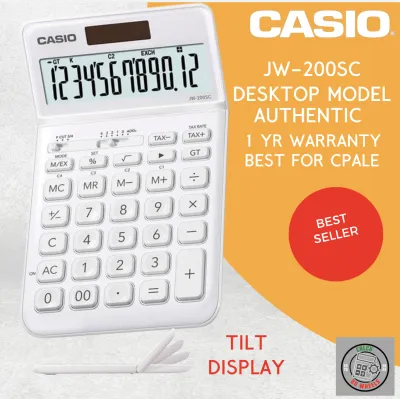
When selecting a desktop calculator, the decision often comes down to balancing visual appeal with specialized utility. The Casio JW-200SC is ideal for general office use, reception desks, and home workspaces where aesthetics, color coordination, and standard 12-digit calculations are the priority. It offers a sleek profile and a variety of color options that help personalize a workspace, making it a popular choice for modern offices in the Philippines.
Choose the JW-200SC if:
- You want a stylish, color-coordinated calculator for standard daily calculations, basic tax computations, and light-to-moderate data entry.
- Your workspace is highly visible to clients, such as a front desk, reception area, or modern home office, where design matters.
- You prefer a tilt-adjustable screen to reduce glare from overhead office lighting or bright natural sunlight.
Choose other Casio desktop lines if:
Products mentioned in this guide
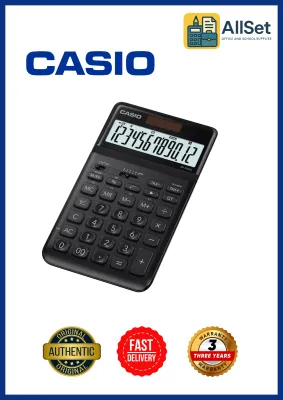
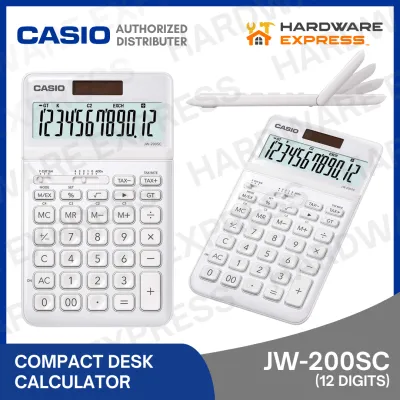
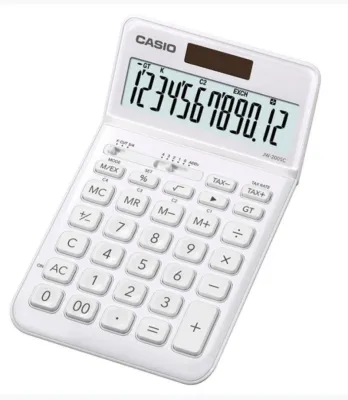
Prices are valid at publication and may change. Please refer to the product page for the latest price.
- You require heavy-duty build quality for high-volume accounting, continuous data entry, and rapid typing.
- Your daily tasks require dedicated cost, sell, and margin keys to quickly calculate retail markups and profit margins.
- You need extra-wide, fixed-angle displays that are easy to read from a distance or from a standing position.
Verify first if:
- Your daily workflow requires advanced check-and-correct functions that let you review and edit long calculation histories step-by-step.
- You need specialized financial memory keys or multi-tax rate configurations that the standard JW-200SC does not provide.
What the Casio JW-200SC Actually Offers (The Baseline)
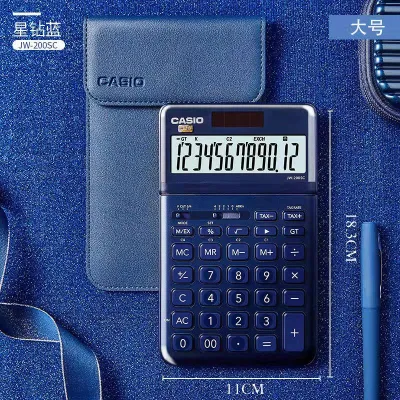
To understand how the jw200sc calculator casio compares to other models, it is essential to establish what this specific device brings to your desk. Belonging to Casio’s “Stylish Color” series, this model is designed to break away from the traditional, utilitarian gray and black designs that have dominated office spaces for decades. It features a brushed metal faceplate and is available in multiple colorways, allowing users to match their calculator with other office stationery or personal tech accessories.

Beyond its visual appeal, the calculator provides a solid foundation of functional specifications. It features a 12-digit liquid crystal display, which is the standard capacity required for most business and personal financial calculations in the Philippines, easily handling figures in the millions and billions. The dual-power system utilizes a solar panel as the primary energy source under normal lighting conditions, while a small backup battery ensures uninterrupted operation in low-light environments or during late-night work sessions.
Ergonomically, the device is built to facilitate comfortable, daily use. The screen is mounted on a manual tilt-adjustable hinge, allowing you to angle the display to combat reflections from bright office windows or harsh overhead fluorescent bulbs. The keys are designed with a stepped layout, mimicking the natural curvature of a computer keyboard, which helps reduce finger fatigue and typing errors.
While these features make the calculator highly versatile, certain specifications can vary. Before finalizing a purchase, you should verify the exact physical dimensions, weight, and battery type on the product packaging or the official Casio Philippines website, as manufacturers may update packaging details or color availability over time.
JW-200SC vs. Other Casio Desktop Categories: Feature Breakdown
Casio offers a diverse lineup of desktop calculators, each engineered for specific environments and tasks. Comparing the JW-200SC against these broader categories reveals distinct design philosophies and feature sets.
Desk Aesthetics vs. Heavy-Duty Accounting Build
The primary contrast between the JW-200SC and Casio’s heavy-duty accounting models (such as the MJ or DS series) lies in their physical construction and intended typing intensity. The JW-200SC focuses on a lightweight, slim profile with an elegant metal faceplate. It is designed to look sophisticated on a desk while occupying minimal space.
In contrast, heavy-duty accounting models are built for continuous, high-speed data entry. These calculators feature larger, heavier plastic or metal casings that prevent the unit from sliding across glass or polished wooden desks during rapid typing. They also utilize heavy-duty key switches with deep key travel and wide spacing, which provide distinct tactile feedback and allow professional typists to input numbers quickly without looking at the keys.
If your daily routine involves entering long ledgers for hours at a time, the robust build and key rollover capabilities of a heavy-duty model are highly beneficial. However, for administrative staff, managers, or remote workers who use a calculator intermittently throughout the day, the lightweight and visually appealing design of the JW-200SC offers a more comfortable integration into a modern workspace.
Standard Tax Keys vs. Dedicated Financial Functions
Functionality is another area where the JW-200SC differs significantly from Casio’s dedicated commercial and financial calculators. The JW-200SC is equipped with standard tax keys (TAX+ and TAX-), which allow users to store a single tax rate, such as the standard 12% Value-Added Tax (VAT) in the Philippines. This feature simplifies the process of adding or extracting tax from a subtotal, making it ideal for quick invoice checks, expense reports, or personal budgeting.
Dedicated commercial models, however, offer a broader suite of business-specific keys. Many of these models include cost, sell, and margin keys, which let users calculate profit margins or selling prices by entering just two variables. Additionally, many accounting-focused Casio calculators feature a “check and correct” function, allowing users to scroll backward and forward through up to 150 calculation steps to review, verify, and edit previous inputs without restarting the entire calculation.
If your primary responsibility involves retail pricing, wholesale trade, or complex financial auditing, the absence of cost/sell/margin keys and step-by-step review functions on the JW-200SC can slow down your workflow. For these specialized tasks, a dedicated business or financial model is a more efficient tool, whereas the JW-200SC remains best suited for straightforward arithmetic and basic tax calculations.
Standard Adjustable Display vs. Extra-Wide Accounting Screens
Display visibility is crucial for reducing eye strain during long working hours, and Casio addresses this need differently across its product lines. The JW-200SC features a standard-sized 12-digit display mounted on a manual tilt hinge. This adjustable screen is highly practical for individual users, as it can be tilted upward or downward to eliminate glare from light sources and ensure clear visibility from a seated position.
On the other hand, heavy-duty accounting calculators often feature extra-wide, fixed-angle displays with larger, bolder digits. These high-contrast screens are designed for maximum readability from various angles and distances. This is particularly useful in busy office environments where a user might need to glance at the calculator screen from a standing position, or when sharing the display with a colleague across a desk.
When choosing between these display styles, consider your typical office lighting and physical desk setup. If you work in a space with highly variable lighting or near windows where sunlight changes throughout the day, the adjustable tilt of the JW-200SC provides excellent flexibility. If you prioritize maximum digit size and high-contrast readability from a distance, a larger, fixed-angle accounting screen may be more appropriate.
Matching Calculator Features to Your Specific Workflow
To determine which Casio model is the right investment, it helps to look at how specific features align with different professional roles and daily environments.
General Office and Administrative Staff For administrative assistants, office managers, and general staff, the JW-200SC is often the most balanced choice. It handles standard daily tasks—such as tallying office expenses, verifying supplier invoices, and performing basic payroll calculations—with ease. Its modern design also ensures that it looks professional on reception desks or in meeting rooms where clients are present.
Accountants, Bookkeepers, and Data Clerks Professionals who manage financial ledgers, perform continuous data entry, or audit large volumes of transactions will find that heavy-duty accounting models serve them better. The deep key travel, wider spacing, and robust build of these models prevent typing fatigue and minimize input errors. Furthermore, the ability to review previous calculation steps using check-and-correct keys is an indispensable tool for spotting errors in long mathematical strings.
Retail and Small Business Owners If you operate a retail store, a small business, or a wholesale distribution business in the Philippines, your workflow likely revolves around pricing products and calculating profit margins. In this scenario, a dedicated commercial calculator with cost/sell/margin keys is highly recommended. While the JW-200SC can handle basic VAT calculations, having dedicated keys for margin analysis saves time and reduces the likelihood of pricing mistakes.
Home Office and Students For remote workers, freelancers, and students, the JW-200SC is an exceptional fit. Its compact footprint doesn’t clutter smaller home desks, and its aesthetic appeal makes it a pleasant addition to a personal study space. The dual-power system provides peace of mind, ensuring the calculator remains functional even after sitting in a desk drawer for extended periods.
Self-Audit Checklist for Buyers To help narrow down your choice, consider the following questions about your weekly calculator usage:
- How often do you need to calculate profit margins or markups? (If daily, look for cost/sell/margin keys).
- Do you frequently need to review and edit previous steps in a long calculation? (If yes, prioritize a check-and-correct model).
- Does your workspace suffer from harsh overhead glare or changing natural light? (If yes, an adjustable tilt display like the JW-200SC is highly beneficial).
- How much desk space do you have available for office tools? (If space is limited, the slim profile of the JW-200SC is ideal).
Purchasing Tips and Value Verification in the Philippines
When shopping for a new desktop calculator, ensuring that you receive an authentic product is critical for long-term reliability. Counterfeit calculators are common in the market, and they often fail prematurely due to poor build quality or non-functional solar panels.
To protect your investment, always purchase your calculator from authorized office supply chains, established physical stationery stores, or official brand flagship stores on reputable e-commerce platforms. Avoid purchasing from unauthorized sellers or third-party listings on online marketplaces that offer prices significantly below the standard market rate.
In the Philippines, the JW-200SC typically occupies a mid-range price band, generally ranging from ₱900 to ₱1,500 depending on the specific color variant, seller promotions, and local warranty terms. Heavy-duty accounting models and advanced financial calculators may carry a higher price tag due to their specialized components and larger build quality.
When your calculator arrives, perform a few quick checks to verify its authenticity:
- Solar Panel Verification: Cover the solar panel with your hand in a moderately lit room. If the display immediately dims or turns off, the calculator may be a counterfeit that relies solely on a cheap internal battery rather than a genuine dual-power system.
- Physical Branding: Inspect the Casio logo and button labels. Authentic models feature crisp, perfectly aligned, high-quality printing that does not scratch off easily.
- Key Responsiveness: Press several keys in rapid succession. Authentic Casio keys have a consistent, tactile rebound and do not register double-presses or stick during normal typing.
- Warranty Card: Ensure the packaging includes an official warranty card and clear instruction manuals detailing proper care and battery replacement procedures.
Final Decision Framework
Ultimately, there is no single “best” calculator, only the model that aligns with your specific daily tasks and workspace requirements. The jw200sc calculator casio represents a deliberate choice to prioritize modern desk aesthetics, compact design, and reliable standard utility without sacrificing basic business functions like tax calculations.
If your daily workflow consists of general administrative tasks, occasional invoicing, and basic budgeting, the JW-200SC offers an elegant, reliable, and highly visible solution that enhances your desk setup. However, if your responsibilities demand rapid, high-volume data entry, complex retail margin calculations, or extensive history audits, investing in a heavy-duty accounting or dedicated commercial Casio model will provide the specialized tools you need to work efficiently.
Before making your purchase, take a moment to review your most frequent daily calculation tasks, assess your workspace lighting, and choose the Casio model that serves as the perfect partner for your desk.
Community discussion
Share your experience or ask a question. Comments are reviewed before publication.