
Choosing between the Casio MS and SL series desktop calculators comes down to balancing physical size against your daily calculation volume. The MS (Medium-Size/Mini-Desk) series is engineered for stationary desk use, offering larger keys, robust casings, and dedicated business functions that streamline high-volume data entry. In contrast, the SL (Small/Slim) series prioritizes portability and space-saving efficiency, making it an excellent choice for compact workspaces, mobile professionals, and light administrative tasks. By understanding how these two product lines differ in ergonomics, key layouts, and power configurations, you can select the exact model that optimizes your daily workflow.
Evaluating Design and Ergonomics for Your Desk
The physical footprint of your calculator directly impacts how comfortably you can work at your desk. The Casio MS series features a more substantial, elevated profile designed to remain stationary during rapid typing. These models typically incorporate non-slip rubber feet on the base, preventing the unit from sliding across wooden, glass, or laminate desk surfaces when you press the keys with force. The SL series, on the other hand, is remarkably thin and lightweight. Its flat profile allows it to slide easily into a desk organizer, a laptop sleeve, or even a drawer when not in use. While this makes the SL series highly portable, it may shift slightly on smooth surfaces during rapid, single-handed operations.
Key size and layout spacing, often referred to as key pitch, are critical factors for typing accuracy and comfort. The MS series utilizes larger, contoured plastic keys with generous spacing between them. This design mimics the feel of a computer numeric keypad, allowing your fingers to find the center of each key naturally and reducing the likelihood of double-presses or adjacent-key errors during long data-entry sessions. The SL series features smaller, flatter keys that are positioned closer together. While these keys are highly responsive and designed to withstand daily wear, they require more deliberate, precise finger placement, making them better suited for occasional calculations rather than continuous, rapid bookkeeping.
Products mentioned in this guide
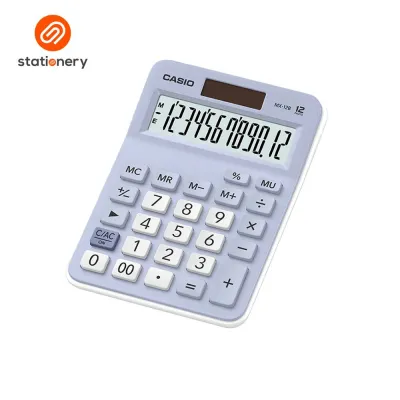
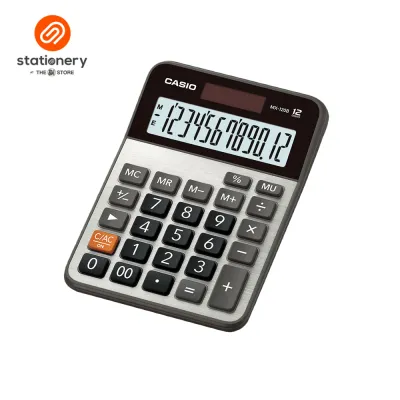
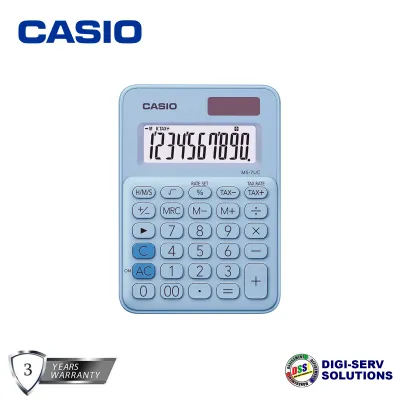
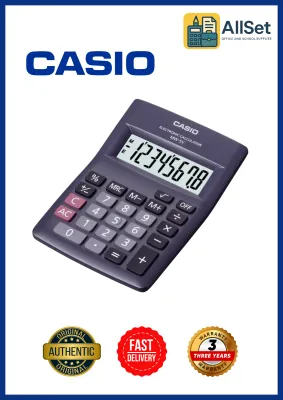


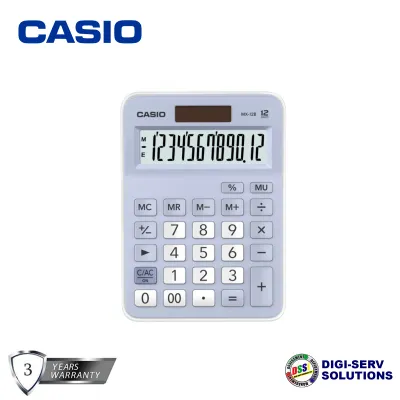
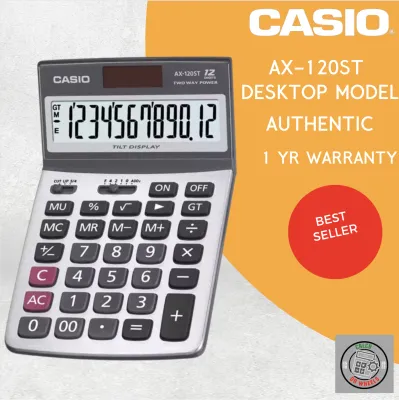
Prices are valid at publication and may change. Please refer to the product page for the latest price.
Display readability is another area where these two series diverge. MS series calculators often feature larger LCD screens with bold, high-contrast digits that are easy to read from a distance or at an angle. Some advanced models in the MS lineup even include an adjustable or tilted display panel, allowing you to angle the screen to eliminate glare from overhead office lights or bright tropical sunlight streaming through a window. The SL series generally employs a fixed, flat display. While the digits remain clear and legible under standard lighting conditions, you may need to adjust your seating position or tilt the entire device manually if you encounter harsh reflections or low-ambient light.
Comparing Key Features and Calculation Functions
Beyond physical design, the specific calculation keys available on each device determine its utility for specialized tasks. Many models within the Casio MS series are equipped with dedicated business keys, such as Tax Calculation (TAX+ and TAX-) and Cost/Sell/Margin keys. These shortcuts allow retail operators, small business owners, and accountants to compute markups, selling prices, and local value-added taxes with a single keystroke. While some SL models do include basic tax functions, they rarely feature the full suite of cost-sell-margin keys, meaning users must perform these multi-step calculations manually using standard arithmetic formulas.

Power reliability is essential for uninterrupted office work, and both series utilize different configurations to keep the device running. Most models in both the MS and SL lineups feature dual-power systems, combining a solar panel with a small backup battery (such as an LR44 or CR2032 button cell). The solar panel serves as the primary power source under normal room lighting, while the battery seamlessly takes over in low-light environments. This dual configuration ensures that your current calculation and stored memory are not lost if a shadow falls over the solar panel. However, some ultra-compact SL models may rely solely on a single battery, which requires periodic replacement once the display begins to fade.
Standard memory functions and rounding controls also vary between the two lines. Both series include independent memory keys (M+, M-, MR, and MC) to store running totals. However, larger MS models frequently offer advanced rounding selectors (such as switches for cutting off decimals, rounding up, or rounding to the nearest digit using the 5/4 rule) and decimal place selectors. These physical switches are invaluable for professional accounting tasks where precise decimal formatting is required by local financial standards. SL series calculators typically lack these physical switches, relying instead on automatic floating decimal points that are standard for general-purpose calculations.
Which Series Fits Your Daily Workflow?
Selecting the right calculator requires matching its capabilities to your specific professional environment. The Casio MS series is highly recommended for users who handle heavy retail operations, daily inventory management, or professional bookkeeping. If you run a local retail shop, manage wholesale distribution, or work in an accounting department in the Philippines, the larger key layout and dedicated tax and margin keys of the MS series will significantly speed up your daily transactions. The physical stability of the larger casing ensures the calculator remains a reliable, permanent fixture on your service counter or office desk.
Conversely, the Casio SL series is the ideal companion for general office administration, personal budgeting, or mobile professional roles. If your daily tasks involve basic arithmetic, such as verifying invoices, calculating household expenses, or checking student homework, the compact SL series provides all the necessary functionality without occupying valuable desk space. It is also highly suited for real estate agents, field auditors, and logistics coordinators who travel frequently between client sites and need a lightweight, dependable calculator that fits easily into a pocket or briefcase.
It is important to note that neither the MS nor the SL series is designed for advanced technical fields. If your daily workflow involves complex engineering formulas, trigonometric functions, statistical analysis, or advanced financial modeling (such as calculating compound interest or bond yields), a standard desktop calculator will not suffice. In these scenarios, you should bypass both desktop series and verify whether your tasks require a dedicated scientific calculator or a specialized financial calculator equipped with multi-line displays and pre-programmed scientific algorithms.
What to Verify Before You Buy
Before making your final purchase, it is crucial to verify the exact model specifications to ensure they align with your expectations. Casio uses specific alphanumeric codes for its models, where slight variations in the suffix can indicate different digit capacities (such as 8-digit, 10-digit, or 12-digit displays), color options, or key configurations. For instance, a 12-digit model is essential if you regularly calculate sums in the millions or billions of pesos (₱), whereas an 8-digit model is perfectly adequate for simpler, everyday transactions. Always check the product packaging or online specification sheet to confirm the exact digit limit before checking out.
Additionally, pay close attention to the power specifications and physical dimensions listed by the manufacturer. If you work in a dimly lit environment, verify that the model you choose features a true dual-power system rather than relying solely on solar energy. When purchasing from online marketplaces or local stationery retailers in the Philippines, always review the seller’s reputation, customer feedback, and return policies. Ensure the product comes with a valid manufacturer warranty and check for genuine security holograms on the packaging to protect yourself against counterfeit devices that may fail prematurely or feature unresponsive keys.
Frequently Asked Questions (FAQ)
How do I clean the calculator keys and screen safely?
To maintain your calculator’s appearance and functionality, use a soft, dry, or slightly damp microfiber cloth to gently wipe away dust, fingerprints, and oil buildup from the keys and LCD screen. Avoid spraying water or cleaning solutions directly onto the device, as moisture can seep into the key contacts and cause short circuits. Never use harsh chemical solvents, aerosol sprays, alcohol-based sanitizers, or abrasive scrubbing pads, as these substances can permanently degrade the plastic casing, erase the printed key labels, or scratch the delicate protective layer of the display screen.
Can I replace the battery myself if the display fades?
Yes, you can generally replace the battery yourself on most dual-power models, provided you follow the manufacturer’s instructions carefully. Before opening the battery compartment, consult the user manual to identify the correct battery type (such as an LR44 or CR2032 button cell) and note the correct polarity orientation. Use a small precision screwdriver to open the compartment, replace the old battery, and secure the cover tightly. If your calculator is currently under warranty, or if the battery compartment is sealed without visible screws, it is best to consult an authorized service center or the original retailer to avoid voiding your warranty.
Community discussion
Share your experience or ask a question. Comments are reviewed before publication.