
In professional accounting, audit, and high-volume retail environments, the physical paper trail remains an indispensable tool for verification. While digital spreadsheets and accounting software handle the bulk of modern data processing, the immediate, unalterable printout of an electronic printing calculator provides a reliable physical record that prevents transcription errors and simplifies auditing. When selecting a new machine, professionals frequently find themselves comparing industry giant Casio against other established brands like Canon, Sharp, or Victor. Choosing the right device requires looking beyond brand reputation to evaluate specific hardware standards, keyboard ergonomics, and the long-term availability of consumables in your local market.
Rather than declaring a single universal winner, the decision comes down to matching a calculator’s technical specifications with your daily workflow requirements. A high-volume tax professional requires a heavy-duty machine with rapid print speeds and robust key switches, while a small retail shop may prioritize a compact footprint and simple tax calculation keys. By systematically evaluating print mechanisms, paper compatibility, keyboard layouts, and maintenance needs, you can select a printing calculator that ensures uninterrupted productivity and a low total cost of ownership.
Core Decision Factors for Electronic Printing Calculators
Before comparing specific brands, you must define your primary operational environment and print volume requirements. Printing calculators generally fall into three categories: portable battery-operated models for light retail or occasional use, semi-desktop models for moderate daily office work, and heavy-duty desktop models designed for continuous, high-speed accounting. Heavy-duty models are powered by AC adapters to support robust internal motors, while smaller portable units rely on AA batteries or USB power, which can limit print speed and display brightness.
Products mentioned in this guide

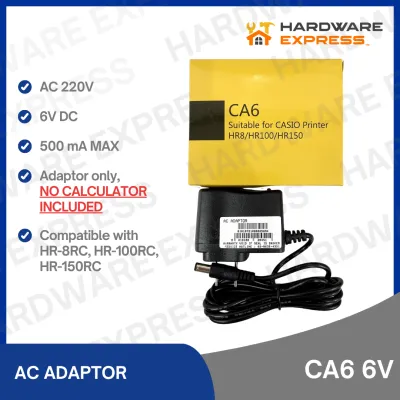
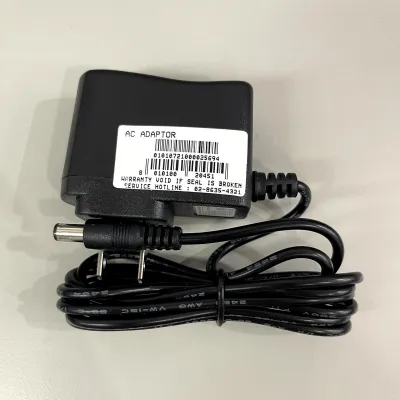
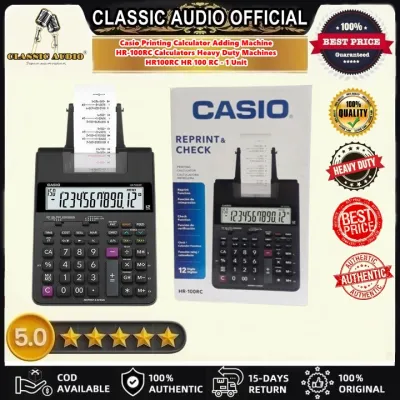
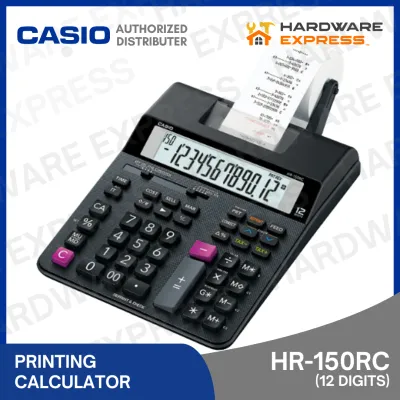
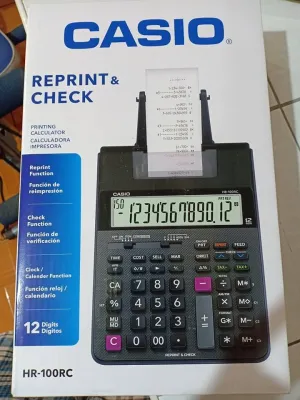
Prices are valid at publication and may change. Please refer to the product page for the latest price.
Hardware compatibility is the next critical checkpoint. You must verify the paper roll width supported by the machine, which is typically standardized at 57mm (or 2-1/4 inches). Additionally, you must choose between three primary printing technologies: ink rollers, ink ribbon cartridges, or thermal printing systems. Ink rollers are highly common in entry-level and mid-range models, whereas heavy-duty machines often utilize dual-color (red and black) ribbon cartridges to clearly distinguish negative figures from positive balances. Thermal systems require no ink at all but demand specialized heat-sensitive paper.
In the tropical climate of the Philippines, environmental factors play a significant role in hardware performance. High relative humidity can cause standard bond paper rolls to absorb moisture from the air, making the paper limp and increasing the risk of paper jams inside the feed mechanism. Furthermore, humid conditions can affect the drying speed of ink rollers, potentially leading to smudged printouts if the paper is handled immediately. Therefore, verifying that a calculator has a robust, enclosed paper feed compartment and sourcing high-quality, moisture-resistant paper rolls from local office supply stores is essential for maintaining a smooth workflow.
Casio vs. Competing Brands: Key Specification Checkpoints
To make an objective comparison between Casio and alternative brands, you must analyze the manufacturer specification sheets and product labels across several key performance areas.

Print Mechanism and Speed
Print speed is measured in lines per second (lps). Entry-level printing calculators typically print at speeds of 1.5 to 2.0 lps, which is sufficient for occasional receipts or basic calculations. Heavy-duty professional models, however, can reach speeds of 3.5 to 4.5 lps. When comparing Casio to other brands, check the stated lps on the product packaging.
Additionally, consider the noise level and document permanence of the print mechanism. Dot-matrix and ribbon-ink systems produce a distinct mechanical clicking sound that may be disruptive in quiet office environments, but they deliver highly permanent, fade-resistant prints suitable for long-term archiving. Thermal printing is virtually silent and exceptionally fast, but thermal prints are highly sensitive to heat and light. In warm tropical offices, thermal printouts can fade rapidly over time, making them less suitable for permanent tax records.
Paper and Consumable Compatibility
Always check the exact consumable codes required by the calculator. Many mid-range printing calculators across different brands utilize universal ink rollers, such as the widely available IR-40T roller. However, some high-end heavy-duty models require proprietary ribbon cartridges unique to that specific brand or model series.
Before purchasing, verify if your local stationery suppliers or online office supply stores regularly stock the specific ink rollers or ribbon cartridges required by your chosen model. Opting for a calculator that uses standard, non-proprietary consumables ensures you will not be left with an unusable machine during busy tax seasons due to supply chain delays.
Keyboard Layout and Specialized Keys
For touch-operators who enter data rapidly without looking at the machine, keyboard layout and key travel are paramount. Casio calculators often feature a distinct key arrangement that users of standard computer numeric keypads might find slightly different, particularly regarding the placement of the double-zero (00) and addition (+) keys.
Compare this layout with competing brands like Sharp or Canon, which may align more closely with traditional adding machine configurations. Look for keys with physical spring mechanisms and deep key travel, which provide tactile feedback and reduce finger fatigue during long hours of data entry. Cylindrical or concave keycaps also help prevent finger slippage and input errors.
Display and Visibility
Evaluate the display technology used on the calculator. Standard Liquid Crystal Displays (LCD) are highly energy-efficient but rely on ambient office lighting for visibility. In contrast, Digitron or Vacuum Fluorescent Displays (VFD) emit their own bright green or blue light, offering exceptional contrast and readability from various angles, even in dimly lit rooms.
Check whether the display screen is fixed at a flat angle, permanently tilted, or fully adjustable. An adjustable display allows you to eliminate glare from overhead fluorescent office lights, reducing eye strain over extended working sessions.
Evaluating Value and Long-Term Reliability
Calculating the true value of an electronic printing calculator requires looking beyond the initial purchase price in ₱. You must assess the total cost of ownership, which includes ongoing consumable expenses and the physical durability of the machine.
To estimate long-term operational expenses, you can use a basic verification formula to calculate the cost per print:
$$\text{Estimated Cost per Print} = \frac{\text{Price of Ink Roller or Ribbon}}{\text{Estimated Character Yield}} + \frac{\text{Price of Paper Roll}}{\text{Total Printable Lines per Roll}}$$
Because actual character yield varies depending on font size, line spacing, and how often you print dual-color red negatives, you can perform an observable trial. Track how many paper rolls you consume before the print quality fades noticeably, allowing you to establish a realistic budget for your specific office usage.
Build quality is another critical indicator of reliability. Inspect the chassis material; professional-grade calculators feature thick, impact-resistant ABS plastic housings and weighted bases with non-slip rubber feet to prevent the unit from sliding across your desk during rapid key entry. Review the manufacturer’s warranty terms provided in the product documentation. A longer warranty period, such as 12 to 24 months, typically indicates higher manufacturing standards and more durable internal gear assemblies.
Preventative maintenance is essential to protect your investment and prevent mechanical wear. Over time, paper lint and dust accumulate inside the paper cutter and feed rollers, which can cause paper slippage or misalignment. Establish a routine to clean the feed mechanism using a can of compressed air to blow out accumulated paper dust. If the print head becomes dirty, gently clean it with a dry, lint-free microfiber cloth. Avoid using liquid solvents or wet wipes inside the printing compartment unless explicitly recommended in the manufacturer’s instruction manual.
Decision Framework: Which Brand Fits Your Workflow?
To finalize your purchase, use the following conditional framework to match your specific operational needs with the right brand and model specifications.
Choose Casio if:
- Standardization is key: Your office requires highly standardized equipment with a familiar layout that multiple staff members can use interchangeably.
- Consumable availability is a priority: You want peace of mind knowing that compatible paper rolls and standard ink rollers (like the IR-40T) are widely stocked in almost every local bookstore and office supply shop across the Philippines.
- You need proven durability: Your workflow involves standard daily accounting, bookkeeping, and general business calculations that benefit from Casio's established reputation for robust internal motors and long-lasting key switches.
Choose Competing Brands if:
- You prefer alternative ergonomics: You or your staff are accustomed to a specific keyboard layout (such as a larger addition key or alternative decimal selectors) found on Sharp or Canon machines that matches your existing office equipment.
- You require specialized printing features: A competitor's specification sheet explicitly supports niche requirements, such as ultra-high-speed thermal printing for silent operation, or unique paper-handling mechanisms that suit your specific desk setup.
- You find a better display fit: You require a highly adjustable display angle or a specific fluorescent display color that a competing brand offers to reduce eye strain in your specific office lighting conditions.
Verify First if:
- You have complex tax compliance needs: Your business operations require specialized tax rate programming, multi-currency conversions, or cost-sell-margin calculations. Always download the exact model's user manual from the manufacturer's official website before purchasing to verify that the built-in function keys and programming sequences align perfectly with your local accounting standards.
Frequently Asked Questions (FAQ)
Do electronic printing calculators require special paper?
Yes, the type of paper required depends entirely on the calculator’s print mechanism. Thermal printing calculators require heat-sensitive thermal paper rolls, which change color when exposed to the heated print head and do not require ink. Standard ink-roller and ribbon-cartridge calculators require plain bond paper rolls. Always check the manufacturer’s label or user manual to verify the exact paper roll width (typically 57mm) and the maximum outer roll diameter that the calculator’s paper holder can accommodate to prevent paper jams and feeding issues.
How often should the ink roller or cartridge be replaced?
Ink rollers and ribbon cartridges should be replaced as soon as the printed text becomes faded, uneven, or difficult to read. In humid tropical climates, ink rollers left unused for extended periods can dry out faster than those in temperature-controlled environments. To ensure uninterrupted workflow, especially during busy tax filing seasons, observe the print density regularly and keep at least one spare, sealed ink roller or ribbon cartridge in a cool, dry place. Replacing the consumable immediately when fading occurs prevents you from straining your eyes or misreading critical financial figures on the audit tape.
Community discussion
Share your experience or ask a question. Comments are reviewed before publication.