
Finding the right calculator for store with receipt printing capabilities in the Philippines requires looking beyond brand names to evaluate how a device handles your daily business flow. While household names like Casio, Canon, and Citizen are widely distributed across local office supply stores, the ideal machine is defined by your specific transaction volume, counter space, and record-keeping practices. A busy retail kiosk has vastly different hardware demands than a quiet boutique or a neighborhood convenience store.
Rather than searching for a universal winner, your goal should be to match your operational environment with the correct printing technology and power configuration. By understanding how different models perform under local conditions—such as high humidity and varying power stability—you can select a reliable tool that keeps your transactions moving smoothly. This guide outlines the essential evaluation steps, technical specifications, and setup checks to help you build a practical shortlist for your business.
Identify Your Store's Daily Receipt Needs
Before comparing specific brands, you must analyze your store’s physical and operational environment. The daily volume of transactions is the primary driver for your decision. If your store experiences constant customer rushes, a slow printing mechanism will quickly create bottlenecks at the counter. High-volume environments require heavy-duty desktop models with rapid paper-feeding mechanisms and larger paper roll capacities, reducing the frequency of roll changes during busy hours. Conversely, a low-volume shop can easily manage with a compact, standard-speed model that prints only when a physical record is explicitly requested.
Products mentioned in this guide
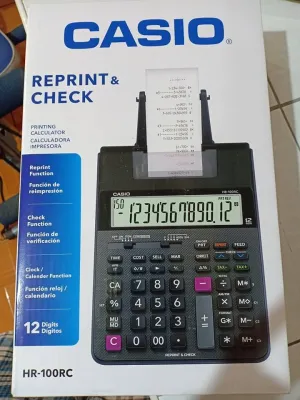
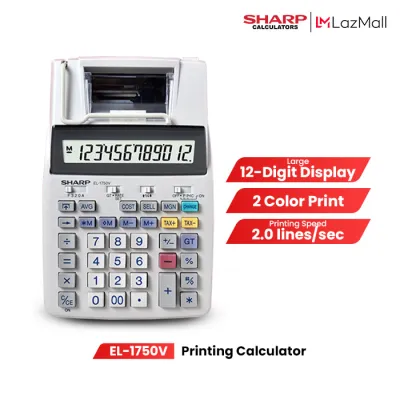
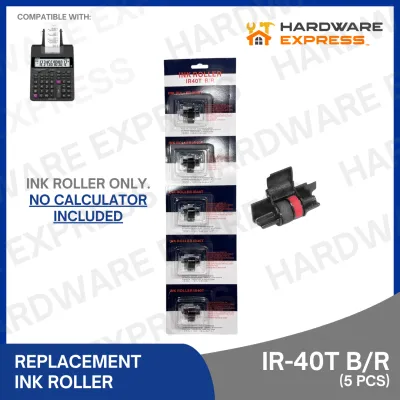
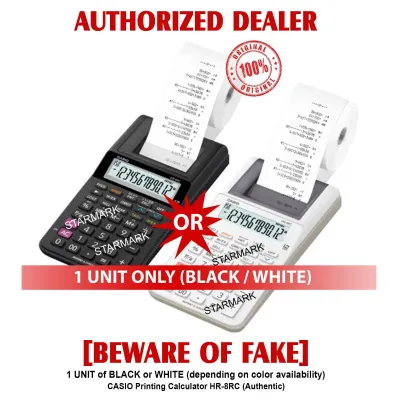
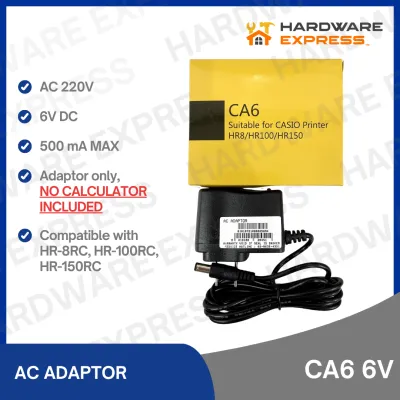
Prices are valid at publication and may change. Please refer to the product page for the latest price.
Physical counter space is another critical constraint in local retail setups. Many small stores, market stalls, and boutique counters in the Philippines have limited space, where a bulky desktop calculator might crowd out cash drawers, product displays, or payment terminals. You must measure your available counter area before purchasing. If space is tight, look for compact or portable printing calculators that offer a smaller footprint while still providing legible printouts. Ensure the device can sit securely on a flat surface without risk of being knocked over during fast-paced customer interactions.
Power accessibility and reliability are equally important considerations for daily operations. Standard desktop printing calculators usually rely on direct AC power, which provides consistent performance but limits mobility and leaves you vulnerable during local power interruptions. If your store is located in an area prone to seasonal brownouts, or if you operate a mobile pop-up stall, a dual-power or battery-operated model is highly advantageous. These models can run on standard batteries, ensuring you can continue issuing printed receipts and calculating totals even when the main power grid is offline.
Key Specifications and Common Brand Traits
Understanding the underlying technology of printing calculators is essential for managing long-term operating costs and maintenance. The two primary printing methods available are thermal printing and ink roller or ribbon printing. Thermal printing calculators use heat-sensitive paper to generate text, eliminating the need for ink replacements entirely. This makes them highly convenient and quiet, though the paper rolls themselves can be slightly more expensive and are sensitive to environmental factors. Ink roller and ribbon models, on the other hand, use standard paper and physical ink to stamp characters onto the page, offering highly legible, permanent prints at the cost of periodic ink cartridge replacements.

Keypad durability and design directly impact the speed and accuracy of your daily bookkeeping. Look for calculators featuring durable, double-injection plastic keys where the numbers are molded into the key rather than printed on the surface, preventing the labels from wearing off over years of heavy use. Tactile feedback is also crucial; keys should have a distinct, responsive springiness that allows the operator to feel each keystroke without looking down. In tropical climates where dust, humidity, and accidental spills from drinks or condensation are common, choosing a model with a sealed or easy-to-clean keyboard layout can significantly extend the lifespan of the device.
While brands like Casio, Canon, and Citizen each offer a wide range of models, they generally focus on different market niches that you can verify through their official product specifications. Some brands emphasize heavy-duty, professional-grade desktop units designed for continuous, high-speed office work, featuring robust keys and rapid ribbon printing. Other brands focus on highly portable, budget-friendly options that prioritize low power consumption and compact dimensions. Rather than assuming a brand’s entire lineup fits your needs, always check the specific model’s product label for key metrics such as print speed, paper width compatibility, and power consumption ratings.
Build Your Shortlist: Decision Matrix for Retail Use
To simplify your purchasing decision, you can categorize your store’s requirements into a clear decision framework based on your primary operational priorities. If your main goal is high-speed processing and zero ink maintenance, focus your shortlist on high-speed thermal printing models. These units are ideal for busy retail environments where transaction speed is paramount and the quiet operation of thermal heads is preferred. However, keep in mind that thermal receipts must be stored away from direct heat and sunlight to prevent fading, which is an important consideration in warm, tropical store environments.
If your business requires long-term physical archiving for tax compliance, auditing, or detailed bookkeeping, prioritize ink roller or ribbon-based models. The physical ink printed on standard paper does not fade when exposed to heat or light, making these receipts highly reliable for multi-year record storage. While you will need to factor in the ongoing cost and availability of replacement ink rollers, the initial purchase price of these calculators is often highly competitive, making them an excellent choice for established, stationary retail shops.
For mobile vendors, weekend market stalls, or highly space-constrained counters, compact and dual-power models are the most practical choice. These smaller units fit easily into bags or small drawers and can operate reliably on battery power when mains electricity is unavailable. When evaluating these portable options, verify that they use standard, easily sourced battery sizes and feature an automatic power-saving mode to preserve battery life during idle periods.
Before finalizing any purchase, always verify the manufacturer’s local warranty terms and the proximity of authorized service centers. In the Philippines, having access to official repair services and genuine replacement parts ensures that a minor hardware issue does not force you to replace the entire unit. Check the packaging or the manufacturer’s official local website to confirm that the seller is an authorized distributor capable of honoring the warranty.
Purchasing and Setup Verification
Once you have selected a model, performing a few basic checks during purchase and setup will prevent operational headaches later. First, confirm the exact paper roll specifications required by your calculator. Printing calculators are highly sensitive to paper width and outer roll diameter; using a roll that is even slightly too wide or too thick can cause frequent paper jams, uneven feeding, or physical damage to the internal plastic gears. Keep a note of the exact dimensions—typically specified in millimeters—and purchase a few compatible spare rolls immediately so you can test the device under realistic conditions.
Always purchase your printing calculator from authorized office supply retailers, official brand stores, or reputable online marketplaces to ensure you receive a genuine product. Counterfeit or unauthorized parallel imports may lack proper voltage compatibility for local power outlets or may not be covered by local warranties. When unboxing the device, inspect the casing for any signs of damage during transit, and ensure all included accessories, such as power adapters, starter paper rolls, and ink rollers, are present in the package.
Before deploying the calculator to your active sales counter, conduct a thorough initial print test. Load the paper roll according to the manual’s instructions, ensuring it feeds smoothly from the bottom of the roll. Run a series of basic calculations using different functions—such as tax addition, percentage calculations, and grand totals—to verify that the printed output is perfectly aligned, sharp, and free of smudges. This initial verification ensures your device is fully operational and ready to provide clear, professional receipts to your customers from day one.
Frequently Asked Questions (FAQ)
Can a printing calculator use standard cash register paper?
No, printing calculators generally cannot use standard cash register paper unless the dimensions and paper type match the manufacturer’s specifications exactly. Cash register rolls are often much wider and have a larger outer diameter than what a standard printing calculator’s paper holder can accommodate. Additionally, using thermal paper in an ink-based calculator, or vice versa, will result in blank prints or clogged print heads. Always consult your calculator’s user manual to verify the exact paper width, thickness, and roll diameter limits before buying paper in bulk.
Which is better for long-term receipt retention: thermal or ink roller?
Ink roller prints are significantly better for long-term physical receipt retention because physical ink on standard paper does not degrade when exposed to environmental heat, humidity, or light. Thermal prints rely on heat-sensitive chemical coatings that naturally fade over time, often becoming completely illegible within a few months in warm, humid climates. If you use a thermal printing calculator but need to retain receipts for multi-year tax or audit purposes, it is highly recommended to scan or photocopy the receipts digitally to ensure you have a permanent record.
Community discussion
Share your experience or ask a question. Comments are reviewed before publication.