
To get the best results when tracing on a Lumia light board, you need a balanced combination of translucent, textured paper and medium-hardness drawing tools. The ideal setup pairs lightweight tracing paper or drafting vellum (typically between 40 and 90 GSM) with medium-grade graphite pencils (such as HB or F) or compressed charcoal. This combination allows sufficient light transmission from the LED panel while providing enough surface friction, or “tooth,” to hold the drawing medium without excessive smudging, tearing, or burnishing.
In tropical environments like the Philippines, managing these materials requires extra attention. High relative humidity can soften paper fibers, making lightweight sheets prone to buckling, while also affecting how graphite transfers to the surface. Understanding how your light board’s illumination interacts with different paper weights and drawing mediums is the first step toward creating professional-grade sketches and transfers.
Evaluating Light Board and Paper Compatibility
A light board functions by projecting light upward through a reference image and a blank top sheet. The success of this process depends heavily on the relationship between the light board’s brightness settings, the surface texture of the device, and the physical properties of the paper. If the paper is too thick or opaque, you will need to turn the light board’s brightness to its maximum level, which can cause severe eye strain and wash out the fine details of your drawing. Conversely, if the paper is too thin, the light may be blindingly bright, and the paper itself may lack the structural integrity to withstand pencil pressure.
Products mentioned in this guide
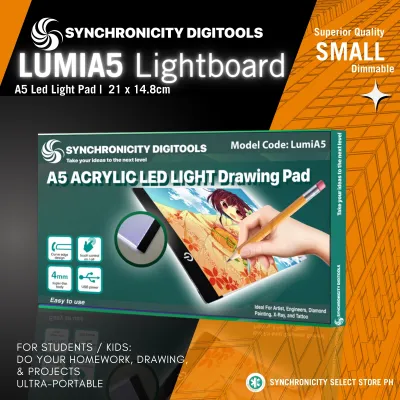
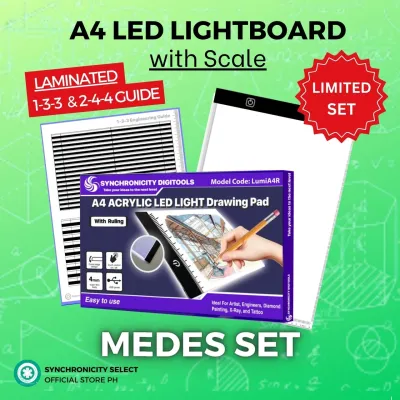
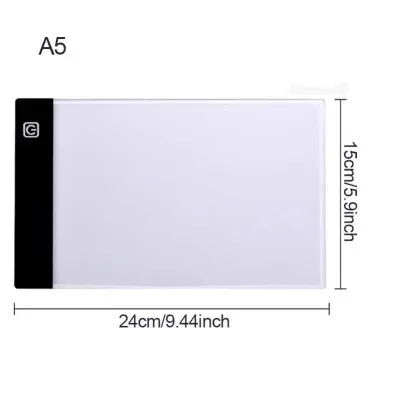
Prices are valid at publication and may change. Please refer to the product page for the latest price.
Paper weight is measured in grams per square meter (GSM). For optimal light transmission on a Lumia light board, papers ranging from 40 GSM to 90 GSM are generally preferred. Within this range, the light easily penetrates the fibers, allowing you to see intricate details of the underlying reference image even at low or medium brightness settings. Heavyweight papers, such as 200 GSM mixed-media or watercolor sheets, block too much light for standard tracing, though they can sometimes be used if the light board features high-output LED adjustment.
Beyond weight, the surface texture of both the light board and the paper plays a critical role. Standard office copy paper, which typically ranges from 70 to 80 GSM, is highly calendered during manufacturing to make it smooth for feeding through printers. This extreme smoothness means the paper lacks “tooth”—the microscopic peaks and valleys that act like a file to shave off and hold graphite or charcoal particles. When you attempt to sketch on smooth, non-porous surfaces, the pencil slips, resulting in faint lines that smudge at the slightest touch.
Choosing Tracing Paper for Graphite and Charcoal
Selecting the right paper requires balancing light transmission with the physical demands of your drawing medium. Traditional tracing paper, usually weighing between 40 and 60 GSM, offers exceptional translucency. It allows you to trace highly detailed work with minimal light board brightness. However, because tracing paper is highly processed and smooth, it has very little tooth. This makes it excellent for hard graphite pencils or fine-liner pens, but highly challenging for soft charcoal, which requires a rougher surface to adhere properly.

Drafting vellum, typically ranging from 60 to 90 GSM, is a superior alternative for artists working with a mix of graphite and charcoal. Vellum is often made from cotton fibers or plasticized paper, giving it a distinct, slightly toothy texture and remarkable durability. It can withstand repeated erasing and heavy pencil pressure without tearing or pilling. The slight texture of vellum grabs graphite and compressed charcoal efficiently, producing dark, stable lines while still allowing excellent light transmission from the light board.
Lightweight sketching paper, sitting around 50 to 80 GSM, is another option to consider. While it is less translucent than tracing paper or vellum, it offers a natural, toothy texture that is ideal for expressive charcoal work. When using sketching paper, you will likely need to increase your Lumia light board’s brightness to compensate for the lower light transmission. When purchasing any of these papers, always check the manufacturer’s specifications on the packaging for terms like “acid-free” to prevent yellowing over time, and look for labels indicating high erasability and resistance to buckling under humid conditions.
Pairing Pencils and Charcoal With Tracing Paper
Once you have selected your paper, you must pair it with the correct drawing tools to ensure clean, controllable lines. Graphite pencils are graded on the H/B hardness scale, where “H” stands for hard and “B” stands for black (or soft). Harder pencils, such as H, 2H, or F, contain more clay binder and less graphite. They produce light, precise lines that do not smudge easily, making them ideal for the smooth surface of tracing paper. However, because these leads are hard, pressing too firmly can scratch or permanently indent delicate tracing sheets.
Softer pencils, such as 2B, 3B, or 4B, deposit a large amount of graphite with minimal pressure. While this makes it easy to achieve dark lines, soft graphite can easily burnish on smooth vellum or tracing paper. Burnishing occurs when the graphite is rubbed into a slick, shiny layer that resists further pencil marks and smudges easily under your hand. For most tracing tasks on a light board, an HB or F pencil provides the perfect balance, offering enough darkness for visibility without the risk of heavy smudging or surface damage.
Charcoal presents a different set of challenges on translucent papers. Vine and willow charcoal are incredibly soft and powdery, containing no added binders. On smooth tracing paper or vellum, they have almost nothing to cling to, resulting in lines that brush away instantly and create excessive dust. If you want to use charcoal on a light board, opt for compressed charcoal pencils. The binders in compressed charcoal help the pigment adhere to semi-translucent sketching papers or toothy vellum, giving you deeper blacks and much better line control.
Erasing and blending on delicate tracing surfaces require specialized tools to prevent tearing. Standard rubber or abrasive pink erasers are too harsh and will quickly pill or tear thin tracing paper. Instead, use a high-quality kneaded eraser. By pressing and lifting the eraser vertically rather than rubbing it back and forth, you can remove graphite or charcoal without damaging the paper fibers. For blending, avoid using your fingers, as natural skin oils can stain translucent paper and create slick spots that block light; instead, use paper blending stumps (tortillons) with very light pressure.
Testing and Finalizing Your Tracing Material Setup
Because every combination of light board, paper, and pencil behaves differently, you should establish a systematic testing method before beginning a major project. Start by placing your Lumia light board on a flat, dry, and clean surface. Secure your reference image to the acrylic panel using low-tack artist’s tape, then overlay your chosen tracing paper or vellum, securing it in the same manner to prevent shifting during your work.
Turn on the light board and begin at the lowest brightness setting. Gradually increase the illumination until the lines of your reference image are clearly visible through the top sheet. Stop increasing the brightness as soon as the reference is clear; excessive light can cause glare, making it difficult to see the marks you are making with your pencil and leading to eye fatigue over long drawing sessions.
Next, create a physical swatch chart in an unused corner or on a scrap piece of your selected paper. Draw a series of short lines using different pencil grades and charcoal types, labeling each one. Test the erasability of each medium by lifting a portion of the line with your kneaded eraser, and test the smudge resistance by gently running a clean blending stump over the marks.
Observe the results closely to identify potential failure points. If the paper begins to buckle or warp from the warmth of the light board’s LEDs or the moisture from your hands, you may need to use a heavier vellum or wear a lightweight drawing glove. If the pencil lines appear shiny and slide off the paper, your pencil is too soft or your paper is too smooth; switch to a harder pencil grade or a paper with more tooth. If you experience significant glare or find yourself squinting, lower the light board’s brightness or switch to a more translucent paper.
Frequently Asked Questions (FAQ)
Can I use regular printer paper on a light board for detailed tracing?
While you can use standard 70 to 80 GSM printer paper for basic outlines, it is not recommended for detailed tracing. Printer paper is highly opaque, meaning it blocks a significant amount of light and forces you to run your light board at maximum brightness, which can cause eye strain. Additionally, printer paper is heavily calendered to be smooth for printing presses, meaning it lacks the surface tooth required to hold artistic graphite or charcoal, resulting in faint lines that smudge easily.
How do I prevent charcoal from smudging on smooth tracing paper?
To prevent charcoal from smudging on smooth tracing paper, use compressed charcoal pencils instead of raw vine or willow charcoal, as the binders in compressed charcoal help the medium adhere to smooth surfaces. Always work from the top of your drawing down to the bottom to avoid dragging your hand across completed areas. Once your tracing is complete, apply a light, even coat of workable matte fixative spray in a well-ventilated outdoor area, following the manufacturer’s safety instructions.
Does the light board surface texture affect pencil visibility?
Yes, the surface texture of the light board significantly affects how clearly you can see your pencil lines. A light board with a frosted or textured acrylic surface diffuses the LED light more evenly, reducing harsh hot spots and reflections. This even diffusion creates a high-contrast background that makes your graphite or charcoal lines stand out clearly. A completely glossy, clear surface can create sharp reflections of overhead lights, causing glare that washes out your drawing.
Community discussion
Share your experience or ask a question. Comments are reviewed before publication.