
For small business owners in the Philippines, keeping an accurate, physical record of daily transactions is vital for inventory management, tax preparation, and customer trust. While modern digital point-of-sale systems are popular, the classic adding machine with a receipt printer remains an indispensable tool for many retail shops, wholesale distributors, and service centers. Choosing the right model requires balancing print speed, paper compatibility, power reliability, and physical durability against your specific daily transaction volume.
By understanding these technical specifications and matching them to your operational environment, you can secure a reliable machine that keeps your checkout line moving and your financial records clear. This guide breaks down the essential features to evaluate, helping you make an informed decision for your business.
Key Features to Evaluate for Retail and Office Use
When selecting an adding machine with a receipt printer, the technical specifications on the box directly translate to how smoothly your daily operations will run. The first critical metric to examine is the print speed, which manufacturers usually measure in lines per second (LPS).
Products mentioned in this guide
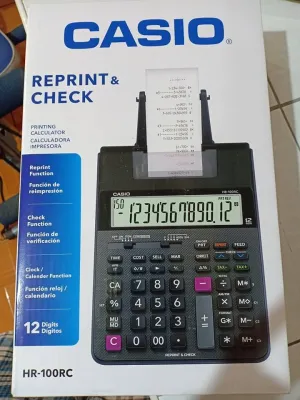
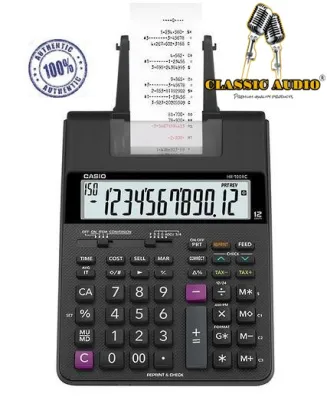
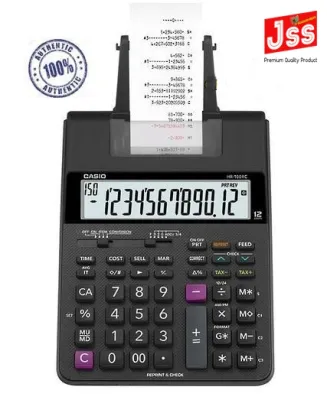
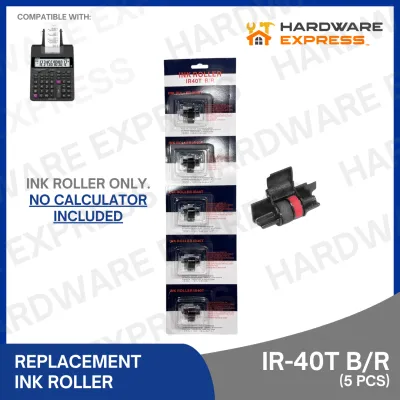
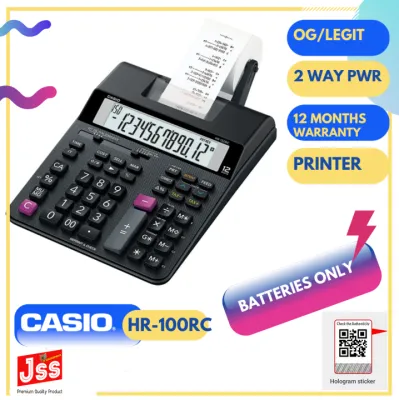
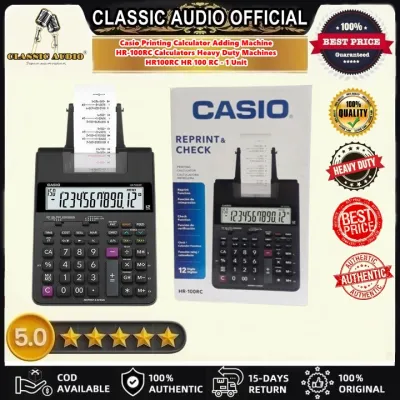
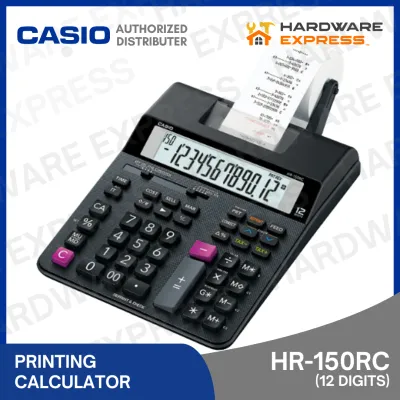
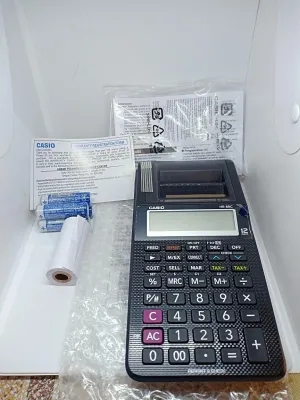
Prices are valid at publication and may change. Please refer to the product page for the latest price.
In a fast-paced retail environment, such as a busy neighborhood convenience store or a local bakery during the morning rush, a slow printer can create unnecessary bottlenecks. A machine that prints at 2.0 to 3.0 lines per second is generally sufficient for moderate traffic.
High-volume environments benefit from heavy-duty models that exceed 4.0 lines per second. Faster printing not only reduces customer wait times but also minimizes the wear on the internal motor during prolonged use.
Another vital feature is the display design, which must remain highly legible under various lighting conditions. Many small businesses operate in diverse environments, ranging from brightly lit air-conditioned offices to open-air market stalls with shifting natural light.
Look for a display with large, high-contrast digits—ideally a 12-digit or 14-digit screen to accommodate larger transaction totals and multi-item calculations. Backlit liquid crystal displays (LCDs) or fluorescent displays offer excellent visibility regardless of whether you are working under direct tropical sunlight or dim evening lighting.
Additionally, an adjustable display angle can help operators prevent neck strain and reduce glare from overhead fluorescent bulbs.
Power reliability is another major consideration for local businesses. Power fluctuations, voltage drops, or brief blackouts can interrupt your calculations, potentially erasing a long sequence of entries and forcing you to restart the transaction.
While most heavy-duty adding machines rely on a standard AC adapter plugged directly into a wall outlet, some compact or portable models offer dual-power configurations that include battery backups.
If your business is located in an area prone to power instability, choosing a model that can run on standard AA batteries or has an internal rechargeable battery ensures that you can continue serving customers and printing receipts even when the main power grid fails.
Finally, the physical layout and tactile feedback of the keypad play a significant role in operator efficiency. Touch-typists and experienced bookkeepers rely heavily on the feel of the keys to enter data rapidly without looking down.
Look for a machine with well-spaced, contoured keys that offer a satisfying mechanical click. The inclusion of dedicated keys for common functions—such as tax calculation, currency conversion, and a double-zero (00) key—can significantly speed up transaction times when handling local currency amounts.
Matching Machine Types to Your Business Volume
Every business has a unique transaction pattern, and matching your adding machine to your actual daily volume prevents both overspending on unnecessary features and premature hardware failure.

Low-volume setups, such as small boutiques, specialty service desks, or home-based online businesses, typically do not require industrial-grade machinery. For these environments, a compact, lightweight adding machine is often the most practical choice.
These entry-level models prioritize a small physical footprint, allowing them to fit easily on narrow counters or shared desks. While they may have slightly slower print speeds and smaller paper roll capacities, their lower initial cost and ease of portability make them highly suitable for businesses that only print a few dozen receipts a day.
In contrast, medium-to-high-volume environments like busy convenience stores, local cafes, and wholesale warehouses demand a much more robust solution.
These businesses require heavy-duty adding machines equipped with durable print heads and high-torque motors designed to withstand continuous operation throughout the day.
High-volume models feature larger, weighted chassis that remain stable on the counter during rapid typing, preventing the machine from sliding around. They also offer faster print speeds and larger keypads designed for heavy, repetitive use.
Investing in a heavy-duty machine for a busy storefront reduces the risk of mechanical jams and extends the overall lifespan of your office equipment.
When choosing between compact and heavy-duty models, you must also consider the trade-off between desktop space consumption and internal paper roll capacity.
Smaller machines often use narrower paper rolls or have smaller internal compartments, meaning you will need to replace the paper roll more frequently.
For a busy shop, stopping to change the paper roll in the middle of a long queue can frustrate customers and slow down service. Heavy-duty machines typically accommodate larger, standard-sized paper rolls, allowing you to print hundreds of transactions before needing a replacement.
Carefully measure your available counter space and weigh it against your daily transaction count to find the ideal balance between machine size and operational efficiency.
Paper Roll Compatibility and Consumable Checks
Before purchasing an adding machine, it is essential to understand the ongoing costs and availability of its consumables, specifically the paper rolls and ink systems.
Adding machines with receipt printers generally fall into two categories: thermal printing systems and ink-based (ink roller or ribbon) systems.
Thermal printing utilizes heat-sensitive paper to create images, meaning the machine requires no ink cartridges or ribbons. This system is quiet, fast, and eliminates the hassle of buying and replacing ink.
However, thermal paper is sensitive to heat and light; in hot, humid tropical climates, thermal receipts can fade over time, making them less ideal for long-term tax records unless stored in cool, dark conditions.
Ink-based systems, on the other hand, use standard wood-free paper and a physical ink roller or ribbon to print characters.
The primary advantage of this system is the durability of the print; the ink does not fade when exposed to heat or sunlight, making these receipts highly reliable for long-term bookkeeping and official audits.
However, you must factor in the recurring cost of purchasing both paper rolls and replacement ink rollers. Additionally, ink-based printing is generally louder and slower than thermal printing, and you must monitor the print quality to ensure the ink does not become too faint to read.
When evaluating paper compatibility, always check the standard paper roll width and maximum outer diameter specified by the manufacturer.
Most common adding machines use standard widths such as 57mm or 58mm, which are widely available in local office supply stores and online marketplaces.
However, some heavy-duty models may require wider paper to accommodate detailed multi-column printing.
Before finalizing your purchase, verify that replacement paper rolls and matching ink rollers for your specific model are easy to source locally. Relying on a machine with rare or proprietary consumable sizes can lead to operational downtime if you run out of supplies and cannot find immediate replacements.
Connectivity and Integration Requirements
While many small businesses use adding machines as standalone devices, understanding their connectivity options can help you plan for future business growth.
Standard adding machines are designed to operate independently, performing calculations and printing receipts without being connected to a computer or network.
This standalone nature is highly beneficial for businesses that prefer a simple, reliable setup with zero software configuration, no internet dependency, and no monthly subscription fees. It provides a straightforward, offline method for calculating totals and keeping physical records.
However, some modern adding machines feature physical interfaces such as USB or RS-232 serial ports.
These ports allow the machine to connect to external peripherals, most commonly a compatible cash drawer.
When connected, performing a “Total” calculation on the adding machine can automatically trigger the cash drawer to pop open, streamlining the checkout process and improving cash security.
Some specialized models can also interface with basic point-of-sale (POS) software or computers to act as a secondary printer or data entry terminal, though this is less common for standard desktop calculators.
It is crucial to recognize the operational limitations of a standalone adding machine compared to a full POS terminal.
An adding machine calculates numbers and prints a physical record, but it does not track inventory levels, manage customer databases, or automatically sync your sales data with cloud-based accounting platforms.
If your business requires real-time inventory tracking or detailed sales analytics, you will eventually need to transition to a dedicated POS system.
If you plan to use the adding machine alongside a computer or within a semi-integrated setup, always check the manufacturer’s specifications to confirm compatibility with your operating system and to verify if specific software drivers are required.
Pre-Purchase Verification Checklist
To ensure that your chosen adding machine fits seamlessly into your daily business operations, perform a thorough pre-purchase verification.
First, measure the physical dimensions of the counter space where you plan to place the machine.
Consider not only the footprint of the device itself but also the space required for cable routing, power adapters, and easy access to the paper roll compartment.
Ensure that the power cable can safely reach a reliable wall outlet or surge protector without creating a tripping hazard or being stretched too tight, which can damage the cord over time.
Next, confirm the local warranty terms and the availability of authorized service centers.
Since an adding machine is a mechanical device with moving parts, it is subject to wear and tear over years of constant use.
Purchasing from a reputable brand that offers a local warranty in the Philippines ensures that you can easily access repairs or replacement parts if a component fails.
Check if there are authorized service centers in major urban hubs, and review the retailer’s return policy in case the machine arrives with a manufacturing defect.
Finally, inspect the product packaging details to see what accessories are included in your purchase.
A complete retail package should ideally include the AC power adapter, a starter paper roll, and the initial ink roller or ribbon if the machine uses an ink-based system.
Having these essential accessories included allows you to set up and test the machine immediately upon unboxing, ensuring that all keys, the display, and the printing mechanism are functioning correctly before you deploy the device in front of your customers.
Frequently Asked Questions (FAQ)
Can I use standard thermal receipt paper in any adding machine with a printer?
No, you cannot use standard thermal receipt paper in every adding machine. Thermal paper is coated with a heat-sensitive chemical layer and only works with dedicated thermal print heads that apply heat to create characters.
If you place thermal paper into an ink-roller or ribbon-based adding machine, the mechanical keys or ink rollers will not transfer ink correctly, often resulting in blank receipts or smudged prints.
Conversely, using standard wood-free paper in a thermal printer will result in completely blank rolls because there is no ink to transfer and the paper cannot react to the print head’s heat. Always check your machine’s user manual to verify whether it requires thermal paper or standard bond paper before purchasing consumables.
How do I clear a paper jam in a receipt printing adding machine?
To clear a paper jam safely without damaging the sensitive printing mechanism, first turn off the adding machine and unplug it from the power source.
Open the paper compartment cover to expose the paper feed path. Gently pull the jammed paper in the direction of the normal paper feed; never pull the paper backward through the mechanism, as this can misalign the gears or damage the print head.
Avoid using sharp objects like scissors, knives, or paperclips to pry the paper loose, as these can easily scratch the rollers or puncture the delicate printing elements.
If the paper is tightly wedged, consult the manufacturer’s manual for specific instructions on releasing the tension roller or manually rotating the feed gears to free the jam safely.
Community discussion
Share your experience or ask a question. Comments are reviewed before publication.