
Selecting the ideal CASIO scientific calculator requires matching the device’s functional capabilities with your specific academic track and the strict guidelines of your educational institution. A student pursuing a general science pathway does not need the same computational power as an engineering major tackling multi-variable calculus, while an accountancy student must balance statistical needs with the strict rules of professional licensing boards. Choosing the wrong model can lead to unnecessary expenses or, worse, having your calculator confiscated at the door of an exam room. By understanding the functional tiers of these devices, you can make an informed investment that supports your studies from day one through graduation.
Check Your Course Syllabus and Exam Board Rules
Before browsing online marketplaces or visiting local office supply stores, your very first step must be reviewing your course syllabus and the official calculator guidelines of your school or national testing authorities. In the Philippines, professional regulatory boards maintain strict, updated lists of allowed calculator models for licensure examinations. Bringing a non-compliant device—especially one with programmable memory or graphing capabilities—can result in immediate disqualification.
Look closely at your syllabus to identify the specific mathematical operations you will perform. If your classes require complex matrix algebra, vector calculations, or numerical integration, a basic scientific calculator will fall short. Conversely, if you are entering an accountancy or business program, you must determine whether your department permits standard scientific calculators or if they mandate a dedicated financial calculator. Many business courses allow scientific models for basic statistics but transition to financial models for specialized subjects. Verifying these rules early prevents the frustration of buying a high-end model only to find it banned during midterms or final exams.
Products mentioned in this guide
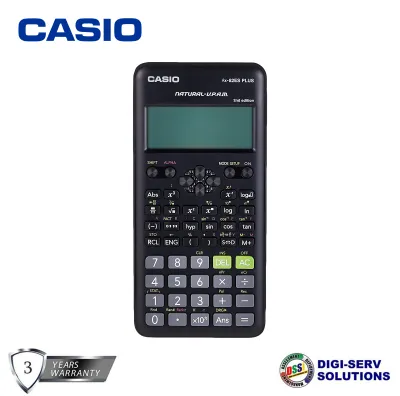
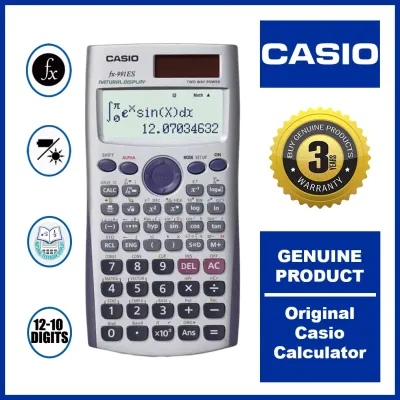
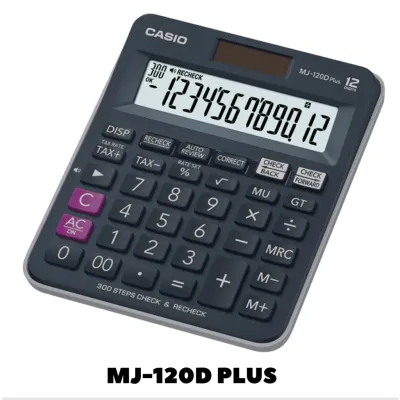
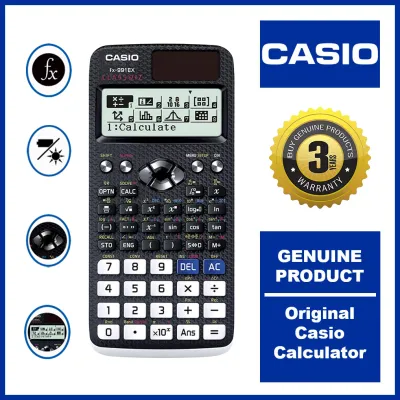
Prices are valid at publication and may change. Please refer to the product page for the latest price.
Match Calculator Features to Your Academic Discipline
Different academic fields demand vastly different levels of computational complexity. While a general science student focuses on foundational formulas, engineering and accounting majors require specialized tools to process complex data sets and multi-step equations efficiently.

STEM (General Science and Mathematics)
For senior high school STEM students and college students in general science, biology, or chemistry majors, a standard scientific calculator is typically the most practical choice. Your coursework will center on algebra, basic trigonometry, logarithms, exponents, and foundational statistics. A mid-tier model featuring a natural textbook display is ideal for these tasks, as it shows fractions, square roots, and formulas exactly as they appear in your textbooks.
Opting for a standard model keeps your study workflow simple and intuitive. You avoid the steep learning curve of navigating complex menus designed for advanced engineering. Furthermore, saving your allowance by choosing a standard model over an advanced engineering calculator allows you to allocate your budget toward other essential school supplies. Always verify that the model you choose supports multi-line displays so you can easily track your input history and correct minor entry errors without restarting the entire calculation.
Engineering (Advanced Calculus and Matrix Operations)
Engineering disciplines demand a significantly higher tier of computational power. Throughout your engineering journey, you will encounter advanced calculus, differential equations, complex number operations, matrix transformations, and vector analysis. To handle these topics, you need an advanced scientific calculator equipped with a high-resolution dot-matrix display and a faster internal processor.
Look for models that offer dedicated equation solvers, integration and differentiation keys, and base-N calculations for computer engineering modules. The ability to compute matrices up to 4×4 dimensions and solve simultaneous equations with multiple variables will save you invaluable time during timed exams. When selecting your device, verify that it includes a comprehensive library of built-in scientific constants and metric conversions. These features eliminate the need to memorize physical constants, allowing you to focus entirely on solving complex structural or electrical problems.
Accountancy (Statistics and Financial Basics)
Accountancy and business administration students navigate a unique set of mathematical requirements. While you do not need advanced calculus or vector mechanics, you do need a reliable tool for basic arithmetic, percentage calculations, standard deviation, and regression analysis. A mid-tier scientific calculator with a dedicated statistical mode is often a highly suitable companion for auditing and business statistics courses.
However, you must carefully distinguish between scientific and financial models. If your curriculum focuses heavily on the time value of money, amortization schedules, compound interest, and cash flow analysis, a standard scientific calculator will require tedious manual formula inputs. In such cases, a dedicated financial calculator is a far more efficient choice. If your department permits a scientific calculator, prioritize a model with a spacious, comfortable key layout and clear tactile feedback. This design minimizes input errors during long, repetitive data entry sessions under tight exam limits.
Evaluate Display, Power, and Build Quality
Beyond internal software features, the physical build and hardware specifications of your scientific calculator directly impact your daily study comfort. The display technology is your primary interface; older segment displays show numbers in a single, rigid line, whereas modern dot-matrix and natural textbook displays render complex fractions and symbols clearly. This visual clarity reduces cognitive fatigue and helps you spot input errors before pressing the equals key.
Power delivery is another critical factor to consider, especially in tropical climates where classroom lighting can vary. A dual-power model that utilizes both solar panels and a backup battery ensures uninterrupted operation during crucial exam hours, even in dimly lit lecture halls. Battery-only models are reliable but carry the risk of sudden power failure if the cell drains.
Finally, examine the build quality and tactile feedback of the keys. High-quality plastic keys with clear, wear-resistant printed labels are far more durable than soft rubber keys that can degrade or stick over time in high humidity. Look for a protective slide-on hard case that shields the screen and keys from scratches when tossed into a crowded backpack, and check for small rubber feet on the base to prevent the calculator from sliding on smooth wooden desks.
Verify Authenticity and Prepare for Exam Day
Because CASIO calculators are highly popular, counterfeit units are common on online marketplaces and unauthorized retail stalls. Using a counterfeit calculator is a major risk; these units often suffer from slow processing speeds, inaccurate rounding algorithms, and sudden system crashes during calculations. To protect your grades, always purchase from authorized stationery dealers and inspect the packaging for official holographic stickers, security seals, or QR codes that link directly to the manufacturer’s verification portal.
Once you have a genuine device, do not wait until the night before an exam to learn its functions. Spend time practicing key sequences, setting up statistical tables, and switching between radian and degree modes. Familiarize yourself with the specific factory reset procedure for your model, which usually involves a combination like pressing the Shift key followed by the initialization menu. Invigilators at major testing centers often require all students to perform a hard reset to clear stored variables and formulas before the test begins. Knowing how to do this quickly keeps you calm and focused as the exam starts.
Frequently Asked Questions (FAQ)
Can I use an advanced engineering calculator for basic STEM or accountancy courses?
While an advanced engineering calculator can easily perform basic STEM and accountancy calculations, it is often not the most practical choice. High-tier models are significantly more expensive and feature complex menus that can slow down simple arithmetic. More importantly, many strict exam boards ban advanced models due to their high-capacity memory and equation-solving capabilities, meaning you might not be allowed to use your premium device during final exams.
What is the main difference between a scientific calculator and a financial calculator?
The primary difference lies in their specialized internal programming. A scientific calculator is designed for general mathematics, algebra, trigonometry, and calculus, featuring keys for functions like sine, cosine, and logarithms. A financial calculator is pre-programmed with specific business algorithms, allowing you to calculate compound interest, loan amortization, cash flows, and depreciation with a few keystrokes, bypassing the need for manual algebraic formulas.
Community discussion
Share your experience or ask a question. Comments are reviewed before publication.