
Choosing the right adding machine with printer for your workplace in the Philippines requires balancing operational speed, print durability, and the specific demands of your daily accounting tasks. With various brands offering different printing mechanisms, key layouts, and durability standards, finding the ideal model involves comparing how these features perform under local office conditions. This comprehensive guide evaluates the leading printing calculator brands, details core comparison dimensions, and provides a clear framework to help you make an informed purchase.
Quick Answer: Which Brand Offers the Best Balance?
The ideal adding machine with printer depends heavily on your specific office workflow, daily transaction volume, and archiving requirements. Established market leaders like Casio, Canon, Sharp, and Citizen do not offer a single, one-size-fits-all solution; instead, they excel in different operational niches. For high-volume corporate accounting and auditing where permanent, smudge-proof records are mandatory, heavy-duty ink-roller models from Casio and Canon generally provide the most robust build quality and fastest processing speeds.
For smaller retail setups, inventory desks, or administrative roles, compact desktop models from Sharp and Citizen offer highly reliable, straightforward calculations with specialized business keys at a more accessible price point. Because features, print speeds, and paper capacities vary significantly across model tiers rather than just by brand name, you should always verify the exact specifications on the product label and user manual before purchasing to ensure compatibility with your specific office environment.
Products mentioned in this guide
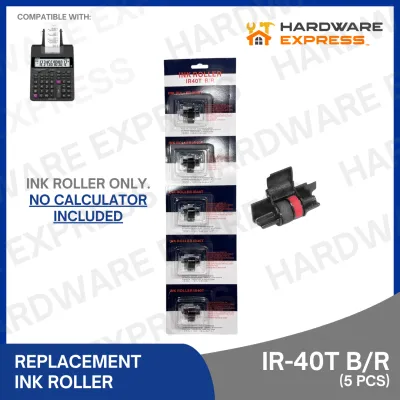
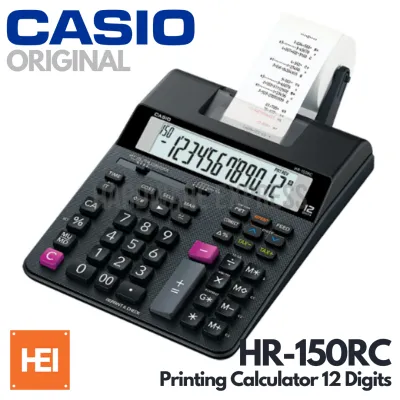
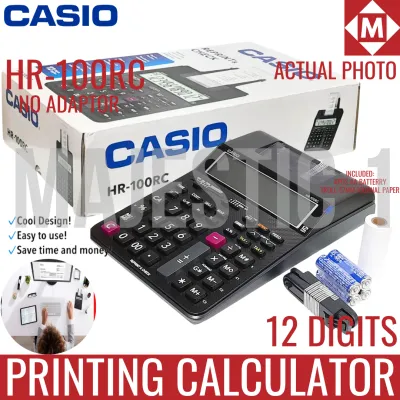
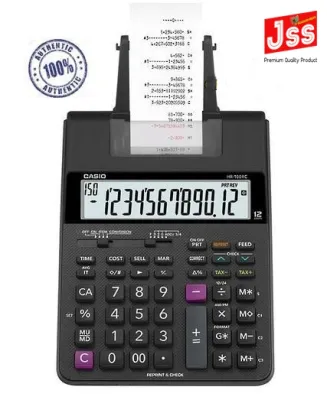
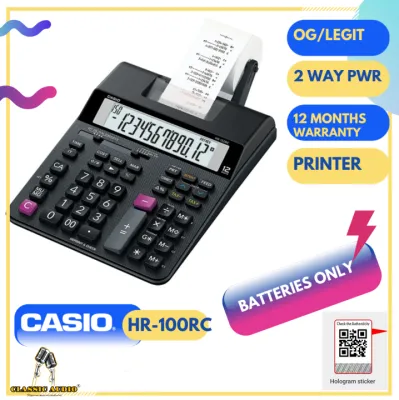
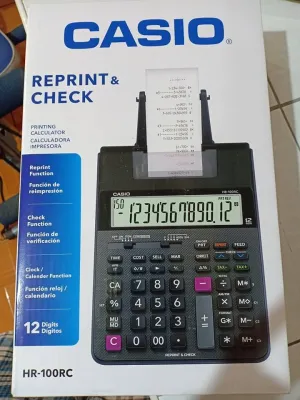
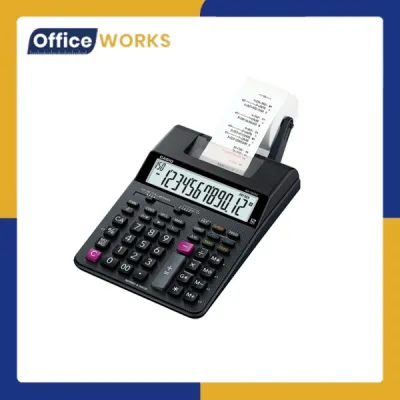

Prices are valid at publication and may change. Please refer to the product page for the latest price.
Core Comparison Dimensions for Printing Calculators
To select a printing calculator that truly enhances daily office efficiency, you must look beyond brand reputation and evaluate the specific technical dimensions that govern performance, consumable costs, and user comfort.

Print Mechanism (Ink Roller vs. Thermal)
The choice of print mechanism dictates your ongoing consumable costs, maintenance routine, and the archival lifespan of your printed records. This decision is particularly critical in the tropical climate of the Philippines, where environmental factors like high humidity and ambient heat directly affect paper and ink performance.
- Ink-Roller and Ribbon Models: These machines use standard bond paper rolls (typically 57mm or 2 1/4 inches wide) and physical ink rollers or ribbons to stamp characters onto the paper. The primary benefit of this system is the permanence of the print. The physical ink bonds with the paper fibers, creating a permanent, smudge-proof record that is highly resistant to fading. This makes ink-roller models the standard choice for tax preparation, bookkeeping, and official audits where records must be archived for several years. However, they require periodic ink roller replacements, and the mechanical printing action is noticeably louder than thermal alternatives.
- Thermal Models: Thermal printing calculators use heat-sensitive paper and a thermal print head to generate characters without any ink. This design has fewer moving parts, operates almost silently, and eliminates the need to purchase replacement ink rollers. The trade-off lies in the durability of the print. Thermal paper is highly sensitive to heat, light, and friction. In warm, humid, or non-airconditioned storage spaces, thermal prints can fade rapidly, sometimes becoming completely illegible within a few months. If your office requires long-term physical archives, thermal paper is generally unsuitable unless you scan and digitize the receipts.
Calculation Speed and Memory Functions
Calculation speed is measured in lines per second (LPS), indicating how quickly the mechanical printer can output lines of data. Heavy-duty models typically print at speeds between 3.5 and 4.8 lines per second, while compact, entry-level models may print at 1.5 to 2.0 lines per second.
For professional touch-typists and accountants who input data rapidly, a high printing speed must be paired with a robust keystroke buffer. A buffer ensures that the machine registers every keypress, even if you type faster than the printer can physically print. If the buffer is insufficient, the calculator may drop digits, leading to calculation errors that require tedious troubleshooting.
Beyond speed, evaluate the specialized key functions that match your daily tasks:
- Grand Total (GT): Automatically accumulates the results of multiple individual calculations into a single grand total.
- Mark-Up / Mark-Down (MU/MD): Simplifies price calculations, profit margins, and cost structures in retail and sales environments.
- Tax Keys (+TAX / -TAX): Allows you to store local value-added tax (VAT) rates and apply or deduct them with a single keystroke, saving significant time during invoicing.
- Independent Memory (M+, M-, MR, MC): Essential for complex, multi-step calculations where intermediate figures must be stored and recalled.
Display and Ergonomics
Because users often spend hours performing continuous data entry, the display and physical layout of the calculator directly impact visual comfort and physical strain.
- Display Type and Size: Most printing calculators feature either a Liquid Crystal Display (LCD) or a Vacuum Fluorescent Display (VFD). LCD models are energy-efficient and highly legible in well-lit rooms, though some entry-level screens can suffer from glare under bright overhead office lights. VFD models feature bright, self-illuminating green or blue digits that offer exceptional contrast and visibility from wide viewing angles, making them the preferred choice for dark or heavily shaded workspaces.
- Digit Capacity: Models are generally categorized into 10-digit, 12-digit, or 14-digit displays. For standard retail and small business transactions, a 10-digit or 12-digit display is sufficient. For corporate accounting, large-scale financial auditing, or handling high-value transactions in Philippine Pesos (₱) that require precise decimal points, a 12-digit or 14-digit model is highly recommended to prevent overflow errors.
- Key Layout and Tactile Feedback: The physical spacing and contouring of the keys are critical. Professional adding machines feature a layout where the "0", "00", and large "+" keys are positioned for easy reach by the thumb and pinky finger. The keys should offer distinct tactile feedback—a clear, springy resistance that confirms a keypress without requiring excessive force. Soft, mushy keys increase the likelihood of double-presses or missed inputs.
Power Options
Printing calculators consume significantly more power than standard pocket calculators because they must drive mechanical print heads and paper feed motors.
- Direct AC Power: Heavy-duty office models rely solely on a direct connection to a standard wall outlet via an AC adapter or a built-in power cord. This ensures a stable, continuous power supply capable of maintaining high-speed printing without performance degradation.
- Battery and Dual Power: Compact or portable printing calculators often run on AA batteries or a combination of batteries and an optional AC adapter. While battery power provides mobility, heavy printing will drain batteries quickly. Furthermore, as battery power depletes, you may notice slower print speeds or faint print quality. In offices subject to frequent voltage fluctuations or brief power interruptions, a model with dual power options or a reliable battery backup prevents data loss and calculation interruptions.
Evaluating Leading Adding Machine Brands
When shopping for a printing calculator in the Philippines, you will encounter several prominent brands across local office supply stores and online marketplaces. Understanding the general design philosophies, typical strengths, and common target audiences of these brands will help you narrow down your options.
Casio
Casio is one of the most widely recognized names in the calculator industry, offering a comprehensive lineup of printing calculators that ranges from portable, battery-operated units to heavy-duty, professional desktop machines.
- Design Philosophy and Build: Casio focuses heavily on durability, user-friendly layouts, and consistent tactile feedback. Their heavy-duty DR-series models are built with robust internal frames and heavy plastic casings designed to withstand the physical vibrations of continuous, high-speed printing. The keytops are often double-injection molded, meaning the numbers are part of the plastic key itself and will not wear off after years of heavy use.
- Key Strengths: Casio machines are highly regarded for their logical key spacing and the smooth, reliable operation of their paper feed mechanisms. Because of the brand's extensive distribution network in the Philippines, replacement consumables—such as the standard IR-40T ink rollers—and official paper rolls are exceptionally easy to source in local stationery shops and office supply chains.
- Considerations: Entry-level Casio models may feature lighter plastic housings that slide on polished wooden desks during rapid typing; users should check if a specific model includes non-slip rubber feet. Always consult the specific model's manual to verify the exact print speed and paper roll capacity.
Canon
Canon leverages its extensive corporate history in imaging and printing technology to produce printing calculators that emphasize print legibility, fast mechanical performance, and robust construction.
- Design Philosophy and Build: Canon printing calculators, particularly their MP-series, are engineered for high-volume corporate accounting environments. They often feature solid, heavy bases that remain securely anchored to the desk during rapid data entry. Canon places a strong emphasis on clean, modern aesthetics combined with high-contrast displays.
- Key Strengths: Canon models are frequently praised for their exceptionally clear print output. The alignment of the print head is highly precise, resulting in clean, straight columns of numbers with minimal smudging. Many of their mid-to-high-tier models also include advanced tax and business calculation keys that simplify complex corporate filings. Additionally, Canon has introduced eco-conscious models made from recycled copier materials, appealing to businesses aiming to reduce their environmental footprint.
- Considerations: Canon's heavy-duty models tend to have a larger desktop footprint and are heavier than comparable brands, making them less suitable for compact workspaces or desks with limited real estate.
Sharp
Sharp has a long-standing reputation in the office equipment sector, offering printing calculators that are highly favored in retail, small business, and commercial transaction environments.
- Design Philosophy and Build: Sharp designs its calculators with a focus on practical business utility and straightforward, reliable operation. Their EL-series models are built to handle repetitive daily transactions, featuring intuitive control switches for decimal settings, rounding options, and print modes.
- Key Strengths: Sharp calculators are highly regarded for their integration of dedicated business functions, such as Cost/Sell/Margin keys. These keys allow retail managers and business owners to calculate profit margins and markup percentages instantly without inputting multi-step formulas. Their printing mechanisms are reliable, providing consistent daily performance with minimal maintenance requirements.
- Considerations: While Sharp models excel in retail and general business calculations, their selection of ultra-high-speed, heavy-duty auditing models is sometimes more limited compared to Casio or Canon in certain local markets.
Citizen
Citizen is known for producing reliable, utilitarian desktop calculators and adding machines that offer practical functionality and high-contrast displays for everyday office use.
- Design Philosophy and Build: Citizen focuses on ergonomic simplicity, clear visual displays, and budget-friendly reliability. Their printing calculators are designed for administrative desks, small offices, and reception areas where printing is required periodically rather than continuously throughout the day.
- Key Strengths: Citizen models typically feature large, high-contrast LCD screens that are easy to read from various angles. Their keyboard layouts are straightforward, making them highly accessible to users who do not require specialized accounting functions but need a dependable machine for basic bookkeeping, receipt generation, and expense tracking. They offer a highly competitive balance of features and cost-effectiveness.
- Considerations: Citizen models are generally geared toward light-to-medium-duty office printing. If your workflow requires processing hundreds of continuous, high-speed transactions daily, you may find that Citizen's print speeds and mechanical frames are less optimized for that level of intensive volume compared to heavy-duty models from Casio or Canon.
Assessing Durability and Print Quality in Daily Use
To ensure your selected adding machine remains reliable over years of daily operation, you must know how to physically inspect the machine, verify its print quality, and perform basic, safe maintenance.
Keypad Durability and Tactile Testing
Before deploying a new printing calculator in a high-volume environment, perform a manual test of the keypad to evaluate its build quality and ergonomics:
- Key Resistance and Wobble: Press several keys slowly. They should travel straight down with minimal lateral wobble. If the keys feel loose or tilt significantly when pressed off-center, the internal membrane or switch mechanism may wear out prematurely under rapid typing.
- Spacing and Layout Check: Verify that your fingers can comfortably locate the "+" and "0" keys without looking. Adequate spacing between keys is vital to prevent accidental double-inputs, which can ruin a long calculation run.
Print Legibility and Alignment Verification
To check the quality of the printing mechanism, load a fresh roll of paper and perform a series of test calculations:
- Character Clarity: Examine the printed numbers closely. The ink should be evenly distributed across each digit. Faint sections, broken lines, or spotty printing indicate either a dry ink roller or a misaligned print head.
- Feed Alignment: Print a continuous strip of 10 to 15 lines. The paper should feed straight out of the tear-off bracket. If the paper drifts to one side, bunches up, or creases along the edges, the paper holder or feed rollers may be misaligned. Never force or pull the paper manually while the printing motor is running, as this can permanently damage the internal gear mechanism.
Routine Maintenance and Care
Proper maintenance is essential to prevent mechanical failures, especially in dusty or humid office environments. Always prioritize safety and adhere to the manufacturer’s care instructions:
- Handling Paper Jams: If a paper jam occurs, turn off the calculator and unplug it from the power source. Gently tear away the excess paper and carefully pull the jammed piece in the direction of the normal paper feed. Do not use scissors, paperclips, or sharp metal tools inside the paper compartment, as these can easily scratch the delicate print head or tear the rubber platen roller.
- Cleaning the Exterior: Dust and oil from fingers can accumulate on the keys over time. Wipe the exterior of the calculator with a soft, dry, lint-free microfiber cloth. If necessary, slightly dampen the cloth with water, but never spray water or liquid cleaners directly onto the machine. Avoid using harsh chemical solvents, alcohol, or abrasive cleaning pads, which can dissolve the plastic casing or strip the printed labels from the keys.
- Print Head and Platen Care: If paper dust accumulates inside the printer compartment, use a small, dry, soft-bristled brush or a can of compressed air to gently blow away the debris. Do not touch the print head or internal mechanical parts with your fingers. If the machine requires complex internal cleaning, mechanical repairs, or troubleshooting beyond basic paper jam clearance, consult the manufacturer's user manual or contact an authorized service center to avoid voiding your warranty.
Decision Framework: Choosing the Right Adding Machine
To finalize your purchase, use this condition-based framework to match your specific operational environment with the correct printing calculator specifications:
- Choose an ink-roller model if:
- Your primary task involves bookkeeping, tax preparation, or auditing where physical paper records must be archived securely for multiple years.
- You require smudge-proof, permanent print quality that will not fade when exposed to sunlight, ambient heat, or tropical humidity.
- You do not mind the periodic cost of replacing ink rollers or the mechanical sound of the impact printer.
- Choose a thermal model if:
- Your workspace requires quiet operation, such as a shared open office, a quiet reception desk, or a customer-facing retail counter.
- You prefer a low-maintenance machine with fewer moving parts and no ongoing ink replacement costs.
- You do not need long-term physical archives, or you plan to scan and digitize your printed records immediately.
- Choose a heavy-duty, high-speed model (3.5+ lines per second) if:
- Your daily workflow involves continuous, rapid data entry of hundreds of transactions.
- You are a professional touch-typist who requires a robust keystroke buffer to prevent dropped digits.
- Your workspace has ample desk space to accommodate a larger, AC-powered machine with a heavy, stable base.
- Verify your workspace conditions first:
- Desk Space: Measure your available workspace; heavy-duty models require dedicated desk space and proximity to a wall outlet, whereas compact models can be stored in a drawer when not in use.
- Power Stability: If your local area experiences frequent power fluctuations or brief brownouts, look for a model that features a battery backup or dual-power options to protect your active calculations from sudden data loss.
- Consumable Availability: Before committing to a specific model, verify that its required paper roll dimensions (e.g., standard 57mm width) and replacement ink roller models (e.g., IR-40T) are readily available in your local office supply stores or trusted online marketplaces.
Frequently Asked Questions (FAQ)
How long do ink rollers and thermal paper last?
The lifespan of ink rollers and thermal paper rolls depends heavily on daily usage volume, print density, and environmental storage conditions. In the tropical climate of the Philippines, high humidity and ambient heat can shorten the shelf life of these consumables.
An ink roller typically provides clear prints for several thousand lines of calculations before the print begins to fade, indicating it is time for a replacement. To maximize the lifespan of thermal paper, store unused rolls in a cool, dry, and dark place away from direct sunlight, fluorescent lights, and high temperatures. Once printed, thermal records should be stored in paper folders rather than plastic sleeves, as certain plastics can react with the thermal coating and accelerate fading.
Can I use generic paper rolls in my adding machine?
You can use generic paper rolls, provided they precisely match the width, outer diameter, and core size specified in your adding machine’s user manual. The standard paper width for most desktop printing calculators is 57mm (or 2 1/4 inches), but the maximum roll diameter that the external paper holder can support varies.
Using paper that is too thick, too wide, or wound on an incompatible core can cause frequent mechanical jams, strain the feed motor, or damage the print head. Additionally, never attempt to use standard bond paper in a thermal calculator, as it will not register any print; conversely, using thermal paper in an ink-roller model can cause excessive smudging and contaminate the ink ribbon. Always consult your user manual to verify the exact paper specifications before purchasing third-party consumables.
Community discussion
Share your experience or ask a question. Comments are reviewed before publication.