
D-ring binders hold significantly more pages than O-ring binders while actively preventing paper from bending, warping, or tearing. The straight vertical edge of a D-ring mechanism allows pages to stack flat against the back cover, whereas the circular curve of an O-ring forces pages to ride up the curve, causing them to bend and “tent” near the spine. For anyone managing large volumes of documents, the structural design of the D-ring offers superior protection and capacity.
In tropical climates like the Philippines, where high humidity can soften paper fibers and make sheets limp, choosing the right binder mechanism is crucial. Standard copy paper absorbs moisture from the air, making it highly susceptible to warping and tearing at the punched holes when subjected to mechanical stress. Understanding how these two ring styles interact with your documents will help you preserve your school reviewers, corporate reports, or accounting ledgers over years of use.
How D-Ring and O-Ring Mechanisms Differ
The fundamental difference between these two binder types lies in the geometry of the rings and where they are mounted inside the binder. O-ring binders feature circular metal rings that are almost always mounted directly onto the spine of the binder. When the binder is closed, the paper must wrap around the curve of the ring, forcing the entire stack to shift toward the center. This design means the pages are constantly resting on a curve, which limits the usable space inside the binder and subjects the paper to continuous tension.
Products mentioned in this guide
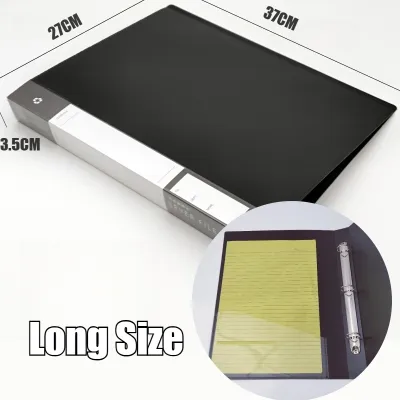
Prices are valid at publication and may change. Please refer to the product page for the latest price.
In contrast, D-ring binders utilize a D-shaped metal mechanism that is typically mounted on the inside back cover rather than the spine. This structural offset leaves the spine completely free of hardware, allowing the binder to close more naturally. The straight vertical side of the “D” faces the back cover, creating a flat wall that supports the paper stack. Because the pages rest on a flat surface, they remain perfectly parallel to one another, mimicking the clean alignment of a professionally bound book.
The physical shape of each ring dictates the natural resting angle of the pages inside. In an O-ring binder, the circular path means that every time you close the binder, the pages are pulled inward and upward along the curve. In a D-ring binder, the pages slide smoothly onto the flat vertical bar when closed, eliminating the lateral pulling force that causes sheets to bunch up against the spine.
Page Capacity and the Risk of Paper Bending
When a binder is filled to its limit, the risk of damaging your documents increases dramatically. In an O-ring binder, overfilling leads to a phenomenon known as “tenting.” Because the circular rings force the paper to follow a curved path, the pages near the front and back covers are squeezed upward, forming a tent-like shape near the spine. This constant bending permanently warps the paper, especially when local humidity has already softened the paper fibers. Over time, this pressure causes the punched holes to fray, stretch, and eventually tear.

D-ring binders eliminate the tenting effect by allowing pages to stack flat. Because there is no curve forcing the sheets upward, the paper lies flat regardless of how many pages are loaded, up to the binder’s maximum capacity. This flat-stacking design allows D-ring binders to hold up to 20 percent to 30 percent more sheets than an O-ring binder of the same spine thickness, making them far more efficient for high-volume storage.
To ensure you do not damage your documents, always verify the true sheet capacity of a binder using the manufacturer’s official specifications rather than relying on a visual estimate of the spine’s width. Capacity ratings are typically based on standard 80gsm paper; if you are using thinner 70gsm paper or thicker specialty media, the actual sheet count will vary. Keep in mind that adding plastic sheet protectors, index dividers, or laminated sheets will significantly reduce the binder’s usable capacity.
Before locking your binder away, check for observable signs of overfilling. If you notice the metal rings straining to meet, gaps forming at the joints, or paper catching and tearing at the punch holes when you turn pages, the binder is overloaded. Forcing the mechanism shut under tension will eventually warp the metal rings, leading to permanent misalignment.
Flat-Lay Performance and Desk Usability
The placement of the ring mechanism has a direct impact on how the binder behaves when opened on a desk. Because O-rings are mounted on the spine, the binder covers cannot lie completely flat at a 180-degree angle. The spine is forced upward, which causes the pages to slope downward toward the outer edges. This sloping makes it difficult to read documents comfortably or scan pages without holding them down, and it can cause the binder to spring shut unexpectedly.
D-ring binders offer superior flat-lay performance because the rings are mounted on the back cover. When you open a D-ring binder, the front cover opens completely flat while the entire paper stack remains undisturbed on the back cover. This creates a stable, level surface that is ideal for reading, photocopying, or scanning documents without having to remove them from the binder.
This difference in flat-lay performance also affects how easy it is to write or take notes directly inside the binder. For both left-handed and right-handed users, writing near the center spine of an O-ring binder is highly uncomfortable because the high, circular arch of the rings obstructs your hand. With a D-ring binder, the rings are offset to the side, keeping the metal hardware away from your writing hand and allowing you to take notes naturally across the entire width of the page.
Handling and transport are also much safer with a D-ring design. When you carry a heavily loaded O-ring binder in a backpack or briefcase, the pages slide freely along the circular track, causing the edges of the paper to rub against the inside covers and crumple. A D-ring binder keeps the paper stack locked in a neat, square block, minimizing internal movement and protecting your document edges from damage during your daily commute.
Decision Guide: Choosing the Right Ring Binder
Selecting the right binder depends on your document volume, how often you need to access the pages, and your budget. Use the following framework to make the best choice for your organizational needs:
- Choose D-ring binders if: You are storing high volumes of paper (typically 250 sheets or more), need the pages to lay completely flat for easy reading and writing, or are archiving important documents that must be protected from edge curling and hole tearing. They are the ideal choice for thick university reviewers, corporate archives, and accounting ledgers.
- Choose O-ring binders if: You are organizing lighter document loads (under 200 sheets), require a binder for quick-reference materials that you update frequently, or are working within a stricter budget. O-ring binders are highly accessible, widely available in local department stores, and perfectly adequate for basic school subjects or temporary projects.
- Verify first if: You are dealing with non-standard paper sizes (such as legal size or A4) or specialized hole-punch patterns. Additionally, if you are planning long-term archival preservation, ensure the binder cover material is acid-free and PVC-free to prevent chemical transfer and preserve the quality of your printed pages over time.
Because paper behavior depends heavily on the exact combination of paper weight, fiber composition, and environmental humidity, it is always wise to perform a quick manual test. Load a small stack of your chosen paper into the binder and turn the pages slowly. Observe whether the paper glides smoothly over the ring joints or if it catches and bends; this simple check will tell you if the binder and paper are a good match before you commit to archiving a large volume of work.
Frequently Asked Questions (FAQ)
Can I replace the rings if the mechanism breaks?
Most standard ring binders are manufactured with the metal mechanism permanently riveted to the spine or back cover, meaning they are not designed for user replacement. If the metal rings bend, snap, or fail to close tightly, it is generally necessary to replace the entire binder to prevent your pages from slipping out and tearing. For premium or heavy-duty binders, check the manufacturer’s warranty policy, as some brands offer replacement hardware or lifetime guarantees for defective mechanisms.
Do D-ring and O-ring binders use the same hole punch?
Yes, both binder types typically accommodate standard multi-hole punch patterns, such as the common 3-hole punch for letter-sized paper or the 2-hole and 4-hole systems commonly used for A4 paper in local offices. However, before transferring a large batch of pre-punched documents, always verify that the spacing of the binder’s rings matches your hole puncher’s settings and that the ring diameter is large enough to allow the pages to turn freely without catching on the metal joints.
How do I prevent the rings from bending out of shape?
To prolong the lifespan of your binder, always open the rings using the designated push levers at the top and bottom of the mechanism rather than pulling the metal rings apart directly with your hands. Avoid overfilling the binder past its rated sheet capacity, as this puts constant outward pressure on the rings and causes them to misalign. When storing your binders, place them upright on a shelf or flat on a desk, and avoid stacking heavy items on top of them, which can warp the metal mechanism over time.
Community discussion
Share your experience or ask a question. Comments are reviewed before publication.