
Choosing the right paper weight is one of those small decisions that has a surprisingly large impact on your daily operations. Whether you are running a busy office in Manila, preparing school modules, or printing official contracts, the paper you feed into your printer determines both the presentation quality and how smoothly your equipment runs. Deli, a widely recognized brand in office supplies, offers its popular A4 bond paper in two primary weights: 70 GSM and 80 GSM. Selecting between them requires balancing cost, print quality, and the specific requirements of your documents.
Quick Answer: Which Deli A4 Paper Weight Should You Choose?
The core difference between 70 GSM and 80 GSM paper lies in its density, which directly affects its thickness, opacity, and stiffness. A sheet of 70 GSM paper is lighter and more economical, making it the standard choice for high-volume, single-sided printing where budget efficiency is the primary concern. In contrast, 80 GSM paper is thicker and more rigid, providing the opacity and professional feel required for formal, double-sided, or client-facing documents.
To make an immediate decision, you can use this straightforward framework:
Products mentioned in this guide
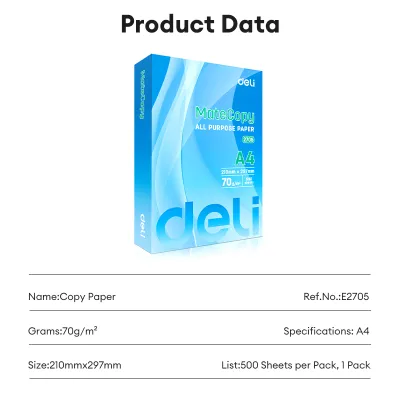
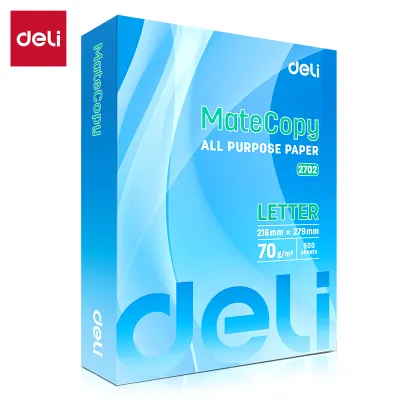
Prices are valid at publication and may change. Please refer to the product page for the latest price.
- Choose 70 GSM if you are printing internal office memos, high-volume student worksheets, draft reviews, single-sided receipts, or daily reading materials. This weight offers the best cost-per-sheet value and is highly efficient for documents with a short lifecycle.
- Choose 80 GSM if you are printing double-sided reports, corporate proposals, legal contracts, resumes, official certificates, or documents that will undergo heavy handling and highlighting. The added thickness prevents ink show-through and gives the document a premium, durable feel.
While both weights are fully compatible with standard home and office printers, your final choice should depend on how the document will be used, how it needs to be presented, and your long-term printing budget.
Understanding Paper Weight: What 70 GSM and 80 GSM Actually Mean
To make an informed purchase, it helps to understand what the term GSM actually represents. GSM stands for Grams per Square Meter. It is an international standard metric used to measure the density and weight of paper. Specifically, if you were to cut a sheet of paper to measure exactly one meter by one meter, its weight in grams would equal its GSM rating. Therefore, a square meter of 70 GSM paper weighs 70 grams, while a square meter of 80 GSM paper weighs 80 grams.

This 10-gram difference might seem negligible on a single sheet, but it translates directly to the physical properties of the paper. A higher GSM means more wood fibers are packed into the same space, resulting in a denser sheet. This density correlates closely with paper thickness and stiffness, though it is not a direct measurement of micron thickness. An 80 GSM sheet feels noticeably sturdier and more substantial in hand, resisting bending and tearing much better than its 70 GSM counterpart.
It is also important to clarify the term “bond paper” in this context. Historically, bond paper was a durable writing paper used for government bonds and official documents. Today, in the modern office supply landscape, bond paper refers to high-quality, uncoated paper made primarily from wood pulp. This uncoated finish is designed to absorb liquid ink and dry toner quickly, making both 70 GSM and 80 GSM Deli paper highly compatible with laser printers, inkjet printers, and standard photocopiers.
Key Comparison Dimensions: 70 GSM vs 80 GSM Deli A4 Paper
When comparing these two paper weights, looking at the numbers on the packaging is only the first step. To understand how they perform in real-world scenarios, we must evaluate them across four practical dimensions: print quality, printer compatibility, opacity, and cost efficiency. Each of these factors directly influences your daily printing experience and the professional image your documents project.
Print Quality and Ink Bleed-Through
Paper density plays a critical role in how ink behaves when it hits the page. Uncoated bond paper relies on capillary action to absorb liquid inks, such as those used in inkjet printers or liquid ink rollers. Because 70 GSM paper has a lower density of wood fibers, liquid ink can easily saturate the sheet, spreading outward and downward. This can lead to “feathering,” where the edges of text look fuzzy, or “bleed-through,” where the ink penetrates completely to the reverse side of the paper.
To check for ink bleed-through in your current setup, you can perform a simple observation. Print a page containing bold text or a small solid graphic using your standard printer settings, or draw a thick line with a water-based highlighter. Turn the sheet over to inspect the back. If you see wet spots or distinct ink bleeding through the fibers, the paper weight is insufficient for that specific ink volume.
Because 80 GSM paper features a tighter, denser fiber structure, it provides superior resistance to ink penetration. It holds wet inks on the surface more effectively, ensuring sharp text edges and minimal feathering. While 70 GSM paper is perfectly adequate for dry toner used in standard laser printers—which melts onto the surface rather than soaking in—80 GSM is the clear winner for inkjet printing, heavy color printing, and heavy highlighting.
Printer Compatibility and Jamming Risks
Printer jams are a frequent source of frustration in busy offices and study spaces, particularly in humid tropical environments. A paper jam is rarely caused by a single factor; instead, it is usually the result of a combination of paper stiffness, moisture absorption, static electricity, and printer roller wear. The physical stiffness of your paper determines how smoothly it can navigate the curved paper path inside a modern printer.
Because 80 GSM paper is stiffer, it maintains its flat shape more reliably as it passes through the high-heat fuser unit of a laser printer. This rigidity helps the feed rollers grip and push the sheet forward without folding or buckling. On the other hand, 70 GSM paper is more flexible. While modern office printers are engineered to handle 70 GSM paper seamlessly, older machines or those with worn rollers may occasionally struggle to feed the lighter sheets individually, sometimes pulling multiple sheets at once.
Before purchasing paper in bulk, it is always wise to verify your printer manufacturer’s specifications. Open your printer’s user manual or check the manufacturer’s website to find the supported paper weight range for each input tray. Most standard office printers easily accommodate weights from 64 GSM up to 105 GSM, meaning both Deli options are highly compatible, but 80 GSM often provides an extra margin of feeding reliability in high-speed or older machines.
Opacity and Double-Sided Printing
Opacity refers to the paper’s ability to block light from passing through it. In practical terms, high opacity prevents the text or images printed on one side of a sheet from being visible on the other side. This is a critical consideration for duplex (double-sided) printing, which is widely used to save paper and reduce document bulk in professional and academic settings.
Printing on both sides of a low-opacity sheet results in a distracting visual phenomenon known as “ghosting” or “show-through.” When you try to read the front of the page, the dark shadows of the text on the back compete for your eyes’ attention, reducing readability and making the document look messy. To test opacity, hold a printed sheet up to a standard light source or a window. If you can easily read the text on the reverse side through the paper, the opacity is low.
Due to its higher fiber density, 80 GSM Deli paper offers significantly higher opacity than 70 GSM paper. This makes 80 GSM the industry standard for double-sided printing, ensuring that both sides of the page remain clean, legible, and professional. While you can use 70 GSM paper for double-sided printing of light, double-spaced text, any dense paragraphs or graphics will likely suffer from noticeable ghosting.
Cost Efficiency and Bulk Usage
For schools, corporate offices, and copy centers, paper is a major recurring expense. Evaluating the economic trade-offs between 70 GSM and 80 GSM paper requires looking beyond the initial purchase price of a single ream. A standard ream of Deli A4 paper contains 500 sheets, and buying in bulk cartons (typically containing 5 reams) is common practice to secure better rates.
To calculate your true cost-per-sheet, divide the total price of a ream by 500. Generally, 70 GSM paper is priced lower than 80 GSM paper, reflecting the lower volume of raw wood pulp used in its manufacture. For high-volume operations that print thousands of pages weekly, choosing 70 GSM can yield substantial upfront savings. This makes it highly attractive for temporary documents, internal drafts, and administrative paperwork that will eventually be shredded or recycled.
However, true cost efficiency must also account for waste. If using a lighter paper weight leads to frequent printer jams, ruined sheets, or the need to reprint double-sided documents because of unreadable ghosting, those upfront savings can quickly evaporate. The most cost-effective strategy is to match the paper weight to the document’s purpose: use 70 GSM for high-volume, low-risk printing, and reserve 80 GSM for documents where presentation and durability are paramount.
Best Use Cases for Each Paper Weight
Visualizing how each paper weight fits into your daily routine can help you decide which one to load into your printer trays. Both Deli 70 GSM and 80 GSM A4 papers have distinct advantages when matched with the right tasks.
When to Use 70 GSM Deli A4 Paper
The lightweight and economical nature of 70 GSM Deli paper makes it the workhorse of high-volume environments. It is designed for speed, efficiency, and short-term utility.
- Internal Office Communications: Daily checklists, internal memos, meeting agendas, and rough drafts that will be reviewed and discarded do not require premium paper. 70 GSM keeps these daily operations cost-effective.
- High-Volume Academic Printing: For schools, universities, and review centers, printing thousands of pages of worksheets, practice exams, and lecture handouts is a massive undertaking. 70 GSM paper keeps printing budgets manageable while providing a perfectly readable surface for students.
- Single-Sided Business Documents: Invoices, shipping labels, delivery receipts, and packing slips only require printing on one side. Because show-through is not an issue, 70 GSM is the ideal choice.
- Easy Handling and Storage: If you need to transport large stacks of documents or carry multiple printed modules in a backpack, 70 GSM paper keeps the physical weight of your files down, making them easier to handle and reducing storage strain.
When to Use 80 GSM Deli A4 Paper
The added substance, stiffness, and opacity of 80 GSM Deli paper make it the preferred choice for formal communication, heavy handling, and professional presentation.
- Client-Facing Business Documents: Business proposals, sales pitches, official contracts, and corporate presentations represent your brand. Printing these on 80 GSM paper ensures they feel substantial and professional when handed to a client.
- Personal Career Documents: Resumes, cover letters, portfolios, and certificates should always be printed on at least 80 GSM paper. The tactile feel of the paper is often the very first impression a hiring manager receives.
- Double-Sided Reports: For multi-page reports, manuals, and booklets, printing duplex on 80 GSM paper minimizes ghosting, ensuring that the text on both sides is crisp and comfortable to read.
- Archival and Frequently Handled Records: Documents that will be filed away for years, placed in binders, or flipped through repeatedly—such as standard operating procedures, legal briefs, and reference manuals—benefit from the extra tear resistance and structural integrity of 80 GSM paper.
How to Verify Paper Quality Before Buying in Bulk
When purchasing paper in bulk, ensuring you receive a high-quality product is essential to protect your office equipment and maintain print consistency. Poorly manufactured or improperly stored paper can cause endless printer issues, regardless of whether it is labeled 70 GSM or 80 GSM. There are three key quality checks you should perform when inspecting Deli paper.
First, conduct a thorough packaging verification. Inspect the outer ream wrapper carefully. It should clearly display the brand name, the exact GSM rating (70 or 80), the standard A4 dimensions (210mm x 297mm), and the sheet count (500 sheets). High-quality paper brands like Deli package their reams in moisture-resistant wrappers, often featuring a thin plastic lining on the inside. This barrier is crucial for protecting the paper from environmental elements during transit and storage.
Second, perform an edge inspection. Open a ream and run your finger along the cut edges of the paper stack. The edges should feel perfectly smooth and clean. If you notice a powdery white residue or tiny paper flakes on your fingertips, this indicates excessive paper dust. Paper dust is a byproduct of dull cutting blades during manufacturing. When fed into a printer, this dust accumulates on the rubber pick-up rollers and sensitive optical sensors, leading to roller slippage, multi-sheet feeding, and frequent paper jams. Clean edges are a hallmark of precise manufacturing.
Third, check for moisture damage and climate-related warping, which is especially important in humid tropical climates like the Philippines. Uncoated bond paper acts like a sponge, readily absorbing moisture from the surrounding air. Damp paper loses its natural stiffness, causes ink to feather excessively, and frequently curls when exposed to the intense heat of a printer’s fuser, leading to immediate jams.
To prevent this, inspect the ream for any signs of wavy edges or curling before loading it into your printer. Always store your unopened paper reams in a cool, dry place, elevated off concrete floors on shelves or pallets, and keep them sealed in their original moisture-resistant wrappers until you are ready to use them. If you only print occasionally, avoid leaving a large stack of paper in an open printer tray for extended periods, as it will absorb ambient humidity over time.
Frequently Asked Questions (FAQ)
Choosing the right paper often comes down to addressing specific, practical questions about how the paper will perform under daily use.
Can I use 70 GSM paper for double-sided printing?
Yes, you can use 70 GSM paper for double-sided printing, but it is best suited for simple, low-density text printed with a laser printer. Because 70 GSM paper has lower opacity, you will likely experience some degree of ghosting or show-through, where the text on the back is visible from the front. If your document contains bold headers, dark graphics, or is printed using a wet-ink inkjet printer, 80 GSM paper is highly recommended to ensure the text remains legible and professional on both sides.
Does 80 GSM paper prevent printer jams better than 70 GSM?
Not automatically. While 80 GSM paper is physically stiffer and can feed more reliably through older or worn printer mechanisms, paper weight is only one factor in printer jams. Jams are far more frequently caused by high ambient humidity, static electricity, worn-out printer rollers, or loading the paper incorrectly in the tray. Properly storing your paper in a dry environment and ensuring your printer’s feed rollers are clean will do more to prevent jams than simply switching from 70 GSM to 80 GSM paper.
Is Deli A4 bond paper suitable for fountain pens?
Standard uncoated bond paper, including both Deli 70 GSM and 80 GSM, is primarily engineered for office printers and copiers that use dry toner or quick-drying inks. Fountain pen inks are highly liquid and water-based, which means they tend to feather and bleed through standard uncoated wood-pulp papers. While 80 GSM paper will resist bleed-through slightly better than 70 GSM due to its higher density, fountain pen users may still experience significant feathering. For the best writing experience with fountain pens, it is usually better to look for papers specifically coated or designated as ink-friendly.
Community discussion
Share your experience or ask a question. Comments are reviewed before publication.