
Finding the correct replacement battery for your Deli calculator is a straightforward process that begins with a quick inspection of the device itself. The fastest way to identify the exact battery type you need is to open the battery compartment on the back of the calculator or examine the code printed on the existing battery. Once you know the correct size and voltage, replacing the power source takes only a few minutes and requires minimal tools. This guide will walk you through identifying your calculator’s battery requirements, understanding common battery specifications, executing a safe replacement, and maintaining your device for long-term reliability.
How to Identify the Correct Battery for Your Deli Calculator
To avoid purchasing an incompatible power source, you must first locate the specific battery code designated for your Deli calculator model. Turn your calculator over and examine the back casing. Many Deli models, especially basic desktop and scientific versions, have the required battery type engraved directly into the plastic near the battery door or printed on the product information label. Look for designations such as “LR44,” “CR2032,” or “AAA” which indicate the exact size and chemistry required.
If the external casing does not list the battery type, slide or unscrew the battery compartment cover to inspect the installed battery. Carefully slide the old battery out to read the alphanumeric code stamped on its flat surface. This code is an international standard that ensures you get an exact physical and electrical match. For dual-power calculators that use both solar panels and a backup battery, the battery is often a small button cell tucked securely inside the compartment.
Products mentioned in this guide
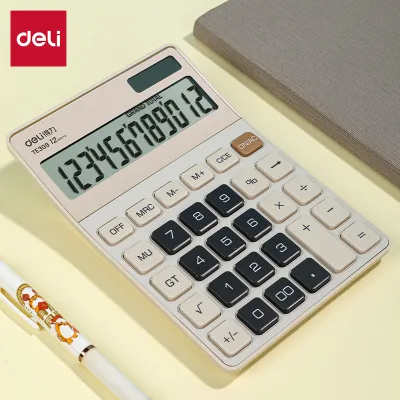

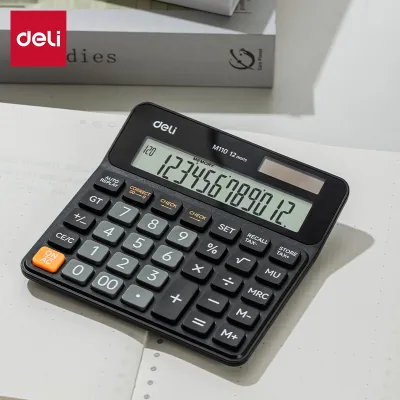
Prices are valid at publication and may change. Please refer to the product page for the latest price.
When the old battery is missing or its markings have faded, your next step is to consult the original user manual or the official Deli product specifications sheet. If you no longer have the physical manual, you can search for your specific Deli model number on the manufacturer’s official website or verified office supply listings. Matching the exact model number is crucial, as scientific calculators often require different voltage levels and battery configurations compared to standard desktop adding machines.
Common Deli Calculator Battery Types and What Their Specs Mean
Deli calculators utilize a variety of battery sizes depending on their processing power, display type, and secondary features like printing. The most common power sources are button cells, which are compact, disc-shaped batteries. Among these, the LR44 (an alkaline battery) and the CR2032 (a lithium battery) are widely used. The letters in these codes indicate the chemical composition: “L” represents alkaline, “S” represents silver oxide, and “C” represents lithium. The numbers that follow denote the physical dimensions, such as diameter and thickness in millimeters.

Understanding the chemical differences is vital because different chemistries deliver different voltages. For instance, an alkaline button cell like the LR44 typically provides 1.5 volts, whereas a lithium button cell like the CR2032 provides 3.0 volts. Attempting to force a battery of the wrong voltage or chemistry into your calculator can result in a dim screen, erratic calculations, or permanent damage to the internal circuitry. Always verify that the replacement battery matches the exact voltage specified by Deli for your device.
Larger Deli calculators, such as scientific models or heavy-duty desktop units with built-in printing mechanisms, often rely on cylindrical batteries like AAA or AA sizes. These standard alkaline batteries deliver 1.5 volts each and are ideal for devices with higher power demands. When purchasing cylindrical batteries, check the packaging for capacity ratings measured in milliampere-hours (mAh). A higher mAh rating generally indicates a longer operating life under similar usage conditions, though standard office-grade alkaline batteries are typically sufficient for daily calculations.
Regardless of the battery shape, always check the expiration date printed on the retail packaging before purchasing. Batteries naturally self-discharge over time, even when sitting on a shelf. In tropical climates like the Philippines, high ambient temperatures and humidity can accelerate this self-discharge process and increase the risk of internal degradation. Selecting fresh batteries with a distant expiration date ensures stable voltage and minimizes the risk of early failure.
Step-by-Step Guide to Replacing the Battery
Replacing the battery in your Deli calculator is a simple task, but it requires a gentle touch to avoid damaging the delicate plastic clips or internal contacts. Before you begin, prepare a clean, flat workspace and gather the necessary tools. Many Deli calculators secure the battery compartment with a tiny screw to prevent accidental opening, so you may need a small Phillips-head precision screwdriver. If your model has a simple slide-off cover, no tools are required.
Carefully remove the screw and slide open the compartment cover, placing the screw in a safe spot so it does not roll away. Before removing the old battery, take a close look at its orientation. Note which side is facing up; button cells almost always have the positive terminal (marked with a “+” sign) facing outward, while cylindrical batteries alternate directions. Look for the corresponding “+” and “-” polarity markings engraved inside the plastic compartment itself to guide your installation.
Gently pry the old battery out using your fingernail or a non-conductive plastic tool. Avoid using metal screwdrivers or tweezers to pry out button cells, as metal tools can accidentally short-circuit the battery or scratch the contact plates. Once the old battery is removed, inspect the metal contact tabs inside the compartment. If you notice any dust or light oxidation, gently wipe the contacts with a dry cotton swab to ensure a clean, reliable electrical connection.
Insert the new battery into the compartment, matching the polarity markings precisely. Press it down gently until it clicks or sits flat against the contacts. Slide the compartment cover back into place and secure it with the screw if applicable. Turn the calculator over and press the “ON” or “AC” key to test the display. If the screen remains blank, press the small, recessed “RESET” button on the back of the calculator using a paperclip or pen tip to restore the default system settings.
Buying Tips and Battery Care for Longevity
To ensure your Deli calculator performs reliably during exams or daily office tasks, purchase replacement batteries from reputable office supply stores or established online marketplaces. Avoid buying unbranded or exceptionally cheap bulk batteries, as these often lack proper quality control and are highly prone to leaking. In the Philippines, where high humidity is common, choosing leak-resistant, branded alkaline or lithium batteries is a smart investment that protects your calculator’s internal motherboard from corrosive acid damage. A quality replacement battery typically costs between ₱20 and ₱150, making it an affordable way to extend your device’s life.
Never mix old and new batteries in devices that require multiple power sources, and avoid combining different battery chemistries, such as mixing alkaline and carbon-zinc batteries. Mixing batteries causes the stronger battery to discharge rapidly into the weaker one, which can lead to overheating, rapid power drain, or rupture. If your calculator uses dual power (solar and battery), remember that the battery acts as a backup; keeping the calculator exposed to adequate ambient light during use will naturally extend the lifespan of the backup battery.
If you plan to store your Deli calculator for several months without use—such as during school breaks or office transitions—always remove the batteries beforehand. Over time, inactive batteries can leak corrosive chemicals that permanently ruin the metal contacts and circuit boards. Store your spare batteries in a cool, dry drawer away from direct sunlight and metal objects like paperclips or keys, which could accidentally bridge the terminals and drain the stored energy.
Frequently Asked Questions (FAQ)
Can I use a different brand of battery in my Deli calculator?
Yes, you can safely use any reputable brand of battery in your Deli calculator, provided that the replacement matches the exact size, voltage, and chemical specifications of the original. For example, if your calculator requires an LR44 alkaline button cell, any standard LR44 battery from a reliable manufacturer will work perfectly. There is no requirement to use Deli-branded batteries, as battery sizes and electrical outputs are standardized globally.
Why is my calculator still not working after a battery replacement?
If your Deli calculator fails to power on after installing a new battery, first double-check that the battery is inserted with the correct polarity (+ and – facing the right way). Next, ensure that any protective plastic pull-tabs or adhesive films have been completely removed from the battery surface. If the display remains blank, inspect the metal contacts inside the compartment for corrosion or dirt, cleaning them gently with a dry cotton swab. For dual-power models, try placing the calculator under a bright light source to see if the solar panel activates the screen, which can help determine if the issue lies with the battery connection or the calculator’s internal hardware.
Community discussion
Share your experience or ask a question. Comments are reviewed before publication.