
Deciding whether to add a die cutting machine to your scrapbooking toolkit depends on your crafting frequency, preferred aesthetic, and budget. While these machines offer unmatched precision and speed for intricate designs, they represent a significant financial and spatial investment. For many hobbyists, simpler manual tools like precision knives and decorative punches are more than enough to create beautiful layouts without the added complexity of software or mechanical maintenance.
Signs You Are Ready to Upgrade to a Die Cutting Machine
If you find yourself spending hours meticulously cutting out delicate foliage, alphabet letters, or geometric frames with a pair of fine-tipped scissors, physical fatigue can quickly drain the joy from your scrapbooking sessions. Hand-cutting dozens of identical shapes for a themed album or a series of party invitations often leads to hand strain and inconsistent edges. A dedicated cutting machine eliminates this repetitive labor, delivering clean, identical cuts in a fraction of the time.
Intricate, lace-like borders and highly detailed filigree patterns are nearly impossible to achieve cleanly by hand, even with the sharpest craft knife. If your creative vision frequently features complex mandalas, delicate doilies, or tiny, stylized sentiments, manual cutting will likely leave you frustrated with torn paper and jagged lines. A machine handles these complex paths effortlessly, allowing you to incorporate professional-grade details into your layouts.
Products mentioned in this guide
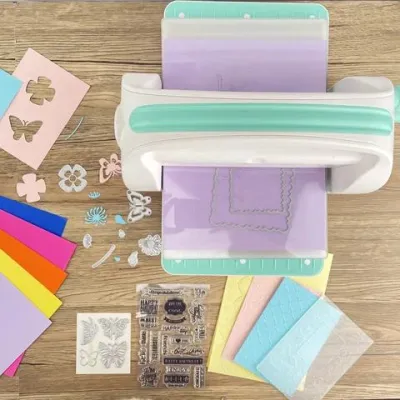
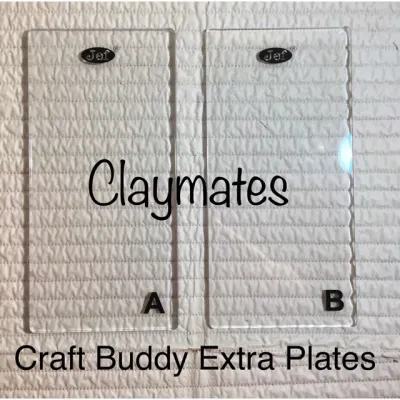
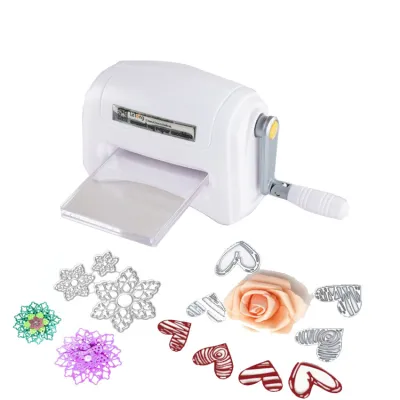
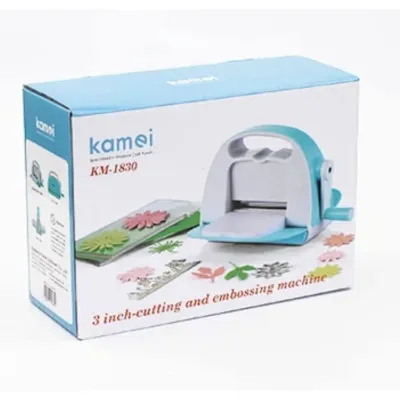
Prices are valid at publication and may change. Please refer to the product page for the latest price.
Furthermore, if you regularly engage in batch-producing projects—such as holiday cards, wedding favors, or school scrapbooks—consistency is paramount. Producing fifty identical star shapes or scalloped tags by hand is incredibly time-consuming. Upgrading to a mechanical system ensures that every single piece matches the first, maintaining a polished look across your entire project portfolio.
When Manual Cutting Tools Are Still the Better Choice
Despite the appeal of automated precision, a machine is not always the right fit for every scrapbooker’s style. If your creative aesthetic leans toward organic, rustic, or vintage designs, you may actually prefer the look of hand-torn edges, distressed paper, and slightly imperfect cuts. These tactile, handmade qualities are difficult to replicate with a machine, which excels at sterile, perfect lines rather than cozy, lived-in textures.

Practical constraints like limited crafting space and strict budgets also make manual tools the smarter choice. A quality machine requires dedicated desk space and a dry, dust-free storage area, which can be challenging in smaller homes or humid tropical environments where paper and equipment must be carefully protected. If you only scrapbook occasionally—perhaps once every few months to document major family milestones—the high initial cost of a machine may not justify the minimal use it receives.
Fortunately, high-quality manual alternatives can bridge the gap without breaking the bank. Investing ₱500 or more in a professional-grade precision craft knife, a self-healing cutting mat, and a few decorative edge punches can dramatically expand your design options. Specialized scissors with patterned blades also offer an easy, low-cost way to add interesting borders to your photos and background papers.
Comparing Manual and Electronic Die Cutting Machines
Once you decide to invest in a machine, you must choose between manual and electronic models, which operate on entirely different principles. Manual machines are portable, require no electricity, and rely on physical steel-rule or wafer-thin metal dies. You place your paper and die between plastic cutting plates and manually turn a hand crank to roll the “sandwich” through the machine, using physical pressure to cut the shape.
In contrast, electronic machines are software-driven and require a power source and device connectivity, such as a smartphone, tablet, or computer. Instead of physical dies, they use a tiny, computer-controlled blade to cut digital designs. This option offers virtually limitless design flexibility, as you can download, purchase, or create custom vector shapes rather than buying individual metal dies for every new project.
The learning curve and physical effort differ significantly between the two types. Manual machines are highly intuitive, require almost no setup time, and are excellent for quick, spontaneous crafting sessions, though they do require some physical arm strength to crank. Electronic machines require you to navigate software, manage wireless connections, and calibrate blade settings, which can be frustrating if you prefer a screen-free crafting experience. Before purchasing, always check the manufacturer’s specifications for maximum cutting width and paper weight compatibility to ensure the machine can handle your favorite heavy cardstocks.
Factoring in Hidden Costs and Workspace Requirements
The initial price of a die cutting machine is rarely the final cost of ownership. For manual machines, you will need to continually purchase physical metal dies, which can quickly add up to thousands of pesos over time. For electronic models, you must factor in the cost of replacement blades, high-tack or light-tack adhesive cutting mats that lose their stickiness over time—especially in warm, humid climates—and potential digital design subscription fees.
Workspace requirements are another critical consideration. These machines are often heavy and require a stable, flat surface to operate safely. Beyond the machine’s physical footprint, you need ample clearance space in both the front and back for the cutting mats to pass through completely. You must also plan for the storage of accessories, such as bulky die collections, spare blades, weeding tools, and various cutting mats.
Additionally, always review the manufacturer’s guidelines regarding material compatibility. Attempting to cut materials that are too thick or dense can jam the machine, dull the blades prematurely, or strip the internal gears, which may void your warranty. Understanding these limitations beforehand prevents costly mistakes and ensures your machine remains in optimal working condition for years.
Final Decision Checklist: Buy, Wait, or Stick to Manual?
To finalize your decision, evaluate your current crafting habits against a simple three-path framework. You should proceed to buy a machine if you scrapbook weekly, frequently work with highly intricate designs, and have the budget and space to accommodate the equipment. If you are on the fence, consider waiting; look for opportunities to rent or borrow a machine from a local crafting group, or visit a specialty stationery shop to test a demonstration model before committing.
If your scrapbooking style is highly organic, or if you prefer a simple, screen-free hobby that fits into a single storage bin, stick to manual tools. The primary goal of scrapbooking is to preserve memories and enjoy the creative process, not to accumulate expensive gadgets. Choose the tools that align with your personal joy, ensuring your crafting time remains a relaxing escape rather than a source of financial or technical frustration.
Frequently Asked Questions (FAQ)
Can a die cutting machine cut materials other than paper?
Yes, many die cutting machines can cut a wide variety of materials beyond standard scrapbook paper, including heavy cardstock, vinyl, felt, fabric, and even thin balsa wood or chipboard. However, success depends entirely on the machine’s pressure capabilities and the type of blade used. Always check the manufacturer’s official guidelines and adjust your machine’s settings, blade depth, and mat grip to match the specific material to avoid damaging the mechanism.
What should I check before buying a second-hand die cutting machine?
When purchasing a pre-owned machine, inspect the physical condition of the cutting mats for deep, warped grooves and check the blade housing for any signs of rust, wobble, or wear. For manual machines, turn the crank to ensure the internal rollers move smoothly without catching or grinding. For electronic models, verify that the seller can successfully transfer any required software licenses or digital accounts to you, and confirm that the machine can still connect to modern devices and receive firmware updates.
Community discussion
Share your experience or ask a question. Comments are reviewed before publication.