
Choosing between an electric stapler and a manual stapler for high-volume office work depends on balancing your daily document output, ergonomic needs, and budget. Electric staplers excel in high-volume, repetitive tasks requiring minimal physical effort and consistent speed, while manual staplers remain reliable, cost-effective choices for low-to-medium volume, budget-conscious, or portable workflows. In busy corporate environments, administrative hubs, and print shops, selecting the wrong tool can lead to physical fatigue, slowed operations, and frequent paper jams.
Assessing Your Office's Daily Stapling Volume
To determine if an equipment upgrade is justified, you must first quantify your office’s actual daily stapling needs. High-volume operations are typically defined as processing dozens of multi-page documents in a single session or hundreds of packets throughout the workday. If your administrative staff spends hours assembling training manuals, financial reports, or shipping documents, a manual stapler can quickly become a major operational bottleneck.
Continuous manual stapling requires repetitive wrist and palm pressure, which can lead to physical fatigue, muscle strain, and decreased productivity over long shifts. This is especially true during peak business periods, such as end-of-month billing cycles or academic enrollment weeks.
Products mentioned in this guide
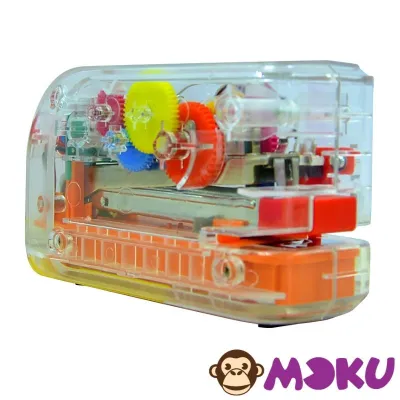
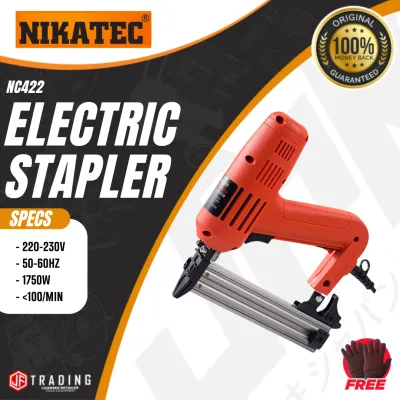
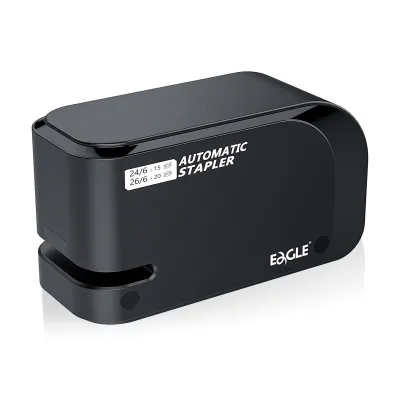
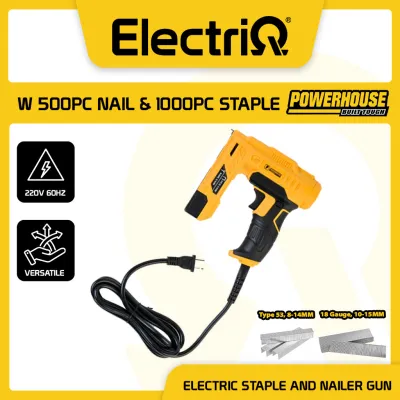
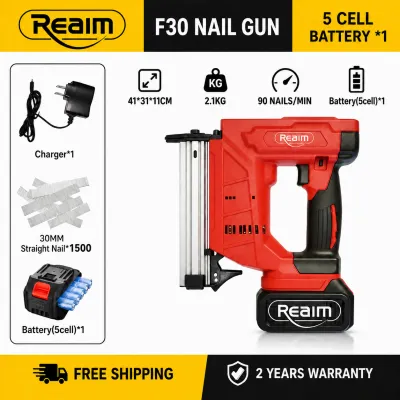
Prices are valid at publication and may change. Please refer to the product page for the latest price.
You should also evaluate the frequency of multi-user access at centralized stations. A shared binding or shipping station benefits from a stationary, high-capacity device that can handle rapid, back-to-back tasks without slowing down the queue. If multiple employees are constantly waiting in line to use a single manual stapler, upgrading to a faster, automated alternative can significantly streamline your office workflow.
Speed and Physical Effort in Daily Workflows
When comparing operational efficiency, the mechanical differences between electric and manual models become immediately apparent. Electric staplers feature an internal motor triggered by a paper-detection sensor. The moment you slide the paper stack into the throat, the mechanism drives the staple instantly and uniformly, requiring zero physical exertion from the user.

In contrast, manual staplers rely entirely on physical force. While standard desktop models are fine for occasional use, heavy-duty manual staplers require a firm, downward press or lever action. Over a long workday, this repetitive physical impact can cause discomfort, making electric models the superior ergonomic choice for employees with repetitive strain concerns, arthritis, or joint sensitivity.
However, actual workflow speed is not solely determined by the mechanical firing rate. It also depends on how quickly a user can align the sheets and feed them into the device. If your workflow involves poorly aligned, damp, or highly varied paper sizes, manual staplers allow for tactile adjustments before applying pressure. Electric sensors might trigger prematurely if the paper is not inserted straight, leading to misaligned staples that must be manually removed.
Stapling Capacity and Paper Thickness Limits
Before purchasing, you must verify the sheet capacity and throat depth of any potential stapler against your specific document types. Standard office staplers typically join 20 to 30 sheets of standard 80 gsm paper. While some heavy-duty electric models can handle up to 50 or 80 sheets, extremely thick documents of 100 sheets or more usually require a heavy-duty manual lever stapler.
In tropical climates like the Philippines, high humidity can cause paper to absorb moisture, making sheets limp and slightly thicker than dry paper. This environmental factor increases the resistance the staple faces as it penetrates the stack. A manual stapler allows you to feel this resistance and apply extra force, whereas an underpowered electric model might stall or jam if the paper is damp and dense.
You must also match the staple leg length and crown width precisely to the device’s specifications. Standard 26/6 staples are ideal for thin packets, but thicker documents require longer legs (such as 24/8 or heavy-duty variations) to ensure the staple tips fold over securely. Always check the manufacturer’s label on the device to confirm compatible staple sizes, as using incorrect consumables will lead to frequent jams and potential mechanical damage.
Upfront Costs, Maintenance, and Consumables
Evaluating the total cost of ownership involves looking beyond the initial purchase price to consider ongoing maintenance and consumable costs. Electric staplers require a higher upfront investment, which must be carefully weighed against your office supply budget in ₱. For the price of one high-quality electric model, you could easily purchase several durable manual staplers to distribute across different departments.
Consumable compatibility is another critical factor. Many electric staplers use specialized staple cartridges rather than standard wire strips. While these cartridges allow you to fire thousands of staples before reloading, they are generally more expensive and must be sourced from specific office supply distributors, which can complicate procurement.
Maintenance routines also differ significantly. Manual staplers are highly resilient and require almost no upkeep beyond clearing occasional jams. Electric models, as motorized electronic appliances, require more delicate care. You must keep the paper-detection sensor free of paper dust, avoid overloading the motor, and follow the user manual strictly regarding any internal cleaning or lubrication.
Workspace Considerations: Power, Noise, and Portability
Physical office layout and environmental factors play a major role in deciding which stapler type fits best. Electric staplers require a reliable power source, meaning they must be placed near wall outlets or require careful cord management to avoid tripping hazards. While battery-operated electric models offer more placement flexibility, their driving power can decline as the batteries drain, leading to incomplete staple clinches.
Noise levels are another important consideration in shared, quiet, or open-plan office environments. Motorized staplers produce a sharp, mechanical “clack” or buzz with every activation. In a quiet workspace or a customer-facing reception desk, this repetitive noise can be highly disruptive. Manual staplers operate much more quietly, especially when placed on a padded desk mat to absorb the physical impact.
Finally, consider portability and storage footprint. If your team frequently moves between hot desks, conference rooms, or off-site corporate events, a manual stapler is the practical choice. It is lightweight, compact, and completely independent of electrical infrastructure, making it easy to toss into a bag and use anywhere.
Decision Framework: Which Stapler Fits Your Workflow?
To finalize your decision, evaluate your daily operations against these specific criteria:
Choose an electric stapler if your office processes high volumes of standard documents daily, prioritizes user ergonomics to prevent repetitive strain, and has a centralized workstation with easy access to power outlets. The consistent speed and hands-free operation will greatly improve efficiency for repetitive administrative tasks.
Choose a manual stapler if you are working with a strict budget in ₱, require high portability for mobile or hot-desking staff, need to bind exceptionally thick documents exceeding 80 sheets, or operate in a quiet environment where motorized noise would be disruptive.
Verify first if your existing staple inventory is compatible with the new device. If you choose an electric model, check whether it requires proprietary cartridges or standard strips, and perform a trial run with your typical paper stock to ensure the staple penetrates cleanly without jamming.
Frequently Asked Questions (FAQ)
How do I safely clear a staple jam in an electric stapler?
To safely clear a jam, always unplug the electric stapler from the wall outlet or remove its batteries first to prevent accidental activation. Use a pair of tweezers or the manufacturer-provided clearing tool to gently pull the jammed staple out of the front mechanism. Avoid using sharp metal screwdrivers or knives, as these can easily scratch the internal firing pin or damage the sensitive paper-detection sensor.
Can I use standard office staples in a heavy-duty electric stapler?
You should only use staples that match the exact gauge, leg length, and crown width specified on the electric stapler’s manufacturer label. Using standard office staples in a heavy-duty electric model can cause frequent jams, incomplete clinches, and mechanical wear. Motorized drives apply a specific, calibrated force that requires the correct wire tensile strength to function safely and effectively.
Community discussion
Share your experience or ask a question. Comments are reviewed before publication.