
Selecting a 3D printing pen for your child in the Philippines requires balancing creative freedom with strict safety standards. Unlike adult-grade 3D pens that operate at high temperatures to melt tough plastics, models designed for children must prioritize low-temperature operation, ergonomic handling, and simple controls. By focusing on devices that utilize low-heat filaments and feature protective designs, you can provide an engaging, hands-on introduction to three-dimensional design without the risk of accidental burns. Navigating the local market involves verifying safety certifications, understanding filament compatibility, and ensuring a steady supply of replacement materials that can withstand the country’s humid climate.
Essential Safety and Usability Features for Kids' 3D Pens
The primary concern when introducing a child to 3D printing technology is safety, specifically regarding the heating element. Traditional 3D pens melt plastic at temperatures exceeding 200 degrees Celsius, which can cause severe burns upon contact. For younger users, look for pens explicitly labeled as “low-temperature” or “cool-touch.” These devices typically melt specialized plastics at much lower temperatures, often between 50 and 80 degrees Celsius. The nozzle itself should be recessed or shielded by a heat-resistant silicone cover, ensuring that even if a child accidentally touches the tip, the exterior housing remains cool enough to prevent injury.
Ergonomics play an equally vital role in how easily a child can use the pen. Children’s hands are smaller and have less grip strength than those of adults. A bulky, heavy pen will quickly cause hand fatigue, leading to frustration and erratic movements. Opt for models with a lightweight, contoured body and a non-slip grip area. The pen should feel balanced in a child’s hand, allowing them to guide the tip smoothly across a drawing surface or stencil.
Products mentioned in this guide
![[🇵🇭 Stock&COD] Original 3D Printer Pen Full Set with Filament 3M 3 Colors Toy for kids Scratch Pen For Chicken DIY 3d Printer pen Crafting Doodle Drawing Arts Printer Tools Childrens Toys Magic Pen Drawing](https://img.lazcdn.com/g/p/bc5d1ac5b7883522b689adb9834f4dc8.jpg_400x400q80.jpg_.webp)
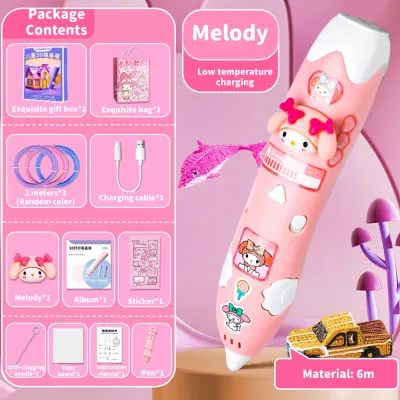
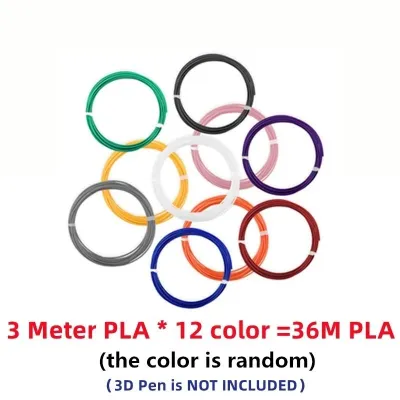
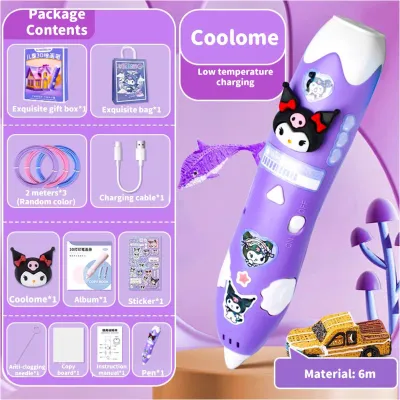
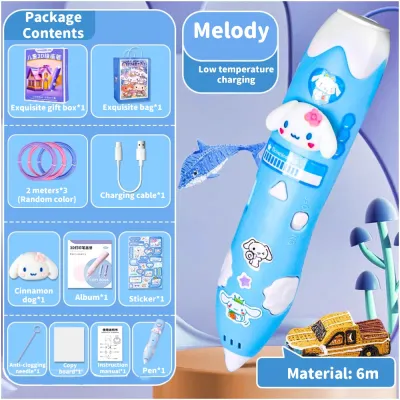
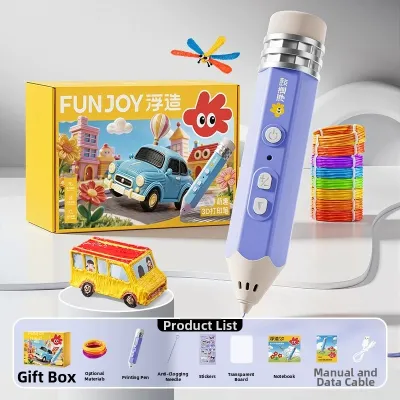
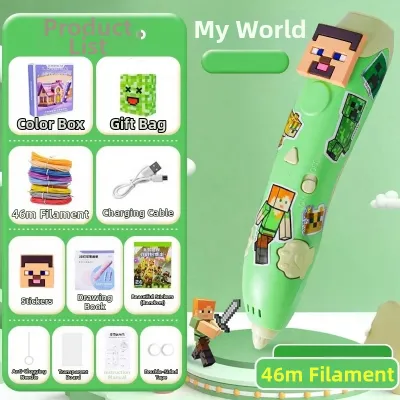
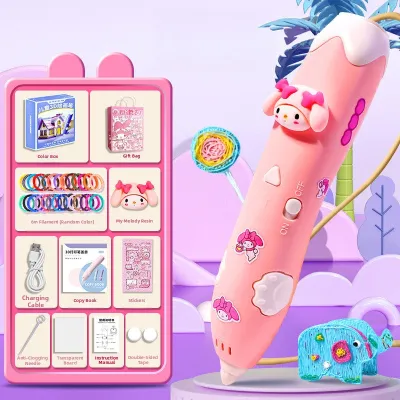
Prices are valid at publication and may change. Please refer to the product page for the latest price.
Control interfaces must be intuitive and physical. Avoid pens with complex digital screens, multi-layered menus, or tiny buttons that require precise coordination. The best designs feature large, tactile buttons for the primary functions: feeding the filament (extrusion) and reversing it (unloading). A simple sliding switch or a toggle button for speed control is highly beneficial, allowing the child to slow down the flow of plastic when working on intricate details or speed it up when filling in larger areas.
Finally, look for built-in mechanisms that prevent mechanical failure and user frustration. An automatic sleep mode is an essential safety feature; it detects inactivity and automatically cools down the heating element if the pen is left idle for a few minutes. Additionally, an active anti-clogging system or an easy-to-use manual reverse function helps prevent melted plastic from hardening inside the internal gears, which is one of the most common reasons 3D pens stop working.
Choosing the Right Filament: PCL, PLA, and ABS Explained
The type of plastic filament a 3D pen uses dictates its operating temperature, safety profile, and the structural integrity of the finished creations. The three most common filaments are Polycaprolactone (PCL), Polylactic Acid (PLA), and Acrylonitrile Butadiene Styrene (ABS). Understanding the differences between these materials is crucial for selecting a pen that matches your child’s age and your household’s safety preferences.

PCL is the gold standard for young children and beginners. It has an exceptionally low melting point, typically around 60 degrees Celsius, which allows low-temperature pens to extrude plastic that is warm to the touch but completely safe to mold with bare fingers shortly after extrusion. PCL is biodegradable and virtually odorless, making it ideal for indoor use without specialized ventilation. However, because it melts at a low temperature, finished PCL models can soften if left in direct sunlight or inside a hot car—a common consideration in the tropical climate of the Philippines. It also cools slowly, requiring patience as the plastic sets, and generally comes in fewer color varieties than higher-temperature plastics.
PLA is a medium-temperature plastic, melting between 180 and 210 degrees Celsius. Derived from renewable resources like cornstarch, PLA is widely popular because it cools quickly, hardens into rigid, durable structures, and comes in an endless array of vibrant colors, including metallics and glow-in-the-dark options. While PLA is generally considered non-toxic and emits a sweet, pancake-like aroma when heated, the pen’s nozzle must reach high temperatures to melt it. Consequently, PLA-compatible pens are only suitable for older children who can safely handle hot tools under adult supervision.
ABS is a petroleum-based plastic that requires very high temperatures, often exceeding 230 degrees Celsius, to melt. It is highly durable but emits strong, unpleasant chemical fumes during extrusion, which can cause headaches or respiratory irritation in unventilated spaces. Because of the high heat required and the potential health risks associated with inhaling plastic fumes, ABS is not recommended for children’s toys or casual home use.
When purchasing replacement filaments, always verify the exact diameter required by your pen’s manufacturer. Most consumer 3D pens use a standard 1.75mm diameter filament, but some proprietary models require specific sizes or cartridge formats. Using the incorrect diameter or material type can permanently jam the internal drive gears and void the manufacturer’s warranty.
Matching the Right Pen to Your Child's Age and Skill Level
Selecting the ideal 3D printing pen is not a one-size-fits-all decision; it depends heavily on your child’s developmental stage, fine motor skills, and ability to follow safety instructions. Matching the device to their age group ensures a rewarding creative experience while minimizing safety risks.
For early learners aged six to eight, safety must be the absolute priority. At this stage, children are still developing their spatial awareness and fine motor control. Choose a strictly low-temperature pen designed exclusively for PCL filament. These pens should feature large, easy-to-press buttons that do not require sustained pressure to keep the plastic flowing. Single-speed controls are ideal here, as they allow the child to focus entirely on guiding the pen without worrying about adjusting flow rates. Always check the product packaging or user manual to verify the manufacturer’s stated minimum age and recommended level of parental supervision.
Older children and pre-teens aged nine and above can transition to more versatile, dual-temperature pens that support both PCL and PLA filaments. These models allow users to experiment with different material properties, offering faster cooling times and more rigid structures for complex, free-standing 3D models. Look for pens with adjustable speed sliders, which give older kids the precision needed for detailed architectural models, jewelry, or mechanical parts. While these children can operate the pen more independently, initial adult supervision is still highly recommended to establish safe handling habits around the hotter nozzle.
When shopping for a 3D pen, prioritize starter kits over standalone devices. A comprehensive starter kit typically includes the pen, a power adapter, a small selection of multi-colored filament coils, a heat-resistant drawing mat, and a book of stencil templates. Stencils are incredibly helpful for beginners, as they provide a flat, step-by-step guide for drawing individual parts that can later be welded together with the pen to create a complete 3D object. This structured approach builds confidence before the child attempts freehand drawing in the air.
Buying and Setting Up 3D Pens in the Philippines
Bringing a 3D printing pen into a Filipino household requires a few practical considerations regarding electrical standards, local sourcing, and environmental factors. Taking the time to prepare your workspace and verify your hardware will ensure a smooth, uninterrupted creative experience.
First, verify the electrical specifications of the pen’s power adapter. The standard electrical grid in the Philippines operates at 220V and 60Hz, typically utilizing Type A or Type B plug outlets. Many 3D pens are powered via a standard USB cable, which offers great flexibility. However, you must ensure that the USB wall adapter you use provides the exact voltage and amperage specified by the manufacturer—usually 5V and 2A. Using an underpowered adapter, such as an older phone charger, can cause the pen to heat up slowly, lose temperature during extrusion, or fail to turn on entirely.
Next, consider the ongoing cost and availability of replacement filaments. While a starter kit is excellent for the first few days, children quickly consume the initial supply of plastic. Before committing to a specific pen brand, search local stationery stores and reputable online marketplaces to ensure that compatible 1.75mm PCL or PLA filament refills are readily available and reasonably priced. Filament prices in the Philippines typically range from ₱150 to ₱500 per pack, depending on the weight, color variety, and material type. Purchasing bulk filament spools or multi-color refill packs is generally more cost-effective than buying proprietary brand cartridges.
Warranty coverage and customer support are also critical factors. Because 3D pens contain moving parts and heating elements, they are susceptible to wear and tear. Check if the seller offers a local warranty or a straightforward replacement policy for defective units. Buying from established local distributors or official brand stores on major e-commerce platforms often provides better consumer protection than purchasing from unverified overseas sellers.
Finally, set up a dedicated, safe workspace before your child begins printing. Choose a well-ventilated room, especially if using PLA filament, to keep the air fresh. Protect your furniture by using a heat-resistant silicone mat or a thick piece of cardboard as a drawing surface; melted plastic can easily stick to and damage wooden tables or plastic tablecloths. Because the Philippines experiences high relative humidity year-round, store your spare filament in an airtight container with a few packets of silica gel. Damp filament can absorb moisture from the air, leading to bubbling, popping sounds, and poor extrusion quality during use.
Frequently Asked Questions (FAQ)
How to Safely Clear a Filament Jam
Filament jams are a common part of using any 3D pen, usually occurring when plastic is left inside the heating chamber after the pen is turned off. To clear a jam safely, turn on the pen and allow it to heat up to the correct operating temperature for the specific filament loaded inside. Once the target temperature is reached, attempt to use the pen’s reverse or unload function to gently back the filament out of the drive mechanism. If the plastic is stuck, you can try pressing the forward extrusion button for a few seconds to see if the motor can push the blockage through the nozzle. Never use metal tools, needles, or excessive physical force to pry the filament out, as this can permanently scratch the internal heating chamber, damage the delicate drive gears, or cause an electrical short. If basic reversing and extruding do not resolve the issue, consult the troubleshooting section of your user manual or contact the manufacturer’s customer support for guidance.
Using Third-Party Filaments: Risks and Checks
While purchasing third-party or generic filaments on local e-commerce platforms can significantly reduce ongoing costs, it requires careful verification to protect your device. Before buying, check the exact diameter (typically 1.75mm) and the required melting temperature specified by your pen’s manufacturer. Using a filament with a slightly larger diameter or a higher melting point than your pen can handle will cause severe internal clogging, strain the motor, and potentially void your warranty. To minimize risk, purchase from reputable suppliers who clearly label their material specifications. When introducing a new brand of third-party filament, perform a small test run under strict adult supervision. Observe how smoothly the plastic extrudes, check for any unusual odors or excessive smoke, and ensure it hardens at the expected rate before allowing your child to use it for larger projects.
Community discussion
Share your experience or ask a question. Comments are reviewed before publication.