
Quick Answer: Which Drafting Pencil Fits Your Technical Needs?
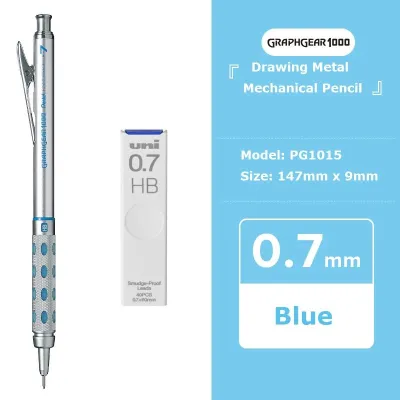
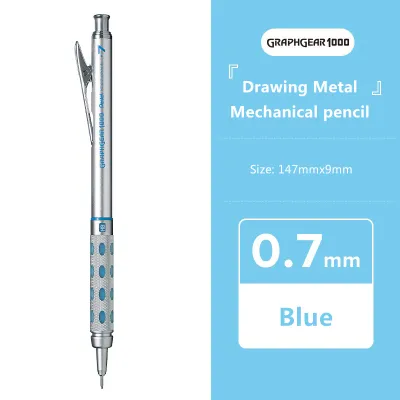
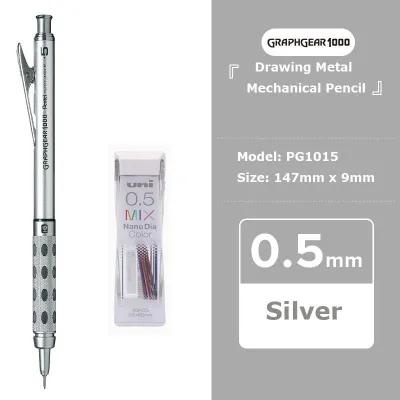
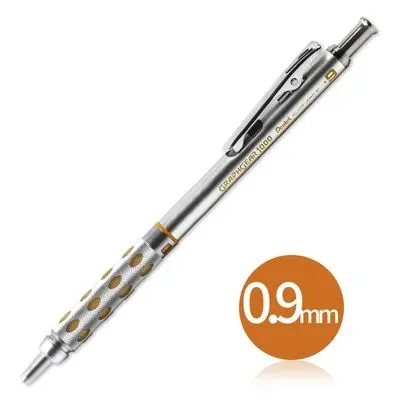
The Pentel GraphGear 1000 is a highly regarded mechanical drafting pencil, celebrated for its unique dual-action retractable tip mechanism and robust metal body. It excels in precision and pocket-safe durability, making it an exceptional choice for architects, engineers, and students who frequently move between drafting desks and field sites.
However, whether it is the absolute best option depends heavily on your specific working environment, writing style, and physical comfort. While its heavy weight and rigid lead sleeve offer unmatched accuracy for technical drawings, other drafting pencils—such as lighter resin-bodied models or those with cushioned lead systems—often provide superior comfort for marathon writing sessions. Choosing the right tool requires balancing weight preferences, grip sensitivity, and the need for portability.
Writing Feel and Balance: Evaluating Weight and Stability
The physical weight and balance of a drafting pencil dictate how it behaves in your hand over hours of meticulous work. The GraphGear 1000 features a heavy, all-metal aluminum barrel that shifts the center of gravity downward toward the tip. This forward-weighted balance is highly advantageous for technical drafting, where stability and a steady hand are paramount. The weight of the metal body does much of the work for you, allowing you to draw clean, straight lines with minimal downward pressure. For users who prefer a solid, deliberate feel, this heft translates directly into a sense of control and mechanical reliability.
Products mentioned in this guide
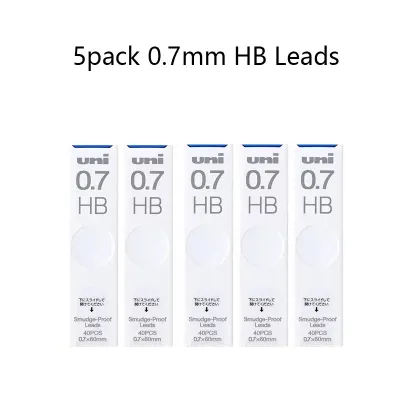
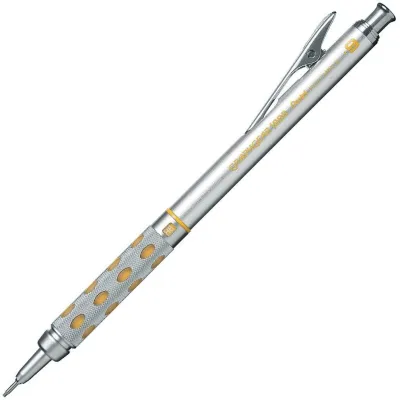
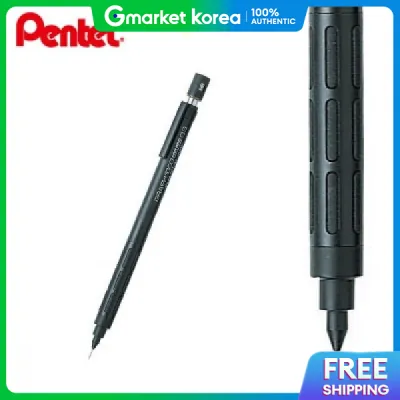
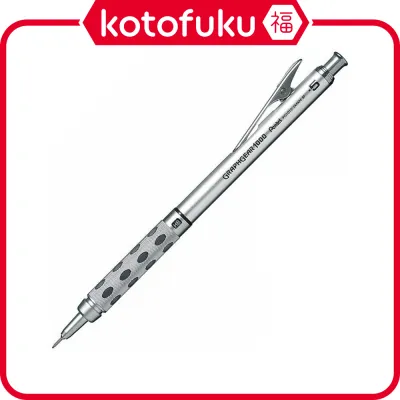
Prices are valid at publication and may change. Please refer to the product page for the latest price.

However, this heavy metal construction represents a significant trade-off when compared to lighter drafting pencils. Many professional drafters and illustrators opt for resin, ABS plastic, or hybrid wood-composite bodies. Pencils with lighter chassis reduce the physical strain on the small muscles of your hand and wrist during continuous, hours-long writing or sketching sessions. If you are a student taking long-form lecture notes or an artist shading a complex piece, a heavy pencil can accelerate hand fatigue, leading to cramping.
To evaluate which balance profile suits you, analyze your personal grip style. If you hold the pencil very close to the tip, a front-heavy pencil like the GraphGear 1000 provides excellent pivot control. If you hold the pencil further back, a front-heavy design can feel like it is constantly trying to tip forward out of your hand, requiring more grip effort to stabilize.
You can perform a simple diagnostic test with your current writing instruments to identify your preference. Rest the pencil across your index finger to locate its natural balance point. A professional drafting pencil with a low center of gravity will balance closer to the grip section, whereas a general-purpose writing pencil usually balances near the physical center of the barrel. If you prefer a vertical drafting angle, a lower center of gravity keeps the tip firmly planted on the paper, whereas a shallower, more relaxed writing angle often benefits from a more centrally balanced, lighter chassis.
Grip Comfort: Knurled Metal vs. Alternative Grip Designs
The grip section is the primary interface between your hand and the pencil, making it the most subjective aspect of any writing instrument. The GraphGear 1000 is famous for its unique hybrid grip, which embeds soft, oval latex rubber pads within a finely knurled metallic grid. This design attempts to offer the best of both worlds: the sharp, slip-resistant traction of knurled metal and the cushioning of rubber. In practice, this hybrid approach provides exceptional tactile feedback and prevents the pencil from rotating in your fingers during precise line work.
However, this texture is not universally comfortable. The knurled metal portions can feel harsh and abrasive against sensitive skin, especially during extended use or if you tend to grip your pencil with high pressure. In contrast, alternative drafting pencils offer a wide array of grip designs to suit different preferences. Some models feature a purely knurled metal grip without rubber inserts, providing a more uniform, industrial feel. Others utilize smooth, matte-finished metals, soft silicone sleeves, or contoured ergonomic plastic grips that distribute finger pressure more evenly.
For users in tropical or highly humid environments, such as classrooms or offices in the Philippines, grip material choice becomes even more critical. High humidity and heat often lead to sweaty hands, which can make smooth metal or basic plastic grips incredibly slippery. Under these conditions, the knurled metal and rubber combination of the GraphGear 1000 shines, keeping your fingers firmly anchored without requiring you to squeeze tighter. On the flip side, some users find that rubber inserts can degrade, become sticky, or collect dust more rapidly in warm, humid climates compared to pure metal or high-grade resin grips.
To determine your ideal grip, monitor your hand after fifteen minutes of continuous writing. If you notice deep indentations or redness on your fingers, you are likely gripping too tightly, and a harsh knurled grip will exacerbate this discomfort. In such cases, transitioning to a pencil with a softer, wider, or more forgiving grip surface is advisable.
Line Precision: Lead Sleeve Mechanisms and Drafting Accuracy
Technical precision in drafting depends heavily on the design of the lead sleeve, also known as the guide pipe. The GraphGear 1000 features a professional-grade 4mm fixed-length sleeve when fully deployed. This long, narrow pipe is specifically engineered to provide an unobstructed view of the lead’s point of contact with the paper. This visibility is indispensable when working alongside thick acrylic rulers, T-squares, compasses, and drafting templates, as it prevents the body of the pencil from blocking your sightline or catching on the edges of your tools.
In contrast, many general-purpose mechanical pencils and some writing-focused drafting models use shorter, conical sleeves or sliding sleeves. While these shorter sleeves are less prone to bending if dropped, they obscure the line of sight, making precise alignment with grid lines or technical drawings difficult. Furthermore, some modern pencils incorporate cushioned lead mechanisms—essentially internal shock absorbers that retract the lead slightly when excessive vertical pressure is applied. While these systems are fantastic for preventing lead breakage during fast, heavy-handed writing, they introduce a microscopic amount of vertical play or movement at the tip. For absolute drafting precision, this tiny movement can be a drawback, as it slightly compromises the rigidity required for uniform line weight.
The rigidity of the GraphGear 1000’s deployed sleeve ensures that the lead remains perfectly stationary, allowing you to maintain a consistent line width across your entire drawing. This level of precision is vital when using fine lead diameters like 0.3mm or 0.5mm, where even a fraction of a millimeter of wobble can result in a snapped lead or an uneven line.
Before choosing, verify the thickness of the tools you use. Standard plastic rulers often have beveled edges, but heavy-duty drafting templates can be several millimeters thick. A 4mm guide pipe is designed to ride smoothly along these thick edges without the wider metal nose cone of the pencil lifting the lead away from the template’s guide wall. If your work involves intricate stencil details, a rigid, extended guide pipe is non-negotiable.
Build Quality and Portability: Retractable Tips and Durability
One of the most common vulnerabilities of professional drafting pencils is the delicate 4mm guide pipe. Because these sleeves are thin and rigid, dropping a traditional fixed-sleeve pencil onto a hard floor almost always results in a bent tip, rendering the entire instrument useless. The GraphGear 1000 solves this widespread issue with its ingenious dual-action retractable mechanism. By pressing the top cap, the lead sleeve extends and locks securely into place for drafting. Pressing the top of the spring-loaded pocket clip instantly retracts the entire sleeve back inside the metal nose cone.
This retractable feature makes the GraphGear 1000 exceptionally portable and pocket-safe. You can toss it into a backpack, pen pouch, or shirt pocket without worrying about the sharp tip tearing the fabric, stabbing your hand, or bending during transit. For professionals who split their time between a drafting desk and active job sites, this design provides immense peace of mind.
However, this convenience comes with mechanical trade-offs. The retractable mechanism introduces internal complexity, consisting of springs, sliding sleeves, and locking detents. Over years of heavy use, these moving parts can accumulate dust, graphite powder, or pocket lint, which may eventually cause the mechanism to stick or wear down. Additionally, some purists note that retractable tips can sometimes exhibit a minute, almost imperceptible amount of lateral play compared to a solid, single-piece fixed-sleeve pencil. While this play is rarely noticeable during normal drafting, it is a factor to consider if you demand absolute mechanical simplicity.
When comparing build quality across different models, pay close attention to the structural connection points. Inspect the threading where the grip section meets the main barrel; metal-on-metal threads are far more durable than metal-on-plastic threads, which can strip or crack under stress. Evaluate the tension of the pocket clip and the crispness of the lead advancement click. A high-quality drafting pencil should feel cohesive, with no rattling parts or loose tolerances when the sleeve is fully deployed.
Decision Framework: When to Choose the GraphGear 1000 or Alternatives
To help you decide between the GraphGear 1000 and alternative drafting pencils, consider where and how you will use the tool most frequently.
Choose the GraphGear 1000 if:
- You need high portability: The retractable tip mechanism is essential if you constantly travel, carry your pencil in your pocket, or throw it into a bag without a protective case.
- You prefer heavy, solid instruments: The forward-weighted, all-metal body provides the stability and deliberate feel required for precise, ruled line work.
- You work with thick templates: The rigid 4mm guide pipe offers excellent clearance and visibility when drawing along rulers, T-squares, and stencils.
- You draft in warm or humid conditions: The hybrid knurled metal and rubber grip provides secure, slip-resistant traction even when your hands are slightly damp from local tropical heat.
Choose alternative drafting pencils if:
- You draft for hours without stopping: A lighter resin-bodied pencil will significantly reduce hand fatigue and wrist strain during long-form writing or drawing marathons.
- You have sensitive fingers: A softer, wider, or purely smooth grip design may be much more comfortable than the abrasive texture of knurled metal.
- You demand absolute mechanical simplicity: A classic fixed-sleeve design eliminates internal moving parts, reducing the risk of mechanical failure or tip wobble over decades of use.
- You are heavy-handed: A model with a cushioned, shock-absorbing lead mechanism will help prevent frequent lead breakages if you tend to write with high downward pressure.
Verify these factors before purchasing:
- Lead size availability: Ensure the model you choose is available in your preferred lead diameter (such as 0.3mm, 0.5mm, 0.7mm, or 0.9mm), as some specialized grip or body styles are only offered in limited sizes.
- Paper and lead compatibility: The overall feel of any pencil is highly dependent on how the lead interacts with your paper. Test different lead hardness grades (such as HB, B, or 2H) on your specific drafting medium to find the smoothest combination.
Frequently Asked Questions (FAQ)
How do I clean the knurled metal grip on my drafting pencil?
Over time, the textured knurling and rubber inserts on your drafting pencil can accumulate skin oils, sweat, graphite dust, and environmental debris, making the grip feel slippery or look dull. To clean it safely, first remove the lead and any internal eraser components to prevent water damage to the internal mechanisms. Dip a soft-bristled brush, such as a clean, dry toothbrush, into warm water mixed with a drop of mild dish soap. Gently scrub the knurled grip in circular motions to dislodge trapped grime. Wipe the area with a clean, damp cloth to remove any soap residue, then dry the pencil thoroughly with a lint-free towel. Allow the pencil to air-dry completely before reassembling it. Never use harsh solvents, rubbing alcohol, or abrasive chemical cleaners, as these can degrade the rubber inserts, strip the metallic finish, or damage internal plastic components.
What lead hardness is best for technical drafting vs. general writing?
Selecting the correct lead hardness is crucial for achieving the desired line precision and writing feel. For technical drafting, harder leads such as H, 2H, or 4H are highly recommended. These leads produce light, exceptionally clean, and precise lines that resist smudging when you slide rulers or templates across the paper. However, because harder leads contain more clay binder, they feel scratchier and require smooth, high-quality drafting paper to prevent tearing. For general writing, sketching, or note-taking, softer leads like HB, B, or 2B are ideal. Softer leads contain more graphite, providing a darker, smoother line with minimal downward pressure, which helps reduce hand fatigue during long writing sessions. Always verify how a specific lead grade performs on your chosen paper, as highly textured paper can wear down soft leads rapidly, while very smooth paper may make hard leads feel excessively faint.

Community discussion
Share your experience or ask a question. Comments are reviewed before publication.