
Selecting a reliable printing calculator for high-volume accounting or retail environments requires looking beyond basic arithmetic functions. In demanding commercial settings, the device must withstand continuous daily operation, rapid data entry, and rigorous audit requirements. To find a machine that can keep pace with your business, you must evaluate its internal construction, printing technology, and physical ergonomics against the specific demands of your daily workflow.
In the Philippines, business environments present unique challenges, including high tropical humidity that affects paper storage and power fluctuations that can threaten unsaved data. A truly heavy-duty printing calculator is an investment in operational continuity, ensuring that tax computations, inventory audits, and daily sales reconciliations are documented accurately without mechanical failure. By focusing on verifiable specifications and structural design, you can secure a tool that remains dependable over years of constant use.
What Defines a "Heavy-Duty" Printing Calculator?
To distinguish a genuine heavy-duty printing calculator from a standard desktop model, you must look at the internal engineering rather than the external plastic shell. Standard calculators are designed for intermittent use, featuring lightweight plastic gear trains and low-tolerance impact heads that quickly wear out under constant load. In contrast, heavy-duty models are built with reinforced internal chassis, often utilizing metal plates to anchor the printing motor and gear assemblies, which prevents internal misalignment during rapid, repetitive operations.
Products mentioned in this guide


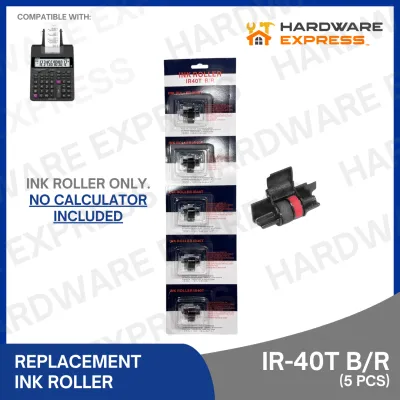
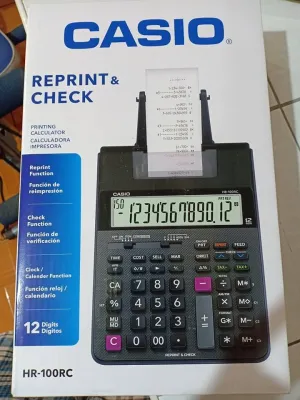
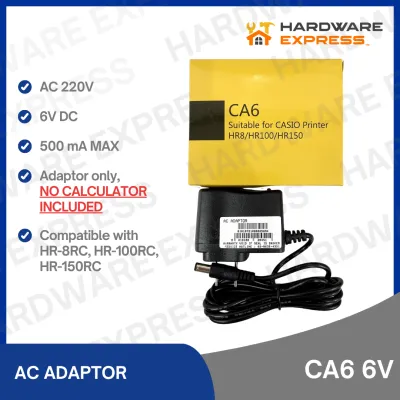
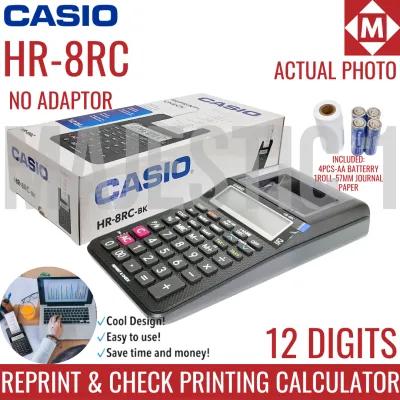
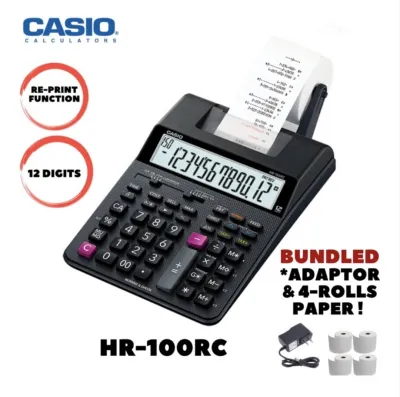
Prices are valid at publication and may change. Please refer to the product page for the latest price.
Manufacturer specifications often indicate the intended duty cycle of the machine. While entry-level models rarely publish these limits, commercial-grade calculators explicitly state their continuous operation thresholds or average daily print volume capacities. A heavy-duty machine is typically rated to handle several hours of active printing per day, supported by a heavy-duty print head designed to strike the paper millions of times before experiencing degradation.
Another critical differentiator is the key switch construction. Heavy-duty calculators utilize professional-grade key switches—often rated for millions of keystrokes—that provide distinct tactile feedback. This tactile response is essential for touch-typists who enter data rapidly without looking at the keyboard, as it confirms a successful entry and minimizes input errors. The physical weight of the unit also reflects its build quality; a heavier machine (often weighing 1.5 kilograms or more) remains anchored to the desk during high-speed typing, preventing slips and miskeys.
Key Features to Evaluate for Accounting and Retail
Evaluating a printing calculator for commercial use requires a balanced analysis of three primary pillars: the printing technology, the paper handling system, and the physical interface. Each of these dimensions directly impacts the speed of your operations, the durability of your physical records, and the comfort of your office staff during long shifts.

Print Mechanism and Consumable Type
Commercial printing calculators generally employ one of two printing technologies: ribbon/ink roller systems or thermal printing. Ribbon and ink roller systems use physical impact to transfer ink onto standard bond paper. This technology is highly favored for long-term business record retention because the printed text is exceptionally stable and resistant to fading, which is crucial for meeting the multi-year audit requirements of the Bureau of Internal Revenue (BIR). These systems typically print in two colors—black for positive numbers and red for negative values—making financial statements easy to scan.
Thermal printing, on the other hand, uses heat to activate a chemical layer on specialized thermal paper. This eliminates the need for ink replacements, resulting in virtually silent operation and significantly faster print speeds. However, thermal printouts are highly sensitive to heat, light, and tropical humidity. In the Philippines, where ambient temperatures and humidity levels are often high, thermal records can fade rapidly if not stored in climate-controlled environments, making them less suitable for permanent archiving unless digitized immediately.
When evaluating print speed, check the manufacturer’s specification sheet for the lines-per-second (LPS) rating. Standard desktop models often print at speeds of 2.0 to 3.0 LPS, which can cause a bottleneck during rapid data entry. Heavy-duty commercial models typically deliver speeds between 4.0 and 4.8 LPS. This rapid output ensures the paper feed keeps pace with the fastest touch-typists, preventing input lag and maintaining a smooth operational rhythm during peak business hours.
Paper Roll Capacity and Feed System
Frequent paper changes interrupt business operations and reduce productivity, especially during end-of-month reporting or busy retail shifts. A heavy-duty calculator should accommodate standard paper rolls with a width of 57mm (2.25 inches), which is the widely available standard in local office supply stores. Verify the maximum outer roll diameter supported by the calculator’s paper holder; larger holders allow you to mount high-capacity rolls, reducing the frequency of replacements.
The design of the paper feed system is equally important. Look for a robust, motorized feed mechanism that pulls the paper smoothly from the roll without slipping. High-quality models feature an external steel or heavy-duty plastic roll holder that aligns the paper perfectly with the entry slot. Internal drop-in paper compartments are common on portable models but are less practical for heavy-duty desktop use, as they limit the roll size and can be more prone to misalignment.
To prevent mechanical frustration, examine the paper cutting mechanism. Standard calculators rely on a simple plastic tear bar, which can lead to jagged tears, paper jams, or physical wear on the feed rollers if pulled at an angle. Heavy-duty commercial models often feature a sharp, integrated metal tear bar or an active automatic paper cutter. An automatic cutter provides clean, straight cuts after each total calculation, which is highly beneficial for retail counters where receipts are handed directly to customers.
Keypad Durability and Ergonomic Layout
Because accounting and retail personnel spend hours entering numerical data, the layout and durability of the keypad are paramount. Look for sculpted, contoured keys that naturally guide the fingertips to the center of each keycap. Color-coded keycaps—typically separating numbers, basic operators, and advanced business functions—help the operator navigate the keyboard visually before transitioning to touch typing.
Touch-typing efficiency is further enhanced by tactile identification bumps, usually located on the “5” key. This physical reference point allows the operator to orient their hand without looking down. Additionally, the layout should feature a large, easily accessible addition (+) key and a dedicated double-zero (00) or triple-zero (000) key, which significantly accelerates the entry of large currency values.
For retail environments or busy offices where drinks or dust are present, consider the keypad’s vulnerability to contamination. While fully sealed rubber membranes protect against spills, they often compromise tactile feedback and typing speed. A superior heavy-duty design utilizes individual mechanical keycaps with deep-set wells that channel minor spills away from the internal electronic contacts, allowing for both high-speed typing and reasonable environmental protection.
Power and Operational Stability for Continuous Use
Continuous business operations require a stable, uninterrupted power supply. Heavy-duty printing calculators designed for commercial environments should rely on direct AC power (220V in the Philippines) rather than batteries. Direct AC power ensures that the print motor and print head receive a consistent voltage, maintaining uniform print speed and ink transfer density even during long, continuous printing sessions. Battery-powered or dual-power models often suffer from slowing print speeds and fading print quality as the batteries discharge.
Continuous printing generates significant heat within both the print head and the drive motor. Heavy-duty models are engineered with adequate internal ventilation and heat-dissipating components to prevent thermal throttling or motor burnout during long batch-processing tasks. When reviewing specifications, look for models that mention thermal protection circuits, which temporarily pause printing if internal temperatures reach critical limits, safeguarding the hardware from permanent damage.
Given the occasional power fluctuations or voltage sags that can occur in various regions of the Philippines, memory retention is a vital feature. A high-quality business calculator must include an internal backup battery system (typically a long-lasting lithium coin cell, such as a CR2032). This backup power ensures that your tax rates, grand totals, and custom settings are preserved in the memory even if the main AC power cord is accidentally unplugged or if the office experiences a brief power interruption. Without this feature, a sudden power loss could force you to re-enter hours of calculations and reconfigure complex tax parameters.
Maintenance and Consumables for Long-Term Reliability
To maximize the lifespan of a heavy-duty printing calculator, establish a simple, routine maintenance schedule. The primary enemy of printing calculators is paper dust, which sheds from paper rolls during the feeding and cutting process. Over time, this fine dust accumulates on the print head, platen roller, and optical paper sensors, leading to faint printouts, paper slippage, and false jam errors. Once a month, use a can of compressed air to blow out the paper path and keyboard assembly, and gently wipe the platen roller with a lint-free cloth slightly dampened with isopropyl alcohol.
Before purchasing a specific model, verify the local availability and ongoing cost of its consumables. For ink-ribbon calculators, ensure that replacement ribbon spools or cartridges are readily available in local stationery stores or reputable online marketplaces. In the Philippines, standard dual-color spools generally cost between ₱150 and ₱300, while high-quality bond paper rolls range from ₱20 to ₱50 each when purchased in bulk. Opting for a model that uses non-standard or proprietary consumables can significantly increase your long-term operating costs and lead to operational downtime if local suppliers run out of stock.
It is also important to recognize the warning signs of mechanical wear. If the printout becomes consistently faint or uneven despite installing a fresh ink ribbon, the print head may be reaching the end of its operational life. Similarly, grinding noises during paper feeding or keys that stick or register double entries indicate that internal gears or key switches require professional cleaning or replacement. Addressing these issues early through authorized service channels prevents complete mechanical failure during critical business periods.
Pre-Purchase Checklist and Verification Steps
Before finalizing your purchase of a heavy-duty printing calculator, perform a thorough physical and operational verification to ensure the device fits your workspace and business model:
- Measure Your Workspace: Heavy-duty calculators have a substantial footprint. Measure your desk or counter space to ensure the unit, along with its external paper roll holder, fits comfortably without crowding other essential tools.
- Verify the Weight: Ensure the calculator has sufficient weight (ideally over 1.5 kg) to remain stable on your desk during rapid typing. Lightweight models will slide, causing typing errors and physical fatigue.
- Check the Power Configuration: Confirm that the device is designed for 220V AC power without requiring an external voltage converter, which adds clutter and potential failure points.
- Review the Warranty Terms: Read the warranty card carefully. Verify if the manufacturer's warranty covers commercial or high-volume business use, as some standard consumer warranties contain clauses that void coverage if the device is used in a commercial setting.
- Locate Authorized Service Centers: Confirm that the brand has authorized service centers in major Philippine urban hubs (such as Metro Manila, Cebu, or Davao). Access to genuine replacement parts and trained technicians is critical for extending the life of your investment beyond the warranty period.
Frequently Asked Questions (FAQ)
Can a standard printing calculator handle end-of-month accounting peaks?
Standard printing calculators are not designed for the prolonged, continuous operation required during end-of-month accounting peaks. Pushing a standard model through hours of continuous batch processing carries a high risk of motor overheating, print head burnout, or mechanical gear failure. Additionally, the key switches on standard models lack the durability to withstand rapid, high-volume touch typing, which can lead to sticking keys and input errors. Investing in a heavy-duty model ensures the machine can handle intense operational peaks without downtime.
How do I verify if a specific paper roll is compatible with my calculator?
To verify paper roll compatibility, you must check three physical dimensions: the paper width, the outer roll diameter, and the core diameter. The standard width for most commercial printing calculators is 57mm (2.25 inches). Next, measure the maximum outer diameter that your calculator’s paper arm or compartment can physically accommodate; using a roll that is too large will prevent it from spinning freely, causing paper jams. Finally, ensure you match the paper type to your calculator’s technology: never use thermal paper in an ink-based impact calculator, and never use standard bond paper in a thermal calculator.
Community discussion
Share your experience or ask a question. Comments are reviewed before publication.