
Selecting the ideal 3d pen for kids requires balancing age-appropriate safety features with physical ergonomics and skill-based capabilities. While these devices offer an exciting bridge between traditional drawing and three-dimensional crafting, a model that is too complex can cause frustration, while one that gets too hot poses a genuine safety hazard. By understanding how different models accommodate small hands, varying motor skills, and safety needs, you can select a tool that provides an engaging, frustration-free creative experience.
To make an informed choice, parents must evaluate the pen’s operational temperature, filament compatibility, weight, and button layout. The right device should feel natural in your child’s hand, operate at a safe temperature for their developmental stage, and use consumables that are easy to source and handle. This guide breaks down these critical factors to help you find the perfect match for your young creator.
Quick Guide: Matching 3D Pens to Your Child's Profile
To help you immediately identify the right category of 3D pen, the matrix below maps the three primary developmental age groups to their ideal technical specifications. This high-level overview serves as a starting point before diving into the specific safety and ergonomic details of each category.
Products mentioned in this guide
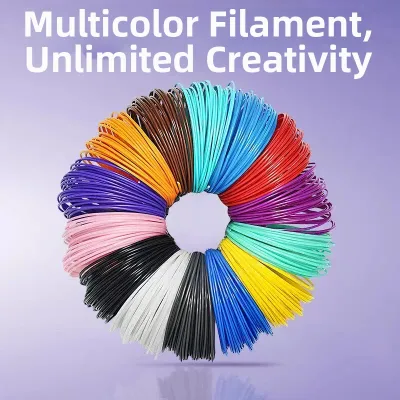
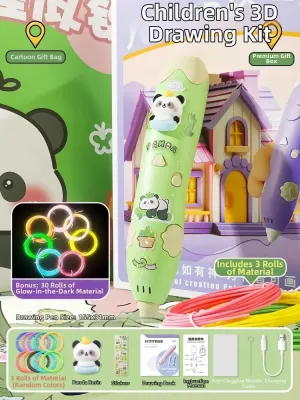
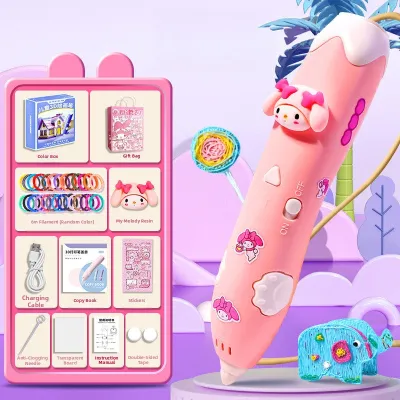
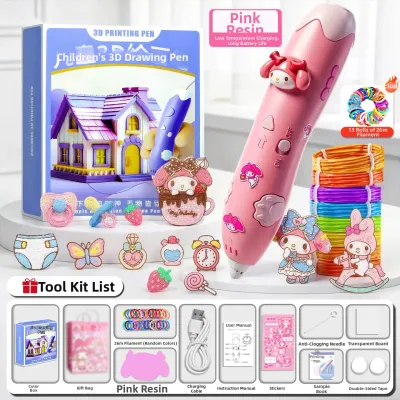
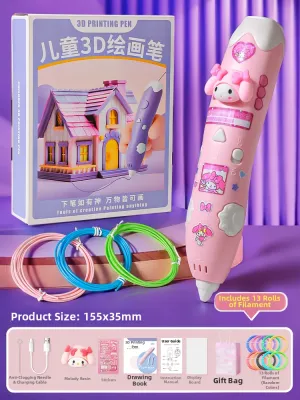
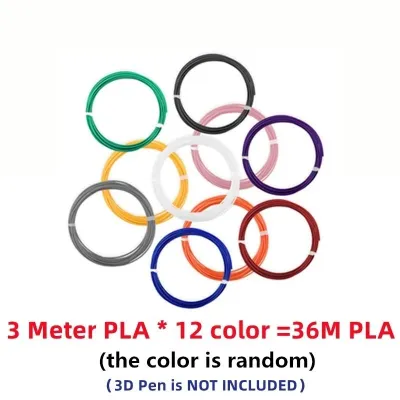
![[🇵🇭 Stock&COD] Original 3D Printer Pen Full Set with Filament 3M 3 Colors Toy for kids Scratch Pen For Chicken DIY 3d Printer pen Crafting Doodle Drawing Arts Printer Tools Childrens Toys Magic Pen Drawing](https://img.lazcdn.com/g/p/bc5d1ac5b7883522b689adb9834f4dc8.jpg_400x400q80.jpg_.webp)
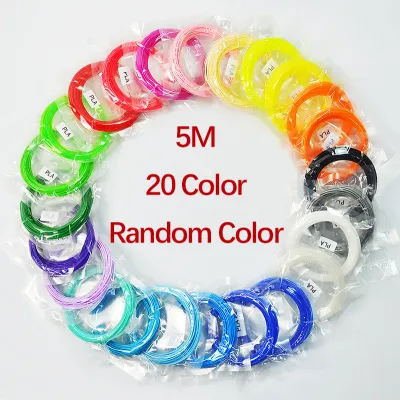
Prices are valid at publication and may change. Please refer to the product page for the latest price.
| Age Group | Recommended Temperature Class | Compatible Filament Type | Key Physical & Design Traits | Primary Power Source |
|---|---|---|---|---|
| Ages 3 to 6 (Toddlers / Preschoolers) | Ultra-Low Temperature (Cool nozzle, safe to touch) | PCL (Polycaprolactone) only | Chunky, oversized grip; single-button operation; fully enclosed tip | Cordless (Rechargeable internal battery) |
| Ages 7 to 10 (Early Elementary) | Low-to-Medium Temperature (Warm nozzle) | PLA (Polylactic Acid) or PCL | Ergonomic, standard-sized body; dual speed toggles; light weight | Corded (USB power bank or wall adapter) |
| Ages 11 and Up (Tweens / Teens) | Standard High-Temperature (Hot ceramic/metal nozzle) | PLA, PETG, or ABS (with ventilation) | Slim, pen-like profile; variable speed sliders; digital status display | Corded (Continuous wall power for stable heat) |
| Price Band (Philippines) | ₱800 – ₱1,500 | ₱1,200 – ₱2,500 | ₱1,800 – ₱4,000+ | N/A |
When using this matrix, keep in mind that your child’s individual fine motor skills and attention span should ultimately dictate your choice. A mature six-year-old might quickly outgrow a basic starter pen, whereas a younger child who struggle with grip strength will benefit significantly from the simplified, oversized design of a low-temperature model.
Safety First: Temperature, Nozzles, and Materials for a Kid-Friendly 3D Pen
Safety is the most critical consideration when purchasing a 3d pen for kids, as standard 3D printing technology relies on melting plastic at incredibly high temperatures. Low-temperature pens are specifically engineered for younger children, operating at temperatures between 50°C and 60°C. At this level, the extruded plastic and the nozzle tip are warm but completely safe to touch, allowing kids to draw directly on their skin or mold the plastic with their fingers without any risk of burns.

In contrast, standard high-temperature pens melt plastic at temperatures ranging from 160°C to over 200°C. These devices feature ceramic or metal nozzles that can cause severe burns upon contact with skin. While high-temperature models are necessary for working with structural materials like PLA or PETG, they require active adult supervision and are strictly suited for older children who understand the risks and can handle the tool responsibly.
Beyond operating temperatures, you should examine the physical safety features of the nozzle assembly. Look for pens designed with fully enclosed tips, where the heating element is recessed deep within the plastic housing to prevent accidental contact. Additionally, high-quality models feature heat-resistant silicone sleeves around the tip and anti-clogging internal designs that prevent hot, molten plastic from backing up into the body of the pen.
Material safety is equally vital when choosing refills for your child’s creative projects. Ensure the filaments you purchase are certified non-toxic, BPA-free, and manufactured without harmful additives. When melted, high-quality PLA and PCL filaments emit a mild, sweet odor (similar to corn syrup) rather than harsh chemical fumes. Always verify the manufacturer’s explicit age grading and maximum temperature specifications on the product packaging, and avoid using ABS filament indoors, as it releases toxic styrene fumes that require heavy industrial ventilation.
Ergonomics and Design: Fitting the Pen to Small Hands
A 3D pen must be physically manageable for a child to prevent hand fatigue and allow for precise control. Younger children, whose hand muscles and fine motor coordination are still developing, require shorter, lighter pens. A heavy or excessively long pen will pull backward, making it difficult for a child to guide the tip smoothly along a template. For early elementary children and toddlers, aim for a total pen weight of under 50 grams.
The grip area should feature a contoured or textured design to prevent slipping during longer drawing sessions. In the warm, humid climate of the Philippines, children’s hands can easily become sweaty, making smooth plastic casings difficult to hold steady. Look for models with rubberized grip zones or molded finger indentations that encourage a proper tripod pencil grip, which helps build muscle memory for handwriting.
Button placement is another ergonomic factor that directly impacts usability. The extrusion button (which feeds the filament forward) and the speed control switch must be positioned so that the child can reach them naturally with their thumb or index finger. If a child has to stretch their hand or use their second hand to press the buttons, their drawing line will become uneven, and their hand will tire quickly. Symmetrical button layouts are highly recommended, as they accommodate both right-handed and left-handed young artists without compromising control.
Finally, consider the trade-offs between corded and cordless models. Cordless pens run on internal rechargeable batteries, offering complete freedom of movement and eliminating the risk of tripping over wires or pulling the pen off a table. However, the built-in battery adds noticeable weight to the pen and limits drawing time to around 45 to 60 minutes before requiring a recharge. Corded pens are lighter and provide continuous, uninterrupted power, but they require a flexible, lightweight USB cable that does not drag against the child’s hand while they draw.
Performance Features for Different Skill Levels
As children progress from basic doodling to building complex three-dimensional structures, the technical features of the 3D pen must match their growing capabilities. Beginners benefit most from simple speed controls, such as a basic high/low toggle switch. A predictable, slow flow rate allows a child to learn how the plastic behaves as it cools, whereas a fast, unregulated flow can quickly overwhelm a novice and result in messy, tangled piles of plastic.
For more advanced young builders, variable speed sliders are essential. These sliders allow the user to fine-tune the extrusion speed on the fly: a slow speed is ideal for drawing vertical lines upward into the air or working on intricate details, while a faster speed is perfect for filling in large flat surfaces or joining separate pieces together. This level of control is crucial for creating stable, structural models that do not collapse under their own weight.
Another indispensable feature is an automatic motorized feed mechanism. Manual push-pens, which require the user to physically force the plastic stick forward, are exhausting for children and result in highly inconsistent extrusion. Motorized feeds ensure a smooth, continuous flow of plastic with a single button press. Ensure the pen also has a reliable double-click feature for continuous extrusion, which relieves the child from having to hold the button down constantly while drawing.
To protect the internal components and prolong the pen’s lifespan, prioritize models equipped with automatic standby and sleep functions. If the pen remains idle for more than a few minutes, these safety features automatically cut power to the heating element. This prevents the filament from baking inside the nozzle, which is the primary cause of severe clogs and permanent motor damage. Additionally, look for pens that offer easily accessible feed mechanisms or user-replaceable nozzles, allowing you to quickly clear minor jams without voiding the manufacturer’s warranty.
Ideal Product Profiles: What to Buy for Each Age Group
Because specific brand models frequently change, searching for a 3D pen on e-commerce platforms is easiest when you know the exact technical profile required for your child’s age group. Use these three distinct profiles to filter your search and find a compatible, high-performing device.
For Ages 3 to 6: The Safe Starter
For the youngest creators, safety is the absolute priority. Look for an ultra-low temperature pen that operates exclusively with PCL filament. This profile must feature a chunky, rounded body designed specifically for toddler-sized palms, allowing them to use a cylindrical power grip rather than a precise finger pinch.
- Filament Standard: 1.75mm PCL (melting point ~50°C–60°C).
- Key Features: Single-button start/stop operation, fully enclosed cool-touch nozzle, and a cordless rechargeable battery.
- What to Verify: Ensure the product packaging explicitly states "low-temperature" and carries a certified child-safety toy rating. Avoid any model that mentions compatibility with PLA or ABS, as these require high operating temperatures.
For Ages 7 to 10: The Developing Creator
Children in this age group are ready to transition to more detailed projects, requiring a pen that offers better precision while maintaining a high safety standard. The ideal profile is a lightweight, ergonomic pen that can handle both PCL and low-melting-point PLA filaments.
- Filament Standard: 1.75mm PLA or PCL.
- Key Features: Dual temperature settings, two or three speed modes, a slimmed-down ergonomic body with a rubberized grip, and a lightweight USB power cord.
- What to Verify: Look for starter kits that include a protective silicone drawing mat and a variety of stencil templates. These templates help children learn how to trace flat shapes first before assembling them into 3D structures.
For Ages 11 and Up: The Advanced Builder
Older children and teenagers have the hand-eye coordination required to construct highly detailed, load-bearing structures. They need a high-temperature pen that behaves similarly to a miniature desktop 3D printer, allowing them to use standard engineering filaments.
- Filament Standard: Standard 1.75mm PLA, PETG, or wood-fill filaments.
- Key Features: Variable speed slider, precise digital temperature display (LCD or OLED), adjustable temperature buttons, and a high-grade ceramic nozzle.
- What to Verify: Ensure the pen uses standard 1.75mm filament refills so you are not locked into expensive, proprietary brand cartridges. Check if the manufacturer offers replacement nozzle assemblies, as advanced users will eventually need to replace worn tips.
Essential Accessories and Filament Management
While the 3D pen itself is the central tool, the quality of the accessories and the condition of your filament will determine the success of your child’s projects. Investing in a comprehensive starter kit is highly recommended for beginners. These kits typically include essential items such as heat-resistant silicone drawing mats, clear plastic tracing sheets, and pre-printed stencil books. Tracing sheets are particularly valuable because they allow children to draw directly over paper templates without burning the paper or ruining the underlying tabletop.
When managing your filament supply, prioritize PLA (Polylactic Acid) for general indoor crafting. PLA is derived from renewable resources like corn starch, making it biodegradable and much safer for home use than petroleum-based plastics. It cools relatively quickly, retains its shape well without warping, and is available in a massive variety of vibrant colors, including glow-in-the-dark and metallic finishes. Avoid ABS filament entirely for children’s activities due to its high melting point and toxic fumes.
Proper filament storage is a critical, often overlooked requirement, particularly in humid tropical regions like the Philippines. Both PLA and PCL are hygroscopic materials, meaning they actively absorb moisture from the surrounding air. When damp filament is fed into a hot 3D pen, the trapped moisture rapidly expands into steam. This causes the plastic to bubble, emit popping sounds, and extrude unevenly, leading to weak structural bonds and frequent nozzle clogs.
To prevent moisture damage, never leave unused filament rolls or strands lying exposed on a desk. Immediately after a drawing session, place all remaining filament into heavy-duty, airtight zip-top bags. Add several packets of silica gel desiccant to the bag to absorb any residual moisture. If you notice your filament has become brittle and snaps easily when bent, it has likely absorbed significant moisture and should be replaced or dried using a dedicated filament dryer before being fed back into the pen.
Frequently Asked Questions (FAQ)
Can a 3D pen use regular 3D printer filament?
Yes, most standard-temperature 3D pens can use regular 1.75mm PLA or PETG filament designed for desktop 3D printers. However, you must strictly verify that the filament’s diameter matches your pen’s specifications (almost all modern pens use 1.75mm, while some older or industrial models use 2.85mm). Additionally, ensure your pen can reach the specific melting temperature required by the printer filament before attempting to feed it into the device.
How do I safely unclog a 3D pen nozzle?
To safely clear a minor clog, heat the pen to the maximum operating temperature recommended for the loaded filament. Once heated, use the pen’s manual forward feed button while gently pushing a fresh, clean piece of filament into the loading port to force the blockage out through the nozzle. If the clog persists, use the cleaning pin or nozzle tool provided by the manufacturer. Never use sewing needles, paperclips, or other sharp metal objects, as they can easily scratch the delicate internal ceramic lining of the nozzle and permanently ruin the heating element.
Are 3D pens comfortable for left-handed children?
Most entry-level and mid-range 3D pens feature symmetrical, ambidextrous designs with buttons located on both sides or centered along the top spine, making them perfectly comfortable for left-handed children. However, some advanced models designed with asymmetrical ergonomic contours or side-mounted LCD screens can obstruct a left-handed writer’s view or cause accidental button presses. Always check the physical design and button layout in the product images to ensure the pen can be held comfortably in either hand.
Community discussion
Share your experience or ask a question. Comments are reviewed before publication.