
Selecting the right folding clipboard requires balancing structural rigidity, secure paper retention, and compact portability. Whether you are conducting site inspections in humid tropical weather, managing patient charts, or organizing project briefs during a commute, your clipboard must protect your documents while providing a stable writing surface. The ideal choice depends on matching the board material, hinge design, and internal storage features to your workflow.
Board Material and Folding Mechanism
The core structure of a folding clipboard dictates how well it survives daily transit and how stable it feels when you write without a desk. Rigid plastic models offer a lightweight, water-resistant option that performs well in high-humidity environments, though they can crack under sudden impact. Aluminum boards provide maximum durability and structural rigidity for heavy-duty field work, but they add noticeable weight to your bag. Reinforced synthetic leather offers a professional appearance with moderate flexibility, though you must check the edge stitching to ensure the layers do not peel apart over time.
The folding configuration directly influences both storage size and writing stability. Bi-fold designs open like a standard book, providing a continuous flat surface that supports your hand. Tri-fold clipboards fold into an even more compact footprint, often fitting easily into a cargo pocket, but they introduce more hinge joints which can slightly compromise lap-writing stability.
Products mentioned in this guide
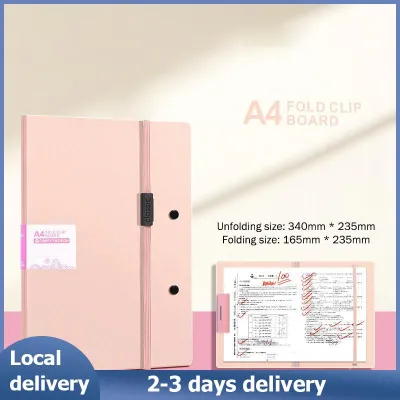
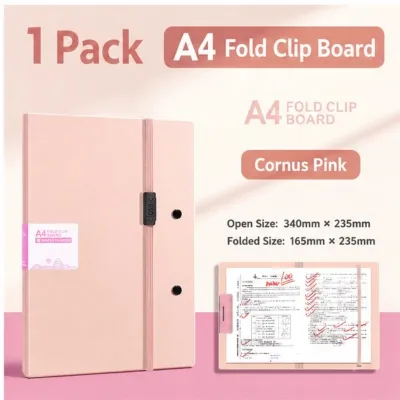
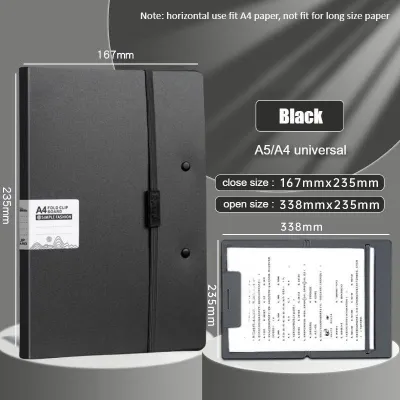
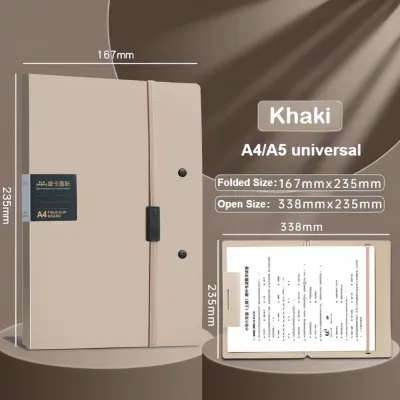
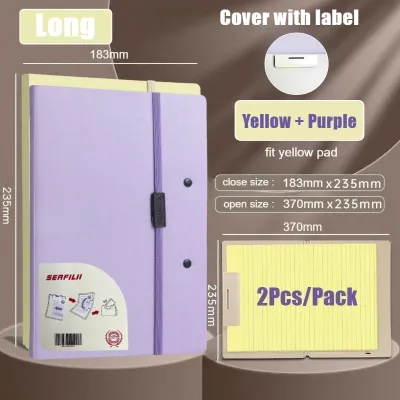
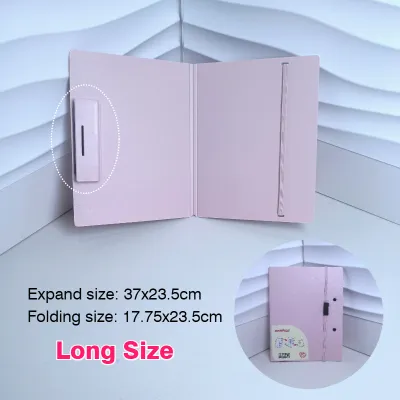
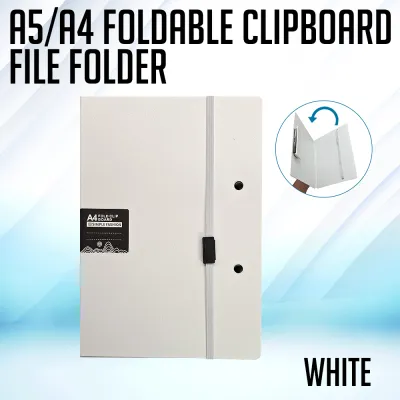
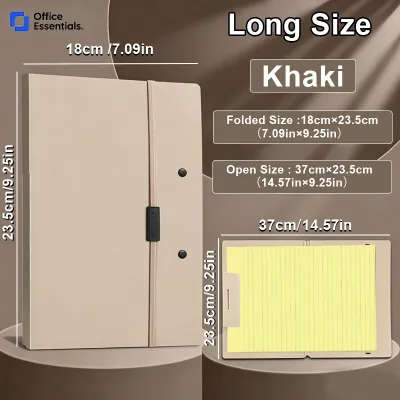
Prices are valid at publication and may change. Please refer to the product page for the latest price.
When evaluating any folding model, inspect the corners and edges closely. Look for rounded, reinforced corners or protective rubberized edge binding. These features prevent the board from tearing your bag lining and protect the clipboard itself from denting or peeling when dropped.
Document Capacity and Storage Compartments
A folding clipboard must do more than hold a single sheet of paper; it needs to manage your entire active document stack without letting pages slip. The spring tension of the primary clip determines how many sheets can be held securely. Standard low-profile clips typically hold up to 50 sheets of standard paper, but overloading them can weaken the spring or crimp the top edges of your documents.

Internal organizational features turn a simple board into a mobile workstation. Look for integrated pen loops that prevent your pen from rolling away. Dedicated business card slots and clear utility pockets help separate small receipts, ID cards, or reference guides from your main paperwork. Some modern designs even feature slim, padded sleeves to hold a compact tablet alongside your physical documents.
Storage depth is another critical factor when choosing between flat interior pockets and expandable gussets. Flat pockets keep the clipboard’s profile incredibly slim, making them ideal for holding a few essential forms. If your work involves carrying multi-page reports, look for expandable gussets that stretch to accommodate the extra volume without forcing the clipboard’s outer cover to bulge.
Clip Mechanism and Paper Security
The clipping mechanism is the primary point of contact with your documents, making its design crucial for both paper preservation and ease of use. Traditional spring-loaded metal clips offer strong gripping power but can be bulky, sometimes snagging on other items inside your bag. Low-profile lever clips lay almost completely flat against the board, reducing bulk and making the clipboard much easier to slide into tight compartments.
For specialized document layouts, standard top-mounted clips might not suffice. If you frequently work with landscape-oriented forms, consider a dual-clip system or a model with top-and-side binding options. These configurations secure the paper along two edges, preventing the wind from lifting the sheets when you work outdoors.
To protect your documents from external elements and accidental damage, verify that the clipboard features a protective cover flap or a recessed clip design. A sturdy cover flap shields your writing from light rain, dust, and prying eyes, while a recessed clip ensures that the metal edges do not scratch adjacent items inside your carrying bag.
Surface Texture and Writing Experience
The texture of your clipboard’s writing surface directly affects your handwriting quality and the performance of your pens. A perfectly smooth surface allows gel pens and rollerballs to glide effortlessly, but it can lead to ink smudging if the ink dries slowly on non-absorbent materials. Lightly textured finishes provide a subtle resistance that improves control when using ballpoint pens, though you should test your specific paper thickness to ensure the texture does not show through.
Lighting conditions in your typical workspace should also guide your surface choice. High-gloss finishes reflect overhead office lights or bright outdoor sunlight, creating a harsh glare that strains your eyes. Matte surfaces diffuse light, making it much easier to read and write comfortably under varying illumination levels.
Stability is equally important when you do not have a desk. Check the back of the clipboard for non-slip backing materials, such as textured rubber or matte polyurethane. This grip prevents the clipboard from sliding off your lap or slipping across a polished table while you work.
Size, Weight, and Portability Checks
Before purchasing, you must verify that the clipboard’s physical dimensions match both your paperwork and your daily transport routine. In the Philippines, standard office paperwork often alternates between Letter size and A4 size. Ensure the clipboard’s internal dimensions fully cover these sizes so that the edges of your paper do not overhang and get crumpled during transit.
Weight is a critical trade-off that affects your comfort during long days on your feet. Ultra-lightweight plastic or synthetic models are easy to carry all day but may flex under heavy writing pressure. Heavier aluminum or thick composite boards offer a rock-solid writing platform but can cause hand fatigue during extended mobile use, such as site inspections.
Finally, consider how you will carry the clipboard when your hands are full. Some folding clipboards feature integrated elastic bands that keep the cover securely closed, while others include low-profile handles or exterior wrist straps. These small additions make it much easier to carry your clipboard safely during busy commutes.
Frequently Asked Questions (FAQ)
Can I use a folding clipboard as a temporary laptop stand?
Folding clipboards are engineered specifically to support paper and lightweight writing tasks, not the concentrated weight and heat dissipation requirements of electronic devices. Placing a laptop on a folded clipboard can stress the hinge joints beyond their design limits, leading to structural failure or warping. Additionally, the smooth surfaces of most clipboards lack the high-friction grip needed to prevent a laptop from slipping, risking expensive damage to your device. For safe ergonomic positioning, always use a dedicated laptop stand designed with proper ventilation and secure retaining lips.
How do I clean and maintain the hinge mechanism?
To keep the folding joints operating smoothly, regularly clear out dust, lint, and paper fibers using a dry, soft-bristled brush or a canister of compressed air. Avoid applying liquid lubricants, household oils, or harsh chemical solvents to the hinges, as these substances can degrade plastic components, attract more dirt, and bleed onto your paper documents. If the hinge becomes stiff or begins to make grinding noises, inspect the joint for physical obstructions or consult the manufacturer’s care guidelines to avoid voiding any product warranties.

Community discussion
Share your experience or ask a question. Comments are reviewed before publication.