
Choosing the right printing calculator with a receipt function is a critical decision for small business owners in the Philippines. Whether you are running a bustling sari-sari store, managing detailed bookkeeping, or handling daily administrative tasks in an office, your transaction efficiency depends heavily on this equipment. A printing calculator does more than compute numbers; it provides an immediate, physical audit trail that builds trust with customers and simplifies daily financial reconciliation.
To find the most suitable model, you must look beyond brand names and focus on how the calculator’s technical specifications align with your daily operational environment. Factors such as the printing mechanism, display clarity, power source, and keyboard durability play a vital role in how well the device performs under continuous use. By understanding these core features and matching them to your business scenario, you can make an informed investment that enhances productivity and minimizes long-term maintenance costs.
Key Specifications to Evaluate for Daily Operations
When evaluating printing calculators, the print mechanism is the first specification to consider. Thermal printing technology uses heat-sensitive paper to create text, eliminating the need for ink ribbons or rollers. This design reduces ongoing maintenance and eliminates the risk of running out of ink during a busy shift. However, thermal paper is generally more expensive than standard paper rolls, and the printed text is susceptible to fading when exposed to heat, light, or moisture.
Products mentioned in this guide
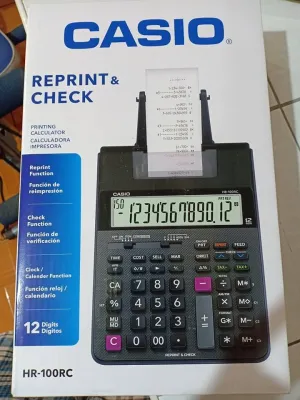
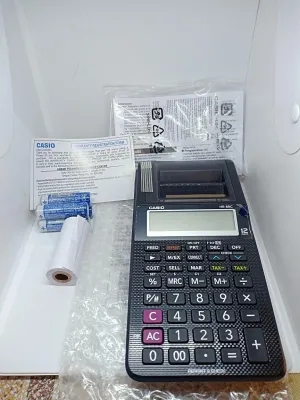
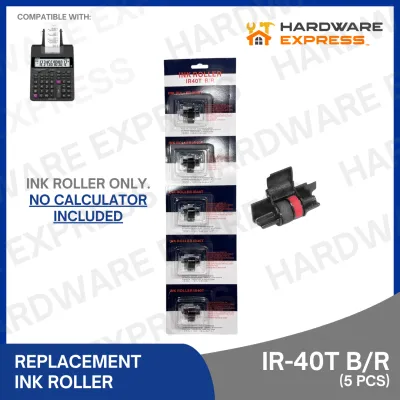
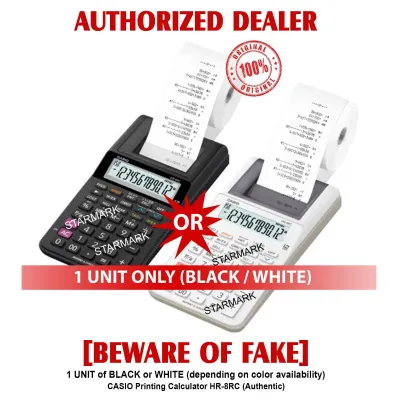
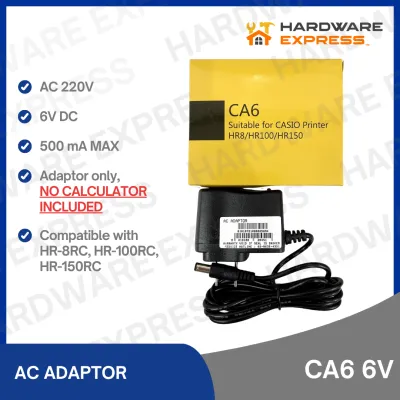
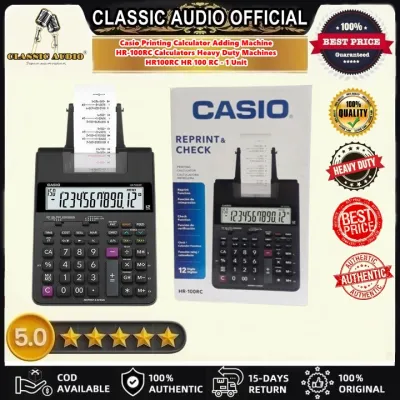
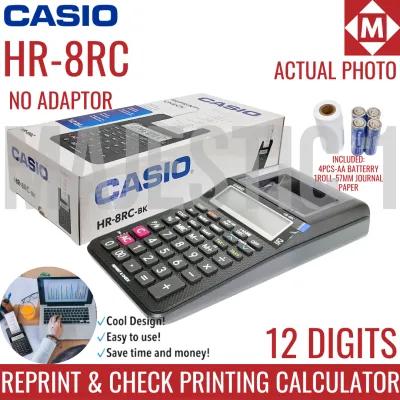
Prices are valid at publication and may change. Please refer to the product page for the latest price.
In contrast, ink ribbon or ink roller systems use physical ink to print on standard bond paper. This method produces highly durable, fade-resistant prints that are ideal for long-term record-keeping and tax audits. The trade-off is that you must periodically purchase and replace the ink components, which can add to your operational steps. Additionally, if the ink runs dry unexpectedly, your business operations may experience temporary downtime until a replacement is installed.
The display capability of the calculator is another crucial factor that directly impacts user accuracy. Single-line displays show only the active number being entered, which requires the operator to have high confidence in their typing. If an error is made mid-calculation, it can be difficult to detect until the final total is printed. This can lead to wasted paper and ink as you are forced to void the transaction and start over.
A two-line display, on the other hand, provides a much higher level of control. It typically shows both the current input and the previous calculation step or running total simultaneously. This layout allows you to verify each entry visually before committing it to the printed tape. For businesses handling complex transactions or multi-item sales, a two-line display significantly reduces input errors, saves paper, and speeds up the checkout process.
Power supply options must also be carefully matched to your operating environment. AC-powered calculators plug directly into a wall outlet and generally offer faster print speeds and brighter displays. They are ideal for permanent office desks where a stable power source is guaranteed. However, they lack portability and are completely dependent on the electrical grid, making them vulnerable to sudden power interruptions.
For areas prone to power fluctuations or brownouts, battery-powered or dual-power models are highly advantageous. Dual-power calculators run on AC power under normal conditions but automatically switch to battery backup during a power failure. This feature ensures that your transaction data is preserved and that you can continue serving customers without interruption. Battery-only models offer the ultimate portability, allowing you to use the calculator at outdoor markets or mobile retail setups, though they require regular battery replacements.
Finally, the physical build and keypad layout of the calculator determine its long-term comfort and durability. High-frequency typing requires large, well-spaced keys with a positive tactile response, allowing the operator to feel when a key has been successfully pressed. Color-coded keys help the eye quickly distinguish between numbers, basic arithmetic operators, and specialized functions like tax or memory keys. A durable housing, preferably with a metal faceplate, protects the internal electronics from the physical demands of daily commercial use.
Matching Calculator Features to Your Business Scenario
Every small business has a unique operational rhythm, and a calculator that excels in one environment might be poorly suited for another. The physical space available on your counter, the speed of your customer interactions, and the complexity of your financial calculations all dictate which features are essential and which are unnecessary. By analyzing your specific business scenario, you can narrow down the options to find a model that fits seamlessly into your daily workflow.

For instance, a retail environment requires speed and simplicity, whereas an accounting desk demands precision and advanced analytical functions. Administrative offices, meanwhile, often prioritize a quiet operation and ease of use for multiple staff members. Understanding these distinctions allows you to choose a device that maximizes efficiency without overcomplicating your processes.
Sari-Sari Store and High-Volume Retail
In a sari-sari store or a busy retail shop, transactions occur rapidly, and counter space is often extremely limited. The ideal printing calculator for this setting must have a compact footprint that leaves plenty of room for product displays and customer interactions. Despite its small size, the keyboard must be robust enough to handle rapid, repetitive tapping as you quickly tally up multiple items for a customer.
Print speed and contrast are critical in high-volume retail. Customers appreciate a quick checkout, so the printer must output the receipt almost instantly. The printed text must be sharp and highly legible, allowing customers to verify their purchases immediately under any lighting conditions. This transparency builds trust and reduces disputes over pricing or change.
Given the tropical climate and open-air nature of many local retail shops, environmental factors like dust and humidity must be considered. A printing calculator used in these conditions should have a sealed or highly dust-resistant keyboard to prevent debris from interfering with the key contacts. Furthermore, dual-power capability is highly recommended to safeguard your sales data against sudden power outages, ensuring your business remains operational at all times.
Bookkeeping and Detailed Accounting
For professional bookkeepers and accountants, the printing calculator is a primary tool used for hours at a time. The focus here shifts from rapid, simple transactions to complex financial calculations and meticulous auditing. A two-line display is indispensable in this scenario, as it allows you to review long lists of figures and catch entry errors before they are printed on the audit tape.
Dedicated financial keys are essential for streamlining accounting workflows. Look for models that feature one-touch tax calculation keys, which allow you to add or subtract local taxes (such as VAT) instantly. Cost, sell, and margin keys are also highly valuable, enabling you to calculate profit margins or markup percentages with minimal keystrokes. These specialized functions save time and reduce the mental fatigue associated with repetitive manual calculations.
Paper capacity and audit trail management are also key considerations. Bookkeepers generate long physical records, so the calculator should accommodate standard, wide paper rolls that do not require frequent replacement. Features like an item counter help you track the number of entries in a sequence, making it easier to reconcile the printed tape with physical invoices or receipts at the end of the day.
General Office and Administrative Use
In a general office or administrative environment, a printing calculator is typically used for occasional tasks such as verifying expense reports, calculating monthly budgets, or auditing petty cash. Because the device is not in constant use, ease of operation for multiple users is a primary requirement. The control layout should be intuitive, with standard memory functions and basic percentage keys that anyone in the office can operate without a steep learning curve.
Workspace comfort is another important factor in an office setting. Traditional impact printing calculators can be quite loud, creating a distracting clacking sound that disrupts a quiet office environment. For administrative desks, a quiet printing mechanism—such as a thermal printer or a silent ink-roller system—is highly suitable. This allows you to perform necessary calculations without disturbing nearby colleagues.
Since the calculator may sit idle for periods, a simple and reliable paper loading mechanism is highly beneficial. A drop-in paper feed system allows any staff member to replace the paper roll quickly and correctly, minimizing the risk of paper jams or mechanical damage. This ensures the calculator is always ready for use whenever an administrative task arises.
Consumables, Paper Compatibility, and Maintenance
The long-term cost of operating a printing calculator is heavily influenced by its consumable requirements. Before purchasing a specific model, it is vital to verify the exact specifications of the paper rolls it uses. Standard paper widths, such as 57mm or 58mm, are widely available in local stationery shops and online marketplaces. Choosing a model that requires non-standard or proprietary paper sizes can lead to supply shortages and unnecessary operational delays.
You must also weigh the ongoing costs and availability of thermal paper versus ink ribbons or rollers. Thermal paper rolls are generally more expensive than standard bond paper, but they eliminate the need to purchase and replace ink. However, thermal paper is highly sensitive to environmental conditions. In warm, humid climates, thermal prints can fade rapidly if stored incorrectly, which may pose challenges if you need to retain physical receipts for long-term tax compliance.
Ink-based printing systems use standard, affordable bond paper rolls, and the printed text is highly durable and resistant to fading. However, you must factor in the cost and effort of replacing the ink rollers or ribbons. It is wise to check the local availability of these specific ink components before buying the calculator, as some older or less common models may have hard-to-find consumables.
Proper maintenance is essential to keep your printing calculator operating smoothly and to extend its lifespan. Dust, paper lint, and ink residue can accumulate inside the printing mechanism over time, leading to paper jams or degraded print quality. For thermal models, periodically cleaning the print head with a dry, lint-free cloth or a cotton swab lightly moistened with isopropyl alcohol (following the manufacturer’s instructions) will maintain clear prints. For ink-based models, replacing the ink roller as soon as the print becomes faint prevents unnecessary wear on the print head mechanism.
Pre-Purchase Verification and Setup Checklist
To ensure a smooth integration of a new printing calculator into your business, a thorough pre-purchase verification is highly recommended. Begin by measuring the physical space on your desk or counter where the calculator will be placed. Be sure to include the extra clearance required for the external paper roll arm, which extends behind or above the unit, as well as the path of the power cord to the nearest electrical outlet.
Confirm that the electrical specifications of the calculator match your local power supply. If you are purchasing an AC-powered model, verify if it operates on the standard local voltage or if it requires a specific external adapter. It is also highly beneficial to check the manufacturer’s warranty terms and the location of authorized service centers. Having local technical support ensures that any hardware issues can be addressed promptly without disrupting your business operations.
Once you have purchased and unboxed the calculator, perform an initial setup and test print. Carefully read the user manual for the correct paper loading procedure, as forcing the paper into the feed mechanism incorrectly can damage the delicate gears. Feed the paper through the slot, ensure it is aligned straight, and run a test calculation to verify that the print is sharp, the keys are responsive, and the paper advances smoothly.
Establishing a regular maintenance and consumable replacement schedule from day one will prevent unexpected downtime. Keep a small stock of spare paper rolls and ink components in a cool, dry place, away from direct sunlight and moisture. By taking these proactive steps, you can ensure that your printing calculator remains a reliable and efficient tool for your daily business operations.
Frequently Asked Questions (FAQ)
Can a printing calculator connect directly to a POS system?
Most standalone printing calculators are designed as independent, offline devices and lack the digital data output ports (such as USB, Ethernet, or Bluetooth) required to connect directly to a Point of Sale (POS) system. They are intended to provide a physical audit trail and immediate receipt for manual transactions rather than syncing with digital inventory databases. If your business requires automatic inventory tracking, digital sales reporting, and direct POS integration, you should look into specialized POS terminals or dedicated digital receipt printers instead of a traditional printing calculator.
How long does the printed receipt last before fading?
The lifespan of a printed receipt depends heavily on the printing technology used and the storage conditions. Receipts printed with ink ribbons or rollers on standard bond paper are highly durable and can last for many years without significant fading, making them excellent for long-term tax auditing. In contrast, thermal paper receipts are highly sensitive to environmental factors such as heat, high humidity, and direct sunlight. Under typical tropical conditions, a thermal receipt may begin to fade within a few months to a year. To preserve thermal receipts for official records, store them in a cool, dry, and dark place, or scan them digitally for permanent archiving.
Community discussion
Share your experience or ask a question. Comments are reviewed before publication.