
Selecting an LED light pad for drawing requires looking beyond flashy marketing terms to focus on three fundamental factors: the active illumination area, adjustable brightness levels, and a compatible power source. Whether you are transferring a graphite sketch onto heavy watercolor paper or tracing clean ink lines for an illustration, the right light pad acts as an extension of your drafting table. Choosing a model that matches your typical paper dimensions and working environment ensures a comfortable, efficient creative workflow.
Quick Guide to Choosing the Right LED Light Pad
When shopping for an LED light pad, prioritize the dimensions of the illuminated surface over the total physical size of the device. Ensure the model offers adjustable brightness—ideally stepless dimming—to accommodate varying paper thicknesses and protect your eyes from fatigue. A convenient power connection, such as a USB interface, provides the versatility needed for modern workspaces. In the Philippines, entry-level USB-powered models typically range from ₱500 to ₱1,500, while professional-grade A3 or A2 panels can range from ₱2,500 to over ₱6,000.
While ultra-thin profiles and bundled accessories like stands or cases might seem appealing, they are secondary to core optical performance, light uniformity, and structural stability. Focusing on these core specifications prevents you from overpaying for unnecessary gimmicks that do not improve your drawing experience.
Products mentioned in this guide
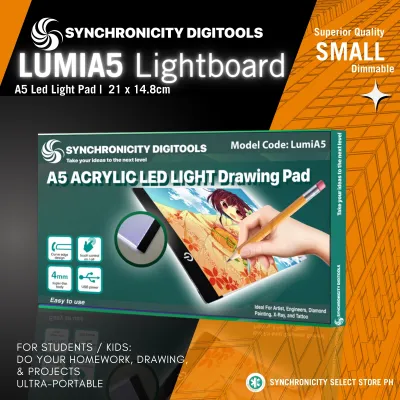
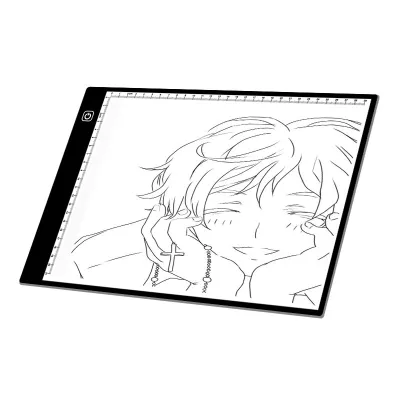
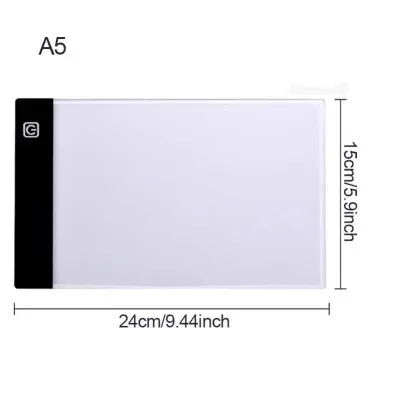
Prices are valid at publication and may change. Please refer to the product page for the latest price.
Size and Active Working Area
Selecting the correct size depends entirely on the paper formats you use most frequently. Standard LED light pads are labeled using international paper sizes, with A4 and A3 being the most common for sketchbooks and independent illustration, while A2 serves larger drafting and tracing rolls. It is vital to distinguish between the overall physical dimensions and the active illumination area. The active area is the actual lit space where light passes through the acrylic panel; if this area is smaller than your drawing paper, you will find yourself constantly shifting the sheets, which can misalign your registration marks.

Your workspace footprint and storage habits should also guide your decision. A large A2 pad requires a dedicated, flat studio desk and careful storage to prevent the screen from getting scratched. In contrast, a compact A4 pad fits easily into a backpack or a desk drawer, making it ideal for students or artists working in limited spaces. If you live in a high-humidity tropical environment like the Philippines, choosing a pad with a sealed, dust-resistant frame prevents moisture and dust from settling behind the screen, preserving the clarity of the active work area over time.
Brightness Control and Light Uniformity
The ability to control light intensity is crucial for managing eye strain and adapting to different ambient lighting conditions. Look for a light pad that features stepless dimming, which allows you to adjust the brightness continuously by holding down the power button, rather than being locked into three fixed settings. This precise control lets you match the screen’s output to the room’s lighting, whether you are working in a brightly lit studio or a dimly lit bedroom.
The thickness and weight of your drawing medium dictate how much brightness you actually need. Standard tracing paper or 80 gsm printer paper requires very little light to show underlying lines, whereas heavy 300 gsm cold-pressed watercolor paper or thick sketchbooks require a highly intense light source to penetrate the fibers. When working with heavy-duty papers, check that the pad can deliver sufficient illuminance without flickering.
Equally important is edge-to-edge light uniformity. Poorly constructed light pads often suffer from hot spots near the LED strips along the edges and dim zones in the center. This uneven distribution can distort your view of fine details and cause you to misjudge line weights. To verify uniformity before committing to a long drawing session, turn on the pad in a darkened room without any paper on top; the light should appear perfectly flat and consistent across the entire surface.
Power Source and Portability
How and where you plan to use your light pad determines the best power configuration for your setup.
USB-Powered Pads: These models offer the highest level of flexibility for modern artists. By drawing power via a USB-C or Micro-USB cable, they can run directly off a laptop, a standard phone charger, or a portable power bank. This setup is highly advantageous in regions prone to occasional power fluctuations or brownouts, as a simple power bank keeps your drawing session running uninterrupted.
Wall-Plug Adapters: For dedicated, stationary studio spaces, a light pad that plugs directly into a standard wall outlet is often preferred. These models typically provide a more stable voltage, which is essential for larger A3 or A2 pads that require more power to maintain consistent, high-brightness levels across a large surface area.
Battery-Operated Options: If you frequently attend workshops, sketch outdoors, or prefer a cable-free desk, look for a light pad with a built-in rechargeable lithium-ion battery. While highly convenient, these models are generally heavier and require you to monitor battery levels closely, as the light may dim gradually as the charge depletes.
Surface Material, Thickness, and Practical Extras
The physical build of the light pad directly influences your drawing comfort and the longevity of the device. Look for a surface made from high-grade, scratch-resistant acrylic or PET. A durable surface ensures that sharp pencil tips, drafting compasses, or metal clips do not leave permanent gouges that could catch your pen during future projects.
The thickness of the pad presents a distinct trade-off between portability and structural rigidity. Ultra-thin pads, often measuring just 4 to 5 millimeters, are incredibly lightweight and sit flush with your desk, reducing wrist fatigue. However, if you tend to press down hard while sketching with heavy graphite or charcoal, an ultra-thin acrylic panel may flex slightly, causing the light to distort or the paper to shift. A slightly thicker, rigid frame provides a more stable drawing surface for vigorous sketching.
Practical physical features can greatly improve your daily drawing experience. Built-in rulers along the edges are highly useful for scaling illustrations or aligning perspective lines. Anti-slip silicone feet on the underside are essential to keep the pad from sliding across smooth wooden or glass desks. Additionally, look for models that include low-profile magnetic clips or integrated binder clamps to hold your tracing paper securely in place without blocking your hand movements.
Secondary Specs You Can Safely Ignore
When comparing options on online marketplaces, it is easy to get distracted by impressive-sounding technical specifications that offer little practical value. For instance, extreme “maximum lux” ratings are often used as marketing gimmicks; a super-bright pad is useless if the light is concentrated in hot spots rather than distributed evenly.
Adjustable color temperature, which lets you switch between warm yellow and cool blue light, is another feature that is rarely necessary for traditional drawing. A standard cool white or daylight color temperature (around 5000K to 6500K) is the industry standard because it provides the cleanest contrast for graphite, charcoal, and ink without distorting color perception.
Finally, do not overpay for premium bundles that include proprietary carrying cases, specialized stands, or multi-angle brackets. Standard tablet stands or simple felt sleeves often work just as well and are widely available at a fraction of the cost, allowing you to focus your budget on the quality of the light panel itself.
Frequently Asked Questions (FAQ)
Can an LED light pad damage my eyes during long tracing sessions?
Modern LED light pads do not emit harmful ultraviolet (UV) radiation or excessive heat, making them safe for extended use. However, staring directly at a bright light source in a dark room can cause eye strain, dry eyes, and temporary fatigue. To protect your vision, always adjust the pad’s brightness to match the ambient light of your workspace, work in a well-lit room, and follow the 20-20-20 rule—take a break every 20 minutes to look at something 20 feet away for at least 20 seconds.
Will the heat from the light pad warp my paper or affect my drawing tools?
Unlike old-fashioned fluorescent light boxes, modern LED light pads generate minimal heat, even after hours of continuous operation. They are perfectly safe to use with delicate tracing papers, vellum, heavy sketchbooks, and sensitive drawing mediums like graphite, wax colored pencils, and fine-liner inks. The low operating temperature ensures that your paper will not buckle, and your wax-based drawing tools will not soften or melt while you work.
Community discussion
Share your experience or ask a question. Comments are reviewed before publication.