
To withstand the intense heat and high humidity of the Philippines, a sticker for laptop use must be made of high-quality polyvinyl chloride (PVC) vinyl paired with a permanent acrylic-based adhesive and a protective UV-resistant laminate. Standard paper or decorative washi stickers will quickly warp, bleed, and peel due to moisture absorption and laptop heat.
In tropical conditions where relative humidity frequently exceeds 80 percent, the moisture in the air combined with the operational heat of your laptop creates a highly challenging environment for adhesives. Choosing the right materials and verifying product specifications before purchasing ensures your laptop stays personalized without the frustration of curling edges, sticky residue, or faded designs.
Why Heat and Humidity Cause Stickers to Peel and Fade
High ambient temperatures in tropical climates act as a constant stressor on adhesive backings. Many standard stickers use rubber-based or low-grade pressure-sensitive adhesives that begin to soften and lose their grip at elevated temperatures. When these adhesives degrade, the edges of the sticker curl upward, and trapped air pockets expand into unsightly bubbles under the surface.
Products mentioned in this guide
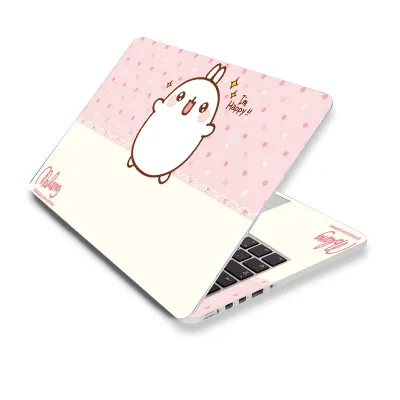
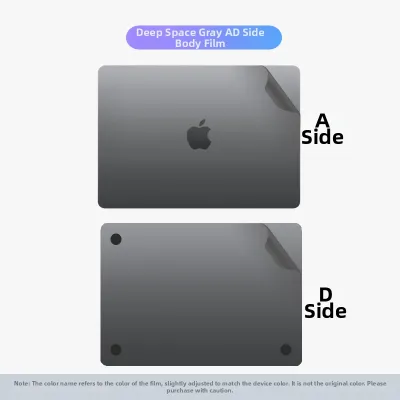
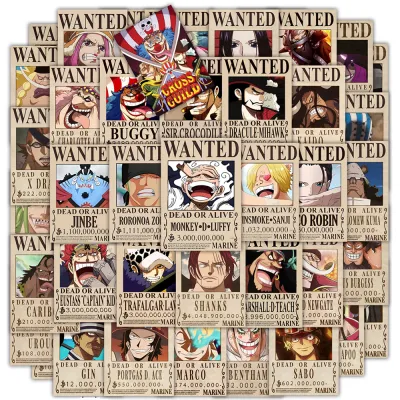

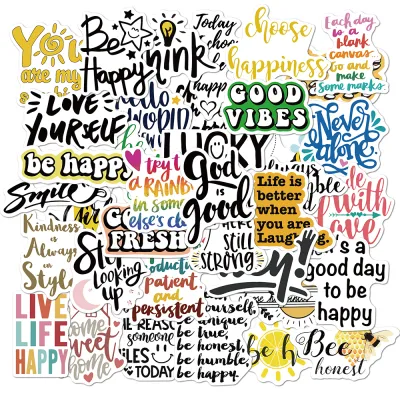
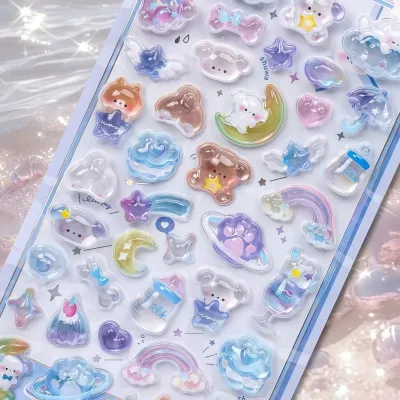
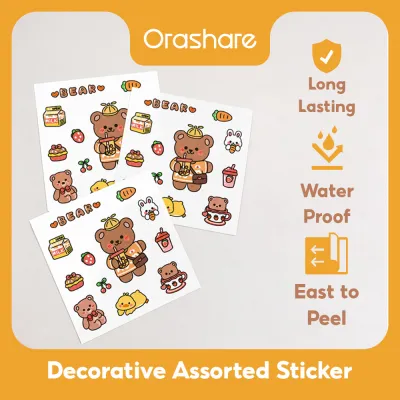
Prices are valid at publication and may change. Please refer to the product page for the latest price.
Humidity introduces a different but equally destructive mechanism. Moisture molecules suspended in the air slowly penetrate the microscopic gaps between the sticker and the laptop chassis. Over time, this water ingress breaks down the chemical bonds of water-soluble or weak adhesives, causing the sticker to lift entirely from the surface. This is particularly common in coastal areas or during the rainy season when the air remains saturated with moisture.
Fading is primarily driven by ultraviolet (UV) radiation. Even when a laptop is used indoors, indirect sunlight streaming through windows in bright tropical regions carries enough UV energy to break down the chemical bonds of standard ink pigments. This photochemical reaction causes vibrant colors to lose their saturation, turning a once-bold design into a washed-out shadow of its former self within a few months.
This environmental degradation is further compounded by the laptop’s own thermal output. Modern laptops generate substantial heat internally, which is dissipated through the chassis, particularly near the exhaust vents, CPU/GPU placements, and palm rests. This localized heat acts as a continuous baking element, accelerating the breakdown of both the adhesive and the printed ink directly above it.
Sticker Materials and Finishes Built for Tropical Climates
Base Materials: Vinyl vs. Paper and Washi
When selecting a sticker for laptop use, the base material is the most critical factor in determining longevity. Paper-based stickers and traditional Japanese washi tapes, while highly popular for journaling and indoor crafts, are fundamentally unsuited for the exterior of a laptop in a humid environment. These materials consist of natural cellulose fibers that are highly porous, meaning they act like microscopic sponges that continuously absorb moisture from the surrounding air.

As paper or washi absorbs this ambient humidity, the fibers swell and contract unevenly. This movement leads to warping, edge curling, and eventual peeling. Furthermore, standard inks printed on paper lack a protective barrier, meaning high humidity can cause the colors to bleed or smudge under the friction of daily handling.
In contrast, polyvinyl chloride (PVC) vinyl is entirely synthetic and non-porous. It does not absorb moisture, swell, or warp when exposed to high humidity. This inherent water resistance makes vinyl the absolute baseline requirement for any laptop sticker intended to survive tropical conditions.
Adhesive Formulations for High Temperatures
The adhesive backing is what keeps the vinyl anchored to your laptop despite the heat generated by the processor and the surrounding air. Standard removable adhesives, often used for temporary labels, rely on low-tack formulas that quickly liquefy or slide when exposed to temperatures above 30°C.
To prevent this, look for stickers that utilize permanent or high-tack acrylic-based adhesives. Acrylic adhesives undergo a chemical curing process that creates a highly stable, heat-resistant bond. They maintain their shear strength even when the laptop chassis warms up during intensive tasks, preventing the sticker from shifting or lifting at the corners.
When browsing product listings on online marketplaces or at specialty stationery shops, check the specifications for explicit mentions of “acrylic adhesive,” “high-temperature resistance,” or “outdoor-grade backing.” These formulations are designed to withstand automotive or industrial environments, making them more than capable of handling the thermal demands of a high-performance laptop.
Protective Laminates and UV-Resistant Coatings
Even if a sticker is made of durable vinyl, the printed design on top remains vulnerable to physical wear and environmental degradation. A high-quality sticker must feature a protective laminate layer—a thin, clear plastic film applied over the printed ink. This laminate can have a matte, glossy, or textured finish, and it serves as a physical shield against oils from your hands, scratches, and ambient moisture.
Without this protective layer, the ink on a vinyl sticker is directly exposed to the elements. Constant friction from sliding the laptop into a sleeve or resting your wrists on the palm rest will quickly rub the design away. Additionally, unlaminated inks are highly susceptible to moisture-induced smearing, even if the vinyl base beneath them remains perfectly intact.
Crucially, the laminate must offer UV protection. UV-resistant laminates contain chemical stabilizers that absorb or reflect harmful ultraviolet rays before they reach the ink layer. This feature is essential in tropical climates, where high ambient light levels can fade unprotected inks within a matter of months, even if the laptop rarely leaves an air-conditioned room.
Specifications to Verify Before Buying a Laptop Sticker
To ensure you are purchasing a product that can withstand the local climate, you must look past generic marketing buzzwords and verify specific technical details. When shopping, prioritize listings that explicitly state the stickers are “waterproof,” “UV-resistant,” “outdoor-grade,” and “laminated.”
It is critical to distinguish between “water-resistant” and “waterproof” or “weatherproof.” A water-resistant sticker can handle occasional light splashes or high humidity for a short period, but it will eventually fail if exposed to persistent moisture or sweat from your palms. A waterproof or weatherproof sticker, however, is designed to remain completely impervious to water ingress indefinitely, making it the far safer choice for long-term laptop customization.
Pay close attention to the physical thickness of the sticker, which is typically measured in mils (thousandths of an inch) or microns. High-quality vinyl stickers generally range from 3 to 6 mils (approximately 75 to 150 microns) in thickness. Avoid extremely thin stickers (under 2 mils), as they lack the structural rigidity to resist stretching, warping, and lifting when the laptop’s metal or plastic chassis expands and contracts due to temperature fluctuations.
The printing technology used to produce the sticker also plays a major role in fade resistance. Standard inkjet printers used for home crafts typically employ water-based dye inks, which fade rapidly under UV light and smudge when exposed to moisture. Instead, look for stickers printed with eco-solvent, latex, or UV-cured inks. These industrial-grade inks chemically bond with the vinyl substrate, offering superior color retention and resistance to environmental wear.
If you are unsure of the sticker’s quality, perform a simple water and scratch test on an unused portion of the sticker sheet. Place a drop of water on the printed surface and rub it gently with your finger after a minute; if the ink bleeds or the laminate peels away, the material is unsuitable for a humid environment. While cheap paper stickers might cost as little as ₱5 to ₱10, investing in high-quality laminated vinyl stickers—which typically range from ₱50 to ₱150 each—will save you money and frustration in the long run.
Finally, check if the manufacturer or seller provides an operating temperature range for the adhesive. For a laptop sticker, the adhesive should ideally be rated to withstand temperatures up to at least 60°C (140°F). This ensures that even if your laptop runs hot during intensive gaming or rendering sessions, the adhesive backing will remain firmly set and will not slide or bubble.
Application and Care Tips for Humid Environments
Even the highest-quality vinyl sticker will fail prematurely if it is not applied correctly. Proper surface preparation is the single most important step in ensuring a long-lasting bond. Before applying any sticker, thoroughly clean the laptop lid or chassis with a lint-free microfiber cloth saturated with 70% isopropyl alcohol. This step is crucial because it removes invisible skin oils, fingerprints, and microscopic dust particles that prevent the adhesive from making full contact with the surface. Allow the alcohol to evaporate completely; applying a sticker over a damp surface will trap moisture and ruin the adhesive.
The environment in which you apply the sticker also matters. Avoid applying stickers outdoors, in non-air-conditioned spaces during the heat of the day, or in high-humidity areas like kitchens or open balconies. High humidity can trap microscopic moisture droplets on the laptop surface just as you lay the sticker down, leading to immediate bubbling. Instead, perform the application in a cool, dry, air-conditioned room. This allows the pressure-sensitive adhesive to cure and bond with the laptop surface under optimal conditions, which typically takes 24 to 48 hours to reach maximum strength.
Strategic placement can dramatically extend the lifespan of your laptop stickers. Avoid placing stickers directly over or immediately adjacent to heat exhaust vents, as the constant stream of hot air will dry out and degrade even high-quality adhesives over time. Similarly, keep stickers away from high-friction zones, such as the very edges of the laptop lid where it is repeatedly grabbed, or the palm rests where your hands constantly rub against the surface.
When it comes to maintenance, gentle care is essential. To clean your stickered laptop, use a slightly damp microfiber cloth with a tiny drop of mild dish soap if necessary. Gently wipe the surface, taking care not to snag the edges of the stickers. Never use harsh chemical solvents, window cleaners, or abrasive scrubbing pads. These harsh substances can dissolve the protective laminate layer, strip the printed inks, and dissolve the adhesive at the sticker’s edges, causing immediate peeling.
Frequently Asked Questions (FAQ)
Are holographic or clear vinyl stickers more prone to peeling in the heat?
The base vinyl material and the adhesive formulation determine heat and humidity resistance, not the holographic or clear finish itself. A high-quality holographic or clear sticker made with outdoor-grade vinyl and permanent acrylic adhesive will perform just as well as an opaque white vinyl sticker. However, clear stickers require extra care during application because any trapped dust, moisture, or adhesive degradation (such as yellowing or bubbling) will be much more visible through the transparent areas of the design.
What is the safest way to remove a heat-baked sticker without damaging the laptop finish?
To remove a sticker that has been baked onto your laptop by heat, use a hairdryer on a low, warm setting to gently heat the sticker for 15 to 30 seconds. This indirect heat softens the hardened adhesive, making it pliable again. Slowly lift one corner of the sticker using your fingernail or a soft plastic card (like an old gift card), peeling it back at a sharp angle rather than pulling straight up. If any sticky residue remains, apply a small amount of isopropyl alcohol or a mild, citrus-based adhesive remover to a microfiber cloth and gently rub the area. Never use metal blades, utility knives, or harsh industrial solvents like acetone, as these can permanently scratch or dissolve the protective coating, anodized finish, or paint on your laptop chassis.
Community discussion
Share your experience or ask a question. Comments are reviewed before publication.